Introduzzjoni
Welcome to the user manual for your Soundcore Anker Liberty Neo True Wireless Earbuds. These earbuds are designed to provide a high-quality audio experience with features tailored for active lifestyles. This manual will guide you through the setup, operation, maintenance, and troubleshooting of your device to ensure optimal performance.

Figure 1: Soundcore Anker Liberty Neo True Wireless Earbuds in their charging case.
X'hemm fil-Kaxxa
Your Soundcore Anker Liberty Neo True Wireless Earbuds package includes the following items:
- Kawża tal-Iċċarġjar
- Manwal għall-Utent (dan id-dokument)
- Cable tal-Iċċarġjar tal-USB
- Multiple sizes of EarTips and WingTips for a secure fit

Figure 2: Included accessories with the Soundcore Anker Liberty Neo Earbuds.
Setup
1. Iċċarġjar tal-Earbuds u l-Kaxxa Tiegħek
Qabel l-ewwel użu, iċċarġja kompletament kemm il-earbuds kif ukoll il-kaxxa tal-iċċarġjar.
- Place the earbuds into the charging case. Ensure they are correctly seated; the LED indicators on the earbuds will light up to confirm charging.
- Connect the provided USB charging cable to the charging port on the case and to a power source. The LED indicators on the charging case will show the charging status.
- Once fully charged, the LED indicators will turn solid or off, depending on the model.

Figura 3: Il-earbuds imqiegħda fil-kaxxa tal-iċċarġjar.
2. It-tqabbil mat-Tagħmir Tiegħek
The Liberty Neo earbuds feature one-step pairing for convenience.
- Open the charging case. The earbuds will automatically enter pairing mode, and their LED indicators will flash white.
- Fuq l-apparat tiegħek (smartphone, tablet, eċċ.), attiva l-Bluetooth.
- Fittex għal "Soundcore Liberty Neo" in the list of available Bluetooth devices and select it to connect.
- Once connected, the LED indicators on the earbuds will turn solid white or off, indicating successful pairing.
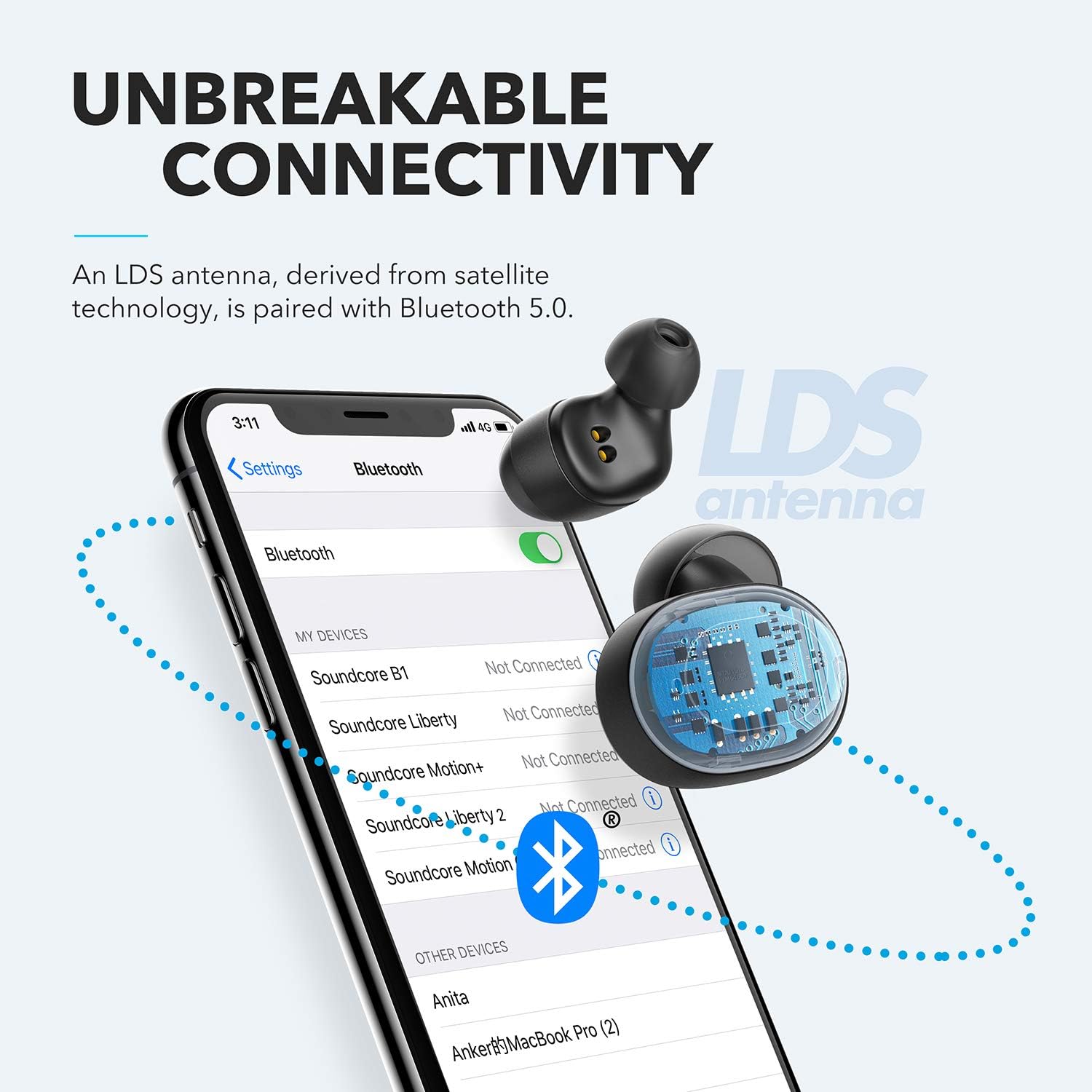
Figure 4: Bluetooth pairing process on a smartphone.
Kif Tħaddem il-Earbuds Tiegħek
1. L-ilbies tal-Earbuds
For optimal sound quality and a secure fit, choose the correct size of EarTips and WingTips. Insert the earbuds into your ears and twist them gently until they feel snug and comfortable.

Figure 5: Proper wearing of the earbuds for a secure fit.
2. Kontrolli
The Liberty Neo earbuds feature intuitive touch controls:
- Play/Pawsa: Tap the multi-function button on either earbud once.
- Track li jmiss: Double-tap the multi-function button on the right earbud.
- Track preċedenti: Double-tap the multi-function button on the left earbud.
- Tweġiba/Tmiem Sejħa: Tap the multi-function button on either earbud once.
- Irrifjuta Sejħa: Agħfas u żomm il-buttuna multi-funzjoni fuq kull earbud għal żewġ sekondi.
- Attiva l-Assistent tal-Vuċi: Press and hold the multi-function button on either earbud for 1 second.
3. Modi tal-Ħsejjes
While the Liberty Neo earbuds offer excellent passive noise isolation, they do not feature Active Noise Cancellation (ANC) or Transparency modes. They are designed to provide a rich audio experience with Soundcore's signature sound and BassUp technology.
Manutenzjoni
To ensure the longevity and optimal performance of your earbuds:
- Keep the earbuds and charging case clean and dry. Use a soft, dry cloth to wipe them.
- Evita temperaturi estremi.
- Tużax cleaners korrużivi.
- The earbuds are IPX7 waterproof, meaning they can withstand sweat and rain. However, the charging case is not waterproof. Ensure earbuds are dry before placing them back in the case.

Figure 6: Earbuds demonstrating IPX7 waterproof rating.
Issolvi l-problemi
If you encounter any issues with your earbuds, refer to the following common solutions:
| Problema | Soluzzjoni |
|---|---|
| Earbuds ma jingħaqdux | Ensure earbuds are charged. Turn off Bluetooth on your device, then turn it back on. Try resetting the earbuds (refer to Soundcore support for specific reset instructions). |
| Earbud wieħed biss idoqq l-awdjo | Place both earbuds back into the charging case, close the lid, then open it again. Ensure both earbuds are connected to your device. |
| Kwalità tal-ħoss fqira | Ensure earbuds are clean and free of debris. Try different sized EarTips for a better seal. Check your device's audio settings. |
| Il-earbuds jaqgħu barra | Experiment with different sizes of EarTips and WingTips to find the most secure and comfortable fit for your ears. |
Speċifikazzjonijiet
| Karatteristika | Dettall |
|---|---|
| Isem tal-Mudell | Libertà Neo |
| Numru tal-Mudell | A3911 |
| Teknoloġija tal-Konnettività | Mingħajr fili (Bluetooth 5.0) |
| Livell ta 'Reżistenza għall-Ilma | IPX7 (Earbuds biss) |
| Ħajja tal-batterija | 8 Hours (Earbuds), 40 Hours with Charging Case |
| Tip ta' Sewwieq Awdjo | Dynamic Driver (Graphene-enhanced) |
| Metodu ta' Kontroll | Mess |
| Piż tal-oġġett | 1.76 uqija |
| Dimensjonijiet tal-Prodott | 2.95 x 1.38 x 1.18 pulzieri |
Garanzija u Appoġġ
Għal informazzjoni dwar il-garanzija u l-appoġġ għall-klijenti, jekk jogħġbok irreferi għas-Soundcore uffiċjali webis-sit jew ikkuntattja lis-servizz tal-konsumatur tagħhom direttament. Żomm l-irċevuta tax-xiri tiegħek għal talbiet ta' garanzija.
Appoġġ onlajn: Żur www.soundcore.com għal FAQs, gwidi għas-soluzzjoni tal-problemi, u informazzjoni ta' kuntatt.


