Introduzzjoni
Thank you for choosing the LEMEGA PR2-Max Grey DAB Radio. This portable digital radio offers a comprehensive listening experience with DAB+, FM, and Bluetooth connectivity. It features a long-lasting rechargeable battery, dual alarm clock, 40 station presets, and a headphone jack for private listening. This manual provides detailed instructions to help you set up and operate your new radio.

Image: LEMEGA PR2-Max Grey DAB Radio in an outdoor setting.
Kontenut tal-Pakkett
Jekk jogħġbok immarka l-kaxxa għall-oġġetti li ġejjin:
- 1 x LEMEGA PR2-Max Radio
- 1 x USB-C Power Cable
- 1 x Gwida Quick Start

Image: Contents of the LEMEGA PR2-Max package, including the radio, USB-C cable, and quick start guide.
Prodott Overview
Familiarize yourself with the controls and ports of your LEMEGA PR2-Max radio.

Immaġni: Quddiem view of the LEMEGA PR2-Max Grey DAB Radio, highlighting its display and control layout.
Kontrolli u Portijiet:
- Display LCD: Juri informazzjoni dwar l-istazzjon, il-ħin, u l-għażliet tal-menù.
- Rotary Knob (Select/Volume): Turn to adjust volume or navigate menus; press to select.
- Buttuna tal-Presets: Aċċessa u ssejvja l-istazzjonijiet favoriti tiegħek.
- Buttuna ta 'l-allarm: Issettja u immaniġġja l-allarmi.
- Buttuna Sleep: Issettja l-timer tal-irqad.
- Buttuna tal-menu: Aċċess għas-settings tas-sistema.
- Buttuna Lura: Irritorna għall-menu preċedenti.
- Buttuna tal-Modalità: Aqleb bejn il-modi DAB, FM, u Bluetooth.
- Buttuna Play/Pause: Control playback in Bluetooth mode.
- Skip/Tune Buttons: Navigate tracks or tune stations.
- Buttuna ta 'Informazzjoni: Uri informazzjoni addizzjonali dwar l-istazzjon.
- Jack tal-headphone: Għal smigħ privat.
- Port USB-C: Għall-input tal-enerġija.
- Antenna teleskopika: Għal riċezzjoni ottimali tar-radju.
Setup
Tixgħel
The LEMEGA PR2-Max can be powered by its internal rechargeable battery or via the included USB-C cable.
- Qawwa tal-batterija: The radio has a built-in rechargeable lithium battery providing up to 15 hours of playback. Ensure the battery is charged for portable use.
- Enerġija tal-Mejns: Connect the supplied USB-C cable to the USB-C port on the radio and plug the other end into a compatible USB power adapter (not supplied) or a USB port on a computer. The radio will automatically power on and begin charging.

Image: The LEMEGA PR2-Max Grey DAB Radio demonstrating its portability and long battery life.
Initial Scan (DAB/FM)
Upon first use or after a factory reset, the radio will perform an automatic scan for available stations.
- Estendi l-antenna teleskopika kompletament għal riċeviment ottimali.
- When powered on for the first time, the radio will automatically enter DAB mode and begin scanning for stations.
- Ladarba l-iskennjar ikun komplut, l-ewwel stazzjon disponibbli jibda jdoqq.
- To manually initiate a scan, press the Menu button, navigate to "Scan" or "Full Scan" (for DAB) or "Auto Scan" (for FM), and press the Agħżel pum biex tikkonferma.
Istruzzjonijiet Operattivi
DAB/FM Radio Operation
Switch between DAB and FM modes using the Modalità buttuna.

Image: The LEMEGA PR2-Max Grey DAB Radio showing a DAB station, emphasizing its enhanced DAB+ signal.
- Irfinar: In DAB mode, use the Aqbeż buttons to cycle through available stations. In FM mode, use the Aqbeż buttons to auto-tune to the next strong station, or rotate the Agħżel knob for fine-tuning.
- Kontroll tal-Volum: Dawwar il- Agħżel buttuna biex taġġusta l-volum.
- Presets: The radio supports 40 presets for quick access to your favorite stations.
- Iffrankar ta' Preset: Issettja l-istazzjon mixtieq. Agħfas u żomm il-buttuna Presets button until "Preset Store" appears. Rotate the Agħżel knob to choose a preset number (1-40) and press the knob to confirm.
- It-Tfakkir ta' Preset: Agħfas il- Presets button briefly. Rotate the Agħżel knob to choose the desired preset and press the knob to play.
- Wiri ta' Informazzjoni: Agħfas il- Info button to cycle through various information displays, such as program type, signal strength, bit rate, and date/time.
Operazzjoni Bluetooth
Connect your smartphone or other Bluetooth-enabled devices to stream audio wirelessly.
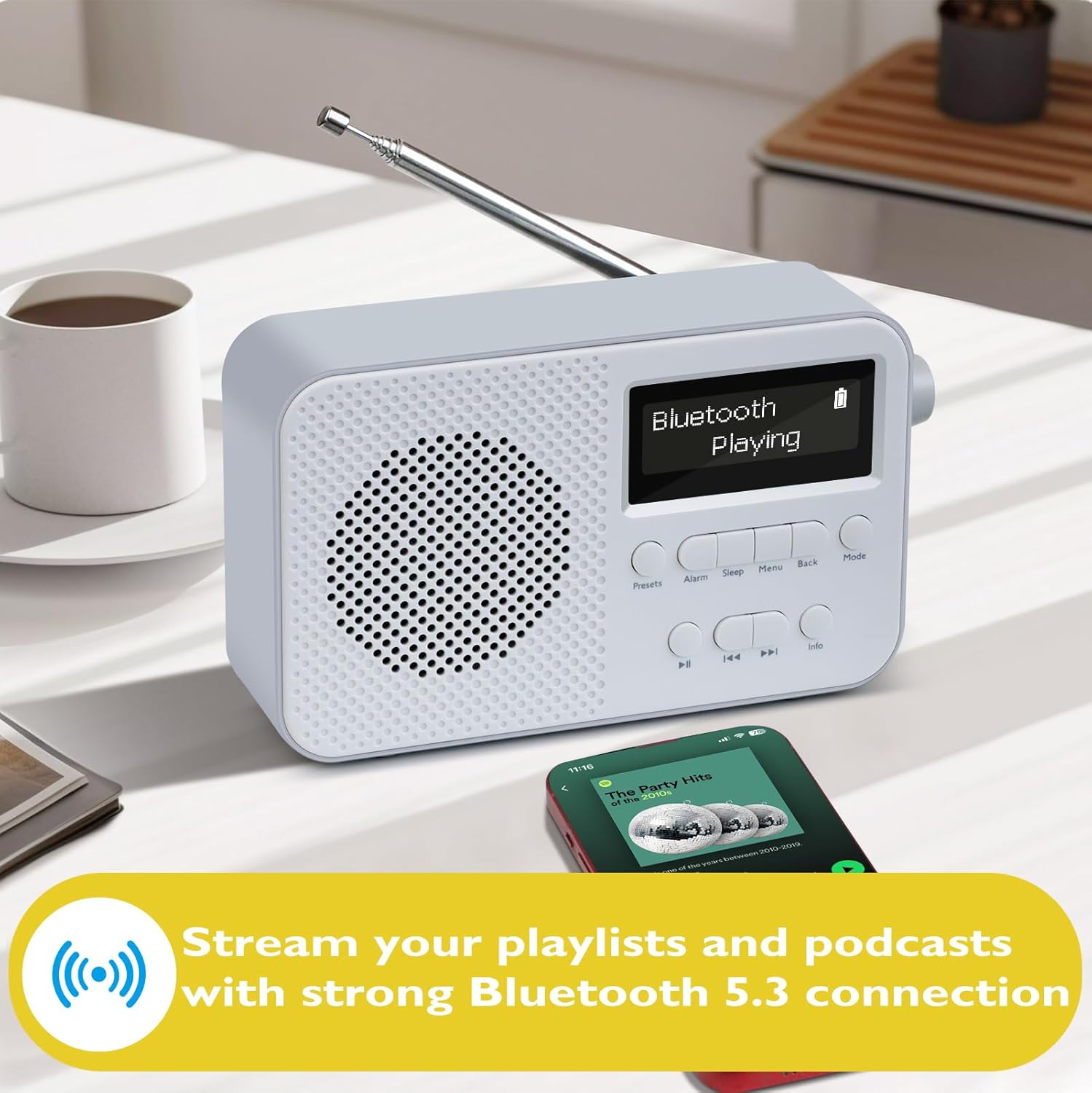
Image: The LEMEGA PR2-Max Grey DAB Radio connected via Bluetooth 5.3, streaming music from a smartphone.
- Agħfas il- Modalità button until "Bluetooth" mode is selected. The display will show "Bluetooth Pairing".
- On your Bluetooth device, enable Bluetooth and search for "LEMEGA PR2-Max".
- Select "LEMEGA PR2-Max" from the list of available devices to pair. Once connected, the display will show "Bluetooth Connected".
- You can now play audio from your device through the radio. Use the radio's Play/Pawsa u Aqbeż buttons to control playback, or control directly from your device.
Funzjonalità tal-Arloġġ tal-Allarm
Set up to two independent alarms with weekday and weekend modes.

Image: The LEMEGA PR2-Max Grey DAB Radio functioning as a dual alarm clock on a bedside table.
- Agħfas il- Allarm buttuna. Uża l- Agħżel il-pum biex tagħżel Allarm 1 jew Allarm 2 u agħfas biex tikkonferma.
- Segwi l-istruzzjonijiet fuq l-iskrin biex tissettja l-ħin tal-allarm, it-tul, is-sors (DAB, FM, jew Buzzer), u l-frekwenza (Kuljum, Ġranet tal-ġimgħa, Tmiem il-ġimgħa, Darba).
- Agħfas il- Agħżel il-pum biex tikkonferma kull setting.
- Biex titfi allarm attiv, agħfas il-buttuna Agħżel knob. To turn off an alarm, press the Allarm buttuna.
Sleep Timer
Issettja r-radju biex jintefa awtomatikament wara perjodu speċifikat.
- Agħfas il- Irqad button repeatedly to cycle through sleep timer options (e.g., 15, 30, 45, 60, 90, 120 minutes, or Off).
- Ir-radju jintefa awtomatikament wara l-ħin magħżul.
Użu tal-headphones
For private listening, plug standard 3.5mm headphones into the headphone jack on the side of the radio. The internal speaker will be muted automatically.
Equalizer (EQ) Modes
Adjust the audio output to suit your preferences.
- Agħfas il- Menu buttuna.
- Navigate to "Equalizer" or "EQ" using the Agħżel pum.
- Agħfas il- Agħżel knob to enter the EQ settings.
- Choose from preset modes like Normal, Classic, Jazz, Pop, Rock, or My EQ for custom settings.
Manutenzjoni
Tindif
To clean the radio, use a soft, dry cloth. Do not use abrasive cleaners, waxes, or solvents as these may damage the surface. Ensure the radio is powered off and unplugged before cleaning.
Kura tal-batterija
To maximize the lifespan of the internal rechargeable battery:
- Evita li tiċċarġja l-batterija kompletament ta' spiss.
- Iċċarġja l-batterija regolarment, anke jekk ir-radju ma jkunx qed jintuża ta' spiss.
- Aħżen ir-radju f'post frisk u niexef meta ma tkunx qed tużah għal perjodi twal.
Issolvi l-problemi
| Problema | Kawża Possibbli | Soluzzjoni |
|---|---|---|
| Ebda enerġija / Ir-radju ma jixgħelx. | Battery is flat; USB-C cable not connected properly. | Charge the battery using the USB-C cable. Ensure the USB-C cable is securely connected to both the radio and a power source. |
| Riċeviment tar-radju fqir (DAB/FM). | Antenna mhux estiża; żona tas-sinjal dgħajfa; interferenza. | Fully extend the telescopic antenna. Reposition the radio to an area with better signal. Perform a full scan for DAB stations. |
| L-apparat Bluetooth ma jistax jingħaqad. | Radio not in Bluetooth mode; device too far; device already paired with another unit. | Ensure the radio is in Bluetooth mode. Move the device closer to the radio. Disconnect the device from other Bluetooth connections and try again. |
| L-allarm ma jdoqqx. | Alarm not enabled; volume too low; incorrect alarm settings. | Check alarm settings to ensure it is enabled and set correctly. Increase the volume. |
Speċifikazzjonijiet
| Brand | LEMEGA |
| Numru tal-Mudell | PR2 |
| Dimensjonijiet tal-Prodott | 16L x 5.5W x 9.5H ċentimetri |
| Piż | 530 g |
| Kulur | PR2-MAX Grey |
| Teknoloġija tal-Konnettività | Bluetooth 5.3 |
| Teknoloġija Tuner | DAB / DAB + / FM |
| Sors tal-Enerġija | Battery Powered & Corded Electric |
| Ħajja tal-batterija | Sa 15 sigħat (rikarikabbli) |
| Presets | 40 (DAB/FM) |
| Interface tal-Ħardwer | USB Type C, 3.5mm Audio, Bluetooth 5 |
Garanzija u Appoġġ
LEMEGA products are designed and manufactured to the highest quality standards. For information regarding warranty coverage and technical support, please refer to the official LEMEGA webis-sit jew ikkuntattja lis-servizz tal-klijenti tagħhom direttament.
You can visit the LEMEGA Store for more information and support: Ħanut LEMEGA fuq Amazon


