Introduzzjoni
This manual provides instructions for the Digitus USB to Serial Adapter (Model DA-70167). This device enables data exchange between a personal computer with a USB port and various serial peripherals, such as machine controls, modems, and sensors. It is compliant with the USB 2.0 standard and features a PL2303GT chipset, offering customizable data transfer rates.
The adapter includes one USB 2.0 Male A connector and one D-SUB 9-Pin Male (RS232) connector, with gold-plated contacts for reliable connection. An 80 cm USB extension cable is also included for convenience.
Kontenut tal-Pakkett
- 1 x Digitus USB to Serial Adapter (DA-70167)
- 1 x 80 cm USB Extension Cable
Prodott Overview

Figura 1: Digitus USB to Serial Adapter. This image shows the main view of the adapter, highlighting its compact design and the D-SUB 9-pin connector.

Figura 2: Connection points of the adapter. This diagram illustrates the RS232 (D-SUB 9-pin) and USB A 2.0 connectors on the adapter.

Figura 3: Close-up view of the D-SUB 9-pin (RS232) male connector, showing the pin configuration.

Figura 4: View of the USB-A male connector, which plugs into the computer's USB port.
Setup
Follow these steps to set up your Digitus USB to Serial Adapter:
- Installazzjoni tas-sewwieq: Before connecting the adapter, it is recommended to install the necessary drivers for the PL2303GT chipset. Drivers are typically available on the Digitus support website or can be automatically installed by your operating system upon first connection.
- Qabbad mal-Kompjuter: Plug the USB-A male connector of the adapter into an available USB 2.0 port on your computer. You may use the included 80 cm USB extension cable if needed.
- Qabbad ma' Apparat Serjali: Connect the D-SUB 9-pin male (RS232) connector of the adapter to the serial port of your peripheral device (e.g., modem, machine control, label printer, barcode scanner, POS system, cash register, network switch). Ensure the screws on the D-SUB connector are tightened to secure the connection.

Figura 5: Diagram showing a one-to-one connection setup, illustrating the adapter connecting a label printer or other RS-232 device to a laptop/PC.

Figura 6: The USB to Serial Adapter connected to a network switch and a laptop, demonstrating a typical application.
Istruzzjonijiet Operattivi
Once the adapter is physically connected and drivers are installed, your computer should recognize the new serial port. You can then use software applications that require serial communication to interact with your connected peripheral device.
- Identifying the COM Port: After installation, check your computer's Device Manager (Windows) or System Information (macOS/Linux) to identify the assigned COM port number for the USB to Serial Adapter. This port number will be used by your serial communication software.
- Configuring Software: Open your serial communication software (e.g., PuTTY, Tera Term, HyperTerminal) and configure it to use the identified COM port. Set the appropriate communication parameters such as baud rate (data transfer rate), data bits, parity, stop bits, and flow control, matching the requirements of your serial peripheral device. The adapter supports customizable data transfer rates between 75 bit and 128,000 bit per second.
- Skambju ta' Dejta: Initiate data exchange through your software. The adapter will facilitate the communication between your computer's USB port and the serial device.
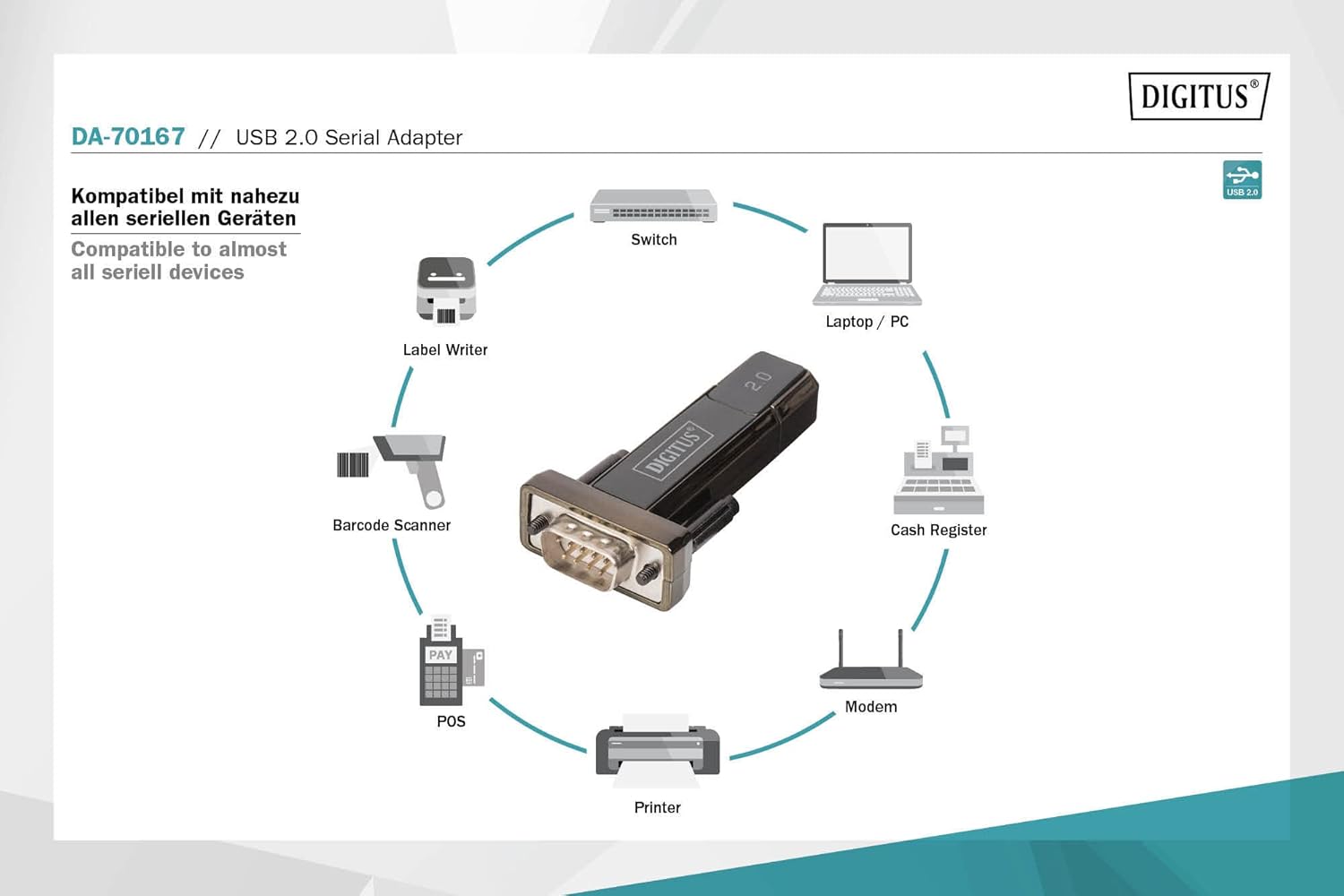
Figura 7: Diagram illustrating the wide range of devices compatible with the USB to Serial Adapter, including switches, laptops/PCs, label writers, barcode scanners, POS systems, printers, modems, and cash registers.
Manutenzjoni
The Digitus USB to Serial Adapter requires minimal maintenance. Follow these guidelines to ensure its longevity:
- Tindif: Use a soft, dry cloth to clean the exterior of the adapter. Do not use liquid cleaners or solvents.
- Ħażna: Store the adapter in a cool, dry place away from direct sunlight and extreme temperatures when not in use.
- Immaniġġjar: Evita li twaqqa' l-adapter jew li tissottomettih għal impatti qawwija. Tgħawwiġx jew iddawwarx il-kejbil b'mod eċċessiv.
- Kura tal-Konnettur: Keep the connectors free from dust and debris. If necessary, use compressed air to clean the ports.
Issolvi l-problemi
| Problema | Kawża Possibbli | Soluzzjoni |
|---|---|---|
| L-adapter mhux rikonoxxut mill-kompjuter. |
|
|
| Communication errors with serial device. |
|
|
| Slow data transfer. |
|
|
Speċifikazzjonijiet
| Numru tal-Mudell | DA-70167 |
| Brand | Diġitus |
| Konnetturi | 1x USB 2.0 Male A, 1x D-SUB 9-Pin Male (RS232) |
| Chipset | PL2303GT |
| USBStandard | Konformi USB 2.0 |
| Rata ta' Trasferiment tad-Data | 75 bit to 128,000 bit per second (customizable) |
| Tul tal-Cable | 80 cm (USB extension cable included) |
| Kulur | Iswed |
| Piż tal-oġġett | 2.82 uqija |
| Dimensjonijiet tal-Prodott (LxWxH) | 3.94 x 5.91 x 1.57 pulzieri |
| Apparati Kompatibbli | PC, various serial peripherals (machine controls, modems, sensors, etc.) |
Garanzija u Appoġġ
For warranty information and technical support, please refer to the official Digitus webis-sit jew ikkuntattja s-servizz tal-konsumatur tagħhom. Żomm l-irċevuta tax-xiri tiegħek bħala prova tax-xiri għal talbiet ta' garanzija.
Uffiċjal tad-Digitus Websit: www.digitus.info


