1. Introduzzjoni
Welcome to the user manual for your Intenso Slim Line USB 3.2 Flash Drive. This compact and high-performance storage device is designed for convenient and reliable data transfer and storage. With a capacity of 128GB and USB 3.2 Gen 1x1 connectivity, it offers fast read speeds of up to 100 MB/s, making it ideal for everyday use with laptops, tablets, televisions, and car audio systems.

Figure 1: The Intenso Slim Line USB flash drive with its protective cap removed, revealing the USB-A connector and an attached lanyard with a keyring.
2. Setup
The Intenso Slim Line USB flash drive is designed for plug-and-play functionality, requiring no additional software installation for basic operation on most modern operating systems.
- Insert the Flash Drive: Carefully insert the USB flash drive into an available USB-A port on your computer, laptop, smart TV, car audio system, or other compatible device. Ensure the drive is inserted correctly to avoid damage.
- Rikonoxximent Awtomatiku: Your operating system should automatically detect the new hardware and make the drive accessible. On Windows, it will appear as a removable disk in "This PC" or "My Computer." On macOS, it will appear as an icon on the desktop or in Finder.
- Użu Inizjali: The drive is pre-formatted and ready for immediate use. You can begin transferring files as soon as it is recognized.

Figure 2: The Intenso Slim Line USB flash drive discreetly plugged into the side USB port of a silver laptop, showcasing its compact design during use.
3. Istruzzjonijiet Operattivi
3.1 Trasferiment tad-Data
- Ikkopjar Files: Sib il- files or folders you wish to transfer on your computer. Select them, then right-click (or Ctrl-click on Mac) and choose "Copy." Navigate to the Intenso flash drive, open it, right-click in an empty area, and select "Paste."
- Draging and Drop: Open the folder containing your files and the Intenso flash drive window side-by-side. Click and drag the desired files or folders from your computer's location directly into the flash drive window.
- Prestazzjoni: The drive supports USB 3.2 Gen 1x1, offering read speeds up to 100 MB/s and write speeds up to 20 MB/s. Actual speeds may vary depending on the host device, file type, and operating system. For optimal performance, connect the drive to a USB 3.0 or 3.2 compatible port.
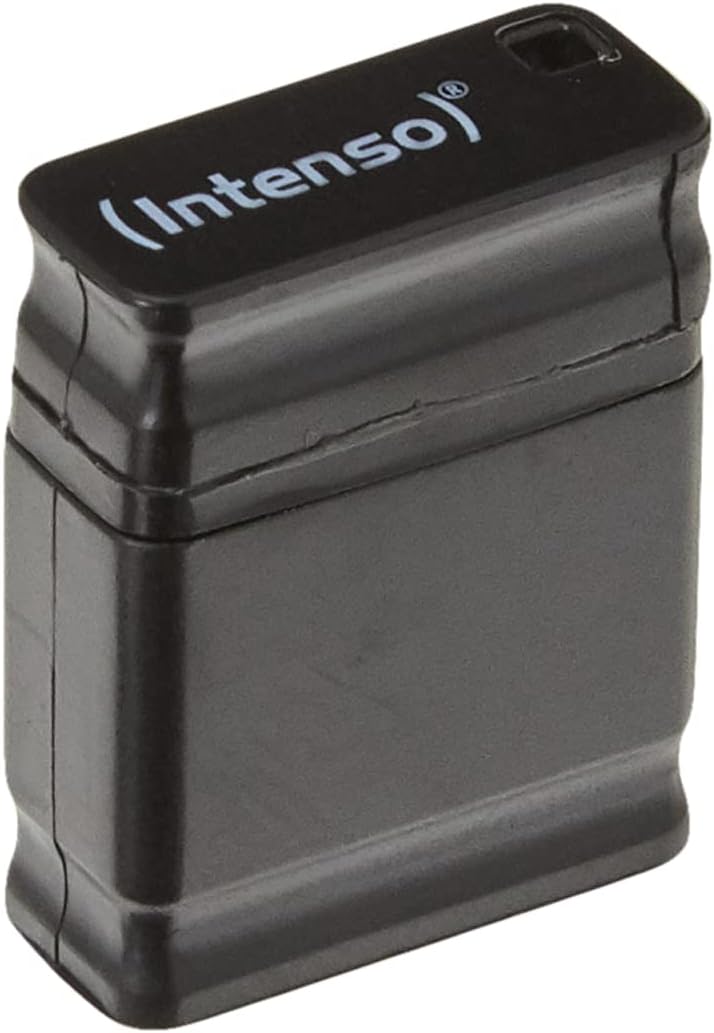
Figure 3: A visual representation of the Intenso Slim Line USB flash drive, highlighting its capability to achieve read speeds of up to 100 MB/s.
3.2 Tneħħija Sikura
To prevent data loss or corruption, always safely remove the USB flash drive before physically disconnecting it from your device.
- Windows: Click the "Safely Remove Hardware and Eject Media" icon in the system tray (usually near the clock). Select the Intenso flash drive from the list and wait for the "Safe to Remove Hardware" notification before unplugging.
- macOS: Drag the flash drive icon from your desktop or Finder sidebar to the Trash icon, or right-click (Ctrl-click) the drive icon and select "Eject." Wait for the icon to disappear before unplugging.
4. Manutenzjoni
Proper care will extend the lifespan of your Intenso Slim Line USB flash drive and protect your data.
- Kura Fiżika: Keep the drive clean and free from dust and debris. Avoid exposing it to extreme temperatures, direct sunlight, or moisture. The drive features a shockproof design, but excessive force or drops should still be avoided.
- Backup tad-Data: While flash drives are reliable, it is always recommended to back up important data to multiple locations (e.g., cloud storage, external hard drive) to prevent accidental loss.
- Ħażna: When not in use, keep the protective cap on the USB connector to prevent damage. The compact size and included lanyard make it easy to attach to a keyring for secure transport.

Figure 4: A detailed close-up view of the Intenso Slim Line USB flash drive, showcasing its textured black casing and the subtle "Intenso" branding.
5 Issolvi l-problemi
- Sewqan Mhux Rikonoxxut:
- Kun żgur li d-drajv huwa mdaħħal kompletament fil-port USB.
- Ipprova port USB differenti fuq l-apparat tiegħek.
- Ittestja d-drajv fuq kompjuter ieħor jew apparat kompatibbli biex teskludi problema speċifika għall-apparat.
- Check your operating system's Disk Management (Windows) or Disk Utility (macOS) to see if the drive is detected but not assigned a drive letter or mounted.
- Ensure your operating system has the latest updates and USB drivers.
- Veloċitajiet Baxxi tat-Trasferiment tad-Dejta:
- Verify that you are using a USB 3.0 or USB 3.2 compatible port on your host device. Connecting to a USB 2.0 port will result in significantly lower speeds.
- Trasferiment ta' ħafna intrapriżi żgħar files can be slower than transferring a single large file tal-istess daqs totali.
- Ensure no other intensive background processes are running that might consume system resources.
- Ma Nistax Nikteb Files biex issuq:
- Iċċekkja jekk id-drajv hux mimli. Ħassar dak li mhux meħtieġ files jew ittrasferihom għal post ieħor tal-ħażna.
- The drive might be set to read-only mode (less common for flash drives, but possible with certain file systems or permissions).
- If the drive is formatted with a file system like FAT32, it has a 4GB file size limit. For larger files, consider reformatting to exFAT or NTFS (Windows) / APFS or HFS+ (macOS), noting that reformatting will erase all data.
- Korruzzjoni tad-Data:
- Always use the "Safe Removal" procedure before disconnecting the drive.
- If data corruption occurs frequently, the drive may be faulty. Contact customer support if the issue persists.
6. Speċifikazzjonijiet
| Karatteristika | Dettall |
|---|---|
| Brand | Intenso |
| Isem tal-Mudell | Linja Slim |
| Numru tal-Mudell tal-Oġġett | 3532491 |
| Kapaċità tal-Ħżin tal-Memorja | 128 GB |
| Interface tal-Ħardwer | USB 3.2 Ġen 1 |
| Teknoloġija tal-Konnettività | USB, USB 3.2 Gen. 1x1 |
| Aqra Veloċità | Sa 100 Megabytes Kull Sekonda |
| Ikteb Veloċità | Sa 20 Megabytes Kull Sekonda |
| Kulur | Iswed |
| Dimensjonijiet tal-Prodott (LxWxH) | 0.79 x 0.59 x 0.28 pulzieri (madwar 20 x 15 x 7 mm) |
| Piż tal-oġġett | 0.071 uqija (madwar 2 gramma) |
| Karatteristika Speċjali | Kontra l-iskossi |
7. Informazzjoni dwar is-Sigurtà
Please observe the following safety guidelines to ensure safe operation and prevent damage to your device or data:
- Do not attempt to disassemble or modify the flash drive. This will void any warranty and may cause damage.
- Avoid exposing the device to water, humidity, or other liquids.
- Keep the device away from strong magnetic fields, extreme temperatures, and direct heat sources.
- Handle the device with care. Although it is shockproof, severe impacts can still cause internal damage.
- Keep out of reach of children. Small parts could be a choking hazard.
8. Garanzija u Appoġġ
Specific warranty details for the Intenso Slim Line USB 3.2 Flash Drive are not provided within this document. For information regarding warranty coverage, technical support, or customer service, please refer to the official Intenso website or contact your point of purchase. Please have your model number (3532491) and proof of purchase ready when seeking support.
You can often find additional resources and contact information on the manufacturer's official websit: www.intenso.de


