1. Introduzzjoni
This manual provides detailed instructions for the installation, operation, and maintenance of your Aerocool Streak Mid-Tower ATX PC Gaming Case. Designed for both new and experienced PC builders, the Streak case offers a compact design with a polished aluminum front panel, vibrant RGB lighting, and a full tempered glass side panel to showcase your components. It supports various cooling configurations to ensure optimal performance for your system.
2. Informazzjoni dwar is-Sigurtà
Please read and understand all safety instructions before installing or operating the PC case. Failure to do so may result in personal injury or damage to the product.
- Always disconnect the power supply from the wall outlet before performing any installation or maintenance.
- Be aware of sharp edges inside the case. Handle components with care to avoid cuts.
- Żomm il-partijiet żgħar u l-viti 'l bogħod mit-tfal.
- Żgura ertjar xieraq biex tevita xokk elettriku.
- Do not expose the case to water or excessive humidity.
3. Kontenut tal-Pakkett
Ivverifika li l-oġġetti kollha huma preżenti fil-pakkett:
- Aerocool Streak Mid-Tower ATX PC Gaming Case
- Accessory box (screws, standoffs, cable ties, etc.)
- Manwal għall-Utent (dan id-dokument)
4. Case Components Overview
Familiarize yourself with the various parts of your Aerocool Streak case.

Figura 4.1: Angolat view of the Aerocool Streak PC case, showcasing the RGB front panel and tempered glass side panel.

Figura 4.2: Angolat minn fuq għal isfel view of the Aerocool Streak PC case, highlighting the top panel and front I/O ports.
4.1 Portijiet I/O ta' Quddiem
The front I/O panel provides convenient access to essential connections.
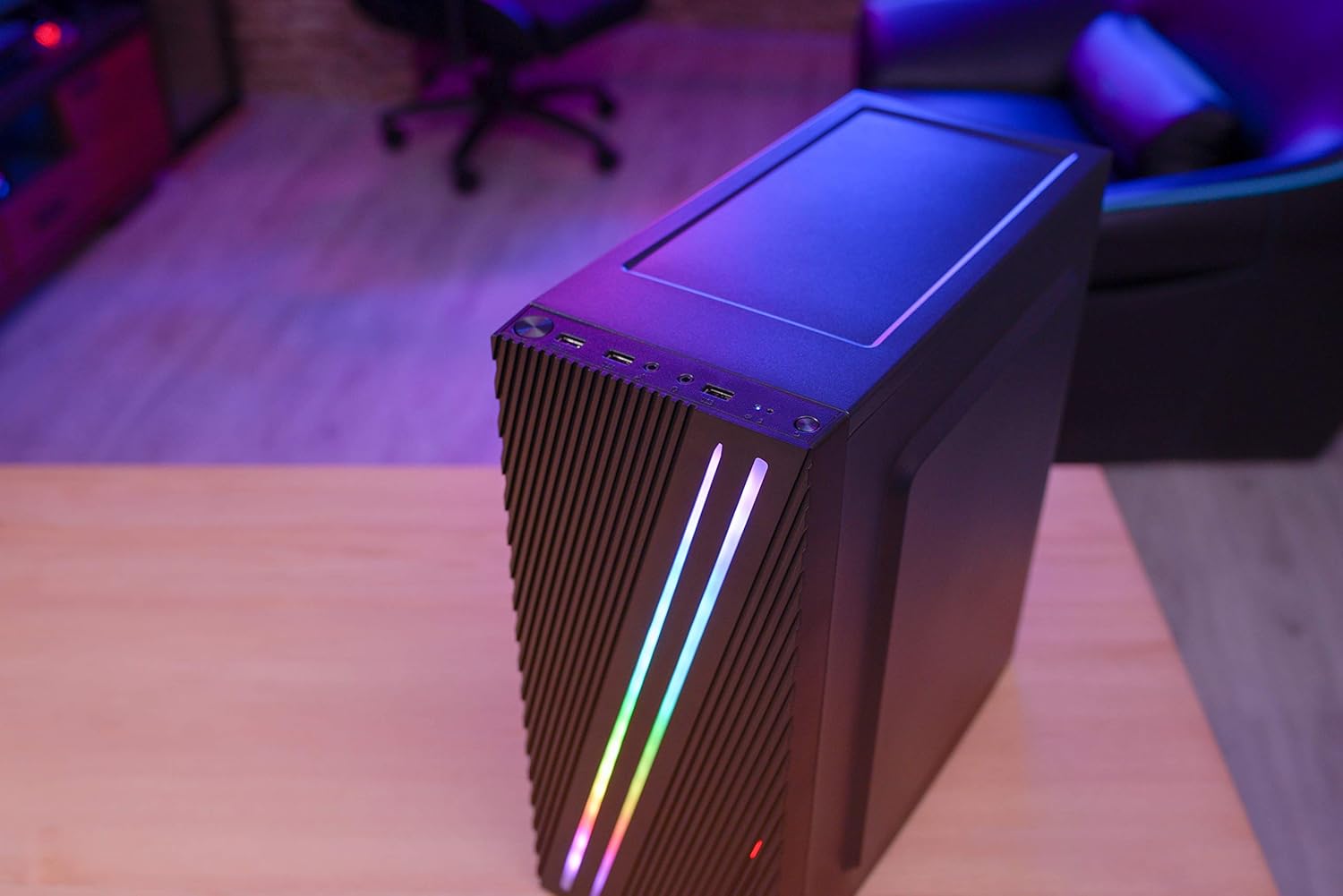
Figura 4.3: Close-up of the front I/O panel, showing the power button, LED control button, USB 3.0 port, two USB 2.0 ports, and HD audio/microphone jacks.
- Buttuna tal-Qawwa: Biex tixgħel/titfi s-sistema.
- LED Control Button: To cycle through RGB lighting modes.
- Port tal-USB 3.0 (x1): Għat-trasferiment tad-dejta b'veloċità għolja.
- Portijiet USB 2.0 (x2): Għal apparati USB standard.
- HD Audio & Mic Jacks: Għall-konnessjoni ta' headphones u mikrofoni.
4.2 Tqassim Intern
The interior is designed for efficient component installation and cable management.

Figura 4.4: Intern view of the Aerocool Streak PC case, showing the motherboard tray, drive bays, and cable routing cutouts.
5. Setup u Installazzjoni
Follow these steps to assemble your PC components within the Aerocool Streak case.
5.1 Preparazzjoni
- Iftaħ il-kaxxa u neħħi l-materjali kollha tal-ippakkjar.
- Poġġi l-kaxxa fuq wiċċ stabbli u ċatt.
- Gather necessary tools: Phillips head screwdriver, cable ties (included in accessory box).
- Remove the tempered glass side panel by unscrewing the four thumb screws.
5.2 Installazzjoni tal-Motherboard
The Aerocool Streak supports ATX, Micro-ATX, and Mini-ITX motherboards.

Figura 5.1: Diagram illustrating the compatible motherboard sizes (Mini-ITX, Micro-ATX, ATX) within the case.
- Install the necessary motherboard standoffs into the motherboard tray according to your motherboard's form factor.
- Place your motherboard carefully onto the standoffs, aligning the screw holes.
- Waħħal il-motherboard bil-viti pprovduti.
5.3 Installazzjoni tal-Unità tal-Provvista tal-Enerġija (PSU).
The case features a bottom-mount PSU design.
- Żerżaq il-PSU fil-kompartiment apposta għalih fil-qiegħ ta' wara tal-kaxxa.
- Secure the PSU to the case rear with screws.
5.4 Installazzjoni tad-Drive tal-Ħażna
Install your 2.5" SSDs and 3.5" HDDs.
- SSDs ta' 2.5": Mount SSDs to the designated 2.5" drive trays or mounting points on the motherboard tray.
- HDDs ta' 3.5": Install HDDs into the drive cage located beneath the PSU shroud.
5.5 Expansion Card Installation (Graphics Card, etc.)
The case supports high-end graphics cards up to 335mm in length.
- Neħħi l-għata meħtieġa tas-slott tal-PCIe minn wara tal-kaxxa.
- Insert your expansion card into the corresponding PCIe slot on the motherboard.
- Secure the card with a screw.
5.6 Installazzjoni tas-Sistema tat-Tkessiħ
The Aerocool Streak supports both air and liquid cooling solutions.

Figura 5.2: Diagram showing air cooling options, including front 120mm fans (optional) and a rear 80mm fan (included).

Figura 5.3: Diagram illustrating liquid cooling support, specifically a 240mm radiator at the front (optional).
- Tkessiħ bl-Arja: The case supports up to two 120mm fans at the front (optional) and includes one 80mm fan at the rear.
- Tkessiħ Likwidu: A 240mm radiator can be installed at the front of the case (optional).
- Install fans or radiators into their respective mounting points and secure them with screws.
5.7 Ġestjoni tal-Cable
Utilize the cable routing cutouts and tie-down points behind the motherboard tray to organize cables for improved airflow and aesthetics.
- Route all power and data cables through the designated cutouts.
- Use cable ties to bundle and secure cables neatly.
6. Istruzzjonijiet Operattivi
6.1 Kif Tixgħel is-Sistema Tiegħek
- Ensure all components are correctly installed and all cables are securely connected.
- Connect the power cable to your PSU and then to a wall outlet.
- Flip the power switch on the PSU to the 'ON' position.
- Press the power button on the front I/O panel of the case to start your system.
6.2 Kontroll tad-Dawl RGB
The Aerocool Streak features 18 distinct RGB lighting modes on its front panel.

Figura 6.1: The Aerocool Streak PC case with its vibrant RGB lighting illuminated on the front panel.
- Agħfas il- Buttuna ta 'Kontroll LED on the front I/O panel to cycle through the 18 available lighting modes.
- These modes include 11 RGB flow modes and 7 static color modes.
7. Manutenzjoni
Manutenzjoni regolari tgħin biex tiżgura l-lonġevità u l-prestazzjoni ottimali tal-kaxxa u l-komponenti tal-PC tiegħek.
7.1 Cleaning the Case
- Barra: Uża artab, damp drapp biex timsaħ l-uċuħ ta’ barra. Evita prodotti tat-tindif li joborxu.
- Intern: Periodically use compressed air to remove dust buildup from inside the case, especially around fans and heatsinks.
7.2 Dust Filter Maintenance
The case may include removable dust filters to prevent dust ingress. Clean these filters regularly.
- Locate and carefully remove any dust filters (e.g., top, bottom, front).
- Clean the filters with water and mild soap, or use compressed air.
- Kun żgur li l-filtri jkunu niexfa għalkollox qabel ma terġa' tinstallahom.
8 Issolvi l-problemi
If you encounter issues with your Aerocool Streak case, refer to the following common problems and solutions.
- Is-sistema ma tixgħelx:
- Check all power connections, including the PSU to the wall, PSU switch, and motherboard power cables.
- Ensure the front panel power switch cable is correctly connected to the motherboard.
- RGB lighting is not working:
- Verify that the RGB lighting cables are properly connected to the power supply or motherboard RGB header.
- Press the LED control button to cycle through modes, as it might be on a static black mode.
- Poor airflow/overheating:
- Kun żgur li l-fannijiet kollha tal-kaxxa qed iduru sew.
- Naddaf kwalunkwe filtru tat-trab u l-komponenti interni.
- Verify proper fan orientation for optimal airflow (intake/exhaust).
9. Speċifikazzjonijiet
| Karatteristika | Speċifikazzjoni |
|---|---|
| Isem tal-Mudell | Streak |
| Numru tal-Mudell | ACCM-PV19012.11 |
| Tip ta' Każ | Nofs it-Torri |
| Kompatibbiltà tal-motherboard | ATX, Mikro-ATX, Mini-ITX |
| Materjal | Ħġieġ ittemprat (pannell tal-ġenb) |
| Kulur | Iswed |
| Portijiet I / O ta 'quddiem | 1x USB 3.0, 2x USB 2.0, HD Audio, Mic, LED Control Button, Power Button |
| Dawl RGB | 18 Lighting Modes (11 flow, 7 static) |
| Clearance tal-CPU Cooler | Sa 151mm |
| Tul tal-Kard tal-Grafika | Sa 335mm |
| Immuntar tal-PSU | Mount tal-qiegħ |
| Metodu tat-tkessiħ | Arja, Ilma |
| Fannijiet Inklużi | 1x 80mm Rear Fan |
| Optional Fan Support | Quddiem: 2x 120mm |
| Appoġġ tar-radjatur | Front: 1x 240mm (optional) |
10. Garanzija u Appoġġ
The Aerocool Streak PC Gaming Case comes with a 2-year warranty on parts. For technical support, warranty claims, or further assistance, please contact your retailer or the official Aerocool support channels. Keep your proof of purchase for warranty validation.


