1. Introduzzjoni
Il- ViewSonic VP3481 monitor offers an immersive curved screen with stunning UWQHD+ 3440x1440 resolution. Designed for precise color accuracy, it delivers incredible detail and vivid colors across wide viewing angles. This monitor supports HDR10 for a wider dynamic range and richer contrast, making it suitable for video editing, content development, and other color-critical applications. Key features include a 100Hz refresh rate, AMD FreeSync™ technology for smooth playback, and versatile connectivity options including USB 3.1 Type-C, DisplayPort, and HDMI.
2. Setup
2.1. Kontenut tal-Pakkett
Qabel tibda l-installazzjoni, jekk jogħġbok ivverifika li l-oġġetti kollha elenkati hawn taħt huma preżenti fil-pakkett tiegħek:
- Monitor LCD
- Kejbil tal-Enerġija
- Adapter AC/DC
- Cable USB 3.1 Tip C
- Kejbil USB 3.0
- Kejbil DP għal DP
- Kejbil HDMI 2.0
- Cable Awdjo
- Factory Color Calibration Report
2.2. Assemblea tal-Monitor
Carefully remove the monitor from its packaging. Attach the monitor stand to the back of the display panel. Ensure all connections are secure before placing the monitor on a stable surface.

Figura 2.2.1: Id-dimensjonijiet tal-monitor għal tqegħid u setup xieraq.
2.3. Konnettività
The VP3481 monitor offers flexible connectivity options to integrate with various devices. Connect your computer or other video sources using the appropriate cables.
- USB 3.1 Tip-Ċ: This single cable solution supports audio, data, video, and charging (up to 60W) for compatible laptops and devices, reducing cable clutter.
- HDMI 2.0: Two HDMI ports are available, supporting HDCP 2.2 content protection for secure 4K content playback.
- DisplayPort: One DisplayPort input is provided for high-resolution video and audio transmission.
- Hub USB 3.0: The monitor features a built-in USB 3.0 hub with three downstream ports and two upstream ports for connecting peripherals.

Figure 2.3.1: USB Type-C provides a single-cable solution for multiple functions.

Figura 2.3.2: Aktarview of the monitor's input/output ports.
Vidjo 2.3.1: Overview of ViewSonic USB-C monitor connectivity features.
3. It-tħaddim tal-Monitor
3.1. Power On/Off
Agħfas il-buttuna tal-qawwa li tinsab fuq il-monitor biex tixgħelu jew titfih. Id-dawl indikatur tal-qawwa jixgħel meta l-monitor ikun attiv.
3.2. Karatteristiċi tal-Wiri
The VP3481 offers advanced display technologies for an optimal viewesperjenza:
- UWQHD (3440x1440p) Resolution: Experience sharp, detailed images across the expansive 34-inch curved screen.
- Rata ta' Aġġornar ta' 100Hz: Enjoy smooth, tear-free visuals, ideal for fast-paced content and video editing.
- Appoġġ HDR10: Delivers a wider dynamic range of vivid colors and richer contrast for a more immersive viewing esperjenza.
- Teknoloġija AMD FreeSync™: Synchronizes the monitor's refresh rate with your graphics card to eliminate screen tearing and stuttering.

Figure 3.2.1: HDR10 support enhances color and contrast for stunning visuals.

Figure 3.2.2: The 100Hz refresh rate and AMD FreeSync™ ensure smooth playback.
3.3. Color Accuracy and Calibration
The VP3481 is engineered for ultimate color accuracy, providing 100% sRGB color space coverage and a Delta E<2 accuracy value. An integrated color uniformity function ensures consistent chromaticity across the screen, and a 14-bit 3D look-up table generates a smooth palette of 4.39 trillion colors.
For professional applications, hardware calibration is available with the optional ViewSonic Colorbration Kit (sold separately), allowing for quick and easy monitor calibration.

Figure 3.3.1: Curved viewing experience optimized for color-critical tasks.
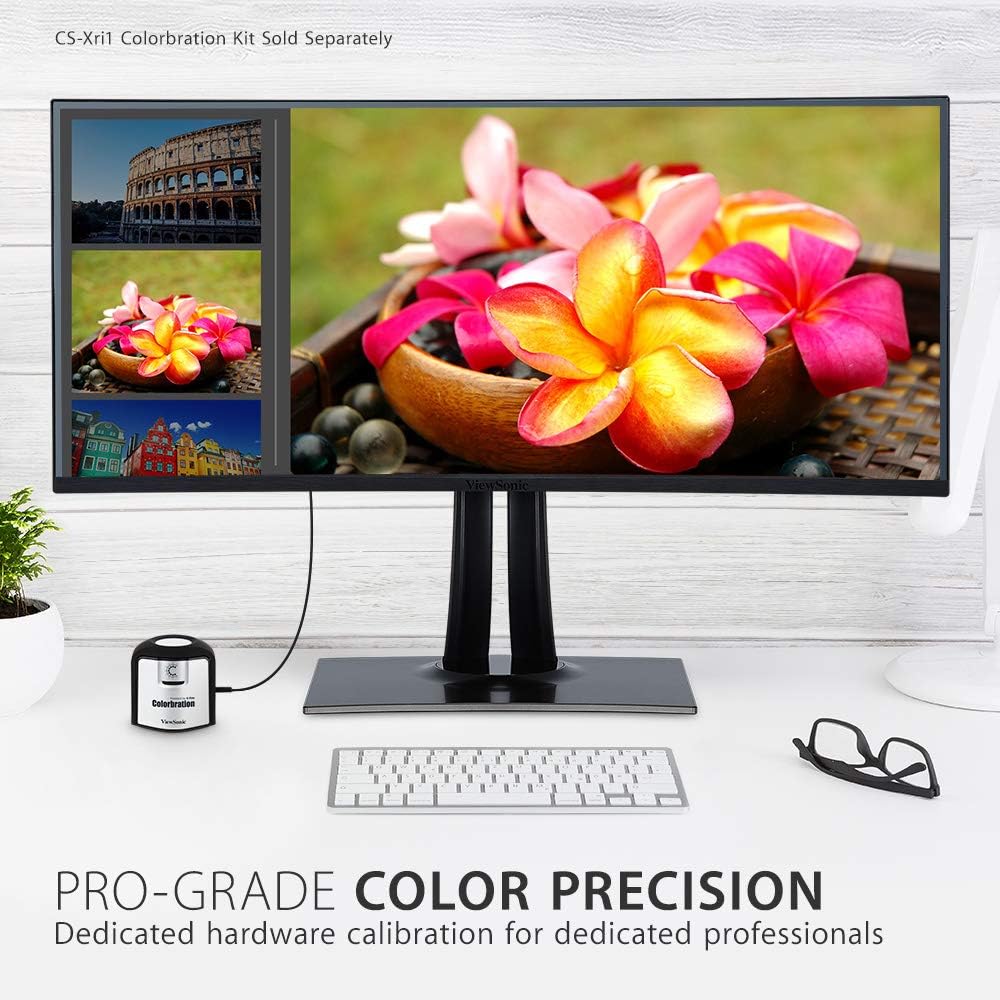
Figure 3.3.2: Dedicated hardware calibration is available for professional color precision.
4. Manutenzjoni
Biex tiżgura l-lonġevità u l-aħjar prestazzjoni tiegħek ViewSonic VP3481 monitor, follow these maintenance guidelines:
- Tindif tal-Iskrin: Imsaħ l-iskrin bil-mod b'ċarruta ratba u mingħajr suf. Għal marki persistenti, nixxef bil-modampen the cloth with water or a mild, non-abrasive screen cleaner. Avoid using alcohol-based cleaners or harsh chemicals.
- Tindif tas-Casing: Uża drapp artab u niexef biex tnaddaf il-parti ta' fuq tal-monitor.asing. Do not use liquid cleaners directly on the casing.
- Ventilazzjoni: Kun żgur li l-fetħiet tal-ventilazzjoni tal-monitor mhumiex imblukkati biex tevita li jisħon iżżejjed.
- Ġestjoni tal-Enerġija: Skonnettja l-monitor mill-plagg tal-enerġija waqt maltempati bis-sajjetti jew meta ma jkunx se jintuża għal perjodi twal.
5 Issolvi l-problemi
Jekk tiltaqa' ma' problemi bil- ViewSonic VP3481 monitor, refer to the following common troubleshooting steps:
- Ebda Qawwa: Ensure the power cable and AC/DC adapter are securely connected to both the monitor and a working power outlet. Check if the power indicator light is on.
- Ebda Sinjal/Skrin Vojt: Verify that the video cable (USB-C, HDMI, or DisplayPort) is correctly connected to both the monitor and your computer. Ensure the correct input source is selected on the monitor.
- Image Problems (Distorted, Flickering, Incorrect Colors): Check your computer's display settings for correct resolution and refresh rate. Ensure the video cable is not damaged. Perform a factory reset via the monitor's On-Screen Display (OSD) menu.
- Ebda Awdjo: If using the monitor's built-in speakers or headphone jack, ensure the audio cable is connected (if applicable) and the volume is not muted or set too low on both the monitor and your computer.
- Portijiet USB ma Jaħdmux: Ensure the USB upstream cable is connected from the monitor to your computer. Check device drivers on your computer.
6. Speċifikazzjonijiet
| Karatteristika | Dettall |
|---|---|
| Daqs tal-Wiri tal-Iskrin Permanenti | 34 Pulzier |
| Riżoluzzjoni tal-Iskrin | UWQHD (3440x1440) |
| Riżoluzzjoni Massima tal-Iskrin | 3440 x 1440 Pixels |
| Riffriskar Rata | 100Hz |
| Proporzjon ta' l-aspett | 2.33:1 (21:9) |
| Deskrizzjoni tal-wiċċ tal-iskrin | Anti-glare, Hard coating (3H) |
| Numru ta 'USB 3.0 Ports | 3 |
| Numru ta 'USB 2.0 Ports | 2 |
| USB 3.1 Tip Ċ | Yes (with Power Delivery) |
| Inputs HDMI | 2 (HDMI 2.0 b'HDCP 2.2) |
| Inputs DisplayPort | 1 |
| Piż tal-oġġett | 26.6 liri |
| Dimensjonijiet tal-Prodott (LxWxH) | 31.9 x 11.8 x 24 pulzieri |
| Kulur | Iswed |
| Manifattur | ViewSonic |
| Data L-Ewwel Disponibbli | 20 ta’ Ġunju 2019 |
7. Garanzija u Appoġġ
Il- ViewSonic VP3481 monitor comes with an industry-leading 3-year limited warranty. This coverage includes access to our US-based customer service team for technical assistance and support. For detailed warranty terms and conditions, please refer to the official ViewSonic webis-sit jew id-dokumentazzjoni inkluża mal-prodott tiegħek.
Għal aktar għajnuna, jekk jogħġbok żur il- ViewSonic Store jew ikkuntattja l-appoġġ tal-klijent.


