1. Introduzzjoni
This manual provides instructions for the proper use and care of your TCL SOCL300 In-Ear Headphones. These headphones are designed to deliver clear, balanced audio with effective noise isolation, featuring an integrated microphone and remote for convenient control of music and calls.
2. Kontenut tal-Pakkett
Ivverifika li l-oġġetti kollha huma preżenti fil-pakkett:
- TCL SOCL300 In-Ear Headphones
- Three pairs of ear tips (Small, Medium, Large)
- Gwida ta' Bidu Mgħaġġel (irreferi għal dan il-manwal għal struzzjonijiet dettaljati)

Image: The TCL SOCL300 In-Ear Headphones, including the main unit, the 3.5mm audio jack, and three different sizes of silicone ear tips (small, medium, and large) for a customized fit.
3. Setup
3.1 Choosing and Attaching Ear Tips
Selecting the correct size of ear tips is crucial for optimal sound quality and comfort. Experiment with the three provided sizes (Small, Medium, Large) to find the best fit for your ears. A proper seal will enhance bass response and noise isolation.
- Gently remove the pre-installed ear tips by pulling them off the earbud nozzle.
- Select a new pair of ear tips.
- Push the new ear tips onto the earbud nozzle until they are securely attached.
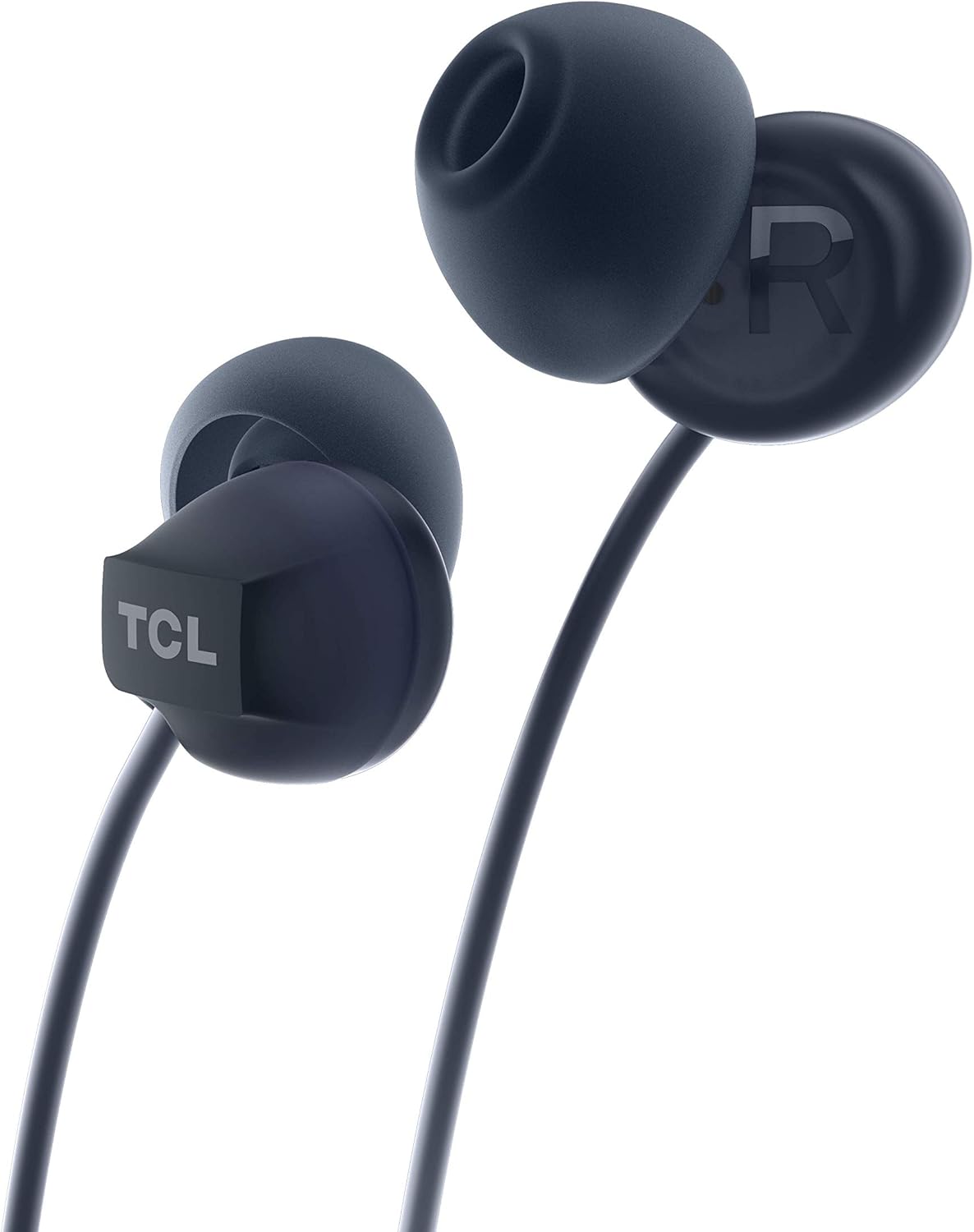
Immaġni: Close-up view of one TCL SOCL300 earbud, highlighting the ear tip and the TCL brand logo on the earbud housing. This illustrates where the ear tips attach.
3.2 Konnessjoni mat-Tagħmir Tiegħek
The TCL SOCL300 headphones use a standard 3.5mm audio jack for universal compatibility.
- Locate the 3.5mm audio port on your smartphone, tablet, laptop, or other audio device.
- Insert the 3.5mm jack of the headphones firmly into the device's audio port.
- Ensure the connection is secure for uninterrupted audio playback.

Immaġni: Dettaljata view of the TCL SOCL300 headphones, showcasing both earbuds, the in-line remote control, and the 3.5mm audio jack, ready for connection to a device.
3.3 L-Ilbies tal-Headphones
Insert the earbuds into your ears, ensuring a snug and comfortable fit. The ergonomic design and secure grip are intended for extended listening comfort. The right earbud is marked with an 'R' and the left with an 'L'.

Image: A person wearing one of the TCL SOCL300 earbuds, demonstrating the proper in-ear placement for a secure and comfortable fit.
4. Istruzzjonijiet Operattivi
The in-line remote provides convenient control over your audio and calls without needing to access your connected device.
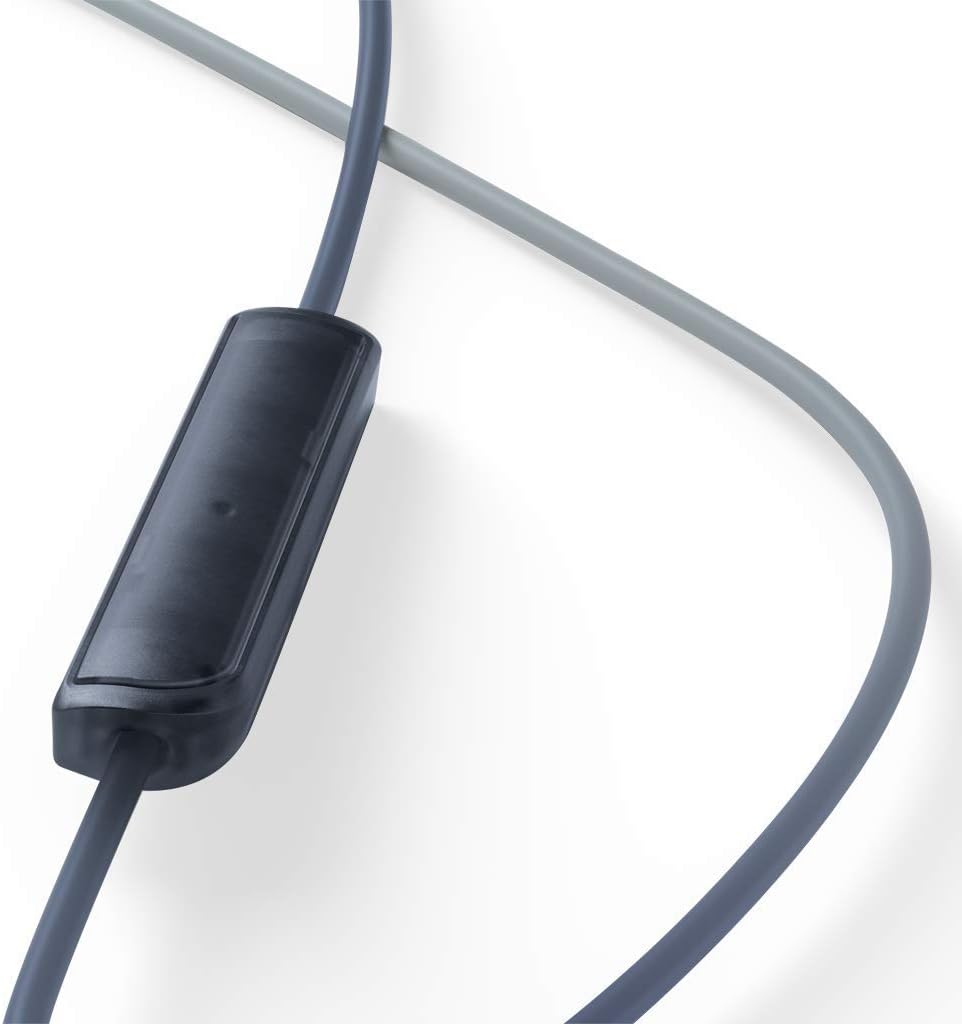
Immaġni: Close-up view of the in-line remote control, which houses the microphone and control button for managing music playback and phone calls.
4.1 Kontroll tal-Mużika
- Play/Pawsa: Agħfas il-buttuna taċ-ċentru darba.
- Track li jmiss: Agħfas il-buttuna ċentrali darbtejn malajr.
- Track preċedenti: Agħfas il-buttuna ċentrali tliet darbiet malajr.
4.2 Kontroll tas-Sejħa
- Tweġiba/Tmiem Sejħa: Agħfas il-buttuna taċ-ċentru darba waqt telefonata li tkun dieħla jew telefonata attiva.
- Irrifjuta Sejħa: Agħfas u żomm il-buttuna taċ-ċentru għal madwar 2 sekondi waqt telefonata li tkun dieħla.
4.3 Użu tal-Mikrofonu
The integrated in-line microphone allows for hands-free communication during calls or voice commands. Ensure the microphone is positioned appropriately for clear voice capture.
5. Manutenzjoni
5.1 Tindif
- Naddaf it-truf tal-widnejn regolarment b'ċarruta ratba u niexfa biex tneħħi x-xemgħa u l-fdalijiet tal-widnejn.
- For deeper cleaning, ear tips can be gently washed with mild soap and water, then thoroughly dried before reattaching.
- Wipe the headphone cables and earbuds with a soft, slightly damp drapp. Evita li tuża kimiċi ħarxa jew materjali li joborxu.
5.2 Ħażna
- When not in use, store the headphones in a clean, dry place, away from extreme temperatures and direct sunlight.
- Avoid tangling the cable by coiling it loosely.
6 Issolvi l-problemi
| Problema | Kawża Possibbli | Soluzzjoni |
|---|---|---|
| L-ebda ħoss jew volum baxx |
|
|
| Mikrofonu mhux qed jaħdem |
|
|
| Distorsjoni tal-ħoss |
|
|
7. Speċifikazzjonijiet
| Isem tal-Mudell | SOCL300BK |
| Teknoloġija tal-Konnettività | Bil-fili |
| Konnettur tal-Headphone | 3.5 mm Jack |
| Kontroll tal-Ħoss | Iżolament Akustiku |
| Fattur tal-Forma tal-Mikrofonu | Fil-linja |
| Impedenza | 28 Ohms |
| Livell ta 'Reżistenza għall-Ilma | Reżistenti għall-Ilma |
| Materjal | Synthetic Leather (for certain components like cable coating) |
| Dimensjonijiet | 2.5 x 5 x 17.3 ċm |
| Piż | 20 g |
| Apparati Kompatibbli | Many desktops, laptops, tablets, and smartphones with a 3.5mm audio jack. |
8. Informazzjoni dwar is-Sigurtà
- Sigurtà tas-Smigħ: Evita smigħ għal żmien twil b'volum għoli biex tevita ħsara fis-smigħ.
- Sigurtà tas-Sewqan: Do not use headphones while driving or cycling, as it may distract you and create a hazard.
- Periklu ta' fgar: Keep small parts, such as ear tips, away from children and pets to prevent choking.
- Espożizzjoni għall-Ilma: While water resistant, avoid submerging the headphones in water. Dry thoroughly if exposed to moisture.
- Temperatura: Do not expose the headphones to extreme temperatures (hot or cold) or high humidity.
9. Garanzija u Appoġġ
For warranty information and customer support, please refer to the warranty card included in your product packaging or visit the official TCL support website. You can also find additional support resources and FAQs on the TCL brand store page on Amazon.
Uffiċjal tat-TCL Websit: www.tcl.com
TCL Amazon Store: Visit TCL Store on Amazon


