1. Informazzjoni Importanti dwar is-Sigurtà
Before beginning any exercise program, consult with your physician. This is especially important for individuals over the age of 35 or those with pre-existing health conditions. Read all instructions carefully before assembling and using the Tunturi F40 Competence Series Upright Exercise Bike.
- Keep children and pets away from the equipment. This exercise bike is designed for adult use only.
- Place the exercise bike on a stable, level surface with at least 0.6 meters (2 feet) of clear space around it.
- Inspect the equipment before each use for loose parts, wear, or damage. Do not use if damaged.
- Ilbes ħwejjeġ u żraben xierqa għall-eżerċizzju. Evita ħwejjeġ maħlula li jistgħu jinqabdu fil-partijiet li jiċċaqalqu.
- Teċċedix il-piż massimu tal-utent ta' 158.76 kg (350 lbs).
- Kun żgur li l-boltijiet u l-ġewż kollha huma ssikkati sew qabel l-użu.
- Waqqaf l-eżerċizzju immedjatament jekk tħossok ħażin, sturdut, jew tesperjenza uġigħ.
2. Setup u Assemblea
The Tunturi F40 Competence Series Upright Exercise Bike requires assembly. Carefully unpack all components and verify against the parts list provided in your separate assembly guide. Ensure all parts are present and undamaged before proceeding.
2.1 Assemblea Overview
Assembly typically involves attaching the stabilizer bars, pedals, seat post, seat, handlebar post, handlebars, and console to the main frame. Follow the step-by-step instructions and diagrams in your dedicated assembly manual for detailed guidance.

Figure 1: The Tunturi F40 Competence Series Upright Exercise Bike in a home environment.
2.2 Aġġustamenti Inizjali
- Aġġustament tas-Sedil: The saddle can be adjusted both vertically and horizontally. Loosen the adjustment knob, move the seat to your desired position, and securely tighten the knob. Your knees should have a slight bend at the bottom of the pedal stroke.
- Aġġustament tal-manubriju: The multi-grip handlebar can also be adjusted for optimal comfort. Loosen the adjustment knob, position the handlebars, and tighten the knob firmly.
- Ċineg tal-Pedali: Secure your feet in the anti-slip pedals using the adjustable foot straps to ensure stability during your workout.

Figure 2: Adjusting the seat for optimal comfort and exercise posture.
3. Istruzzjonijiet Operattivi
The Tunturi F40 Competence Series Exercise Bike features an intuitive console for controlling your workout and monitoring your progress.
3.1 Tixgħel u Mitfi
Connect the exercise bike to a standard electrical outlet using the provided power cord. The console will power on automatically. To power off, simply disconnect the power cord.
3.2 Funzjonijiet tal-Konsol

Figure 3: The backlit LCD console display and control panel.
The backlit LCD monitor displays essential workout data:
- ĦIN: Tul tat-taħriġ tiegħek.
- DISTANZA: Distanza totali koperta.
- KALORIJI: Kaloriji stmati maħruqa.
- VELOĊITÀ: Veloċità taċ-ċikliżmu attwali.
- RPM: Revolutions Per Minute (pedal cadence).
- IMPULS: Heart rate detected by handlebar sensors.
- LIVELL: Current resistance level (1-32).
Use the control buttons (MODE, RESET, UP, DOWN, START/STOP, RECOVERY, BODY FAT) to navigate menus, select programs, and adjust settings. Refer to the detailed console manual for specific button functions and program selection.
3.3 Workout Programs and Resistance
- The bike offers 19 pre-set workout programs to vary your training. Select a program using the console controls.
- Electronic resistance control provides 32 livell ta 'reżistenza. Adjust the resistance to match your fitness level and workout intensity.
3.4 Monitoraġġ tar-Rata tal-Qalb
Grip the heart rate sensors located on the handlebars to display your pulse on the console. Ensure both hands are firmly on the sensors for an accurate reading.
3.5 Konnettività Bluetooth
The Tunturi F40 Competence Series bike is Bluetooth enabled, allowing connection to various training applications such as i-Console+, Fit Hi Way, and Kinomap. Download the desired app to your smartphone or tablet, enable Bluetooth, and follow the app's instructions to pair with your exercise bike. This allows for interactive workouts and tracking.
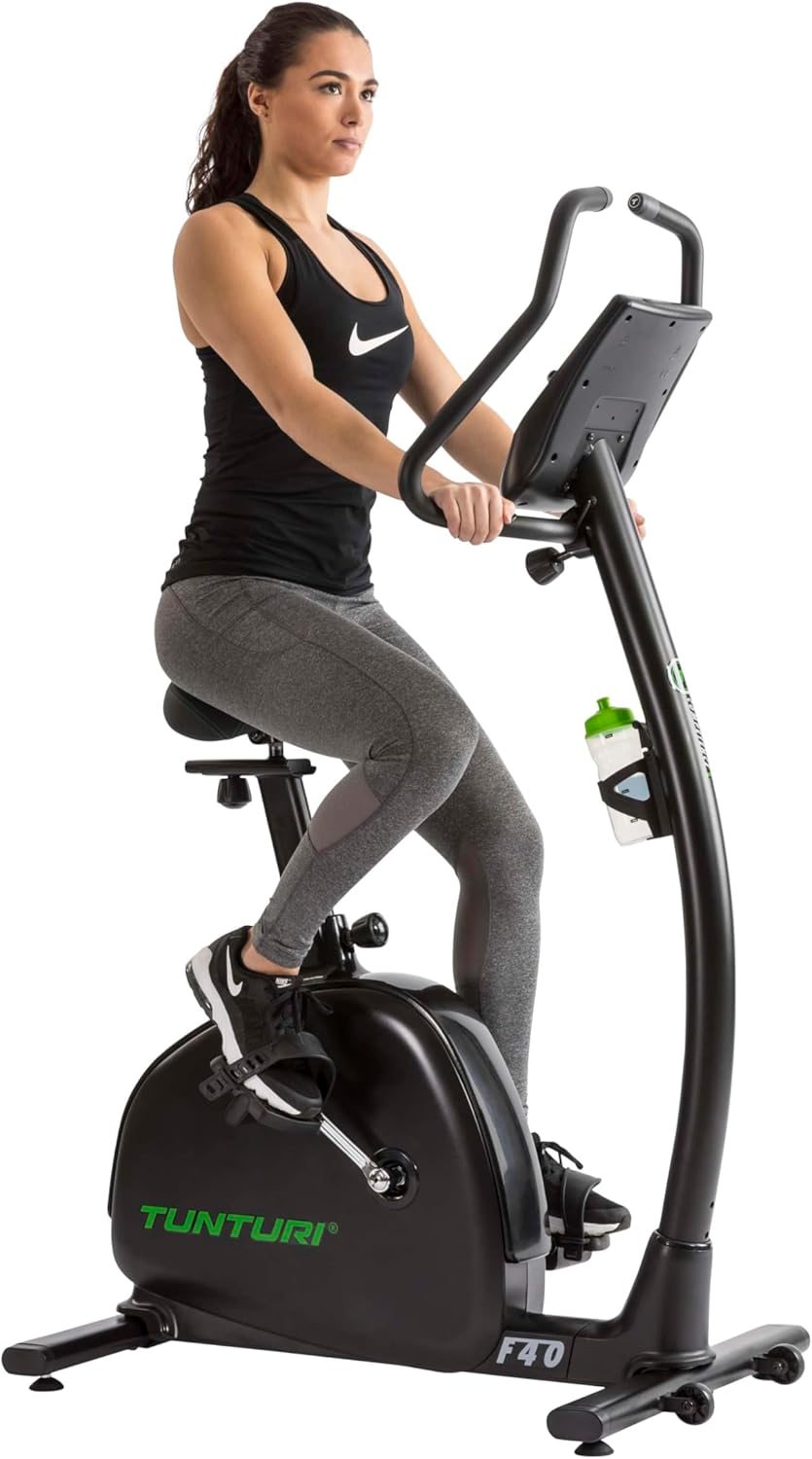
Figure 4: User engaging in a workout session on the exercise bike.
3.6 Tablet/Smartphone Holder
A convenient holder is integrated into the console for your tablet or smartphone, allowing you to use training apps or enjoy entertainment during your workout.

Figure 5: The integrated water bottle holder for hydration during exercise.
4. Manutenzjoni
Regular maintenance ensures the longevity and safe operation of your Tunturi F40 Competence Series Upright Exercise Bike.
- Tindif: Imsaħ ir-rota bl-adamp Ċarruta wara kull użu biex tneħħi l-għaraq u t-trab. Evita prodotti tat-tindif jew solventi li joborxu.
- Spezzjoni: Iċċekkja perjodikament il-boltijiet, il-ġewż, u l-partijiet li jiċċaqalqu kollha għal sigurtà. Issikka kwalunkwe qafliet maħlula.
- Lubrikazzjoni: The belt drive system is generally low maintenance and does not require lubrication. Refer to the assembly manual for any specific lubrication requirements for other parts.
- Ħażna: When not in use, store the bike in a clean, dry environment. The bike features transport wheels for easy relocation.
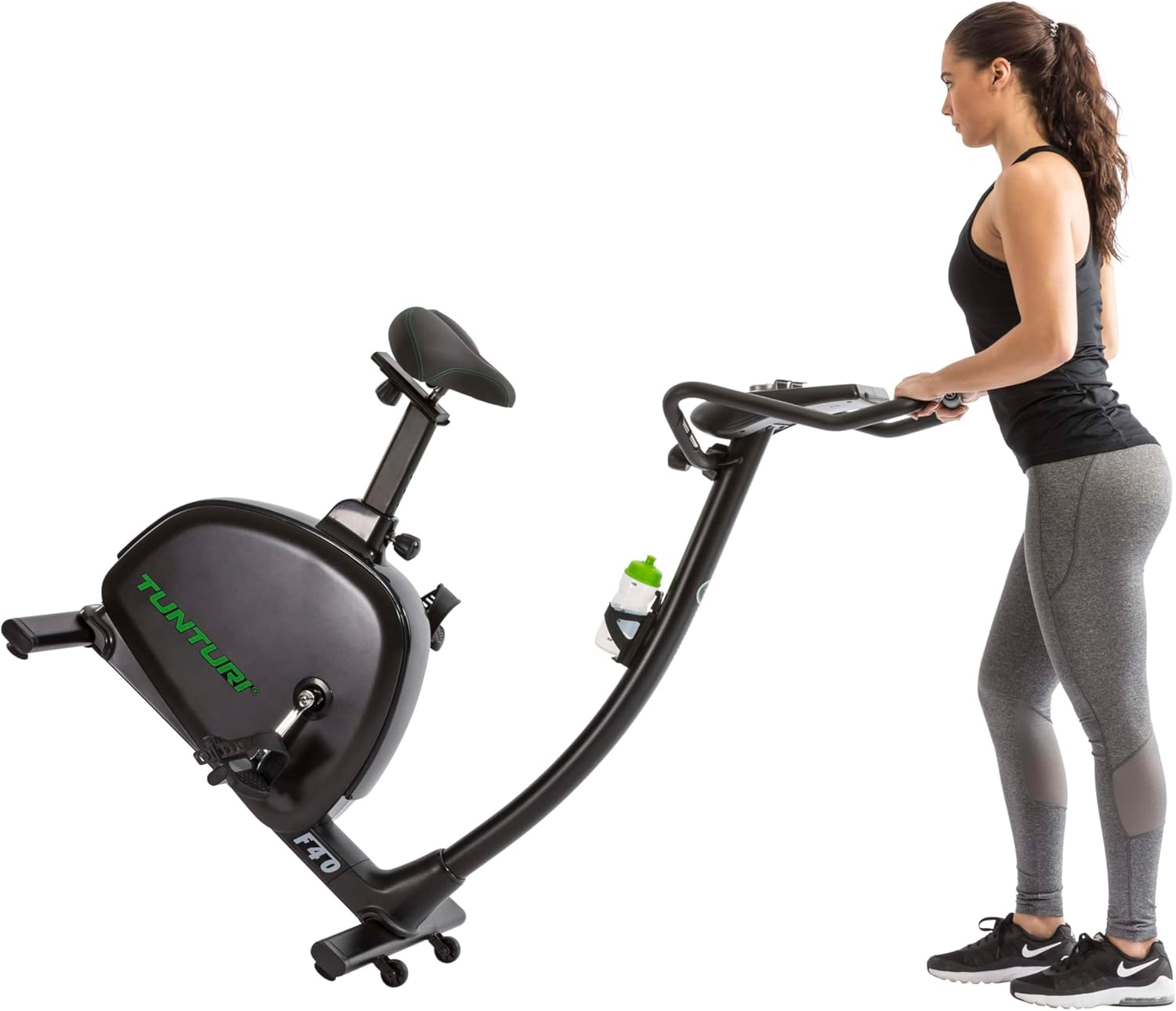
Figure 6: Utilizing the transport wheels to move the exercise bike.
5 Issolvi l-problemi
Jekk tiltaqa' ma' problemi bir-rota tal-eżerċizzju tiegħek, irreferi għall-passi komuni li ġejjin għas-soluzzjoni tal-problemi:
- Il-Konsoll Mhux Mixgħul: Ensure the power cord is securely plugged into both the bike and a working electrical outlet. Check if the outlet is functional. Verify that the console batteries (2 AA, included) are correctly installed and not depleted.
- No Resistance Change: Check all cable connections to the console and resistance mechanism. If the issue persists, consult the assembly manual for wiring diagrams or contact customer support.
- Qari tar-Rata tal-Qalb Mhux Preċiża: Ensure both hands are firmly gripping the handlebar sensors. Dry hands or excessive movement can affect accuracy.
- Ħsejjes mhux tas-soltu: Inspect for any loose bolts or components. Tighten as necessary. If a persistent grinding or squeaking noise occurs, discontinue use and contact customer support.
6. Speċifikazzjonijiet
Technical details for the Tunturi F40 Competence Series Upright Exercise Bike:
| Karatteristika | Dettall |
|---|---|
| Brand | Tunturi |
| Isem tal-Mudell | F40 Competence Series Upright Exercise Bike |
| Numru tal-Mudell tal-Oġġett | 17TBF40000 |
| Kulur | Iswed |
| Sistema tas-sewqan | Ċinturin |
| Mekkaniżmu ta' Reżistenza | Manjetiku |
| Numru ta 'Livelli ta' Reżistenza | 32 |
| Numru ta' Programmi | 19 |
| Sors tal-Enerġija | Corded Elettriku |
| Karatteristiċi tal-Console | Time, Distance, Calories, Speed, RPM, Pulse, Level |
| Karatteristiċi Speċjali | Distance Traveled Monitor, Water Bottle Holder, Bluetooth Connectivity |
| Dimensjonijiet tal-Prodott (L x W x H) | 99 x 59 x 157 ċm |
| Piż tal-oġġett | 36.8 kg |
| Piż Massimu tal-Utent | 158.76 kg |
| Batteriji | 2 AA batteries (included) for console |

Figure 7: Product dimensions for the Tunturi F40 Competence Series Upright Exercise Bike.
7. Garanzija u Appoġġ
For warranty information, please refer to the documentation included with your purchase or visit the official Tunturi website. For technical support, spare parts, or service inquiries, please contact your retailer or the manufacturer's customer service department. Ensure you have your model number (17TBF40000) and proof of purchase available when contacting support.