Prodott Overview
The MUSE MT-201 is a retro-style portable turntable designed for playing vinyl records, streaming music via Bluetooth, and digitizing your vinyl collection to USB. It features built-in stereo speakers, an AUX input for external devices, and RCA output for connecting to an external amplifier jew kelliema.
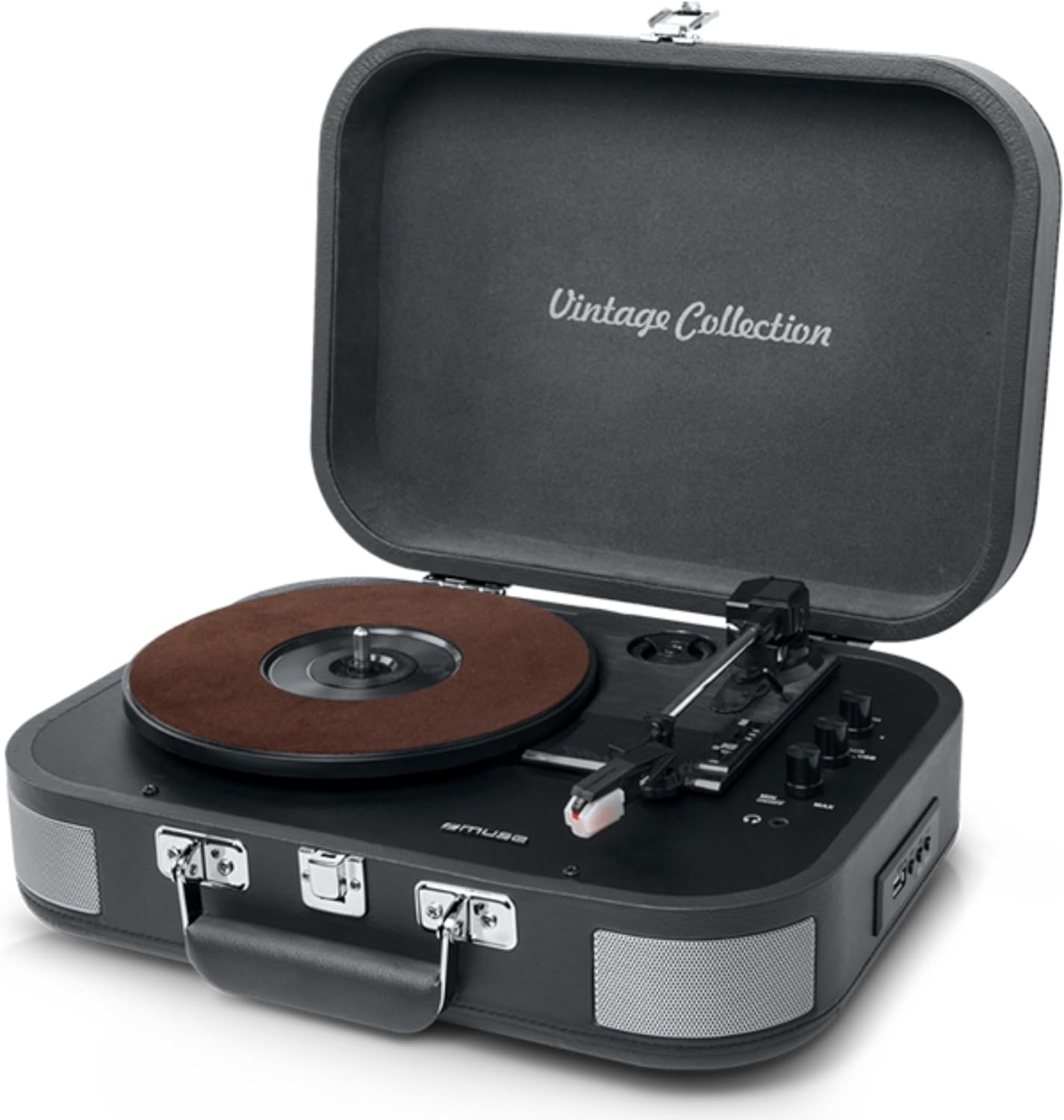
Figure 1: The MUSE MT-201 Retro Turntable in its open position, showcasing the record platter, tonearm, and control knobs. The case features a 'Vintage Collection' inscription on the lid.

Figure 2: The MT-201 turntable placed on a wooden surface in a home environment, highlighting its compact and portable design. The lid is open, ready for record playback.
Karatteristiċi Ewlenin
- Turntable bi 3 Veloċitajiet: Supports 33, 45, and 78 RPM records.
- Funzjoni ta' waqfien awtomatiku: Automatically stops playback at the end of a record.
- Konnettività Bluetooth: Isma' l-mużika mingħajr fili minn apparati kompatibbli.
- Daqq u Reġistrazzjoni tal-USB: Play MP3 files from a USB stick or digitize vinyl records directly to USB without a PC.
- Input AUX: Connect external audio sources like MP3 players.
- Output RCA: Qabbad ma 'barra amplifiers or powered speakers for enhanced audio.
- Jack tal-headphone: Għal smigħ privat.
- Kelliema Stereo inkorporati: Kelliema integrati għal daqq immedjat.
- Disinn portabbli: Housed in a briefcase-style cabinet for easy transport.

Figure 3: An infographic highlighting key features such as stereo playback (33/45/78 RPM), Bluetooth streaming, vintage wood casing, and automatic shut-off for safety.

Figure 4: This image emphasizes the vintage design of the turntable, showing it both closed as a portable case and open for playback, illustrating its blend of classic aesthetics with modern functionality.
Kontenut tal-Pakkett
Jekk jogħġbok iċċekkja li l-oġġetti kollha huma preżenti fil-pakkett:
- MUSE MT-201 Turntable
- Adapter AC
- Additional Stylus (x1pc)
- Adapter 45 RPM
- Manwal ta' Istruzzjoni
Setup
- Spakkjar: Neħħi t-turntable mill-imballaġġ tiegħu bir-reqqa. Żomm l-imballaġġ għal trasport jew ħażna fil-futur.
- Pjazzament: Poġġi t-turntable fuq wiċċ stabbli u livellat 'il bogħod mix-xemx diretta, sorsi ta' sħana, u trab jew vibrazzjonijiet eċċessivi.
- Konnessjoni tal-Enerġija: Connect the supplied AC adapter to the DC IN jack on the back of the turntable and then plug the adapter into a standard wall outlet.
- Lid Opening: Iftaħ l-għatu tat-turntable.
- Protezzjoni tal-Istilus: Remove the stylus protective cap from the needle before use.
Istruzzjonijiet Operattivi
Daqq Rekords tal-Vinil
- Qawwa Mixgħul: Turn the POWER/VOLUME knob clockwise to power on the unit and adjust the volume.
- Agħżel il-Modalità: Set the FUNCTION switch to PHONO mode.
- Agħżel Veloċità: Place a record on the platter. Select the appropriate speed (33, 45, or 78 RPM) using the SPEED selector switch. Use the 45 RPM adapter for 7-inch singles.
- Ibda l-Daqq: Gently lift the tonearm using the cue lever and position the stylus over the desired track on the record. Lower the tonearm slowly onto the record.
- Waqfien Awtomatiku: The turntable features an auto-stop function that will automatically stop the platter rotation when the record finishes. To disable this, set the AUTO STOP switch to OFF.
- Tmiem id-Daqq: At the end of the record, lift the tonearm, return it to the tonearm rest, and lower the cue lever.
Konnettività Bluetooth
- Agħżel il-Modalità: Set the FUNCTION switch to BT (Bluetooth) mode. The Bluetooth indicator will flash.
- Tqabbil: Enable Bluetooth on your mobile device (smartphone, tablet, etc.) and search for the device named "MUSE MT-201".
- Qabbad: Select "MUSE MT-201" from the list of available devices. Once connected, the Bluetooth indicator will stop flashing and remain solid.
- Daqq: You can now play music from your Bluetooth device through the turntable's speakers.
Daqq u Reġistrazzjoni USB
- Daqq USB: Insert a USB flash drive into the USB port. Set the FUNCTION switch to USB mode. The unit will automatically detect and play compatible audio files (eż., MP3).
- Recording Vinyl to USB: While playing a vinyl record, press the REC button to start recording. The recording indicator will light up. Press REC again to stop recording. The recorded audio will be saved as an MP3 file fuq il-USB drive.
Input AUX
- Qabbad Apparat: Connect an external audio device (e.g., MP3 player, smartphone) to the AUX IN jack using a 3.5mm audio cable (not supplied).
- Agħżel il-Modalità: Set the FUNCTION switch to AUX mode.
- Daqq: Daqq l-awdjo mit-tagħmir konness tiegħek. Il-ħoss se joħroġ mill-ispikers tat-turntable.
Audio Outputs (RCA and Headphone)
- Output RCA: Use RCA cables (not supplied) to connect the RCA OUT jacks on the back of the turntable to the audio input of an external amplifier or powered speakers. This bypasses the internal speakers.
- Jack tal-headphone: Plug 3.5mm headphones into the PHONES jack for private listening. The internal speakers will be muted when headphones are connected.
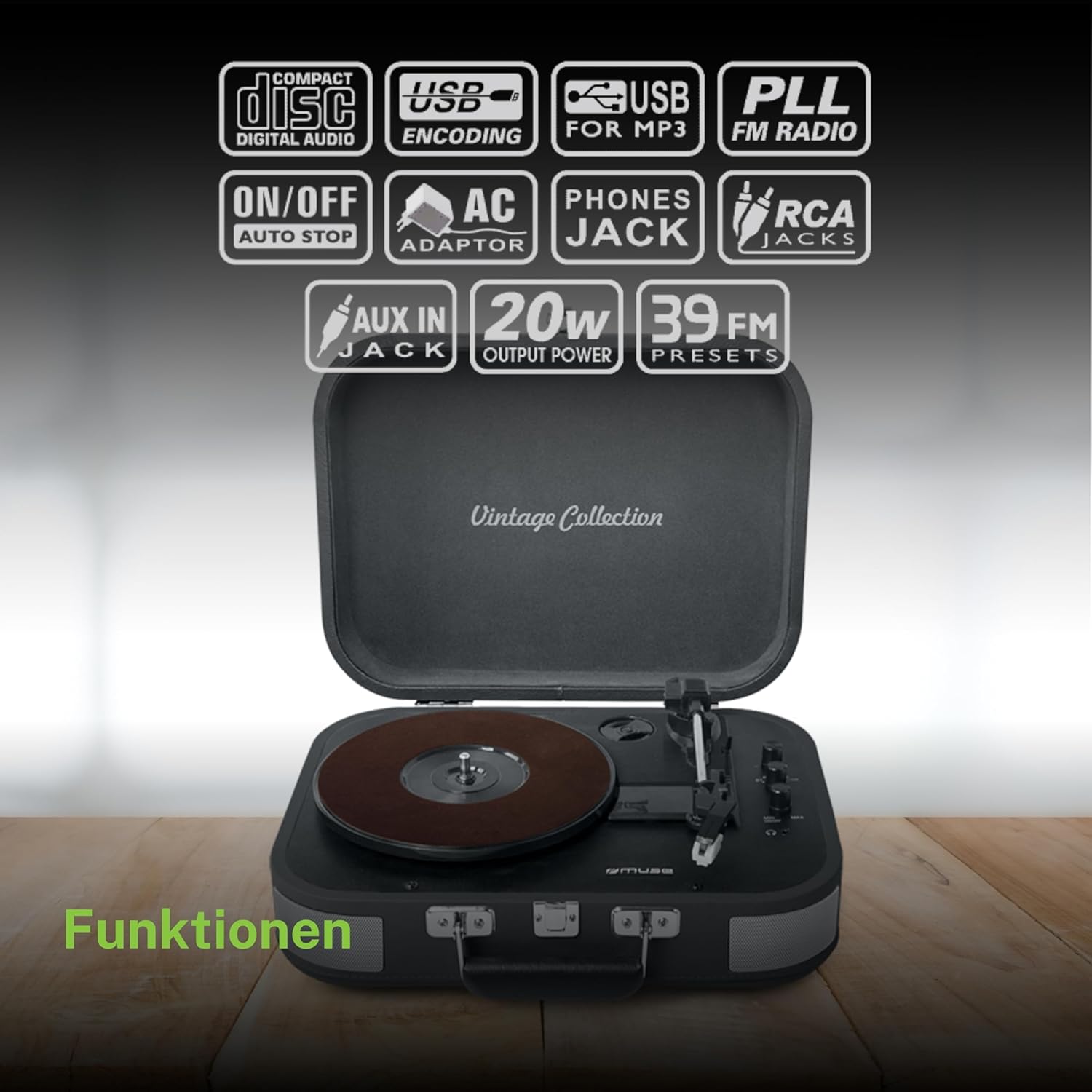
Figura 5: Aktar minnview of the various functions and connectivity options, including Compact Disc Digital Audio (though not a CD player, likely indicating digital audio compatibility), USB encoding for MP3, USB for MP3, PLL FM Radio (though not explicitly listed in features, may be a generic icon), ON/OFF Auto Stop, AC Adaptor, Phones Jack, RCA Jacks, AUX In Jack, 20W Output Power, and 39 FM Presets (again, FM radio not explicitly listed for this model).
Manutenzjoni
- Tindif tal-Kabinett: Wipe the cabinet with a soft, slightly damp drapp. Tużax prodotti tat-tindif li joborxu, xama’, jew solventi.
- Tindif tal-Istilus: Use a soft brush to gently clean the stylus from back to front. Avoid touching the stylus with your fingers.
- Kura tar-Rekords: Żomm ir-rekords tiegħek nodfa u ħielsa mit-trab. Aħżinhom vertikalment fil-kmiem tagħhom biex tevita li jitgħawġu.
- Sostituzzjoni tal-Istilus: The stylus has a limited lifespan. If sound quality deteriorates, replace the stylus with a new one (an additional stylus is included in the package).
Issolvi l-problemi
| Problema | Kawża Possibbli | Soluzzjoni |
|---|---|---|
| Ebda qawwa | L-adapter tal-enerġija mhux imqabbad jew is-sokit difettuż. | Kun żgur li l-adapter tal-AC huwa mdaħħal sew fl-unità u f'sokit tal-ħajt li jaħdem. |
| L-ebda ħoss mill-kelliema | Volume too low; Function mode incorrect; Headphones connected; RCA output connected. | Increase volume; Select correct function (PHONO, BT, USB, AUX); Disconnect headphones; Disconnect RCA cables if using internal speakers. |
| Qbiż tar-rekords | Dirty or scratched record; Stylus worn out; Turntable not level; Excessive vibration. | Clean record; Replace stylus; Place turntable on a stable, level surface; Avoid placing near vibrating objects. |
| Il-Bluetooth mhux qed jgħaqqad | Turntable not in BT mode; Device too far; Device already connected to another unit. | Set function to BT; Ensure device is within range (approx. 10m); Disconnect from other Bluetooth devices. |
| Ir-reġistrazzjoni tal-USB mhux qed taħdem | USB drive full or incompatible format; Record not playing. | Ensure USB drive has sufficient space and is formatted correctly (FAT32); Ensure record is playing when REC button is pressed. |
Speċifikazzjonijiet Tekniċi
| Karatteristika | Speċifikazzjoni |
|---|---|
| Isem tal-Mudell | MT-201 DĠ |
| Brand | MUSE |
| Teknoloġija tal-Konnettività | USB, Bluetooth, AUX, RCA |
| Veloċità ta' Rotazzjoni Massima | 78 Rivoluzzjonijiet Fil-Minuta |
| Karatteristiċi Speċjali | Integrated Speaker, Adjustable Speed, Digital Recorder |
| Materjal | Plastik |
| Piż tal-oġġett | 2.3 Kilogrammi |
| Stil | Retro |
| Kulur | Griż |
| Dimensjonijiet tal-Prodott | 36 x 29 x 12.9 ċm |
| Power Consumption (On-state) | 10 watt |
| Batteriji Meħtieġa | 1 AAAA Battery (not included, likely for remote if applicable, or internal clock/memory) |

Figure 6: A technical diagram illustrating the dimensions of the MUSE MT-201 turntable: 360mm (length), 290mm (width), and 129mm (height).


