1. Introduzzjoni
This manual provides detailed instructions for the installation, operation, and maintenance of your XTRONS 10.1-inch 2DIN Android Car Navigation System. Please read this manual thoroughly before using the product to ensure proper function and safety. Keep this manual for future reference.
2. Informazzjoni dwar is-Sigurtà
- Tħaddimx l-apparat b'mod li jtelliflek l-attenzjoni mis-sewqan. Dejjem agħti prijorità lis-sigurtà fit-triq.
- Kun żgur li l-wajers kollha huma konnessi sew biex tevita li ssir ħsara lill-unità jew lill-vettura.
- Evita li tesponi l-unità għal temperaturi estremi, dawl tax-xemx dirett għal perjodi twal, jew umdità eċċessiva.
- Tippruvax tiżżarma jew timmodifika l-unità. Dan jista' jannulla l-garanzija u jikkawża ħsara.
- Consult a qualified technician for installation if you are unsure about any steps.
3. Kontenut tal-Pakkett
Iċċekkja li l-oġġetti kollha elenkati hawn taħt huma inklużi fil-pakkett tiegħek:
- Main Unit (10.1-inch Android Car Navigation System)
- ISO Cable (1)
- Camera Cable (1)
- 4G Antenna (1)
- GPS Antenna (1)
- Slott tal-Karta SIM (1)
- Kejbils tal-USB (2)
- Viti tal-Immuntar (8)
- Mounting Tools (2)
- User Manual (English/Japanese PDF version available)

Image: Included accessories, including cables, antennas, mounting hardware, and the user manual.
4. Prodott Aktarview
The XTRONS 10.1-inch 2DIN Android Car Navigation System (Model TID101L) is an advanced in-car entertainment and navigation unit. It features a large IPS HD touchscreen, an Octa-Core processor, 4GB RAM, and 64GB ROM for smooth performance. Key functionalities include 4G communication, wireless CarPlay and Android Auto support, Bluetooth 5.0, and dual-band WiFi.
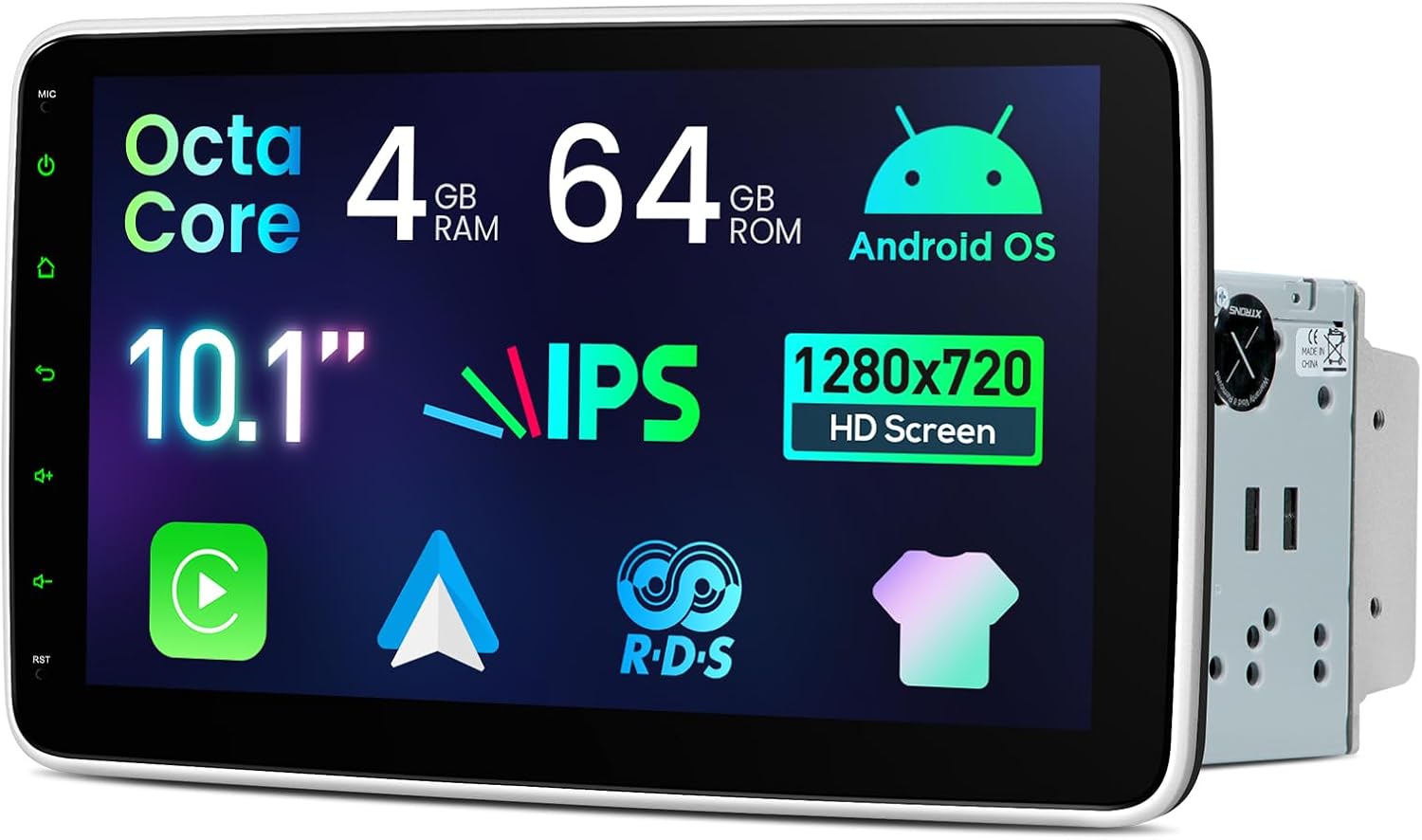
Immaġni: Quddiem view of the XTRONS 10.1-inch car navigation system, highlighting its large display and side controls.
4.1 Karatteristiċi ewlenin
- Wiri: 10.1-inch IPS HD Screen (1280x720 resolution), 1080P video support, 178° wide viewing angle, 100% sRGB color accuracy.
- Prestazzjoni: Octa-Core processor, 4GB RAM, 64GB ROM for efficient operation.
- Konnettività: Built-in 4G communication module (SIM card required), Dual Band WiFi, Bluetooth 5.0.
- Integrazzjoni Smartphone: Wireless and wired Apple CarPlay and Android Auto support.
- Awdjo: 4x45W high-power amplifier, 10-band equalizer for customizable sound.
- Interface tal-Utent: Multiple UI themes, Multi-Window View (PIP/PBP) for multitasking.
- Aġġustabilità: Screen can be adjusted vertically (50mm range) and tilted/swiveled (up to 40 degrees).

Immaġni: Fuqview of the system's core features including Octa-Core, 4GB RAM, 64GB ROM, Android OS, 10.1-inch IPS HD screen, 4G LTE, wireless CarPlay/Android Auto, 4x45W amplifier, AHD camera support, Bluetooth 5.0, and Dual Band WiFi.

Image: Details of the 10.1-inch IPS screen, showing 1280x720 pixel resolution, 1080P video compatibility, 178° ultra-wide viewing angle, and 100% sRGB color accuracy.
4.2 Kontrolli u Portijiet
The unit features a physical volume knob, USB ports, reset button, microphone input, and AUX input on the front panel for easy access.
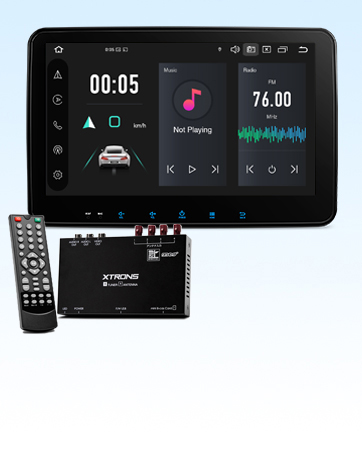
Image: Close-up of the front panel showing the physical volume knob, USB port, reset button, microphone input, and AUX input.
5. Installazzjoni
This unit is designed for 2DIN installation. Ensure your vehicle has a compatible 2DIN opening. Professional installation is recommended.
5.1 Dimensions and Adjustability
The main unit has dimensions of 179(W) × 120(D) × 50(H)mm, with a display dimension of 264(W) × 156(H)mm. The screen can be adjusted vertically by 50mm and tilted/swiveled up to 40 degrees for optimal viewing.

Image: Diagrams illustrating the screen's vertical adjustment range of 50mm, and tilt/swivel adjustment up to 40 degrees.
5.2 Dijagramma tal-Wiring
Refer to the wiring diagram below for proper connection of all cables. Incorrect wiring can cause damage to the unit or vehicle electrical system.

Image: Detailed wiring diagram showing connections for radio antenna, 4G antenna, GPS antenna, USB ports, Bluetooth antenna, camera power, brake signal, backup camera input, external mic, video input, subwoofer output, front camera input, audio outputs (front/rear), audio inputs (left/right), amp control, SIM card slot, steering wheel control (KEY1, KEY2), reverse signal, auto antenna, and ISO power cable.
Key to Wiring Diagram:
1. Radio Antenna Port
2. 4G Antenna
3. Antenna tal-GPS
4. USB Port 1
5. USB Port 2
6. Wifi Antenna
7. Bluetooth Antenna
8. Camera Power 12V
9. Brake Signal Wiring
10. Backup Camera Video Input
11. External Mic Terminal
12. Input tal-vidjo
13. Output tas-Subwoofer
14. Front Camera Video Input
15. Audio Output (Front Right)
16. Audio Output (Front Left)
17. Audio Input (Left)
18. Audio Input (Right)
19. Amp Kontroll
20. Slott tal-Karta SIM
21. Steering Control KEY2 (5V)
22. Reverse Signal Wiring
23. Auto Antenna
24. Steering Control KEY1 (5V)
25. ISO Power Cable
6. Setup Inizjali
6.1 Power On and Basic Settings
After successful installation, turn on your vehicle's ignition. The unit should power on automatically. Follow any on-screen prompts for initial setup, such as language selection and time zone.
6.2 Connecting Your Smartphone (CarPlay / Android Auto)
The unit supports both wireless and wired Apple CarPlay and Android Auto. To connect:
- Ensure your smartphone has CarPlay or Android Auto enabled.
- For wired connection, connect your phone to the unit's USB port using a compatible USB cable.
- For wireless connection, enable Bluetooth and Wi-Fi on your phone and pair it with the unit. Follow the on-screen instructions to initiate CarPlay or Android Auto.
- On Android phones, ensure USB debugging is enabled for wired connections.
Video: Demonstration of connecting a mobile phone to the XTRONS unit for Android Auto and CarPlay functionality. The video shows the steps for both wired and wireless connections.

Image: Depicts the unit displaying Apple CarPlay and Android Auto interfaces, showing both wireless and wired connection options.
7. Istruzzjonijiet Operattivi
7.1 Navigazzjoni
The unit supports various navigation applications available on the Android platform. Install your preferred navigation app from the Google Play Store. The built-in GPS antenna ensures accurate positioning.
7.2 Daqq tal-Awdjo u l-Vidjo
Enjoy music and videos from various sources, including USB, Bluetooth streaming, and installed apps like YouTube Music. The 10-band equalizer allows you to customize sound to your preference.
Vidjo: Overview of the unit's features and how to use them, including navigation, media playback, and app usage. This video demonstrates the smooth operation and various functionalities.
7.3 Radju
The unit features an FM/AM radio tuner with a SI4745 chip driver for enhanced signal strength and reduced noise. Scan and save your favorite stations for easy access.

Image: Displays the radio interface with frequency tuning and preset stations, emphasizing the SI4745 chip driver for clear reception and high signal strength.
7.4 Funzjonalità tal-Bluetooth
Connect your smartphone via Bluetooth 5.0 for hands-free calling, phonebook synchronization, and audio streaming. Enjoy clear calls and high-quality music playback.

Image: Illustrates Bluetooth 5.0 features including hands-free calling, phonebook sync, Bluetooth music playback, and call history display.
7.5 Kontroll tar-rota tal-isteering
The unit supports steering wheel controls, allowing you to manage audio playback, volume, and calls without taking your hands off the wheel. Configure the controls in the system settings.

Image: Shows the integration of steering wheel controls with the car navigation system, allowing control of music playback and other functions.
7.6 Multi-Tieqa View (PIP/PBP)
Utilize the multi-window feature to run two applications simultaneously, such as navigation and video playback, enhancing convenience during driving.
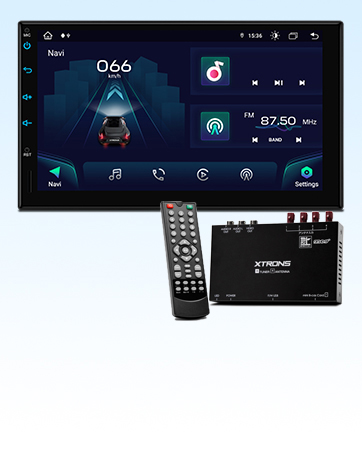
Image: Demonstrates the multi-window view, showing a map application and a music player running side-by-side on the screen.
8. Manutenzjoni
- Tindif: Uża drapp artab u niexef biex tnaddaf l-iskrin u l-unità. Għal marki persistenti, neħħi ftit.ampLaħlaħ id-drapp bl-ilma. Evita kimiċi ħarxa jew materjali li joborxu.
- Aġġornamenti tas-Software: Periodically check for software updates to ensure optimal performance and access to new features. Updates can usually be found on the manufacturer's websit jew permezz tas-settings tal-unità.
- Ħażna: If storing the vehicle for an extended period, ensure the unit is powered off to prevent battery drain.
9 Issolvi l-problemi
Jekk tiltaqa' ma' problemi, irreferi għall-problemi u s-soluzzjonijiet komuni li ġejjin:
| Problema | Kawża Possibbli | Soluzzjoni |
|---|---|---|
| L-unità ma tixgħelx. | Wajers mhux korretti, fjus maħruq, problema bl-enerġija tal-vettura. | Check power connections, vehicle fuse box, and ensure ignition is on. |
| L-ebda ħoss. | Volum baxx wisq, sors awdjo mhux korrett, problema fil-wajers tal-ispiker. | Żid il-volum, agħżel is-sors awdjo korrett, iċċekkja l-konnessjonijiet tal-ispiker. |
| CarPlay/Android Auto mhux qed jikkonnettja. | Incorrect USB cable, USB debugging off (Android), phone not authorized. | Use original/certified USB cable, enable USB debugging, authorize phone on unit. |
| Sinjal tal-GPS dgħajjef/mitluf. | L-antenna tal-GPS hija mblukkata jew installata ħażin. | Kun żgur li l-antenna tal-GPS għandha viżibilità ċara view tas-sema u huwa konness sew. |
| L-iskrin ma jirrispondix. | Problema temporanju tas-softwer. | Press the reset button (RST) on the front panel using a thin object. |
If the problem persists after trying these solutions, please contact XTRONS customer support.
10. Speċifikazzjonijiet
| Karatteristika | Dettall |
|---|---|
| Daqs tal-Iskrin | 10.1 pulzieri |
| Tip ta 'Wiri | LCD (IPS) |
| Tip ta' Mappa | Asia (via installed apps) |
| Dimensjonijiet tal-Prodott | 26.4 x 17 x 15.6 cm (Main Unit: 179x120x50mm, Display: 264x156mm) |
| Piż tal-Prodott | 1.2 kg |
| Referenza tal-Manifattur | DE123L |
| Brand | XTRONS |
| Isem tal-Mudell | DE Series (TID101L) |
| Tip ta' Vettura Kompatibbli | Karozza tal-Passiġġieri |
| Karatteristiċi Speċjali | Hands-free calling, CarPlay, Android Auto, 4G, WiFi, GPS |
| Teknoloġija tal-Konnettività | Wi-Fi, Bluetooth, USB, 4G |
| Komponenti Inklużi | Main unit, cables, Japanese manual (PDF available) |
| Modalità tal-Ħruġ tal-Awdjo | Stereo |
| Tip ta 'Immuntar | Dashboard Mount (2DIN) |
| Vol Operattivtage | DC 12V (10.8V to 16V usable) |
11. Garanzija u Appoġġ
XTRONS products come with a 1-year warranty. If you encounter any issues or have questions regarding your product, please contact XTRONS customer support via email. An electronic PDF version of the Japanese manual is available for download upon request after contacting support.
For additional support and resources, please visit the official XTRONS store: XTRONS Store


