1. Introduzzjoni
The LAUNCH CRP129X V2.0 is a professional automotive diagnostic tool designed to help users identify and resolve common vehicle issues. It offers comprehensive system diagnostics and a wide range of reset services, making it suitable for both professional mechanics and DIY enthusiasts. This manual provides detailed instructions for setting up, operating, maintaining, and troubleshooting your device.
2. Prodott Aktarview

Figure 2.1: The LAUNCH CRP129X V2.0 diagnostic scanner, showing its main screen with various reset options and a carrying case in the background. The screen displays options like A/F Reset, Brake Reset, Oil Reset, SAS Reset, Battery Reset, Bleeding, Elec Throttle RLRN, TPMS Reset, DPF Reg, AdBlue Reset, AFS Reset, and Injector.

Figure 2.2: A visual comparison illustrating the evolution of the CRP129X series, highlighting upgrades in reset functions (from 2 to 12), RAM (from 2+8GB to 2+32GB), Android version (from 7.0 to 8.1), battery capacity (from 5000mAh to 6100mAh), and supported car brands (from 40 to 80).
Karatteristiċi ewlenin:
- 12 Reset Services: Includes Oil Reset, BMS Reset, Brake Reset, DPF Regeneration, ETS Reset, Injector Coding, SAS Calibration, TPMS Reset, AdBlue Reset, AFS Reset, Air/Fuel Setting, and ABS Bleeding.
- 4 Dijanjostika tas-Sistema: Engine, Anti-lock Braking System (ABS), Supplemental Restraint System (SRS), and Transmission.
- Sistema Operattiva Android 8.1: For smoother and faster operation.
- Expanded Memory: 2GB RAM + 32GB storage for faster startup and more data storage.
- Kopertura Wiesgħa tal-Vetturi: Supports over 80 car brands, covering most vehicles from 1996 to 2024.
- Aġġornamenti tas-Softwer Ħieles tul il-Ħajja: Ensures the device stays up-to-date with the latest vehicle models and functions.
- One-Touch AutoVIN: Automatically identifies vehicle information for quick and accurate scanning.
- 4-in-1 Live Data Graph: Displays multiple data streams simultaneously for comprehensive analysis.
- Kondiviżjoni ta' Rapport Dijanjostiku: Generate and share PDF reports via email.
- Online Repair Materials: Access to DTC help, repair cases, and technical handbooks.
3. Twaqqif u Użu Inizjali
3.1 Unboxing and Powering On
Upon receiving your LAUNCH CRP129X V2.0, carefully unbox the device and inspect for any damage. The device does not include a charger; please use a standard USB charger (DC 5V 1A/2A) to power the unit. Connect the device to a power source using the provided USB cable.
3.2 Aġġornamenti tas-Software
It is highly recommended to perform a software update immediately after initial setup to ensure you have the latest features and vehicle compatibility. The device supports lifetime free updates via Wi-Fi.
- Connect the CRP129X V2.0 to a stable Wi-Fi network.
- Navigate to the "Update" section on the device's main menu.
- Follow the on-screen prompts to download and install available updates. This process may take some time depending on your internet speed.

Figure 3.1: Illustration indicating that lifetime updates are included with the device, ensuring continuous access to the latest software and features.
4. Istruzzjonijiet Operattivi
4.1 Konnessjoni ma' Vettura
Locate your vehicle's OBD-II port, typically found under the dashboard on the driver's side. Connect the diagnostic cable from the CRP129X V2.0 to the vehicle's OBD-II port. Turn the vehicle's ignition to the "ON" position (engine off).
4.2 AutoVIN Scan
The AutoVIN feature allows the device to automatically identify your vehicle's information (VIN, make, model, year) for quick and accurate diagnostics.
- From the main menu, select "Diagnose" or "AutoVIN".
- The device will automatically scan and display the vehicle's VIN and other relevant details. Confirm the information is correct.
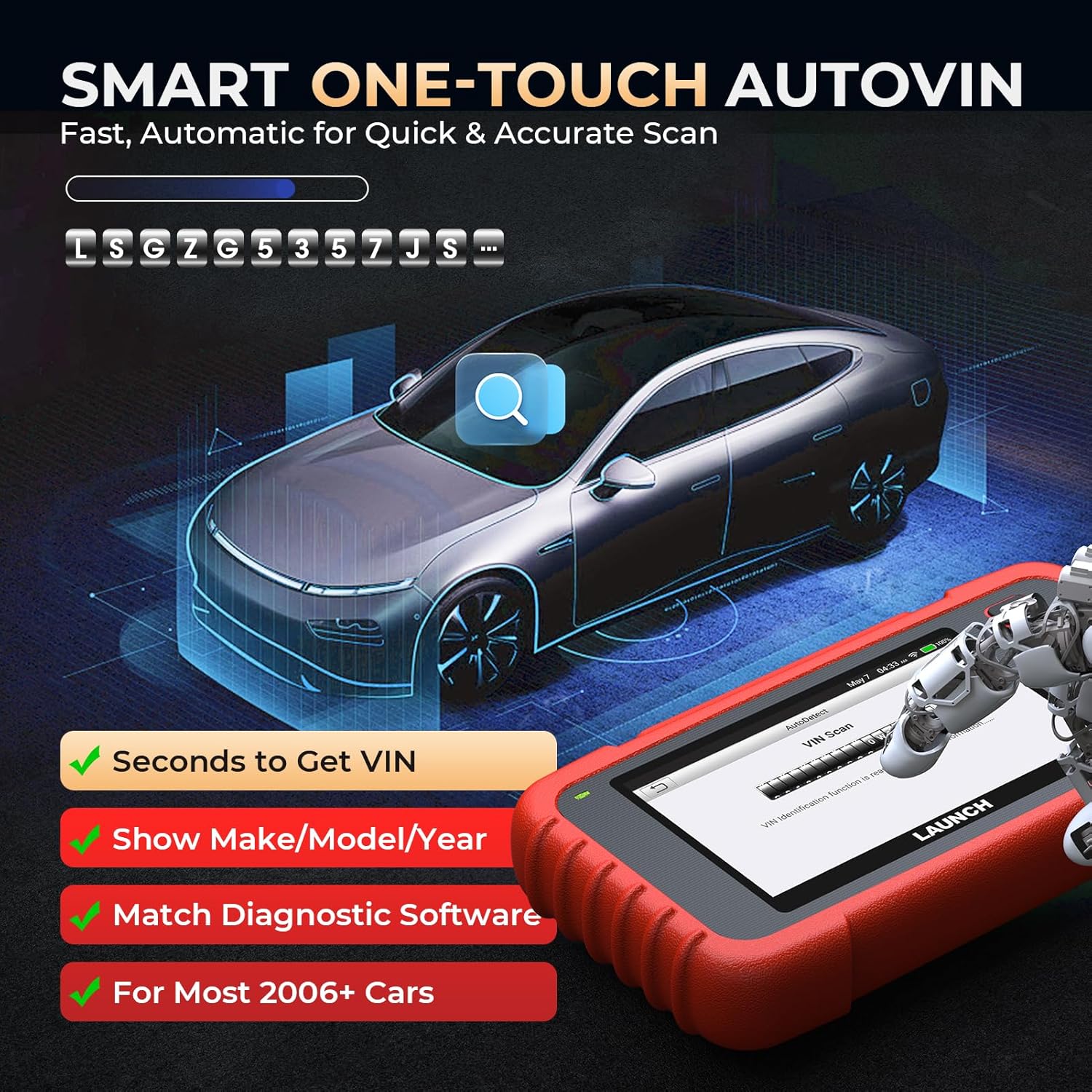
Figure 4.1: Depiction of the Smart One-Touch AutoVIN function, showing a vehicle and the diagnostic tool automatically retrieving the VIN for fast and accurate scanning.
4.3 System Diagnostics (OBD-II Functions)
The CRP129X V2.0 supports full OBD-II functions, allowing you to read and clear diagnostic trouble codes (DTCs), view live data, freeze frame data, and perform various tests for the Engine, ABS, SRS, and Transmission systems.
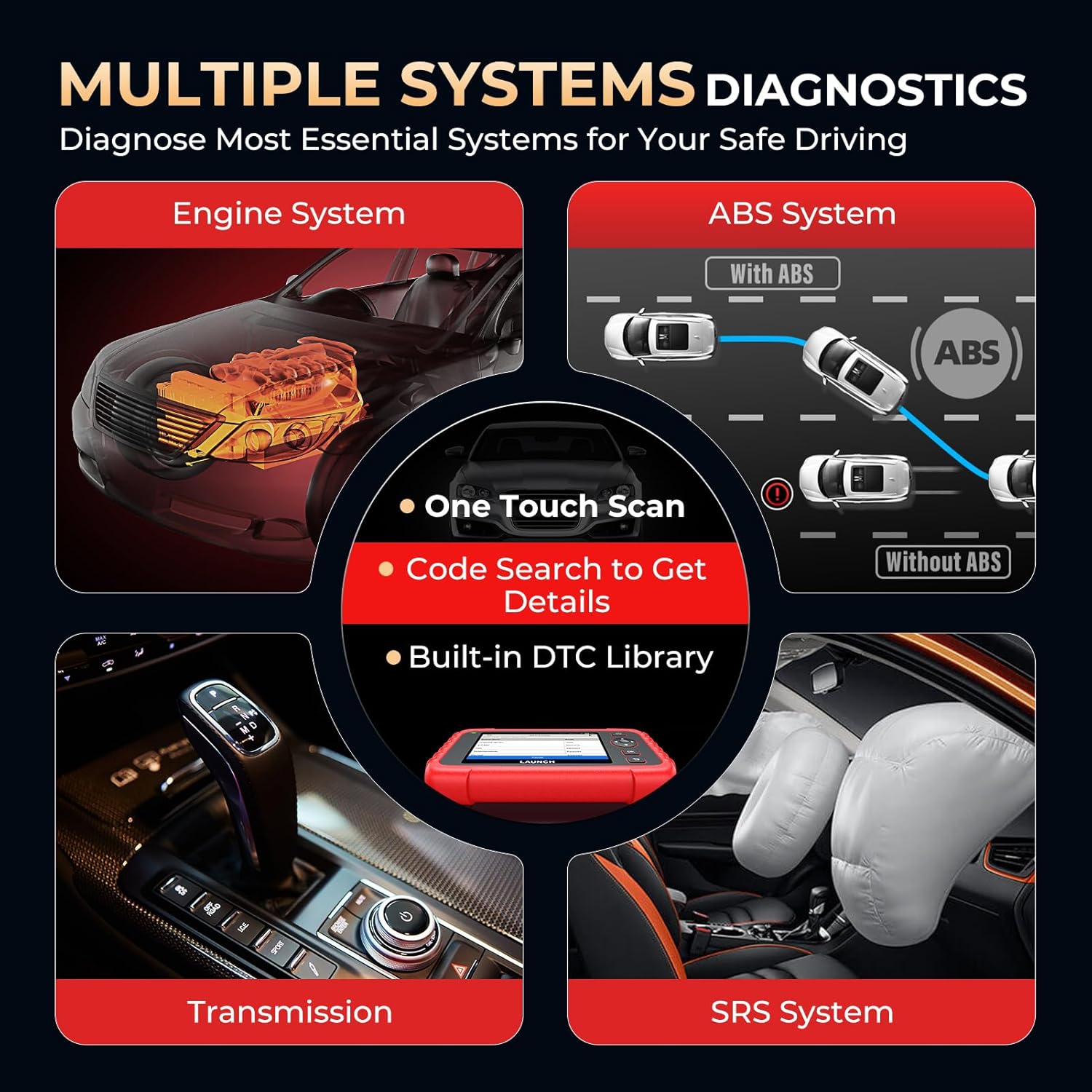
Figure 4.2: An illustration showing the four main systems the diagnostic tool can scan: Engine, ABS (Anti-lock Braking System), Transmission, and SRS (Supplemental Restraint System), emphasizing one-touch scan, code search, and a built-in DTC library.
4.3.1 Engine System Diagnostics
This function allows you to read and clear engine-related DTCs, turn off the Check Engine Light (MIL), and view live data streams to diagnose issues such as misfires, sensor malfunctions, and fuel system problems.
4.3.2 Anti-lock Braking System (ABS) Diagnostics
Diagnose ABS system issues by reading and clearing ABS-related DTCs. Common problems include faulty wheel speed sensors or ABS module malfunctions. After repairs, you can reset the ABS warning light.
4.3.3 Supplemental Restraint System (SRS) Diagnostics
Access the SRS system to read and clear airbag-related fault codes. This helps ensure the airbag system is functioning correctly, which is crucial for occupant safety.
4.3.4 Transmission System Diagnostics
Monitor the transmission system by reading and clearing transmission-related DTCs and viewing live data. This helps identify issues affecting gear shifts, clutch operation, and overall transmission performance.
4.4 12 Reset Services
The CRP129X V2.0 offers 12 commonly used reset and maintenance services:

Figure 4.3: A visual representation of the 12 most frequently used reset functions available on the CRP129X V2.0, including AdBlue Reset, AFS Reset, Air/Fuel Setting, ABS Bleeding, Oil Reset, BMS Matching, Brake Reset, TPMS Reset, DPF Regeneration, Throttle Adaptation, Injector Coding, and SAS Calibration.
- Irrisettja Żejt: Resets the oil life system and turns off the oil change light after an oil service.
- BMS Matching (Battery Management System): Registers a new battery replacement to the vehicle's ECU to ensure proper charging and system function.
- Brake Reset (EPB Reset): Jirrisettja s-sistema elettronika tal-brejk tal-ipparkjar wara li jinbidel il-kuxxinett tal-brejk.
- Riġenerazzjoni tad-DPF (Filtru tal-Partikuli tad-Diżil): Manages DPF regeneration to clear trapped particulate matter and maintain filter efficiency.
- ETS Reset (Electronic Throttle System / Throttle Adaptation): Relearns the throttle body's operating parameters after cleaning or replacement to ensure smooth acceleration and idle.
- Kodifikazzjoni tal-Injettur: Codes new injector numbers into the ECU after replacement to ensure correct fuel delivery.
- SAS Calibration (Steering Angle Sensor): Calibrates the steering angle sensor after steering-related repairs to ensure proper vehicle stability control.
- Irrisettjar tat-TPMS (Sistema ta' Monitoraġġ tal-Pressjoni tat-Tajers): Resets tire pressure sensors after tire rotation, replacement, or sensor replacement.
- Irrisettjar tal-AdBlue: Resets the Diesel Exhaust Fluid (AdBlue/DEF) system after refilling or component replacement.
- AFS Reset (Adaptive Front-lighting System): Resets or recalibrates the adaptive front-lighting system after maintenance or repair.
- Air/Fuel Setting: Adjusts or learns the air/fuel ratio parameters.
- Fsada mill-ABS: Performs brake bleeding procedures to remove air from the ABS system, ensuring a firm brake pedal.
4.5 Grafika ta' Dejta Live
The device can display live data streams in a graphical format, allowing you to monitor multiple parameters simultaneously (up to 4 PIDs on one screen). This is crucial for diagnosing intermittent issues and observing system behavior in real-time.

Figure 4.4: The diagnostic tool displaying multiple PIDs (Parameter IDs) in a live data graph, showing real-time status for various vehicle parameters like coolant temperature, vehicle speed, and battery voltage.
4.6 Diagnostic Report and Online Resources
After completing a diagnostic session, you can generate a detailed PDF report. This report can be saved, printed, or shared via email for further analysis or record-keeping.
The CRP129X V2.0 also provides access to an online repair database, including:
- Għajnuna għad-DTC: Provides repair information related to specific error codes.
- Technology Handbook: Offers extensive technical information for various car models.
- Repair Cases: Real-world repair processes for specific vehicle issues.
- Rispons Online: Allows users to submit operational difficulties or troubleshooting problems to LAUNCH professionals for personalized assistance.

Figure 4.5: An icon representing the Cloud Report feature, indicating the ability to generate and manage diagnostic reports in the cloud.
5. Manutenzjoni
To ensure the longevity and optimal performance of your LAUNCH CRP129X V2.0, follow these maintenance guidelines:
- Aġġornamenti tas-Software: Regularly check for and install software updates to benefit from new features, bug fixes, and expanded vehicle coverage. Updates are free for life.
- Tindif: Naddaf l-apparat b'ċarruta ratba u niexfa. Evita li tuża prodotti tat-tindif jew solventi li joborxu.
- Ħażna: Aħżen l-apparat fil-kaxxa protettiva tiegħu f'post frisk u niexef meta ma jkunx qed jintuża.
- Kura tal-batterija: The device is powered by a Lithium-polymer battery. While it offers over 10 hours of work time, ensure it is charged using a DC 5V 1A/2A USB charger. Avoid extreme temperatures during charging and operation.
6 Issolvi l-problemi
If you encounter issues with your LAUNCH CRP129X V2.0, consider the following common troubleshooting steps:
| Problema | Kawża Possibbli | Soluzzjoni |
|---|---|---|
| L-apparat ma jixgħelx. | Low battery; faulty charging cable/adapter; internal issue. | Ensure the device is charged with a DC 5V 1A/2A USB charger. Try a different cable or adapter. If the issue persists, contact support. |
| Ma tistax tikkonnettja mal-vettura. | Loose OBD-II connection; vehicle ignition not ON; incompatible vehicle. | Check the OBD-II cable connection. Ensure vehicle ignition is ON. Verify vehicle compatibility (most vehicles after 1996 are supported). |
| L-aġġornament tas-softwer ifalli. | Unstable Wi-Fi connection; insufficient storage; server issues. | Ensure a strong and stable Wi-Fi connection. Check available storage on the device. Try updating again later. |
| Diagnostic function not working for a specific system/reset. | Vehicle not supported for that specific function; software glitch. | Verify your vehicle's compatibility list for the specific function. Ensure software is up-to-date. Use the "Online Feedback" feature for assistance. |
| Screen freezes or device is slow. | Too many applications running; low memory; software issue. | Restart the device. Ensure all software is updated. Close unnecessary applications if applicable. |
For further assistance, utilize the "Online Feedback" feature on your device to contact LAUNCH's professional support team.
7. Speċifikazzjonijiet
| Karatteristika | Dettall |
|---|---|
| Mudell | CRP129X V2.0 |
| Sistema Operattiva | Android 8.1 |
| Memorja (RAM + Ħażna) | 2GB RAM + 32GB |
| Batterija | Polimeru tal-litju (6100mAh) |
| Input tal-Enerġija | DC 5V 1A/2A (USB charger) |
| Dimensjonijiet (L x W x H) | 0.1 x 2.29 x 22.86 ċm (madwar 0.04 x 0.9 x 9 pulzieri) |
| Piż tal-oġġett | 1.28 g (madwar 0.0028 libbra) (Note: This weight appears to be a typo in the source data.) |
| Supported Vehicle Coverage | 80+ car brands (1996-2024) |
| Aġġornamenti | Lifetime Free Software Updates via Wi-Fi |
| Lingwi | 11 languages menu |
8. Garanzija u Appoġġ
The LAUNCH CRP129X V2.0 comes with a garanzija ta 'sena for any quality issues. For technical support, operational difficulties, or troubleshooting assistance, please use the "Online Feedback" function available on your device. LAUNCH's certified professionals are available 24/7 to provide personalized repair suggestions.
You can also visit the official LAUNCH brand store for more information: LAUNCH Official Store


