1. Introduzzjoni
Thank you for choosing the Havit HV-MS989GT Wireless Optical Mouse. This manual provides essential information for the proper setup, operation, and maintenance of your new device. Please read it thoroughly before use and retain it for future reference.
2. Informazzjoni dwar is-Sigurtà
- To protect the mouse, avoid using it on rough surfaces. A high-quality mouse pad is recommended for optimal performance and longevity.
- The optical sensor emits a strong light. Do not direct the light towards your eyes or the eyes of others.
- The mouse contains precise electronic components. Do not twist, disassemble, or attempt to repair the mouse yourself, as this may shorten its service life or cause damage.
- Żomm l-apparat 'il bogħod mill-ilma u likwidi oħra.
- Tesponix l-apparat għal temperaturi estremi.
3. Kontenut tal-Pakkett
Jekk jogħġbok iċċekkja l-kontenut tal-pakkett mal-ftuħ:
- Havit HV-MS989GT Wireless Optical Mouse
- Riċevitur Nano USB
- Batterija AA (tista' tkun installata minn qabel jew inkluża separatament)
- Manwal għall-Utent (dan id-dokument)
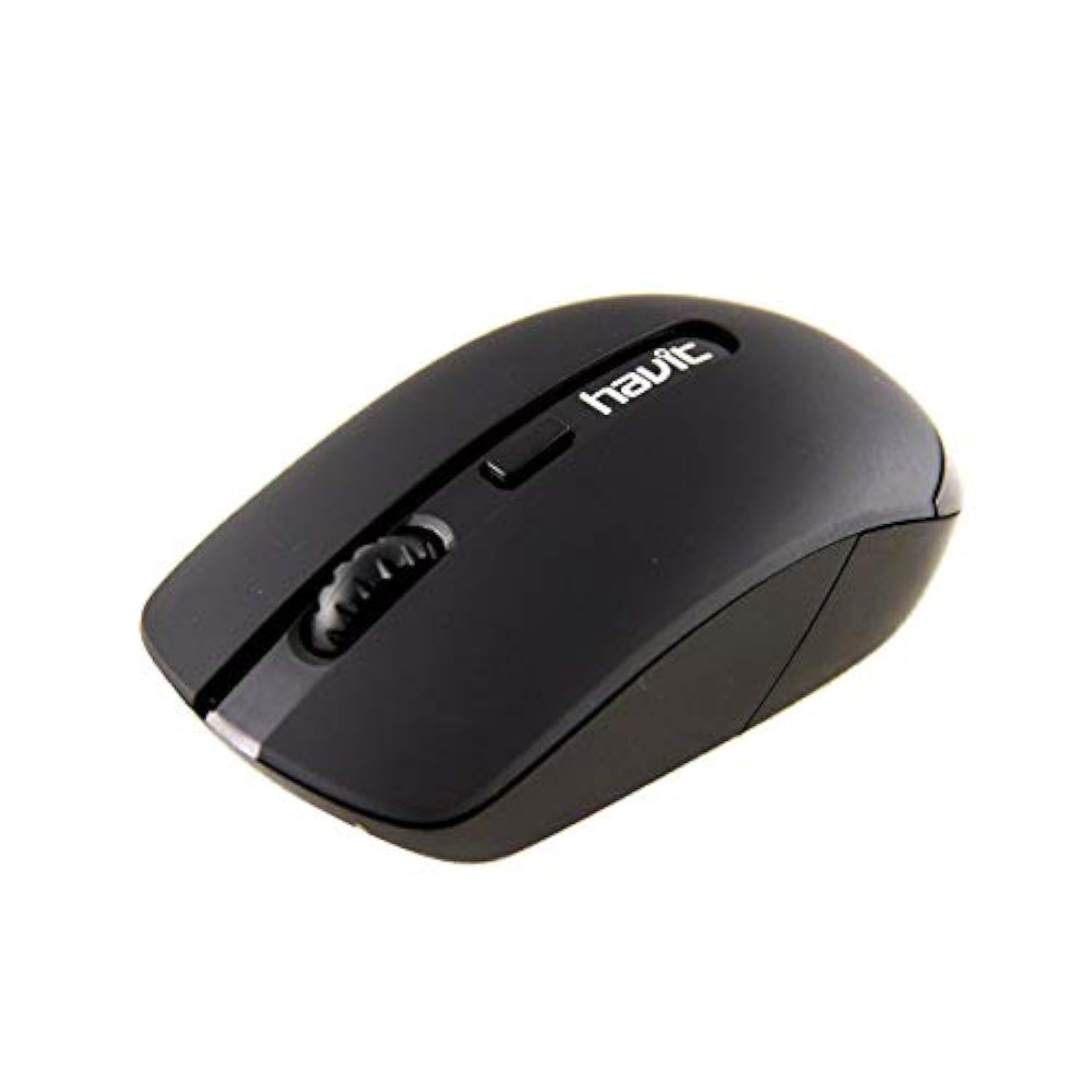
Image 1: Havit HV-MS989GT Wireless Optical Mouse in its retail packaging.
4. Prodott Aktarview
The Havit HV-MS989GT is a 2.4 GHz wireless optical mouse designed for comfort and precision. It features an ambidextrous design, making it suitable for both left and right-handed users.
- Buttuna tax-Xellug: Funzjoni standard ta' klikk.
- Buttuna tal-lemin: Funzjoni standard tal-ikklikkjar tal-lemin.
- Scroll Wheel: For scrolling documents and web paġni. Jista' jiffunzjona wkoll bħala buttuna tan-nofs tal-ikklikkjar.
- Sensor Ottiku: Located on the underside for precise tracking.
- Kompartiment tal-batterija: Located on the underside of the mouse.
- USB Nano Receiver Storage: A dedicated slot on the underside of the mouse for convenient storage of the receiver when not in use or during travel.

Immaġni 2: Mill-qrib view of the Havit HV-MS989GT mouse, highlighting the scroll wheel and main buttons.
5. Setup
- Installa l-Batterija: Open the battery compartment cover on the underside of the mouse. Insert one AA battery, ensuring correct polarity (+/-). Close the cover.
- Qabbad ir-Riċevitur USB: Remove the USB Nano Receiver from its storage slot on the underside of the mouse. Plug the receiver into an available USB port on your computer (PC or laptop).
- Qawwa Mixgħul: The mouse should automatically power on and connect to the receiver. If there is an ON/OFF switch, ensure it is in the "ON" position. Your computer's operating system will typically install the necessary drivers automatically.
- Funzjonalità tat-Test: Move the mouse to check if the cursor responds on your screen. If not, refer to the Troubleshooting section.
6. Istruzzjonijiet Operattivi
- Operazzjoni bla fili: The mouse operates using 2.4 GHz wireless technology, providing a stable connection up to 8 meters from the USB receiver.
- Disinn Ambidestru: The ergonomic design allows for comfortable use by both left-handed and right-handed individuals.
- Funzjoni ta' Sleep Awtomatika: To conserve battery life, the mouse features an integrated automatic sleep function. If inactive for a period, it will enter a low-power sleep mode. To wake it up, simply move the mouse or click any button.
- Sensittività tad-DPI: The mouse provides a resolution range of 800-1600 DPI for precise and quick tracking.
- Kompatibilità tas-Sistema: Compatible with Windows 2000, XP, Vista, Windows 7, Windows 8, Windows 10, Linux, and Mac operating systems.
7. Manutenzjoni
- Tindif: Uża drapp artab u niexef biex tnaddaf il-maws. Evita li tuża kimiċi ħarxa jew materjali li joborxu.
- Sostituzzjoni tal-batterija: When the mouse performance degrades or it stops responding, replace the AA battery. Ensure proper polarity when inserting the new battery.
- Ħażna tar-Riċevitur: Always store the USB Nano Receiver in its dedicated slot on the mouse when traveling or not in use to prevent loss.
- Optimal Surface: For best tracking performance and to protect the optical sensor, use the mouse on a clean, smooth surface, preferably with a high-quality mouse pad.
8 Issolvi l-problemi
| Problema | Soluzzjoni Possibbli |
|---|---|
| Mouse not responding or cursor not moving. |
|
| Moviment erratiku tal-cursor. |
|
| Mouse disconnects frequently. |
|
9. Speċifikazzjonijiet
| Brand | Havit |
| Numru tal-Mudell | HV-MS989GT |
| Tip tal-ġurdien | Ġurdien ottiċi |
| Konnettività | Mingħajr fili (2.4 GHz) |
| Distanza bla fili | 8-il metru |
| Dimensjonijiet (L x W x H) | 104 × 58 × 37 mm |
| Numru ta' Buttuni | 4 |
| Riżoluzzjoni DPI | 800-1600 DPI |
| Ħajja Ewlenin | 1,000,000 klikks |
| Provvista tal-Enerġija | 1x Batterija AA |
| Sistemi Operattivi Appoġġjati | Windows 2000, XP, Vista, Windows 7, Windows 8, Windows 10, Linux, Mac |
| Orjentazzjoni tal-Idejn | Ambidestru |
10. Garanzija u Appoġġ
For warranty information, please refer to the warranty card included with your product or contact your retailer. You may also visit the official Havit websit għal riżorsi ta' appoġġ u informazzjoni ta' kuntatt.
For additional assistance, please contact Havit customer support through their official channels.


