1. Introduzzjoni
This manual provides essential instructions for the safe and efficient use of your Vivibright F30 Projector. Please read this manual thoroughly before operating the device and retain it for future reference. The Vivibright F30 is a Full HD 1080p LED projector designed for home theater, education, and business presentations, offering 4200 lumens brightness and multiple connectivity options.
2. Informazzjoni dwar is-Sigurtà
- Provvista tal-Enerġija: Uża biss l-adapter tal-enerġija speċifikat. Kun żgur li l-volumtage jaqbel mar-rekwiżiti tal-proġettazzjoni.
- Ventilazzjoni: Timblokkax il-fetħiet tal-ventilazzjoni. Kun żgur li jkun hemm biżżejjed spazju madwar il-proġettazzjoni għal fluss tal-arja xieraq biex tevita li jkun hemm sħana żejda.
- Sħana: Il-proġekter lamp generates heat. Avoid touching the lens or vents immediately after use.
- Protezzjoni tal-għajnejn: Tħarisx direttament fil-lenti tal-proġettazzjoni meta tkun qed taħdem.amp is on. The bright light can cause eye strain or damage.
- Pjazzament: Poġġi l-proġettur fuq wiċċ stabbli u livellat. Evita li tpoġġih fid-dawl tax-xemx dirett, ħdejn sorsi ta’ sħana, jew f’ambjenti b’umdità għolja jew trab.
- Tindif: Skonnettja l-provvista tal-enerġija qabel it-tindif. Uża drapp artab u niexef. Tużax prodotti tat-tindif likwidi jew aerosol.
- Servizzi: Do not attempt to service the projector yourself. Refer all servicing to qualified personnel.
3. Kontenut tal-Pakkett
Ivverifika li l-oġġetti kollha huma preżenti fil-pakkett:
- Vivibright F30 Projector
- Kejbil tal-Enerġija
- Kontroll mill-bogħod
- Manwal għall-Utent (dan id-dokument)
- Kejbil HDMI (jista' jvarja skont ir-reġjun/pakkett)
4. Prodott Aktarview
Iffamiljarizza ruħek mal-komponenti u l-interfaċċji tal-proġettazzjoni.
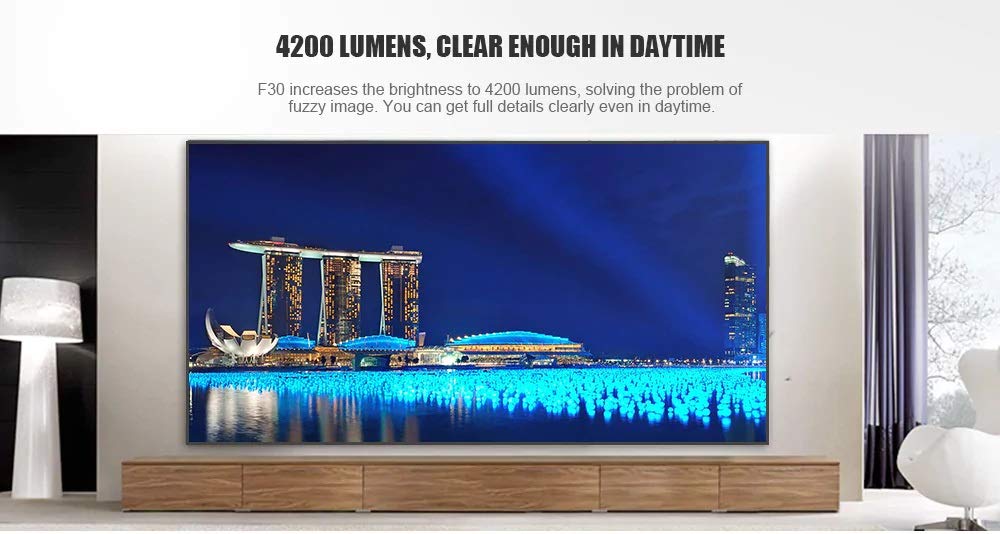
Figura 4.1: Quddiem view of the Vivibright F30 Projector, showing the lens and ventilation.

Figura 4.2: Ġenb view of the Vivibright F30 Projector, highlighting the various input ports.
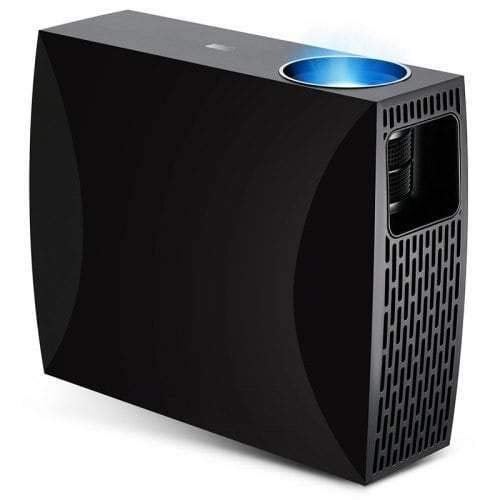
Figura 4.3: Top or rear view of the Vivibright F30 Projector, showing control buttons or additional vents.
4.1. Interfaces
- Portijiet HDMI: For connecting devices like laptops, gaming consoles, Blu-ray players, and media players.
- Port VGA: For connecting older computers or other VGA-compatible devices.
- Portijiet USB: For connecting USB storage devices to play media directly.
- Out tal-Awdjo: Għall-konnessjoni ta' kelliema esterni jew headphones.
- Input ta' Enerġija: Għall-konnessjoni tal-kejbil tad-dawl.
5. Setup
5.1 Tqegħid
Position the projector on a stable surface or mount it appropriately. Ensure the projector is perpendicular to the projection screen for optimal image geometry. The projection distance can range from 1.2 to 6.8 meters, depending on the desired screen size.
5.2. Konnessjoni tal-Enerġija
- Qabbad il-kejbil tal-enerġija mal-port tad-dħul tal-enerġija tal-proġettazzjoni.
- Ipplaggja t-tarf l-ieħor tal-kejbil tal-enerġija f'sokit elettriku ertjat.
5.3. Konnessjoni ta' Apparati ta' Input
Connect your desired source device (e.g., laptop, media player) to the projector using an appropriate cable (HDMI, VGA, USB). Ensure the cable is securely connected to both the projector and the source device.
5.4. Aġġustament tal-Fokus u l-Keystone
- Fokus: Dawwar iċ-ċirku tal-fokus fuq il-lenti tal-proġettazzjoni sakemm l-immaġni tidher qawwija u ċara fuq l-iskrin.
- Keystone: If the projected image is trapezoidal (wider at the top or bottom), use the keystone correction feature (manual or digital, depending on model) to adjust the image to a rectangular shape.
6. Istruzzjonijiet Operattivi
6.1. Tixgħil / Mitfi
- Qawwa Mixgħul: Press the power button on the projector or the remote control. The indicator light will change, and the lamp se jdawwal.
- Itfi: Press the power button again. Confirm shutdown if prompted. Allow the projector to cool down before unplugging it.
6.2. Għażla tas-Sors tal-Input
Press the "Source" button on the remote control or the projector's control panel to cycle through available input sources (HDMI1, HDMI2, VGA, USB). Select the input corresponding to your connected device.
6.3. Navigazzjoni fil-menu
Use the arrow buttons on the remote control or projector to navigate through the on-screen display (OSD) menu. Press "OK" or "Enter" to select an option and "Exit" or "Menu" to go back or close the menu.
6.4. Issettjar tal-Immaġni u l-Awdjo
Adjust picture settings such as brightness, contrast, color, and aspect ratio via the OSD menu to optimize image quality. Adjust volume levels for the built-in speaker or connected external audio devices.
7. Manutenzjoni
7.1. Tindif tal-Lenti
Gently wipe the projector lens with a soft, lint-free cloth specifically designed for optical surfaces. Do not use abrasive materials or harsh chemicals.
7.2. Tindif tal-Korp tal-Proġettur
Uża drapp artab u niexef biex tnaddaf il-barra tal-proġettazzjoni. Għal marki iebsa, neħħi ftit drapp.amp cloth can be used, followed by a dry cloth. Ensure no liquid enters the ventilation openings.
7.3. Lamp Ħajja
The Vivibright F30 Projector utilizes an LED lamp with an estimated lifespan of up to 50,000 hours, requiring no regular replacement under normal usage conditions.
8 Issolvi l-problemi
| Problema | Kawża Possibbli | Soluzzjoni |
|---|---|---|
| Ebda immaġini murija |
|
|
| L-immaġni hija mċajpra |
|
|
| L-immaġni hija trapezojdali (effett keystone) |
|
|
| L-ebda ħoss |
|
|
| Il-proġettur jisħon iżżejjed jew jintefa |
|
|
9. Speċifikazzjonijiet
| Karatteristika | Dettall |
|---|---|
| Brand | Vivibright |
| Mudell | F30 |
| Riżoluzzjoni Nattiva | 1920 x 1080 (Full HD) |
| Riżoluzzjoni Appoġġjata | Sa 4K |
| Luminożità | 4200 Lumens (LED Luminous) |
| Proporzjon ta' Kuntrast | 2200:1 |
| Teknoloġija tal-Wiri | LCD |
| Lamp Tip | LED |
| Lamp Ħajja | Sa 50,000 sigħat |
| Distanza ta' Projezzjoni | 1.2 sa 6.8 metru |
| Livell ta' Storbju | 29 Deċibel |
| Konnettività | HDMI, VGA, USB |
| Karatteristiċi Speċjali | Portable, Built-in Speaker |
| Piż tal-oġġett | 3 kg |
| Tip ta 'Immuntar | Immonta fuq il-mejda |
10. Garanzija u Appoġġ
10.1. Informazzjoni dwar Garanzija
The Vivibright F30 Projector comes with a 1 Snin Garanzija mid-data tax-xiri. Din il-garanzija tkopri difetti fil-manifattura u malfunzjonamenti taħt użu normali. Jekk jogħġbok żomm il-prova tax-xiri tiegħek għal talbiet ta' garanzija.
Il-garanzija ma tkoprix ħsara kkawżata minn użu ħażin, inċidenti, tiswijiet mhux awtorizzati, jew xedd u kedd normali.
10.2. Appoġġ għall-Klijent
For technical assistance, warranty claims, or further inquiries, please contact Vivibright customer support through their official website or the contact information provided with your purchase documentation. When contacting support, please have your product model (F30) and purchase details ready.


