1. Introduzzjoni
Thank you for choosing the KWANWA Digital Alarm Clock, Model KW616-3N. This manual provides detailed instructions for setting up, operating, and maintaining your new clock. Designed for clear visibility and convenience, this battery-operated clock features an 8-inch extra-large LED display with 3-inch digits, adjustable brightness, and versatile placement options.

Figure 1: KWANWA Digital Alarm Clock (Model KW616-3N) with large red LED display.
2. Karatteristiċi tal-prodott
- Wiri faċli biex taqra: 3-inch huge LED time display against a large black backlit screen for excellent visibility.
- Imħaddma bil-batterija: Operates on 2 D-cell batteries (not included), eliminating messy cords and allowing flexible placement.
- Poġġiment versatili: Features two unfoldable stand legs for table-top use and three wall-mounting hang holes for wall installation.
- Luminożità aġġustabbli: Offers 3-level manual brightness adjustment and an automatic night mode (8 PM - 6 AM) to dim the display.
- Preċiżjoni Għolja: Maintains time accuracy within ±30 seconds per month.
- Allarm ta' Kuljum: Includes a daily alarm with a gradually increasing volume for up to 2 minutes.
3. Kontenut tal-Pakkett
- KWANWA Digital Alarm Clock (Model KW616-3N)
- Manwal għall-Utent
4. Setup
4.1. Installazzjoni tal-batterija
- Sib il-kompartiment tal-batterija fuq wara tal-arloġġ.
- Iftaħ l-għatu tal-kompartiment tal-batterija.
- Insert two (2) D-cell alkaline batteries (not included), ensuring correct polarity (+/-).
- Agħlaq l-għatu tal-kompartiment tal-batterija sew.
4.2 Tqegħid
The clock offers two convenient placement options:
- Table-top: Unfold the two stand legs located on the back of the clock to place it on a desk, table, bedside, or nightstand.
- Imwaħħal mal-ħajt: Use the three wall-mounting hang holes on the back of the clock to securely hang it on a wall.
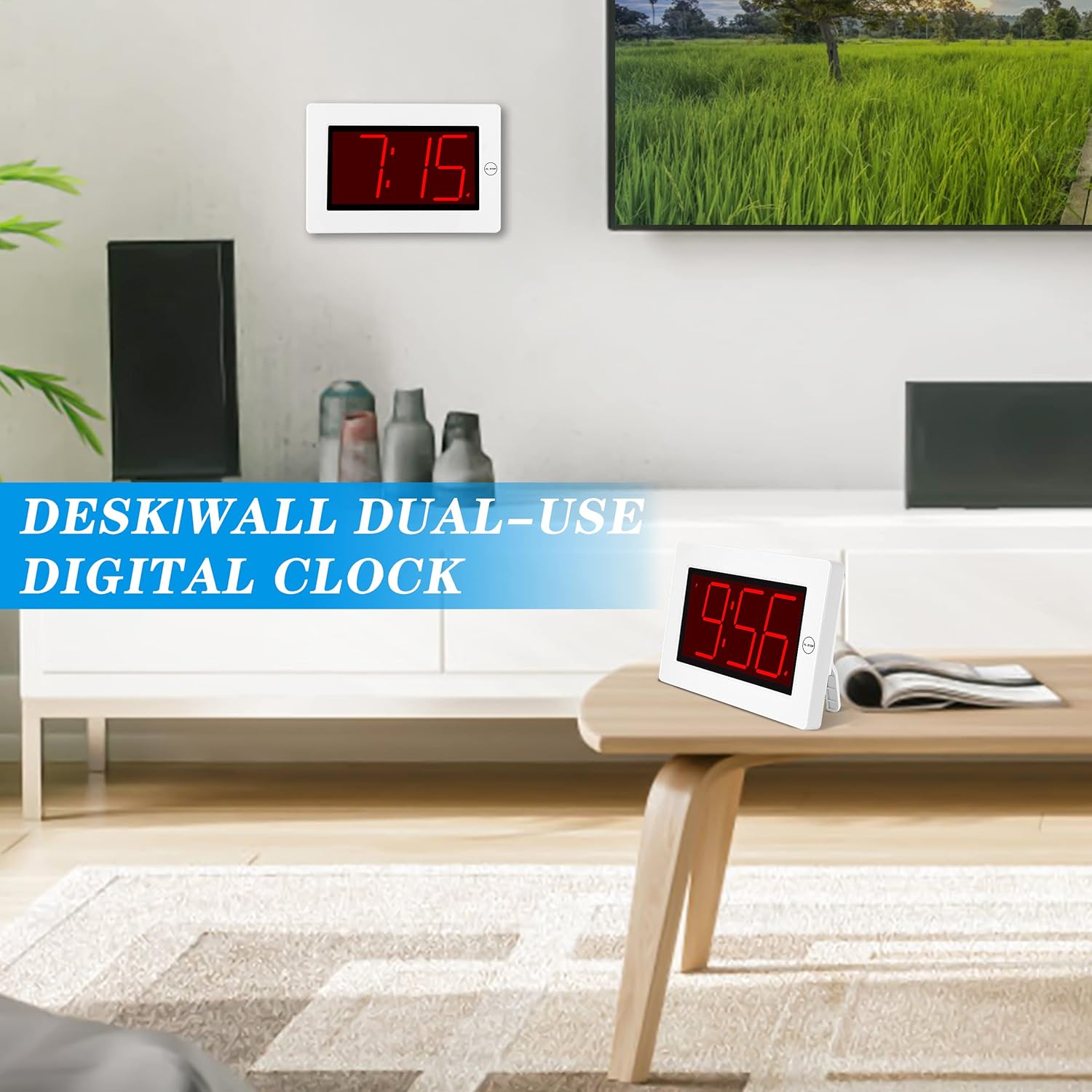
Figure 2: The clock can be used as a table-top or wall-mounted device.
5. Istruzzjonijiet Operattivi
All control buttons are located on the back of the clock for easy access.

Figura 3: Wara view of the clock with labeled control buttons.
5.1. Issettjar tal-Ħin
- Agħfas u żomm il- IL-ĦIN IPPOST Agħfas il-buttuna għal 2 sekondi biex tidħol fil-modalità tal-issettjar tal-ħin. Iċ-ċifri tas-sigħat jibdew jteptep.
- Agħfas il- SIEGĦA buttuna biex taġġusta s-siegħa.
- Agħfas il- MIN buttuna biex taġġusta l-minuti.
- Agħfas IL-ĦIN IPPOST mill-ġdid biex tikkonferma u toħroġ.
5.2. Issettjar tal-Allarm
- Agħfas u żomm il- SET TA 'ALLARM Agħfas il-buttuna għal 2 sekondi biex tidħol fil-modalità tas-settings tal-allarm. Iċ-ċifri tas-siegħa tal-allarm se jteptpu.
- Agħfas il- SIEGĦA buttuna biex taġġusta s-siegħa tal-allarm.
- Agħfas il- MIN buttuna biex taġġusta l-minuti tal-allarm.
- Agħfas SET TA 'ALLARM mill-ġdid biex tikkonferma u toħroġ.
5.3. Alarm On/Off & Snooze
- Allarm mixgħul/mitfi: Agħfas il- ALLARM ON / OFF button on the back to activate or deactivate the alarm. An alarm icon will appear/disappear on the display.
- Tnaqqis Meta jdoqq l-allarm, agħfas il-buttuna l-kbira AL STOP button on the top of the clock to activate snooze. The alarm will pause for a short period and sound again later.
- Waqqaf Allarm: To stop the alarm for the day, press any button on the back of the clock.

Figure 4: Interacting with the alarm and snooze button.
5.4. Aġġustament tal-Luminożità
The clock offers both manual and automatic brightness control:
- Dimmer Manwali: Agħfas il- MANUAL DIMMER button on the back to cycle through 3 brightness levels (High, Medium, Low) or turn the display OFF.
- Auto Dimmer: The clock automatically dims the LED display between 8 PM and 6 AM to protect your eyes and save energy. This feature can be toggled ON/OFF using the AUTO DIMMER ON/OFF buttuna fuq wara.

Figure 5: Visual representation of the three brightness levels.
5.5. Ħin tas-Sajf (DST)
Agħfas il- DST button on the back to adjust the time for Daylight Saving Time. This will advance or set back the time by one hour.
5.6. Aġġustament tal-Volum
Uża l- VOLUM button on the back to adjust the alarm volume to your preference.
6. Manutenzjoni
- Clean the clock's exterior with a soft, dry cloth. Avoid using abrasive cleaners or solvents.
- If the clock will not be used for an extended period, remove the batteries to prevent leakage.
7 Issolvi l-problemi
- Id-displej huwa mċajpar jew mitfi: Check battery levels and replace if necessary. Ensure the manual dimmer is not set to 'OFF' or the lowest setting.
- L-allarm ma ħossx: Verify that the alarm is activated (alarm icon visible on display). Check the alarm volume setting.
- Ħin mhux korrett: Re-set the time following the instructions in section 5.1. Ensure DST setting is correct for your region.
8. Speċifikazzjonijiet
| Karatteristika | Dettall |
|---|---|
| Brand | KWANWA |
| Numru tal-Mudell | KW616-3N |
| Tip ta 'Wiri | LED diġitali |
| Daqs tal-Wiri | 8 inches (3-inch digits) |
| Dimensjonijiet tal-Prodott | 8.7"W x 5.6"Għ |
| Sors tal-Enerġija | Battery Powered (2 D batteries required) |
| Tip ta 'Immuntar | Table-top/Wall-mounted |
| Materjal | Plastik |
| Piż tal-oġġett | 11.7 uqija |
| Karatteristika Speċjali | Cordless, Adjustable Brightness, Alarm |
9. Garanzija u Appoġġ
This product comes with a limited warranty. For warranty claims, technical support, or any inquiries regarding your KWANWA Digital Alarm Clock, please contact KWANWA customer service at sales@us-myhome.com.


