Introduzzjoni
Thank you for choosing the Hoco Bluetooth Headset E11. This manual provides essential information for setting up, operating, maintaining, and troubleshooting your new headset. Please read it carefully before use to ensure optimal performance and longevity of your device.
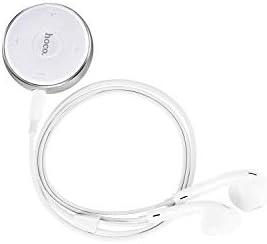
Image: The Hoco Bluetooth Headset E11, featuring a compact circular control unit and white wired earbuds.
Kontenut tal-Pakkett
- Hoco Bluetooth Headset E11
- Cable tal-Iċċarġjar tal-USB
- Manwal għall-Utent
Setup
Iċċarġjar tal-Headset
Before first use, fully charge the headset. Connect the provided USB charging cable to the charging port on the headset and the other end to a USB power source (e.g., computer USB port, wall adapter). The indicator light will show charging status and turn off or change color when fully charged.
Tqabbil ma' Apparat
- Kun żgur li l-widna hija mitfija.
- Press and hold the multi-function button on the headset until the indicator light flashes red and blue alternately, indicating pairing mode.
- Fuq l-apparat tiegħek (smartphone, tablet, eċċ.), attiva l-Bluetooth u fittex apparati disponibbli.
- Select "Hoco E11" from the list of found devices.
- If prompted, enter "0000" as the passcode.
- Once successfully paired, the indicator light will flash blue slowly or turn off, and you will hear a confirmation tone.
Operazzjoni
Qawwa mixgħul/mitfi
- Qawwa Mixgħul: Press and hold the multi-function button for approximately 3 seconds until the blue indicator light flashes.
- Itfi: Press and hold the multi-function button for approximately 5 seconds until the red indicator light flashes and then turns off.
Ġestjoni tas-Sejħiet
- Tweġiba/Tmiem Sejħa: Agħfas il-buttuna b'diversi funzjonijiet darba.
- Irrifjuta Sejħa: Agħfas u żomm il-buttuna multi-funzjoni għal 2 sekondi.
- Isemmi mill-ġdid l-Aħħar Numru: Agħfas darbtejn il-buttuna multi-funzjoni.
Daqq tal-Mużika
- Play/Pawsa: Agħfas il-buttuna b'diversi funzjonijiet darba.
- Track li jmiss: Agħfas u żomm il-buttuna Volum +.
- Track preċedenti: Agħfas u żomm il-buttuna tal-Volum -.
- Volum 'il fuq: Agħfas il-buttuna Volume +.
- Volum 'l isfel: Agħfas il-buttuna tal-Volum -.
Manutenzjoni
To ensure the longevity and optimal performance of your Hoco E11 headset, follow these maintenance guidelines:
- Tindif: Use a soft, dry, lint-free cloth to clean the headset. Do not use abrasive cleaners, solvents, or strong chemicals.
- Ħażna: Store the headset in a cool, dry place away from direct sunlight and extreme temperatures. Avoid storing in dusty or humid environments.
- Kura tal-batterija: Evita li tiċċarġja l-batterija kompletament ta' spiss. Iċċarġja l-headset regolarment, anke jekk ma tkunx qed tużah għal perjodi twal, biex iżżomm il-batterija f'kundizzjoni tajba.
Issolvi l-problemi
| Problema | Soluzzjoni |
|---|---|
| Headset won't turn on. | Kun żgur li l-headset huwa ċċarġjat kompletament. Qabbad ma' sors ta' enerġija u erġa' pprova. |
| Ma tistax tqabbad mat-tagħmir. | Ensure the headset is in pairing mode (flashing red and blue). Turn off and on Bluetooth on your device. Move closer to the headset. |
| L-ebda ħoss jew volum baxx. | Iċċekkja l-livelli tal-volum kemm fuq il-headset kif ukoll fuq l-apparat konness tiegħek. Kun żgur li l-headset huwa konness sew. |
| Il-konnessjoni tinqata’ ta’ spiss. | Ensure there are no obstacles between the headset and your device. Move closer to your device. Avoid strong electromagnetic interference. |
Speċifikazzjonijiet
- Mudell: E11
- Ditta: Ħoko
- Dimensjonijiet tal-pakkett: 17 x 12 x 5.6 ċm
- Piż: 240 g
- ASIN: B07M82BT9Q
- Note: Specific Bluetooth version, battery capacity, and playtime may vary. Refer to product packaging for precise details.
Garanzija u Appoġġ
Hoco products are designed and manufactured to the highest quality standards. This product is covered by a limited warranty against manufacturing defects from the date of purchase. Please retain your proof of purchase for warranty claims.
For technical support, warranty inquiries, or further assistance, please contact your local Hoco distributor or the retailer from whom you purchased the product. You may also visit the official Hoco webgħal aktar informazzjoni.


