1. Istruzzjonijiet Importanti dwar is-Sigurtà
Please read all instructions carefully before using this projector and retain them for future reference. Improper operation may result in electric shock, fire, or other hazards.
- Sors tal-Enerġija: Uża biss l-adapter tal-enerġija li jiġi mal-proġettazzjoni. Kun żgur li l-volumtage jaqbel mal-provvista tal-enerġija lokali.
- Ventilazzjoni: Do not block any ventilation openings. Ensure adequate airflow around the projector to prevent overheating.
- Pjazzament: Poġġi l-proġettur fuq wiċċ stabbli u ċatt. Evita li tpoġġih fid-dawl tax-xemx dirett, ħdejn sorsi ta’ sħana, jew f’ambjenti b’umdità għolja jew trab.
- Ilma u Umdità: Do not expose the projector to rain, moisture, or immerse it in water. If liquid enters the device, disconnect power immediately and contact support.
- Tindif: Unplug the projector from the power outlet before cleaning. Use a soft, dry cloth. Do not use liquid or aerosol cleaners.
- Servizzi: Do not attempt to service this product yourself. Refer all servicing to qualified service personnel. Opening the casing may expose you to dangerous voltage jew perikli oħra.
- Protezzjoni tal-għajnejn: Tħarisx direttament fil-lenti tal-proġettazzjoni meta tkun qed taħdem.amp ikun mixgħul, għax id-dawl qawwi jista’ jikkawża ħsara lill-għajnejn.
2. Kontenut tal-Pakkett
Iċċekkja li l-oġġetti kollha elenkati hawn taħt huma inklużi fil-pakkett tiegħek. Jekk xi oġġetti huma neqsin jew bil-ħsara, jekk jogħġbok ikkuntattja l-appoġġ għall-klijenti.
- DBPOWER T22 Portable Video Projector
- Kontroll mill-bogħod
- Cable HDMI
- AV Cable
- Kejbil tal-Enerġija
- Manwal għall-Utent
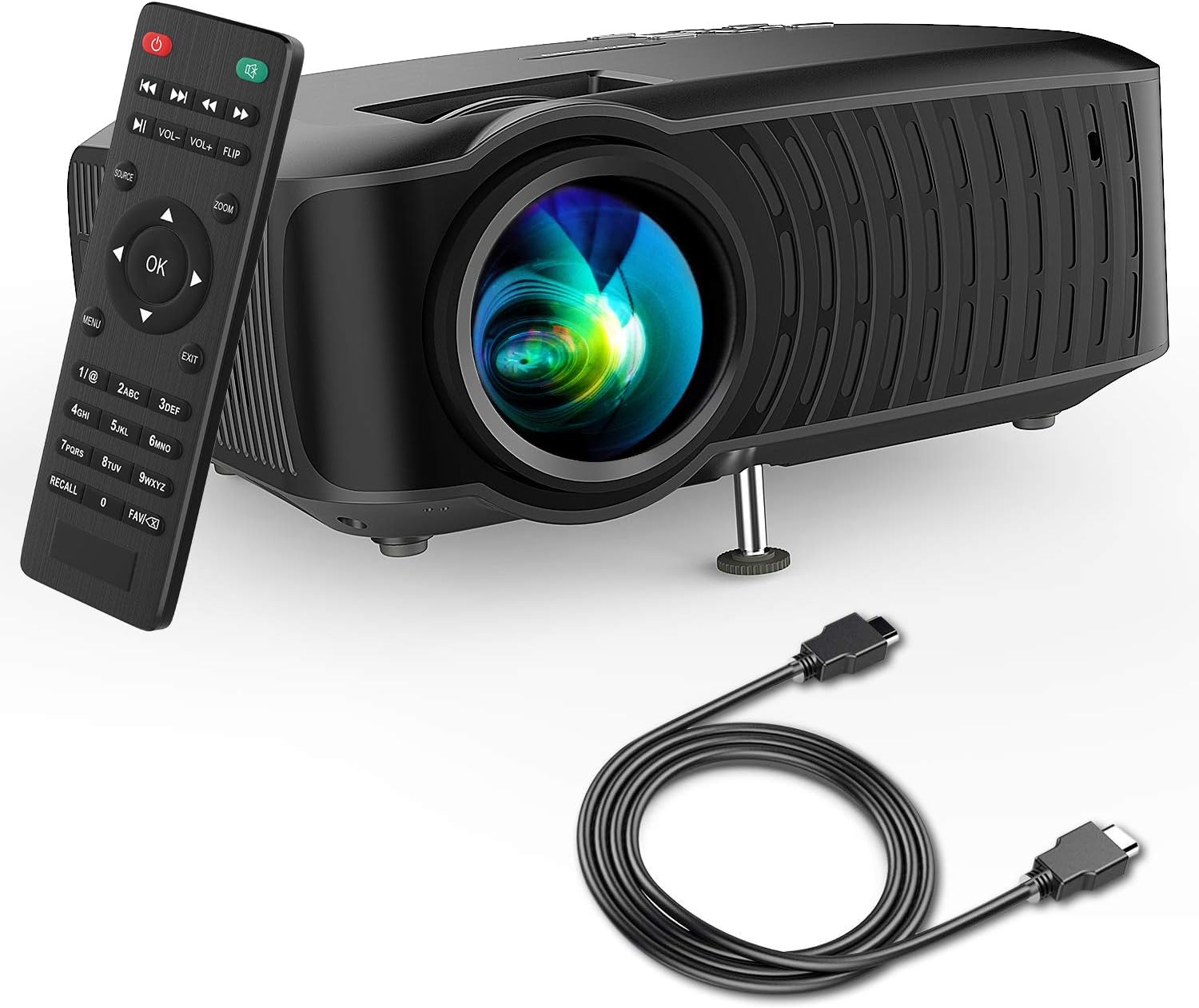
Image: The DBPOWER T22 Portable Video Projector, its remote control, and an HDMI cable, representing the typical package contents.
3. Prodott Aktarview
Familiarize yourself with the various parts of your DBPOWER T22 projector.
3.1 Quddiem u Ġenb View

Immaġni: Naħa waħda view of the DBPOWER T22 projector with dimensions indicating its compact and portable design (21.8cm length, 17.2cm width, 9.16cm height).
- Lenti tal-Projezzjoni: Titfa' l-immaġni fuq l-iskrin.
- Ċirku tal-Fokus: Aġġusta ċ-ċarezza tal-immaġni.
- Keystone Correction Ring: Corrects trapezoidal image distortion.
- Portijiet tal-Ventilazzjoni: For heat dissipation. Do not block.
- Sieq aġġustabbli: Raises or lowers the front of the projector.
3.2 Il-Pannell ta' Wara u l-Konnettività
The rear panel provides various input and output ports for connecting external devices.
- Port HDMI: Connects to devices like laptops, Blu-ray players, game consoles, and TV sticks.
- Port USB: Connects to USB flash drives for media playback.
- Port AV: Connects to older devices using the included AV cable.
- Slot tal-Kard SD: Biex iddoqq il-midja direttament minn SD card.
- Ħruġ tal-Awdjo (Ġakk ta' 3.5mm): Jikkonnettja ma' kelliema esterni jew headphones.
- Input ta' Enerġija: Tqabbad mal-adapter tal-enerġija.
3.3 Kontroll mill-Bogħod
The remote control allows convenient operation of the projector from a distance.
- Buttuna tal-Qawwa: Ixgħel/itfi l-proġekter.
- Buttuna tas-Sors: Selects input source (HDMI, AV, USB, SD).
- Buttuni tan-Navigazzjoni ('il fuq/'l isfel/'il fuq/'il fuq/'il fuq): Navigates menus.
- Buttuna OK: Jikkonferma l-għażla.
- Buttuna tal-menu: Accesses projector settings.
- Buttuna tal-Ħruġ: Joħroġ mill-menù jew mill-funzjoni kurrenti.
- Volum +/-: Jaġġusta l-volum tal-kelliem.
- Buttuna Aqleb: Rotates the projected image.
- Buttuna Żum: Adjusts image zoom (digital zoom).
4. Setup
4.1 Tixgħel/Jitfi
- Connect the power cable to the projector's power input, then plug the other end into a power outlet.
- Press the power button on the projector or the remote control to turn it on. The indicator light will change.
- Biex titfi, agħfas il-buttuna tal-enerġija mill-ġdid.
4.2 Adjusting Image Focus and Keystone
Achieve a clear and rectangular image by adjusting the focus and keystone correction.

Image: Diagram showing the manual keystone correction and focus rings on the side of the projector, with examples of de-focused and focused images, and trapezoidal correction.
- Fokus: Dawwar il- Iffoka Ring until the projected image appears sharp and clear.
- Korrezzjoni Keystone: If the image appears trapezoidal (wider at the top or bottom), rotate the Keystone Correction Ring to make the image rectangular. The projector supports ±15° manual keystone correction.
4.3 Konnessjoni ta' Apparati Esterni
The DBPOWER T22 supports multiple input sources.
- HDMI: Connect an HDMI cable from your device (e.g., laptop, game console, Amazon Fire TV Stick) to the projector's HDMI port.
- USB: Daħħal flash drive tal-USB fil-port tal-USB.
- TA’: Use the provided AV cable to connect to devices with AV output.
- Karta SD: Insert an SD card into the SD card slot.
- Smartphones: For iOS devices, an external Lightning to HDMI adapter is required. For Android devices, an external Micro USB/Type-C to HDMI adapter is required. (Adapters not included).
5. It-Tħaddim tal-Proġettur
5.1 L-Għażla tas-Sors tal-Input
After connecting your device, you need to select the correct input source.
- Agħfas il- Sors button on the remote control or the projector.
- Use the navigation buttons to select the desired input source (e.g., HDMI, USB, AV, SD).
- Agħfas OK biex tikkonferma.
5.2 Daqq tal-Midja (USB/SD)
When a USB drive or SD card is inserted, the projector will display a media browser.
- Innaviga fil-folders u files using the remote control's navigation buttons.
- Agħżel a file (e.g., video, photo, music, text) and press OK biex tilgħab.
5.3 Output Awdjo
The projector features an improved built-in speaker system. For enhanced audio, you can connect external speakers.

Image: An illustration of the DBPOWER T22 projector highlighting its stereo speakers, indicating that external speakers are not always necessary for an enjoyable audio experience.
- Kelliem inkorporat: The projector's internal speaker provides audio. Adjust volume using the VOL +/- buttuni fuq il-remote.
- External Speakers/Headphones: Connect a 3.5mm audio cable from your external audio device to the projector's Audio Out port.
5.4 Projector Settings (Menu)
Agħfas il- Menu button on the remote to access settings such as Picture Mode, Aspect Ratio, Sound Mode, and other system preferences.
6. Manutenzjoni
6.1 Tindif tal-Lenti
Use a professional lens cleaning cloth or lens paper to clean the projector lens. Avoid touching the lens directly with your hands.

Immaġni: Sploda view of the projector lens assembly, highlighting the tempered glass lens and the importance of a dust cover to protect it from scratches and dust.
6.2 Tindif tal-Korp tal-Proġettur
Wipe the projector body with a soft, dry cloth. Do not use abrasive cleaners or solvents.
6.3 Heat Dispersion System
The projector features an advanced cooling system to ensure stable operation and extend lamp life. Ensure ventilation ports are clear.

Immaġni: Interna view of the DBPOWER T22 projector, illustrating the advanced heat dispersion system with air flowing through cooling fins to maintain optimal operating temperature.
6.4 Lamp Ħajja
L-LED lamp in your DBPOWER T22 projector has an extended lifespan of over 50,000 hours, significantly reducing the need for lamp sostituzzjoni.
7 Issolvi l-problemi
Jekk tiltaqa' ma' problemi, irreferi għall-problemi u s-soluzzjonijiet komuni li ġejjin.
| Problema | Kawża Possibbli | Soluzzjoni |
|---|---|---|
| L-ebda immaġni jew il-messaġġ "L-ebda Sinjal" | Sors ta' input mhux korrett magħżul; konnessjoni tal-kejbil maħlula; apparat mhux mixgħul. |
|
| Immaġini mċajpra | Il-fokus mhux aġġustat; il-proġettazzjoni hija qrib/bogħod wisq mill-iskrin. |
|
| Trapezoidal image | Il-proġettur mhux perpendikolari mal-iskrin. |
|
| L-ebda ħoss jew volum baxx | Volume too low; mute enabled; external audio device issues. |
|
| Il-kontroll mill-bogħod ma jaħdimx | Dead batteries; obstruction; remote not pointed at IR receiver. |
|
8. Speċifikazzjonijiet
Detailed technical specifications for the DBPOWER T22 Portable Video Projector.
| Karatteristika | Dettall |
|---|---|
| Brand | DBPOWER |
| Numru tal-Mudell | T22 |
| Luminożità | 120 ANSI Lumens (80% brighter than most market projectors) |
| Proporzjon ta' Kuntrast | 2000:1 |
| Riżoluzzjoni Appoġġjata | 1080P (Full HD) |
| Riżoluzzjoni tal-Wiri Nattiva | 800 x 480 |
| Tip ta 'Wiri | LCD |
| Lamp Ħajja | 50,000 sigħat |
| Daqs tal-Projezzjoni | 32-176 pulzier |
| Distanza ta' Projezzjoni | 1-5.2 metri |
| Korrezzjoni Keystone | Manual ±15° |
| Teknoloġija tal-Konnettività | HDMI, USB, AV, SD Card |
| Speaker integrat | Yes (Improved system) |
| Dimensjonijiet tal-Prodott | 21.59 x 17.02 x 9.14 ċm |
| Piż tal-oġġett | 1.9 kg |
| Wattage | 24 watt |
9. Garanzija u Appoġġ
DBPOWER products are designed and manufactured to the highest quality standards. For warranty information, technical support, or customer service inquiries, please refer to the contact information provided with your purchase or visit the official DBPOWER websit.
Uffiċjali Websit: www.dbpower.co (Jekk jogħġbok innota: URL may vary by region. Refer to product packaging for specific regional support details.)


