1. Introduzzjoni
Thank you for choosing the ZEBRONICS Zeb-Power Wired USB Mouse. This manual provides essential information for setting up, operating, and maintaining your new mouse. The Zeb-Power mouse is designed for reliable performance with its advanced optical sensor technology and a compact, stylish design.
Il-karatteristiċi ewlenin jinkludu:
- Disinn kompatt u stylish
- Advanced optical sensor technology with 1200 DPI resolution
- Installazzjoni plug-and-play faċli
- Compatible with Windows XP / Vista / 7 / 8 / 10, Mac OS, or Android OS
- Durable 1.1m USB cable

Figura 1: Fuq view of the Zeb-Power Wired USB Mouse, showcasing id-disinn iswed eleganti tiegħu u r-rota tal-iscrolljar.
2. Setup
The Zeb-Power mouse features a simple plug-and-play setup, requiring no additional drivers for most operating systems.
2.1 Konnessjoni tal-Maws
- Sib port USB disponibbli fuq il-kompjuter tiegħek (desktop, laptop, jew apparat kompatibbli).
- Insert the USB connector of the Zeb-Power mouse firmly into the USB port.
- Your operating system will automatically detect and install the necessary drivers. This process usually takes a few seconds.
- Ladarba jkun installat, il-maws ikun lest għall-użu.

Figure 2: The Zeb-Power mouse features a 1.1m cable length and a standard USB-A interface for easy connection.
2.2 Kompatibilità tas-Sistema
The Zeb-Power mouse is compatible with a wide range of operating systems:
- Windows XP
- Windows Vista
- Windows 7
- Windows 8
- Windows 10
- Mac OS
- Android OS (with appropriate USB host support)
3. It-Tħaddim tal-Maws
The Zeb-Power mouse is a standard 3-button optical mouse designed for intuitive navigation.
3.1 Funzjonijiet Bażiċi
- Buttuna tax-Xellug: Funzjoni primarja tal-ikklikkjar, użata għall-għażla ta' oġġetti, għall-ftuħ files, u l-attivazzjoni ta' links.
- Buttuna tal-lemin: Funzjoni ta' klikk sekondarja, tipikament użata biex tiftaħ menus tal-kuntest.
- Scroll Wheel (Middle Button): Użat biex tiskrollja fid-dokumenti u web pages. Can also function as a middle click button for specific applications.

Figure 3: The compact design of the Zeb-Power mouse ensures comfortable handling for extended use.
3.2 Optical Sensor and DPI
The mouse is equipped with an advanced optical sensor providing 1200 DPI (Dots Per Inch) resolution. This high precision ensures smooth and accurate cursor movement on various surfaces.

Figure 4: The 1200 DPI optical sensor provides high precision for accurate cursor control.
3.3 Kompatibilità tal-Wiċċ
The optical sensor is designed to work effectively on most common surfaces, including mouse pads, wood, and plastic. For optimal performance, avoid highly reflective or transparent surfaces like glass.
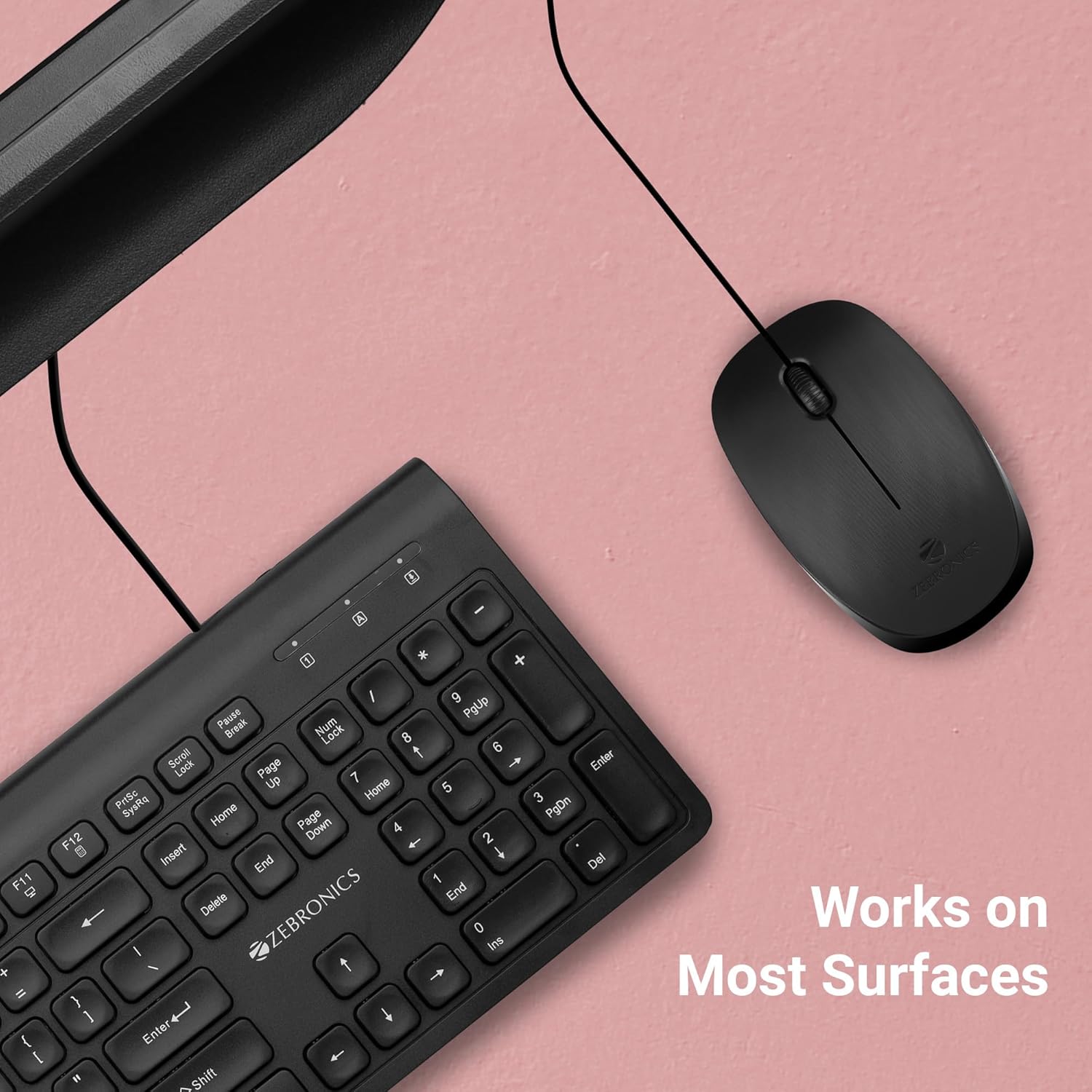
Figure 5: The Zeb-Power mouse is designed to work reliably on a variety of common desk surfaces.
4. Manutenzjoni
Proper care and maintenance will extend the lifespan of your Zeb-Power mouse.
4.1 Tindif
- Skonnettja l-maws mill-kompjuter tiegħek qabel ma tnaddaf.
- Uża artab, ftit damp cloth to wipe the exterior of the mouse.
- For stubborn dirt, a small amount of mild soap can be used, but ensure no liquid enters the mouse.
- Uża swab tal-qoton jew arja kkompressata biex tnaddaf madwar ir-rota tal-iscroll u l-buttuni.
- Gently wipe the optical sensor on the underside of the mouse with a clean, dry cloth to ensure optimal tracking performance.

Figure 6: The underside of the mouse, showing the optical sensor. Keep this area clean for best performance.
4.2 Ħażna
When not in use for extended periods, store the mouse in a clean, dry environment away from extreme temperatures and direct sunlight.
5 Issolvi l-problemi
If you encounter issues with your Zeb-Power mouse, refer to the following common problems and solutions:
| Problema | Kawża Possibbli | Soluzzjoni |
|---|---|---|
| Il-ġurdien ma jirrispondix | Konnessjoni USB maħlula, port USB difettuż, problema bis-sewwieq. |
|
| Moviment erratiku tal-cursor | Dirty optical sensor, unsuitable surface. |
|
| Il-buttuni jew ir-rota tal-iscroll ma jaħdmux | Dirt accumulation, software conflict. |
|
6. Speċifikazzjonijiet
| Karatteristika | Dettall |
|---|---|
| Isem tal-Mudell | Zeb-Power |
| Teknoloġija tal-Konnettività | USB bil-fili |
| Teknoloġija ta 'Sejbien tal-Moviment | Ottiċi |
| Riżoluzzjoni DPI | 1200 DPI |
| Numru ta' Buttuni | 3 (Left, Right, Scroll Wheel/Middle) |
| Tul tal-Cable | 1.1 metri (madwar 3.6 piedi) |
| Dimensjonijiet tal-Prodott (L x W x H) | 3.9 x 2.32 x 0.04 pulzieri (madwar) |
| Piż tal-oġġett | 1.83 uqija |
| Kulur | Iswed |
| Kompatibilità OS | Windows XP / Vista / 7 / 8 / 10, Mac OS, Android OS |
7. Informazzjoni dwar Garanzija
The ZEBRONICS Zeb-Power Wired USB Mouse comes with a garanzija ta 'sena from the date of purchase. Please retain your purchase receipt as proof of purchase for warranty claims. The warranty covers manufacturing defects and material faults under normal use. It does not cover damage caused by misuse, accidents, unauthorized modifications, or normal wear and tear.
8. Appoġġ għall-Klijent
For further assistance, technical support, or warranty inquiries, please contact ZEBRONICS customer service. Refer to the official ZEBRONICS website or product packaging for the most up-to-date contact information.


