Introduzzjoni
The HyperX Alloy Core RGB Gaming Keyboard is designed to provide a responsive and durable typing experience with dynamic RGB lighting. This manual provides detailed instructions for setting up, operating, and maintaining your keyboard, ensuring optimal performance.

Image: The HyperX Alloy Core RGB Gaming Keyboard, showcasing it-tqassim u d-disinn sħiħ tiegħu.
Karatteristiċi
- Dawl RGB Dinamiku: Features a distinctive light bar and dynamic RGB lighting effects with multiple customizable patterns.
- Kostruzzjoni Durabbli: Built with a reinforced plastic frame for enhanced durability and stability.
- Quiet and Responsive Keys: Equipped with soft-touch membrane keys that offer a quiet typing experience and anti-ghosting functionality for accurate input.
- Disinn reżistenti għat-tixrid: Tested to withstand up to 120ml of liquid spills, providing protection against accidental damage.
- Kontrolli tal-Midja Dedikati: Convenient buttons for audio playback, volume adjustment, and mute functions.
- Buttuni ta' Aċċess Rapidu: Dedicated buttons for adjusting brightness, changing lighting modes, and activating game mode.
- Keyboard Lock Mode: Prevents accidental key presses during intense gaming sessions.
- Kompatibilità: Supports Windows 7, 8, 8.1, and 10.
- Dimensjonijiet: Approximately 443.20mm (width) x 175.31mm (depth) x 35.68mm (height).
Setup
- Ħoll it-Tastiera: Oħroġ it-tastiera mill-imballaġġ tagħha bir-reqqa.
- Qabbad mal-Kompjuter: Plug the USB-A connector of the keyboard cable into an available USB port on your computer. The keyboard is a plug-and-play device and typically does not require additional drivers for basic functionality.
- Adjust Keyboard Feet: For ergonomic comfort, you can extend the adjustable feet located on the underside of the keyboard to tilt it to your preferred angle.
Video: This video demonstrates the physical handling of the keyboard, including adjusting the feet for optimal typing angle, and showcases the initial RGB lighting effects upon connection.

Image: A hand connecting the USB-A cable of the keyboard to a computer's USB port.
Istruzzjonijiet Operattivi
Kontroll tad-Dawl RGB
The HyperX Alloy Core RGB keyboard features dynamic RGB lighting. Use the dedicated quick access buttons located above the function keys to customize your lighting experience.
- Aġġustament tal-luminożità: Press the sun icon button to cycle through different brightness levels.
- Għażla tal-Modalità tad-Dawl: Press the color palette icon button to switch between various lighting effects (e.g., Color Cycle, Spectrum Wave, Breathing, Solid, 5 Zones, Aurora).
- Veloċità tal-Effett: Use the FN key + Up/Down arrow keys to increase or decrease the speed of lighting effects.
- Solid Color Selection: Use the FN key + Left/Right arrow keys to switch between solid colors.
- 5-Zone Customization: For 5-zone lighting, press the FN key + F1-F5 keys multiple times to customize the color of each zone.
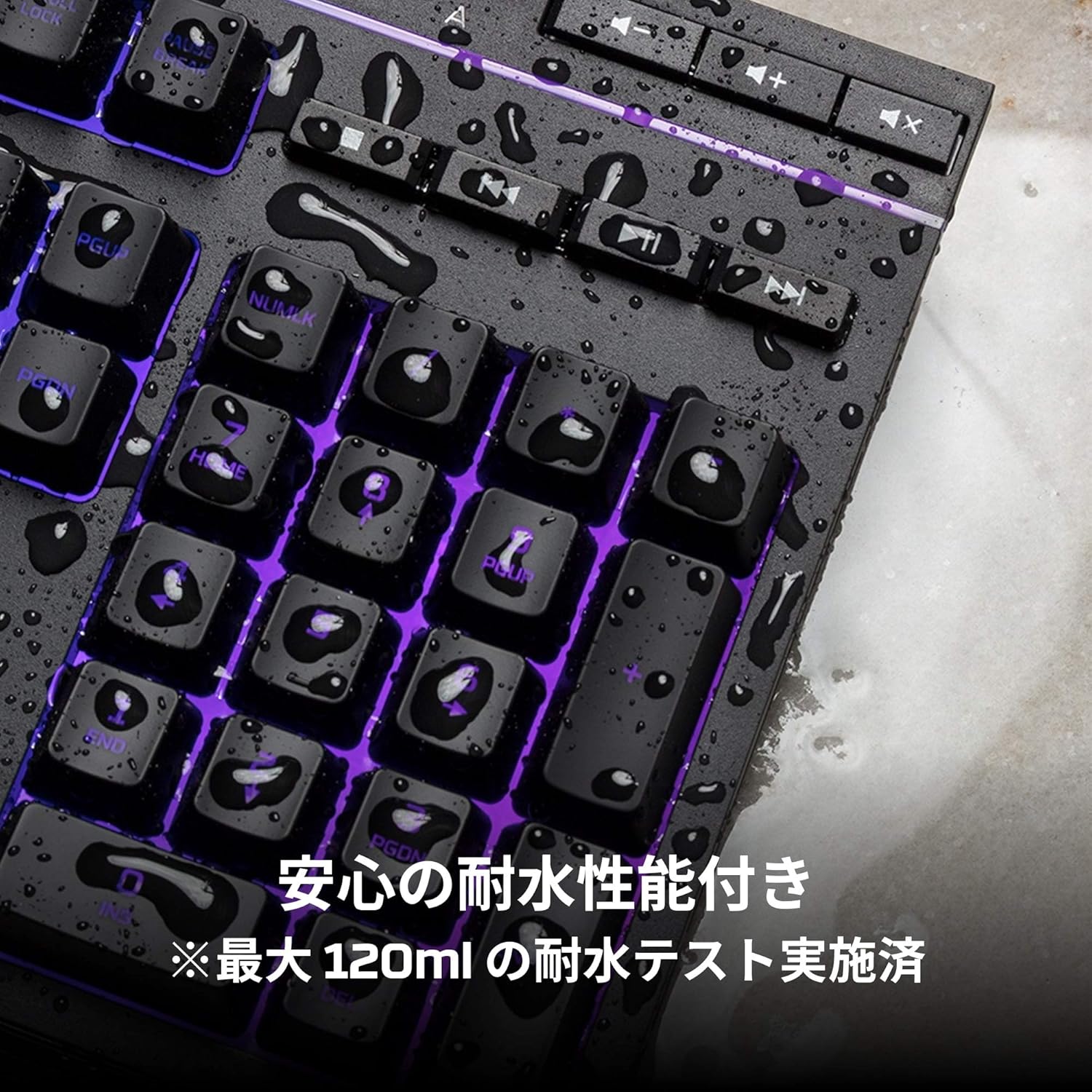
Image: Visual representation of various RGB lighting patterns and key combinations for controlling them.
Kontrolli tal-Midja
Dedicated media control buttons are located on the top right of the keyboard for easy access to audio functions.
- Volum 'il fuq/Niżżel: Aġġusta l-volum tas-sistema.
- Siekta: Ixekkel jew iwaqqaf l-awdjo.
- Play/Pawsa: Kontroll tal-plejbek tal-midja.
- Track Preċedenti/Li jmiss: Skip to the previous or next media track.

Image: Close-up of the dedicated media control buttons on the top right of the keyboard.
Game Mode and Keyboard Lock
- Modalità tal-Logħba: Press the game controller icon button to activate Game Mode, which disables the Windows key to prevent accidental interruptions during gameplay.
- Lock tat-Tastiera: Press FN + F12 to enable keyboard lock mode, which temporarily disables all key inputs.
Manutenzjoni
To ensure the longevity and optimal performance of your HyperX Alloy Core RGB keyboard, follow these maintenance guidelines:
- Tindif: Regularly clean the keyboard with a soft, dry cloth. For stubborn dirt, a slightly damp cloth can be used, ensuring no liquid enters the key switches.
- Reżistenza għat-tixrid: While the keyboard is spill-resistant (up to 120ml), it is not waterproof. In case of a spill, immediately disconnect the keyboard from your computer, wipe off any liquid, and allow it to air dry completely before reconnecting.
- Evita Kundizzjonijiet Estremi: Do not expose the keyboard to extreme temperatures, humidity, or direct sunlight.

Image: The keyboard with water droplets on its surface, illustrating its spill-resistant feature.
Issolvi l-problemi
If you encounter issues with your HyperX Alloy Core RGB keyboard, refer to the following common solutions:
- It-Tastiera Mhux Tirrispondi:
- Kun żgur li l-kejbil USB huwa konness sew kemm mat-tastiera kif ukoll mal-kompjuter.
- Ipprova qabbad it-tastiera ma' port USB differenti fuq il-kompjuter tiegħek.
- Ibda mill-ġdid il-kompjuter tiegħek.
- Check if Keyboard Lock Mode (FN + F12) is active.
- Dawl RGB Mhux Taħdim:
- Ensure the brightness is not set to the lowest level using the brightness adjustment button.
- Cycle through different lighting modes using the lighting mode selection button.
- Ivverifika li t-tastiera hija konnessa sew u qed tirċievi l-enerġija.
- Iċ-Ċwievet Mhux qed Jirreġistraw Korrett:
- Naddaf madwar iċ-ċwievet affettwati biex tneħħi kwalunkwe debris.
- Ensure your operating system is compatible (Windows 7/8/8.1/10).
- Game Mode Issues:
- Ensure Game Mode is properly activated by pressing the game controller icon button. The indicator light should be on.
If the issue persists after trying these steps, please contact HyperX customer support for further assistance.
Speċifikazzjonijiet
| Karatteristika | Dettall |
|---|---|
| Brand | HyperX |
| Numru tal-Mudell | HX-KB5ME2-JP |
| Konnettività | USB-A |
| Tip ta' Tastiera | Tastiera tal-Logħob tal-Membrana |
| Backlight Kulur | RGB |
| Karatteristiċi Speċjali | Backlit, Spill-Resistant |
| Dimensjonijiet (L x W x H) | 44.32 x 17.53 x 3.57 ċm |
| Piż | 1.1 kg |
| OS kompatibbli | Windows 7/8/8.1/10 |
Garanzija u Appoġġ
The HyperX Alloy Core RGB Gaming Keyboard comes with a garanzija ta 'sena mid-data tax-xiri. Jekk jogħġbok żomm il-prova tax-xiri tiegħek għal talbiet ta' garanzija.
For technical support, warranty inquiries, or additional information, please visit the official HyperX support websit jew ikkuntattja lid-dipartiment tas-servizz tal-konsumatur tagħhom.
HyperX Uffiċjali Websit: www.hyperx.com