1. Prodott Aktarview
The Waveshare 3.5-inch Resistive Touch Screen TFT LCD (model XPT2046) is a compact display designed for use with various Raspberry Pi revisions (B+/2B/3B/3B+). It features a 480x320 hardware resolution and resistive touch control, enabling direct interaction without a separate keyboard or mouse. The display utilizes 125MHz high-speed SPI for clear and stable signal transmission.
This display supports FBCP software drivers, allowing for configurable software resolution and dual-display setups. Drivers are provided for popular Raspberry Pi operating systems such as Raspbian, Ubuntu, Kali, and Retropie. Its immersion gold surface plating ensures high quality and durability.

Figure 1: Waveshare 3.5-inch RPi LCD (C) module, displaying its circuit board and components.
2. Kontenut tal-Pakkett
- 3.5inch RPi LCD (C) x1
- Touch pinna x1
- RPi screws pack (2pcs) x1
3. Istruzzjonijiet ta' Setup
3.1. Konnessjoni Fiżika
The 3.5-inch RPi LCD (C) is designed for direct plug-in compatibility with Raspberry Pi models B+, 2B, 3B, and 3B+. Align the display's GPIO pins with the Raspberry Pi's GPIO header and gently press down to ensure a secure connection. The included screws can be used to further secure the display to the Raspberry Pi, providing stability.

Figure 2: The 3.5-inch LCD display securely mounted on a Raspberry Pi.
3.2. Konfigurazzjoni tas-Software
To enable the display and touch functionality, specific drivers are required. Waveshare provides drivers compatible with various Raspberry Pi operating systems, including Raspbian, Ubuntu, Kali, and Retropie. Refer to the official Waveshare product page or documentation for detailed instructions on driver installation for your specific OS. The display also supports FBCP (Frame Buffer Copy) software drivers, which allow for flexible configuration of software resolution and the setup of dual-display environments.
After installing the drivers, you may need to configure the system to output to the SPI display. This typically involves modifying configuration files (e.g., /boot/config.txt) to enable SPI and set the correct display parameters. Detailed steps are available in the Waveshare documentation.
4. Istruzzjonijiet Operattivi
4.1. Operazzjoni Bażika
The 3.5-inch LCD features resistive touch control. Use the provided touch pen or a gentle finger press to interact with the screen. Resistive touch screens respond to pressure, so a light but firm touch is usually sufficient. Calibration may be required after initial setup to ensure accurate touch response.
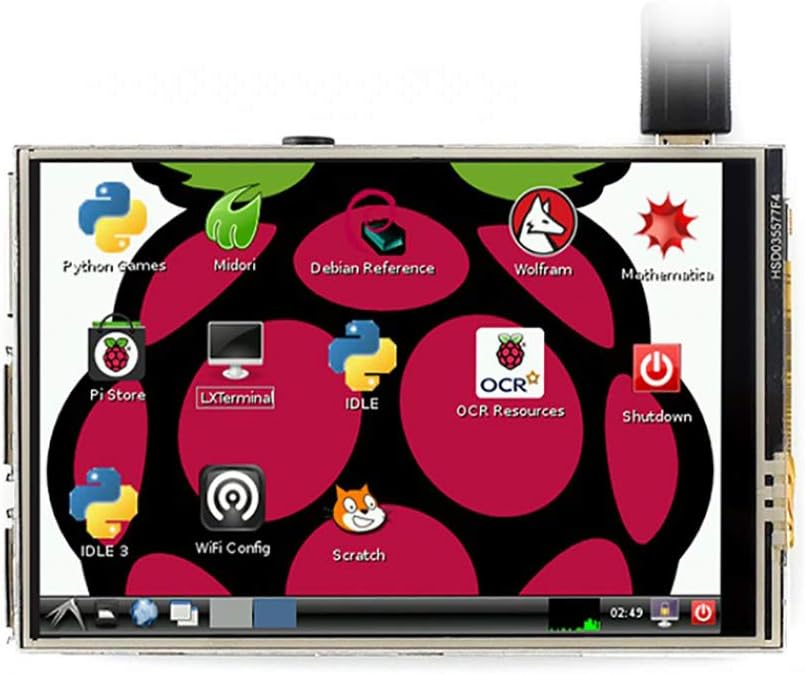
Figure 3: The display showing a typical Raspberry Pi desktop interface.
4.2. Key Features in Use
- Daqq tal-Vidjo: With a refresh rate up to 50Hz when combined with the Raspberry Pi, the display is capable of playing various video formats, such as MP4.
- Logħob: Enjoy playing video games, including those supported by RetroPie, directly on the compact screen.
- Fotografija: Utilize the touch screen for camera control, supporting multiple camera modes if configured with a compatible camera module.
- Tastiera tas-Softwer: Interact with the system using an on-screen software keyboard, eliminating the need for external keyboard and mouse peripherals.
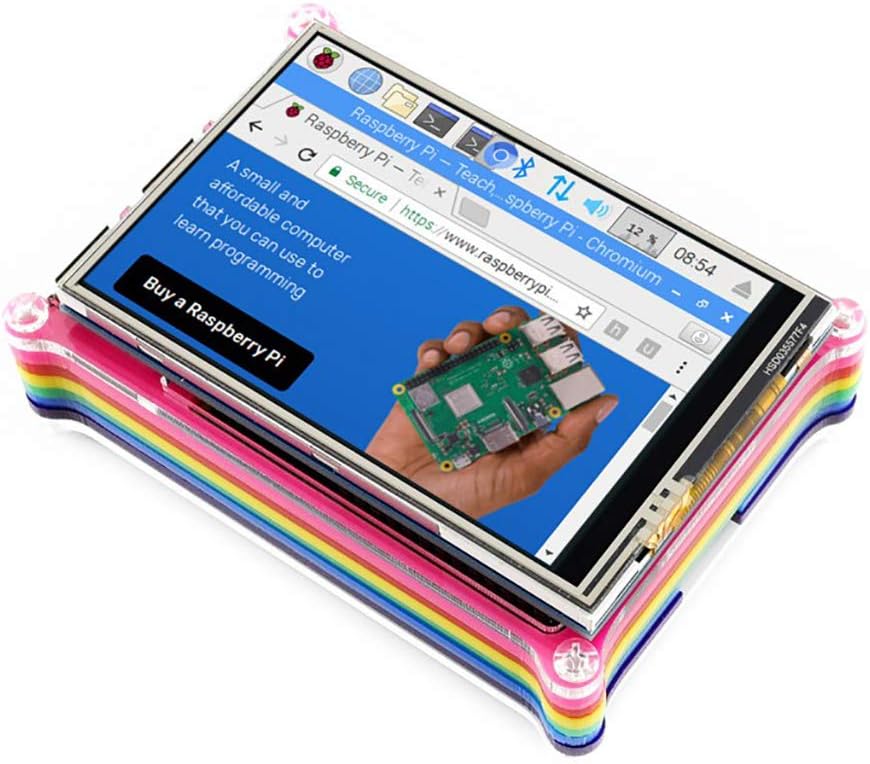
Figura 4: Web browsing on the 3.5-inch display.

Figura 5: Il-wiri tal-wiriasing a high-quality image while mounted on a Raspberry Pi.
5. Manutenzjoni
5.1. Kura u Tindif
To maintain the longevity and performance of your Waveshare 3.5-inch LCD, follow these guidelines:
- Tindif tal-Iskrin: Uża drapp artab u mingħajr suf, ftit imxarrabampened with water or a screen-cleaning solution, to gently wipe the display surface. Avoid harsh chemicals, abrasive materials, or excessive moisture.
- Immaniġġjar: Avoid applying excessive pressure to the screen, especially with sharp objects, as this can damage the resistive touch layer. Always use the provided touch pen for best results.
- Ħażna: When not in use, store the display in a clean, dry environment, away from direct sunlight and extreme temperatures.
- Kundizzjonijiet Ambjentali: Operate the display within recommended temperature and humidity ranges to prevent damage.
6 Issolvi l-problemi
6.1. Kwistjonijiet Komuni
- Wiri Mhux Taħdem:
- Ensure the display is correctly and securely plugged into the Raspberry Pi's GPIO header.
- Verify that the necessary drivers are installed and configured correctly for your operating system.
- Check the Raspberry Pi's power supply to ensure it provides sufficient current for both the Pi and the display.
- Touch Function Not Responding:
- Confirm that the touch screen drivers are installed and loaded.
- Perform a touch screen calibration if available in your OS settings.
- Ensure you are using a suitable object (like the provided touch pen) and applying appropriate pressure.
- Incorrect Display Orientation/Resolution:
- Review your software configuration files (e.g.,
/boot/config.txt) for correct rotation and resolution settings. - Reinstall or update display drivers.
- Review your software configuration files (e.g.,
7. Speċifikazzjonijiet Tekniċi
7.1. Key Parameters
| Parametru | Valur |
|---|---|
| Tip LCD | TFT |
| Interface LCD | SPI |
| Tip ta' Touch Screen | Reżistenti |
| Touch Screen Kontrollur | XPT2046 |
| Kuluri | 65536 |
| Dawl ta' wara | LED |
| Riżoluzzjoni | 480x320 (Pixel) |
| Proporzjon ta' l-aspett | 1.50:1 (3:2) |
| Daqs tal-Wiri tal-Iskrin Permanenti | 3.5 Pulzier |
| Deskrizzjoni tal-wiċċ tal-iskrin | Tleqq |
| Numru tal-Mudell tal-Oġġett | XPT2046 |
7.2. Interface Pinout
| PIN NO. | SIMBOLU | DESKRIZZJONI |
|---|---|---|
| 1, 17 | 3.3V | Enerġija pożittiva (input ta 'enerġija 3.3V) |
| 2, 4 | 5V | Enerġija pożittiva (input ta 'enerġija 5V) |
| 3, 5, 7, 8, 10, 12, 13, 15, 16 | NC | NC |
| 6, 9, 14, 20, 25 | GND | Art |
| 11 | TP_IRQ | Touch Panel Interrupt, low level while the Touch Panel detects touching |
| 18 | LCD_RS | Għażla tar-Reġistru ta' Istruzzjoni/Data |
| 19 | LCD_SI / TP_SI | Input tad-dejta SPI tal-LCD/Touch Panel |
| 21 | TP_SO | Output tad-dejta SPI tal-Touch Panel |
| 22 | RST | Irrisettja |
| 23 | LCD_SCK / TP_SCK | Arloġġ SPI tal-LCD/Touch Panel |
| 24 | LCD_CS | Għażla taċ-ċippa LCD, attiva baxxa |
| 26 | TP_CS | Għażla taċ-ċippa Touch Panel, attiva baxxa |

Figure 6: Detailed technical specifications and pinout diagram.
7.3. Dimensjonijiet Fiżiċi

Figure 7: Dimensions of the 3.5-inch RPi LCD (C).
8. Garanzija u Appoġġ
8.1. Informazzjoni dwar Garanzija
Specific warranty details for the Waveshare 3.5-inch Resistive Touch Screen TFT LCD XPT2046 are not provided in this manual. Please refer to the Waveshare official website or contact your point of purchase for current warranty terms and conditions.
8.2. Appoġġ Tekniku
For technical assistance, driver downloads, or further documentation, please visit the official Waveshare website. You may also contact Waveshare customer support directly for specialized help with product installation, configuration, or troubleshooting beyond the scope of this manual.


