Introduzzjoni
The PNY Pro Elite 1TB USB 3.1 Gen 2 Type-C Portable Solid State Drive (SSD) offers high-speed mobile storage with exceptional performance and reliability. Designed for users requiring fast data transfer and secure storage on the go, this device is compatible with a wide range of systems.
Il-karatteristiċi ewlenin jinkludu:
- Exceptional performance offering up to 890MB/s sequential Read and 880MB/s sequential Write speeds.
- Compatible with USB Type-C and Type-A enabled PC and Mac desktop and laptop computers via the included cables.
- Compact and portable for life-on-the-go; ideal for transfer and storage of documents, music, photos, and videos.
- Acronis True Image data protection software included for backing up and transferring content.
Kontenut tal-Pakkett
Qabel ma tibda, jekk jogħġbok kun żgur li l-oġġetti kollha huma preżenti fil-pakkett:
- PNY Pro Elite Portable SSD
- Kejbil USB-C għal USB-C
- Kejbil USB-C għal USB-A
- Acronis True Image Data Protection Software (downloadable)
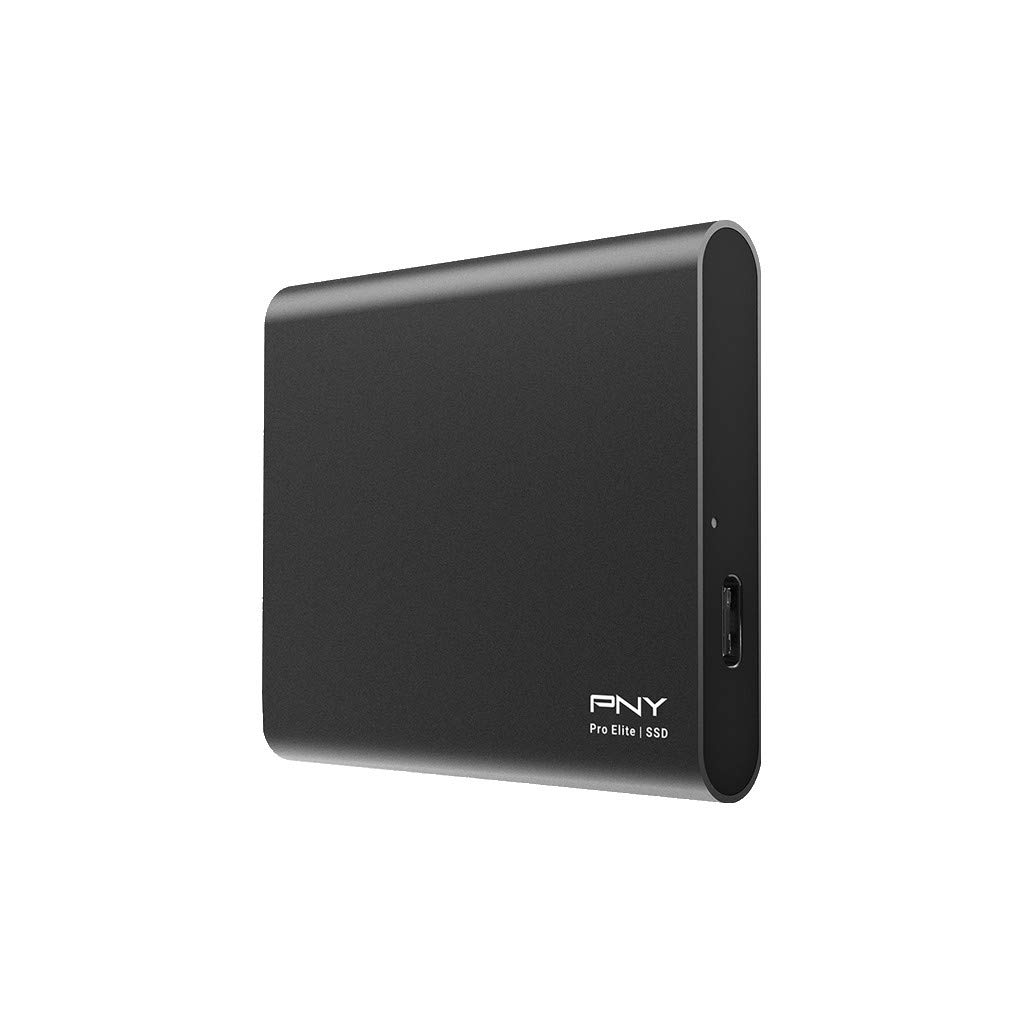
Image: PNY Pro Elite Portable SSD, showing the device, its packaging, and the included USB-C to USB-C and USB-C to USB-A cables.
Setup
- Qabbad l-SSD:
- For devices with a USB-C port, use the included USB-C to USB-C cable.
- For devices with a standard USB-A port, use the included USB-C to USB-A cable.
Plug the appropriate cable into the USB-C port on the PNY Pro Elite SSD and the other end into an available USB port on your computer (desktop or laptop).

Image: A hand connecting the PNY Pro Elite Portable SSD to a laptop using a USB-C cable.
- Rikonoxximent Inizjali: Your operating system (Windows or Mac) should automatically detect the new drive. It may appear as a new drive letter (Windows) or an icon on your desktop (Mac).
- Formatting (Optional): The drive comes pre-formatted. If you need to reformat the drive for a specific file system (e.g., NTFS for Windows, HFS+ or APFS for Mac, exFAT for cross-platform compatibility), please refer to your operating system's disk management tools. Twissija: Il-formattjar se jħassar id-dejta kollha fuq id-drajv.
Tħaddim tal-SSD
- Trasferiment tad-Data:
Biex tittrasferixxi files, simply drag and drop them to and from the PNY Pro Elite SSD. For optimal performance, ensure you are connected to a USB 3.1 Gen 2 compatible port on your computer.
Video: PNY Pro Elite Portable SSD in use, demonstrating its compact size and connectivity. This video highlights the product's design and ease of use for mobile storage.
- Acronis True Image Data Protection Software:
The PNY Pro Elite SSD includes Acronis True Image data protection software. This software allows for easy backup and transfer of your content, providing an effortless backup process. Visit the PNY website to download and install the software using the provided license key (if applicable).
- Kompatibilità:
The drive is compatible with USB Type-C and USB Type-A host devices. It is backward compatible with USB 3.1 Gen 1, USB 3.0, and USB 2.0, though performance will be limited by the slower interface.
Manutenzjoni
- No Defragmentation Required: Unlike traditional Hard Disk Drives (HDDs), Solid State Drives (SSDs) do not require defragmentation. Performing defragmentation on an SSD can reduce its lifespan.
- Durabilità: The PNY Pro Elite SSD features an aluminum housing and robust flash components, making it highly durable and shock-resistant. This design minimizes the risk of data loss from physical impact compared to HDDs.
- Konsum tal-Enerġija: SSDs typically use less power than HDDs, which is beneficial for mobile and laptop environments, contributing to longer battery life.
Video: "Why SSD?" - This video explains the advantages of SSDs over traditional HDDs, including better performance, reliability, and lower power consumption due to the absence of moving parts.
Issolvi l-problemi
- Sewqan Mhux Rilevat:
- Kun żgur li l-kejbil USB huwa konness sew kemm mal-SSD kif ukoll mal-kompjuter tiegħek.
- Ipprova port USB differenti fuq il-kompjuter tiegħek.
- Ipprova kejbil USB differenti (jekk disponibbli).
- Ibda mill-ġdid il-kompjuter tiegħek.
- Check your computer's Disk Management (Windows) or Disk Utility (Mac) to see if the drive is recognized but uninitialized or unformatted.
- Veloċitajiet ta' Trasferiment Baxxi:
- Ensure you are connected to a USB 3.1 Gen 2 port for maximum speeds. Older USB ports (USB 3.0, USB 2.0) will result in slower performance.
- Verify that your computer's drivers are up to date.
- Evita li tittrasferixxi ħafna intrapriżi żgħar files simultaneously, as this can reduce overall transfer speed.
- Korruzzjoni tad-Data:
- Dejjem oħroġ id-drajv b'mod sigur qabel ma skonnettjah mill-kompjuter tiegħek biex tevita l-korruzzjoni tad-dejta.
- Kun żgur li s-sistema operattiva tiegħek hija aġġornata.
Speċifikazzjonijiet
| Karatteristika | Dettall |
|---|---|
| Kapaċità tal-Ħażna Diġitali | 1 TB |
| Interface Hard Disk | USB 3.1 Ġen 2 |
| Teknoloġija tal-Konnettività | USB |
| Brand | PNY |
| Karatteristika Speċjali | Portabbli |
| Apparati Kompatibbli | Desktop, Laptop (Mac, PC) |
| Piż tal-oġġett | 1.59 uqija |
| Dimensjonijiet tal-Prodott (LxWxH) | 5.25 x 4 x 1.25 pulzieri |
| Veloċità Massima tal-Qari | Sa 890MB/s |
| Veloċità tal-Kitba Max | Sa 880MB/s |
Garanzija u Appoġġ
The PNY Pro Elite Portable SSD comes with a competitive 3-year warranty. PNY also offers 24/7 US-based technical support for any assistance you may require.
Optional data recovery plans are available for purchase separately:
- 2-Year Data Recovery Plan
- 3-Year Data Recovery Plan
For further details or support, please visit the official PNY websit jew ikkuntattja lis-servizz tal-konsumatur tagħhom.


