1. Introduzzjoni u Fuqview
The Apple Watch Series 3 GPS 38mm is a versatile smartwatch designed to enhance your daily life through fitness tracking, communication, and smart notifications. It features a Retina display, built-in GPS, an optical heart sensor, and is swimproof, making it suitable for various activities.
2. X'hemm fil-Kaxxa
Upon unboxing your Apple Watch Series 3, you should find the following components:
- Space Gray Aluminum Case (38mm)
- Black Sport Band (includes both S/M and M/L lengths)
- Kejbil tal-Iċċarġjar manjetiku ta '1m

Image: Components included with the Apple Watch Series 3, featuring the watch case, magnetic charging cable, and black sport band.
3. Setup
To begin using your Apple Watch Series 3, you will need an iPhone (iPhone 6s or later running the latest iOS version). Follow these general steps for initial setup:
- Iċċarġja l-Arloġġ Tiegħek: Connect the magnetic charging cable to your Apple Watch and a power adapter. Allow it to charge for at least 30 minutes before proceeding.
- Qawwa Mixgħul: Agħfas u żomm il-buttuna tal-ġenb sakemm tara l-logo Apple.
- Imqabbad mal-iPhone: Bring your Apple Watch close to your iPhone. An Apple Watch pairing screen will appear on your iPhone. Tap 'Continue'.
- Position Your Watch: Use your iPhone's camera to scan the animation on your Apple Watch.
- Segwi l-Istruzzjonijiet fuq l-Iskrin: Complete the setup process on your iPhone, including setting up a passcode, activity tracking, and Apple ID.
4. Operazzjoni Bażika
The Apple Watch Series 3 is designed for intuitive interaction:
- Kuruna Diġitali: Rotate to scroll, zoom, or adjust values. Press to return to the watch face or open the App View.
- Buttuna tal-ġenb: Press to access the Dock (recent apps) or double-press for Apple Pay.
- Touch Screen: Tap to select, swipe to scroll through notifications and glances, and force touch for additional options.
5. Traċċar tas-Saħħa u l-Fitness
The Apple Watch Series 3 is a comprehensive health and fitness companion:
- Ċrieki tal-Attività: Track your daily movement with Move, Exercise, and Stand rings. Close all three rings to achieve your daily goals.
- Optical Heart Sensor: Continuously monitors your heart rate throughout the day and during workouts.
- App tal-Eżerċizzju: Track various workouts including running, cycling, swimming, and more. GPS provides accurate distance and pace data for outdoor activities.
- Swimproof: Designed to be water-resistant up to 50 meters, making it suitable for swimming.
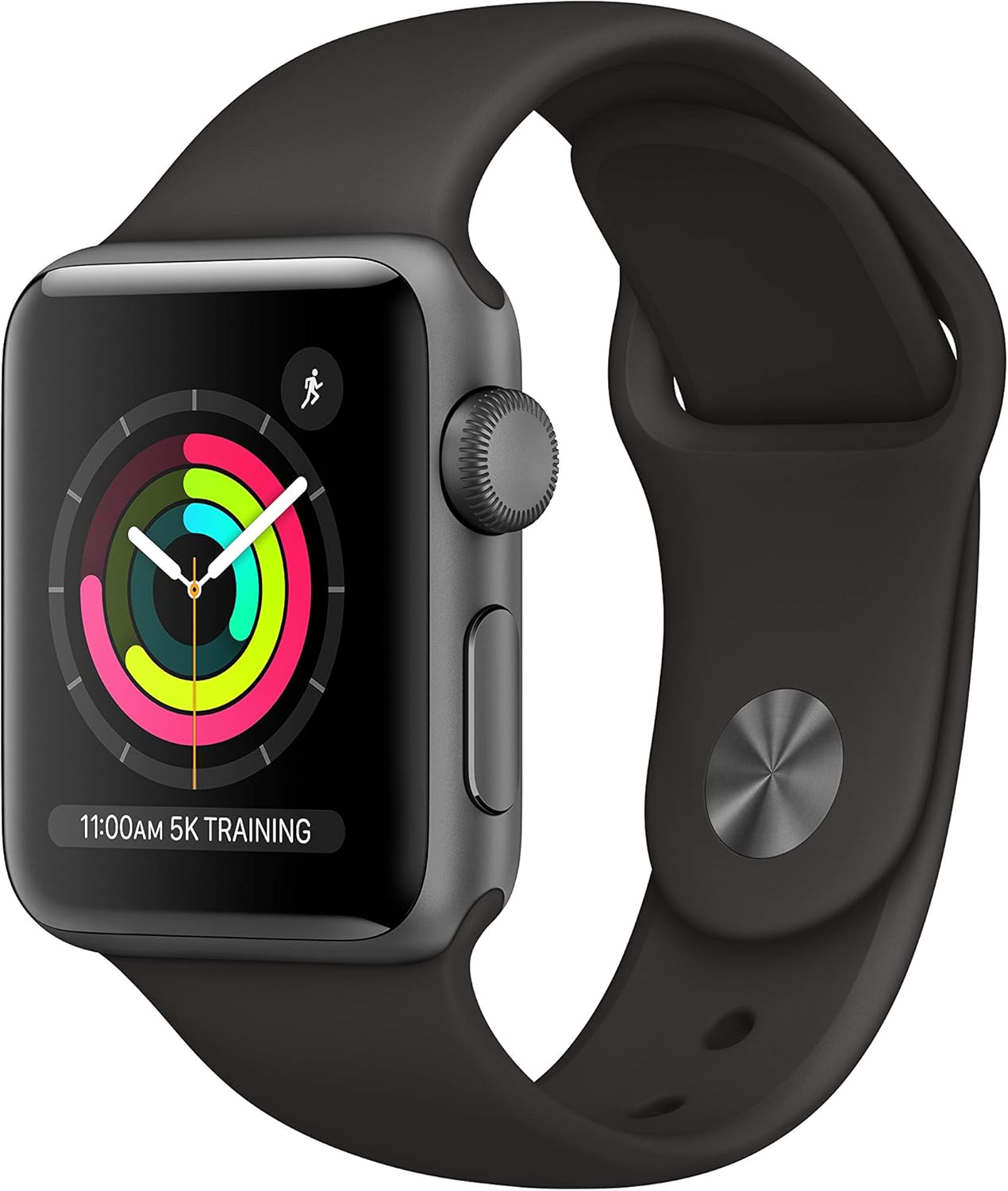
Image: The Apple Watch Series 3 showing the Move, Exercise, and Stand activity rings on its display.

Image: The Apple Watch Series 3 displaying a user's current heart rate in BPM.
6. Karatteristiċi tal-Komunikazzjoni
Stay connected directly from your wrist:
- Telefonati: Make and receive calls directly from your Apple Watch.
- Messaġġi: Ibgħat u tirċievi messaġġi.
- Siri: Use voice commands to perform tasks, ask questions, and control your watch.

Image: The Apple Watch Series 3 screen showing an incoming call notification with options to answer or decline.
7. Daqq tal-Midja
Enjoy your favorite audio content on the go:
- Ħażna tal-Mużika: Store music, podcasts, and audiobooks directly on your Apple Watch.
- Awdjo Bluetooth: Connect Bluetooth headphones or speakers to listen to your stored media without your iPhone nearby.
8. Personalizzazzjoni
Personalize your Apple Watch to match your style:
- Uċuħ tal-Għassa: Choose from a variety of watch faces and customize complications to display information important to you.
- Meded Interkambjabbli: Easily swap out the sport band for other compatible Apple Watch bands to change your look.
9. Water Resistance and Care
The Apple Watch Series 3 is designed to withstand water exposure:
- Swimproof: Water resistant up to 50 meters (164 feet) under ISO standard 22810:2010. This means it can be used for shallow-water activities like swimming in a pool or ocean.
- Not for Scuba Diving: Not recommended for scuba diving, waterskiing, or other activities involving high-velocity water or submersion below shallow depths.
- Tindif: After swimming, rinse your Apple Watch with fresh water and dry it thoroughly.
10. Speċifikazzjonijiet
| Karatteristika | Dettall |
|---|---|
| Numru tal-Mudell | MTF02LL/A |
| Brand | Apple |
| Daqs tal-Iskrin | 38 Millimetru |
| Sistema Operattiva | watchOS |
| Kapaċità tal-Ħżin tal-Memorja | 8 GB |
| Teknoloġija tal-Konnettività | Bluetooth, GPS, Wi-Fi |
| Komunikazzjoni mingħajr fili Standard | 802.11a/b/g/n, Bluetooth |
| Karatteristiċi Speċjali | Activity Tracker, GPS, Barometric Altimeter, Accelerometer, Heart Rate Monitoring, Water Resistant |
| Ħajja tal-batterija | Sa 18 sigħat |
| Reżistenza għall-Ilma | Swimproof (50m) |
| Dimensjonijiet | 1.52 x 1.31 x 1.52 pulzieri |
| Piż tal-oġġett | 0.942 uqija |
11 Issolvi l-problemi
If you encounter issues with your Apple Watch Series 3, consider these general troubleshooting steps:
- Restart Your Watch: Press and hold the side button until the Power Off slider appears, then drag the slider. To turn it back on, press and hold the side button again.
- Iċċekkja l-Konnessjoni: Ensure your Apple Watch is properly paired and connected to your iPhone via Bluetooth.
- Aġġorna s-Softwer: Make sure both your Apple Watch and iPhone are running the latest software versions.
- Irrisettja: If issues persist, you may need to unpair and erase your Apple Watch, then set it up again.
12. Garanzija u Appoġġ
For detailed warranty information and support resources, please visit the official Apple Support website or contact Apple customer service. Product support and service information can be found at support.apple.com/watch.


