Introduzzjoni
This manual provides essential information for the installation, operation, and maintenance of your ZOTAC Gaming GeForce RTX 2080 Ti Blower graphics card. Please read this guide thoroughly before proceeding with installation to ensure proper setup and optimal performance.
Prodott Overview
The ZOTAC Gaming GeForce RTX 2080 Ti Blower is a high-performance graphics card designed for demanding gaming and professional applications. It features NVIDIA's Turing architecture, 11GB of GDDR6 memory, and a blower-style cooling solution.
- New Turing architecture for advanced graphics processing.
- 11GB 352-bit GDDR6 memory for high-bandwidth performance.
- Virtual Reality Ready for immersive experiences.
- 4K ready for ultra-high-definition gaming.
- Boost Clock 1545 MHz for enhanced speed.

Immaġni: Quddiem view of the ZOTAC Gaming GeForce RTX 2080 Ti Blower graphics card, showcasing its black shroud and single blower fan.

Image: Backplate view of the ZOTAC Gaming GeForce RTX 2080 Ti Blower graphics card, featuring a metal backplate for structural rigidity and heat dissipation.
X'hemm fil-Kaxxa
Ivverifika li l-komponenti kollha huma preżenti fil-pakkett:
- ZOTAC GAMING GeForce RTX 2080 Ti Blower Graphics Card
- 2 x Dual 6-pin to 8-pin power cables
- User Manual (Quick Installation Guide)
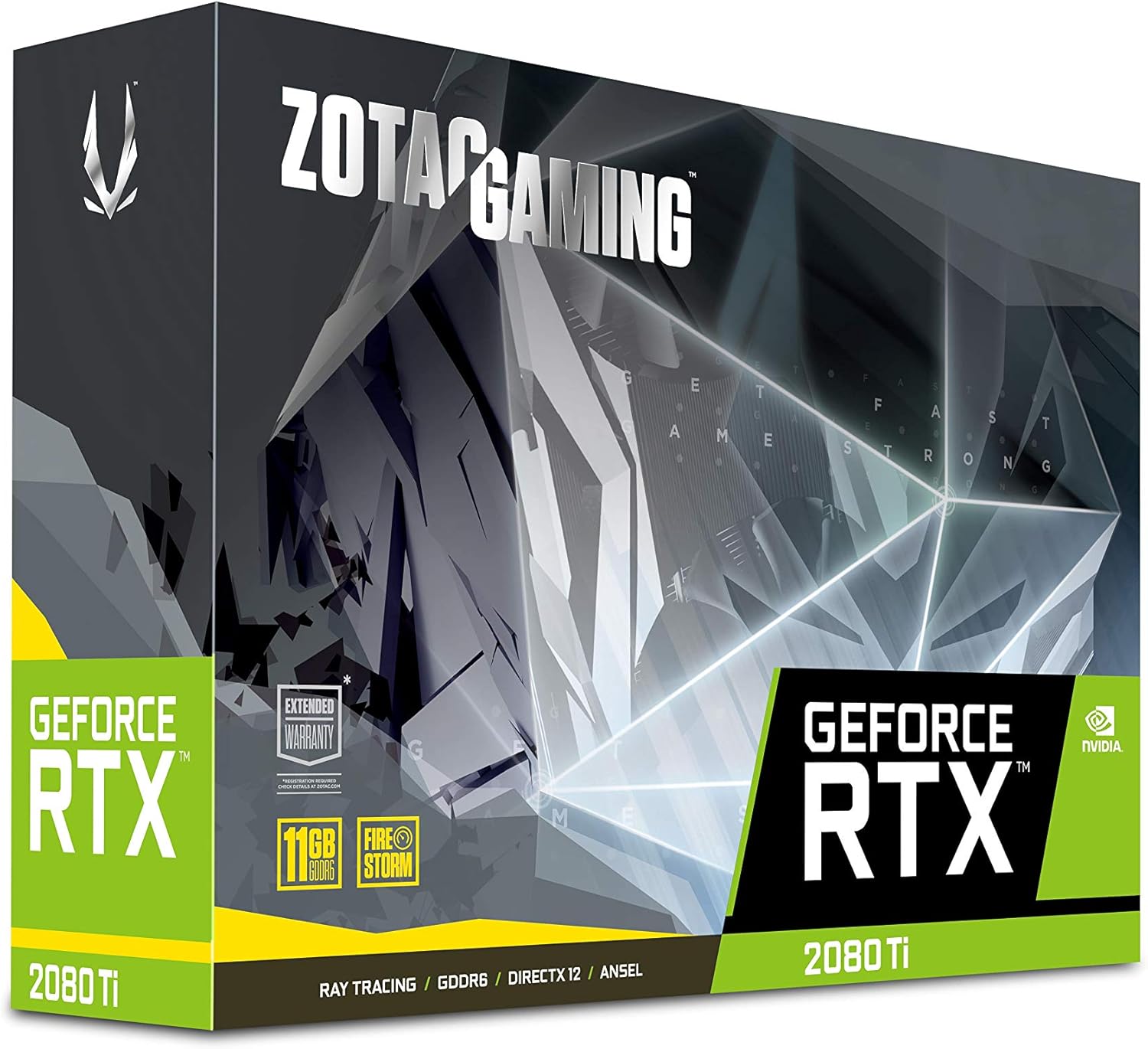
Image: The retail packaging for the ZOTAC Gaming GeForce RTX 2080 Ti Blower graphics card.

Image: The ZOTAC Quick Installation Guide, providing initial setup instructions.
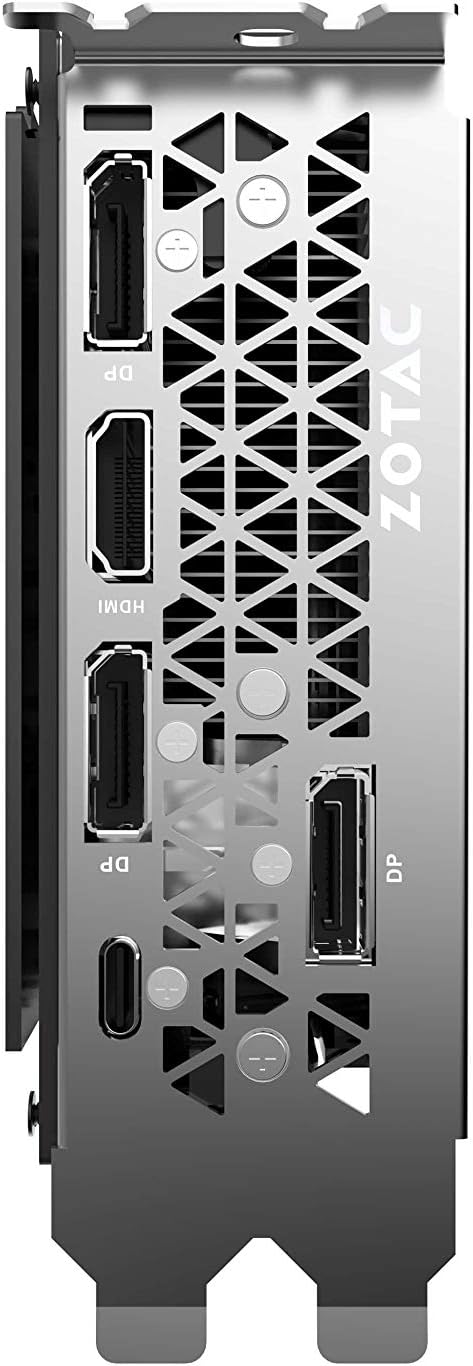
Image: The included 2 x Dual 6-pin to 8-pin power cables for connecting the graphics card to the power supply.
Setup u Installazzjoni
Segwi dawn il-passi biex tinstalla l-karta grafika tiegħek:
- Ipprepara s-Sistema Tiegħek: Turn off your computer and disconnect the power cable. Open your computer case.
- Sib is-Slott tal-PCIe: Identifika slott PCI Express 3.0 x16 disponibbli fuq il-motherboard tiegħek.
- Installa l-Karta: Allinja bir-reqqa l-karta grafika mas-slott tal-PCIe u agħfas 'l isfel sew sakemm tkun imwaħħla sew. Waħħal il-karta bil-mekkaniżmu jew il-viti taż-żamma tal-kaxxa.
- Qabbad l-Enerġija: Connect the required 8-pin power connectors from your power supply to the graphics card. Use the provided 6-pin to 8-pin adapters if necessary.
- Close Case & Connect Display: Close your computer case, reconnect the power cable, and connect your display cable(s) to the graphics card's output ports.
- Installa Sewwieqa: Ixgħel il-kompjuter tiegħek. Ladarba s-sistema operattiva titgħabba, installa l-aħħar sewwieqa NVIDIA mill-websajt uffiċjali ta' NVIDIA. websit.

Immaġni: Angolata view of the graphics card, illustrating its form factor for installation into a PCIe slot.
Rekwiżiti ta' Enerġija
To ensure stable operation, your system must meet the following power specifications:
- Provvista tal-Enerġija Rakkomandata: 650-watt power supply or greater.
- Konsum tal-Enerġija Massimu: Watts 250.
Note: Insufficient power supply can lead to system instability or damage.
Konnessjonijiet
The graphics card provides multiple display output options:
- 3 x DisplayPort 1.4
- 1 x HDMI 2.0B
- 1 x USB Type-C
The card is capable of supporting quad simultaneous displays.
Image: The rear I/O panel of the graphics card, showing the DisplayPort, HDMI, and USB Type-C outputs.
Kompatibilità tas-Software
Ensure your system meets the following software requirements for optimal performance:
- Sistema Operattiva: Microsoft Windows 10/7 x64
- Sewwieqa: Game Ready Drivers (available from NVIDIA's official websit)
- APIs: Microsoft DirectX 12 API, Vulkan API, OpenGL 4.5
Istruzzjonijiet Operattivi
After successful installation and driver setup, your ZOTAC Gaming GeForce RTX 2080 Ti Blower graphics card will automatically enhance your system's graphical capabilities. For best performance, ensure your drivers are always up-to-date. You can monitor card performance and temperatures using ZOTAC's FireStorm utility or other compatible third-party software.
Manutenzjoni
Regular maintenance helps prolong the lifespan and performance of your graphics card:
- Tneħħija tat-Trab: Periodically clean dust from the fan and heatsink using compressed air. Ensure the system is powered off and unplugged before cleaning.
- Fluss tal-arja: Maintain good airflow within your PC case to prevent overheating. Ensure no cables or other components obstruct the graphics card's fan.
- Aġġornamenti tas-sewwieq: Keep your graphics drivers updated to benefit from performance improvements and bug fixes.
Issolvi l-problemi
Jekk tiltaqa' ma' problemi, ikkunsidra s-soluzzjonijiet komuni li ġejjin:
- Ebda Display: Ensure the display cable is securely connected to the graphics card and the monitor. Verify the monitor is set to the correct input.
- Instabbiltà/Ħsarat tas-Sistema: Check power connections to the graphics card. Ensure your power supply meets the recommended wattage. Update or reinstall graphics drivers.
- Is-sħana żejda: Verify that the graphics card fan is spinning. Clean any dust buildup from the heatsink and fan. Ensure adequate case airflow.
- Kwistjonijiet tas-sewwieq: Agħmel installazzjoni nadifa tal-aħħar sewwieqa tal-grafika minn NVIDIA websit.
If problems persist, consult the ZOTAC support websit jew ikkuntattja lis-servizz tal-konsumatur tagħhom.
Speċifikazzjonijiet
| Karatteristika | Speċifikazzjoni |
|---|---|
| GPU | NVIDIA GeForce RTX 2080 Ti |
| CUDA Cores | 4352 |
| Memorja tal-Vidjo | 11GB GDDR6 |
| Xarabank tal-Memorja | 352-bit |
| Arloġġ tal-Boost tal-Magna | 1545 MHz |
| Arloġġ tal-Memorja | 14.0 Gbps |
| PCI Express | 3.0 |
| Wiri Outputs | 3 x DisplayPort 1.4, 1 x HDMI 2.0B, 1 x USB tat-Tip Ċ |
| Appoġġ Multi Display | Quad Simultaneous Display Capable |
| Provvista ta 'Enerġija Rakkomandata | 650W |
| Konsum tal-Enerġija | 250W |
| Dimensjonijiet (LxWxH) | 10.55 x 4.45 x 1.5 pulzieri |
| Appoġġ tas-Sistema Operattiva | Windows 10/7 x64 |
Garanzija u Appoġġ
Your ZOTAC Gaming GeForce RTX 2080 Ti Blower graphics card may be eligible for an extended warranty. Registration is typically required to activate the full warranty period. Please refer to the official ZOTAC website for detailed warranty terms and conditions, and for information on how to register your product.
For technical support, driver downloads, and further assistance, visit the official ZOTAC support page:

Image: Information regarding ZOTAC's 5-year warranty, which typically requires product registration.


