G.SKILL Trident Z RGB Series DDR4 RAM User Manual
Model: F4-3200C16D-32GTZR
1. Introduzzjoni
This manual provides essential information for the installation, operation, and maintenance of your G.SKILL Trident Z RGB Series DDR4 RAM. Please read this manual thoroughly before installation to ensure proper functionality and to prevent damage to your system components.
2. Prodott Aktarview
The G.SKILL Trident Z RGB Series DDR4 RAM is designed for high-performance desktop computing, offering a blend of speed, capacity, and customizable RGB lighting. This kit includes two 16GB modules, totaling 32GB, operating at 3200MT/s with CL16-18-18-38 timings at 1.35V, optimized for Intel XMP profiles.
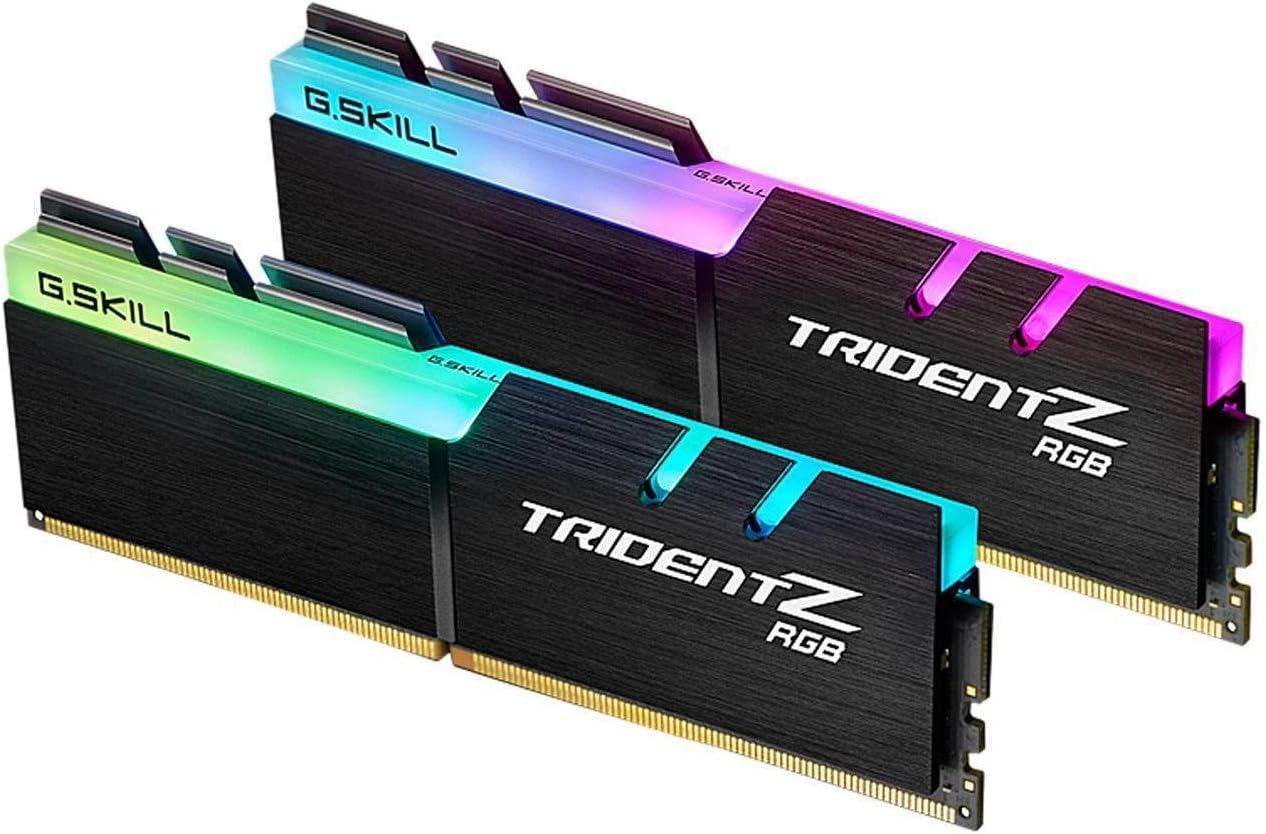
Image: Two G.SKILL Trident Z RGB RAM modules, showcasing their distinctive heat spreader design and vibrant RGB lighting.

Image: G.SKILL Trident Z RGB memory modules installed in a system, illustrating their role in delivering high performance through hand-screened ICs and a ten-layer PCB.

Image: Several G.SKILL Trident Z RGB modules showcasing their customizable RGB lighting, which can be controlled via G.SKILL software or compatible motherboard software.

Image: A G.SKILL Trident Z RGB module integrated into a PC build, demonstrating its exceptionally engineered design with luxurious hairline-finished aluminum heatspreaders and signature fin design.
3. Setup
Before installing the memory modules, ensure your computer is powered off and unplugged from the wall outlet. It is recommended to wear an anti-static wrist strap to prevent electrostatic discharge (ESD) damage to components.
Passi ta' Installazzjoni:
- Ipprepara s-Sistema Tiegħek: Power down your computer completely and disconnect the power cable. Open your computer case to access the motherboard.
- Sib is-Slots tad-DIMM: Identify the DDR4 DIMM slots on your motherboard. Consult your motherboard manual for the correct slot configuration for dual-channel memory. Typically, these are color-coded or numbered.
- Klipps ta' Żamma Miftuħa: Gently push open the white retention clips at both ends of the DIMM slots.
- Allinja l-Modulu tal-Memorja: Hold the memory module by its edges, avoiding touching the gold contacts. Align the notch on the memory module with the key in the DIMM slot.
- Daħħal il-Modulu: Place the module into the slot and apply firm, even pressure to both ends until the retention clips snap into place. You should hear a click.
- Ivverifika l-Installazzjoni: Ensure both clips are fully closed and the module is seated securely and evenly in the slot.
- Agħlaq il-Kaxxa u Ixgħelha: Agħlaq il-kaxxa tal-kompjuter tiegħek, erġa' qabbad il-kejbil tal-enerġija, u ixgħel is-sistema tiegħek.

Immaġni: Close-up view of two G.SKILL Trident Z RGB memory modules, illustrating their physical design for proper handling during installation.
Nota Importanti: Do not mix memory kits. Memory kits are sold in matched sets designed to run together. Mixing kits can lead to stability issues or system failure. Usage inconsistent with manufacturer specifications may result in lower speeds, instability, or damage.
4. Joperaw
To achieve the rated speed of 3200MT/s, you must enable the Intel XMP (Extreme Memory Profile) in your motherboard's BIOS/UEFI settings. The memory kit will boot at a standard SPD speed (e.g., 2133MHz or 2400MHz) by default until XMP is enabled.
Enabling XMP:
- Aċċess għall-BIOS/UEFI: Restart your computer and repeatedly press the designated key (commonly Del, F2, F10, or F12) during startup to enter the BIOS/UEFI setup.
- Sib l-Issettjar tal-XMP: Navigate to the 'Overclocking', 'Advanced', 'AI Tweaker', or similar section. Look for an option related to 'XMP', 'DOCP', 'A-XMP', or 'Memory Profile'.
- Ippermetti Profile: Select the XMP profile (usually Profile 1) that corresponds to the rated speed of your G.SKILL memory (3200MHz).
- Issejvja u Ħruġ: Save the changes and exit the BIOS/UEFI. Your system will restart with the new memory settings.
For RGB lighting control, download the G.SKILL Trident Z Lighting Control software from the official G.SKILL website. Alternatively, you can use supported third-party motherboard RGB software (e.g., ASUS Aura Sync, GIGABYTE RGB Fusion, MSI Mystic Light Sync, ASRock Polychrome Sync) to synchronize lighting effects.
5. Manutenzjoni
G.SKILL Trident Z RGB memory modules are designed for durability and require minimal maintenance. Keep the modules free from dust and debris to ensure optimal performance and heat dissipation.
Tindif u Immaniġġjar:
- Tneħħija tat-Trab: Use compressed air to gently blow away dust from the heat spreaders and surrounding components. Ensure the system is powered off and unplugged before cleaning.
- Evita Kuntatt: Do not touch the gold contacts on the bottom of the modules. Handle the modules by their edges.
- Ħażna: If removing modules for storage, place them in an anti-static bag to protect them from ESD.
6 Issolvi l-problemi
If you encounter issues after installing your G.SKILL Trident Z RGB memory, refer to the following common problems and solutions:
Kwistjonijiet Komuni u Soluzzjonijiet:
- Is-Sistema Ma Tibbutjax / L-ebda Wiri:
- Ensure modules are fully seated in the DIMM slots and retention clips are closed.
- Verify that the modules are installed in the correct slots according to your motherboard manual for dual-channel operation.
- Try installing only one module at a time to identify a potentially faulty module or slot.
- Reset your motherboard's CMOS (Clear Complementary Metal-Oxide-Semiconductor) settings. Refer to your motherboard manual for instructions.
- Memory Not Running at Advertised Speed (e.g., 3200MT/s):
- Ensure XMP (Extreme Memory Profile) is enabled in your motherboard's BIOS/UEFI settings.
- Check your motherboard's QVL (Qualified Vendor List) on the G.SKILL website or motherboard manufacturer's websit biex tikkonferma l-kompatibilità.
- Aġġorna l-BIOS/UEFI tal-motherboard tiegħek għall-aħħar verżjoni.
- Instabbiltà tas-Sistema / Skrins Blu (BSOD):
- Verify that XMP is correctly applied and stable. If unstable, try manually setting timings or a slightly lower frequency.
- Mexxi għodda dijanjostika tal-memorja (eż., Windows Memory Diagnostic, MemTest86) biex tiċċekkja għal żbalji.
- Ensure your power supply unit (PSU) is sufficient for all system components.
- RGB Lighting Not Working or Synchronizing:
- Install or update the G.SKILL Trident Z Lighting Control software.
- If using motherboard software, ensure it is the latest version and compatible with your G.SKILL RAM.
- Check for conflicts with other RGB software. Try uninstalling other RGB software temporarily.
If issues persist after following these steps, contact G.SKILL technical support or consult a qualified computer technician.
7. Speċifikazzjonijiet
| Karatteristika | Dettall |
|---|---|
| Numru tal-Mudell | F4-3200C16D-32GTZR |
| Tip ta' Memorja | DDR4 SDRAM |
| Kapaċità | 32GB (2 x 16GB) |
| Veloċità | 3200 MT/s (PC4-25600) |
| CAS Latency | CL16 (16-18-18-38) |
| Voltage | 1.35V |
| Iċċekkjar ta' Żbalji | Mhux ECC |
| Buffering | Unbuffered (U-DIMM) |
| Kit tal-Kanal | Dual Channel Kit |
| Kompatibilità | Intel XMP, AMD Ryzen 2 and Intel Z270 and newer platforms |
| Dimensjonijiet (LxWxH) | 5.31 x 0.31 x 1.73 pulzieri |
| Piż tal-oġġett | 6.6 uqija |
8. Garanzija u Appoġġ
G.SKILL memory products are backed by a limited lifetime warranty. This warranty covers defects in material and workmanship. For detailed warranty terms and conditions, please visit the official G.SKILL websit.
Appoġġ Tekniku:
If you require technical assistance or have questions regarding your G.SKILL Trident Z RGB memory, please visit the G.SKILL support page on their official website. You can find FAQs, drivers, software downloads, and contact information for customer service.
Official G.SKILL Websit: www.gskill.com


