1. Introduzzjoni
Thank you for choosing PowerLocus P2 Bluetooth Over-Ear Headphones. These headphones are designed to provide a high-quality audio experience with versatile connectivity options. This manual will guide you through the setup, operation, and maintenance of your new headphones.
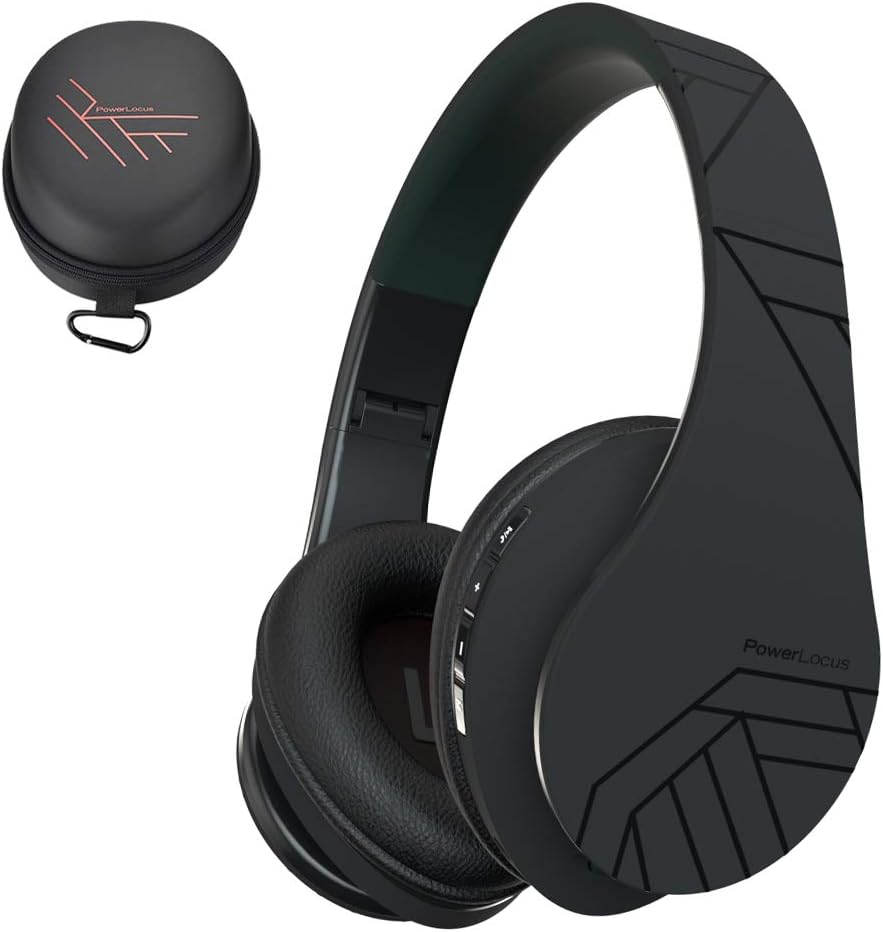
Image 1.1: PowerLocus P2 Headphones and Carrying Case
2. Kontenut tal-Pakkett
Jekk jogħġbok iċċekkja l-pakkett għall-oġġetti li ġejjin:
- 1x PowerLocus P2 Wireless Headphones
- 1x Audio Cable ta '3.5mm
- 1x USB-C Iċċarġjar Cable
- 1x Elegant Hard Shell Carry Case

Image 2.1: Included Package Contents
3. Setup
3.1 Iċċarġjar tal-Headphones
Before first use, fully charge your PowerLocus P2 headphones. The charging port is located on the right earcup.
- Connect the small end of the USB-C charging cable to the charging port on the headphones.
- Connect the larger end of the USB-C charging cable to a USB power source (e.g., computer USB port, wall adapter).
- L-indikatur LED jixgħel waqt l-iċċarġjar u jintefa meta l-iċċarġjar ikun komplut.
Ċarġ sħiħ jieħu madwar 2.5 sigħat.

Immaġni 3.1: Port tal-Iċċarġjar USB-C
3.2 Tixgħel/Jitfi
- To power on: Slide the On/Off button located on the earcup. The LED indicator will flash.
- To power off: Slide the On/Off button again. The LED indicator will turn off.
3.3 Tqabbil tal-Bluetooth
The PowerLocus P2 headphones use Bluetooth 5.3 for a stable wireless connection.
- Kun żgur li l-headphones huma ċċarġjati u mitfija.
- Slide the On/Off button to power on the headphones. The LED indicator will flash blue and red, indicating pairing mode.
- Fuq l-apparat tiegħek (smartphone, tablet, kompjuter), attiva l-Bluetooth u fittex apparati disponibbli.
- Select "PowerLocus P2" from the list of devices.
- Once connected, the LED indicator will show a solid blue light or flash blue slowly.

Image 3.2: Key Features including Bluetooth 5.0
Konnessjoni bil-wajer 3.4 (Kejbil tal-awdjo ta' 3.5mm)
You can use the headphones in wired mode when the battery is low or with non-Bluetooth devices.
- Qabbad tarf wieħed tal-kejbil tal-awdjo ta' 3.5mm mal-jack tal-input tal-awdjo fuq il-headphones.
- Connect the other end of the 3.5mm audio cable to your audio source's headphone jack.
- Il-headphones jaqilbu awtomatikament għall-modalità bil-fili.

Image 3.3: Wired Mode Connection
4. Istruzzjonijiet Operattivi
4.1 Kontrolli tal-buttuni
The controls are located on the right earcup for easy access.

Image 4.1: Headphone Button Controls and Features
| Buttuna/Azzjoni | Funzjoni |
|---|---|
| Power Button (Slide) | Qawwa mixgħul/mitfi |
| Buttuna Play/Pause | Press once to Play/Pause music; Answer/End calls |
| Volum 'il fuq (+) | Short press to increase volume; Long press for next track |
| Volum 'l isfel (-) | Short press to decrease volume; Long press for previous track |
| Buttuna tal-Modalità (M) | Switch between Bluetooth, Micro SD, and FM Radio modes |
4.2 Daqq tal-Mużika
- Play/Pawsa: Agħfas il-buttuna Play/Pause darba.
- Track li jmiss: Agħfas fit-tul il-buttuna 'l fuq mill-Volum (+).
- Track preċedenti: Agħfas fit-tul il-buttuna 'l isfel tal-Volum (-).
- Aġġustament tal-Volum: Agħfas fil-qosor il-buttuni Volume Up (+) jew Volume Down (-).
4.3 Ġestjoni tas-Sejħiet
When connected via Bluetooth, you can manage phone calls directly from the headphones.
- Tweġiba/Tmiem Sejħa: Agħfas il-buttuna Play/Pause darba.
- Irrifjuta Sejħa: Agħfas fit-tul il-buttuna Play/Pause.
4.4 Micro SD/TF Card Mode
The headphones support Micro SD/TF cards for direct music playback.
- Insert a Micro SD/TF card (up to 32GB) with MP3 audio files fl-islott tal-biljett.
- Press the Mode (M) button to switch to Micro SD mode.
- Music will begin playing automatically. Use the Play/Pause and Volume buttons for control.

Image 4.2: Micro SD Card Slot
4.5 Modalità tar-Radju FM
The headphones include a built-in FM radio function.
- Press the Mode (M) button to switch to FM Radio mode.
- Agħfas fit-tul il-buttuna Play/Pause biex tiskennja u ssalva awtomatikament l-istazzjonijiet FM disponibbli.
- Uża l-buttuni Volume Up (+) u Volume Down (-) (agħfas qasir) biex taqleb bejn l-istazzjonijiet salvati.
5. Manutenzjoni
5.1 Tindif
- Imsaħ il-headphones b'ċarruta ratba u niexfa.
- Tużax prodotti tat-tindif li joborxu, alkoħol, jew solventi kimiċi.
- Evita li tidħol l-umdità fi kwalunkwe fetħiet.
5.2 Ħażna
When not in use, store the headphones in the provided hard shell carry case to protect them from dust, scratches, and impacts. The foldable design allows for compact storage.

Image 5.1: Headphones Stored in Carry Case
6 Issolvi l-problemi
| Problema | Soluzzjoni |
|---|---|
| Il-headphones ma jixegħlux. | Kun żgur li l-headphones huma ċċarġjati kompletament. |
| Ma tistax tqabbad permezz tal-Bluetooth. | Ensure headphones are in pairing mode (flashing blue/red LED). Turn off and on Bluetooth on your device. Move closer to the device. |
| L-ebda ħoss fil-modalità Bluetooth. | Iċċekkja l-livelli tal-volum kemm fuq il-headphones kif ukoll fuq l-apparat konness. Kun żgur li l-headphones huma mqabbdin sew. |
| L-ebda ħoss fil-modalità bil-fili. | Ensure the 3.5mm audio cable is securely connected to both the headphones and the audio source. Test with a different cable if possible. |
| Ir-radju FM mhux qed jaħdem. | Ensure you are in FM mode. Perform an auto-scan for stations by long-pressing the Play/Pause button. |
7. Speċifikazzjonijiet
| Karatteristika | Dettall |
|---|---|
| Isem tal-Mudell | P2 |
| Teknoloġija tal-Konnettività | Mingħajr fili (Bluetooth 5.3), Bil-fili (Jack ta' 3.5mm) |
| Daqs tas-Sewwieq tal-Awdjo | 40 mm |
| Medda ta' Frekwenzi | 20 Hz - 20,000 Hz |
| Impedenza | 32 Ohm |
| Ħajja tal-batterija | Sa 15-il Siegħa |
| Ħin tal-Iċċarġjar | Madwar 2.5 Sigħat |
| Medda Bluetooth | Sa 36 Pied (11 metru) |
| Mikrofonu | Built-in (Echo Cancellation) |
| Karatteristiċi Speċjali | Foldable, Micro SD/TF Card Slot, FM Radio |
| Piż | 150 Gram (5.3 uqija) |
| Materjal | Leather (earcups, carrying case) |
| Apparati Kompatibbli | Smartphones, Tablets, Laptops, Gaming Consoles, PCs |
8. Garanzija u Appoġġ
8.1 Informazzjoni dwar Garanzija
PowerLocus P2 headphones come with a 24-il xahar garanzija from the date of purchase. This warranty covers manufacturing defects and ensures customer satisfaction. Please retain your proof of purchase for warranty claims.
8.2 Appoġġ għall-Klijent
For any questions, technical assistance, or warranty claims, please contact PowerLocus customer support. We are committed to 100% customer satisfaction and offer 24/7 support.
- Websit: www.powerlocus.com
- Email (EU Importer): info@powerlocus.com
- Email (UK Importer): info@powerlocus.com


