1. Introduzzjoni u Fuqview
The Acer V226HQL is a 21.5-inch LED LCD monitor designed for various computing needs. It features Acer eColor technology for enhanced visuals and Acer ComfyView innovations to reduce glare, providing a comfortable viewing experience. This monitor offers a wide array of connectivity ports and incorporates eco-friendly features for energy efficiency.
The monitor is designed for adaptability, allowing users to find an optimal working angle with its quick and smooth tilt adjustment. The stand includes a magnetic area for organizing small items, and the monitor is also wall-mountable for space-saving configurations.

Figura 1: Quddiem view of the Acer V226HQL monitor, showcasing its display and Acer branding.
2. Setup
2.1 Spakkjar u Armar
Carefully remove the monitor and all components from the packaging. Assemble the stand according to the instructions provided in the quick start guide. Ensure all connections are secure before proceeding.
2.2 Konnessjoni tal-Monitor
The Acer V226HQL monitor supports multiple input types. Connect the appropriate cable from your computer to the monitor's input port.
- Konnessjoni HDMI: Use an HDMI cable for digital video and audio transmission.
- DVI-D Connection: Use a DVI-D cable for digital video transmission.
- Konnessjoni VGA: Use a VGA cable for analog video transmission.
After connecting the video cable, connect the power cable to the monitor and then to a power outlet.
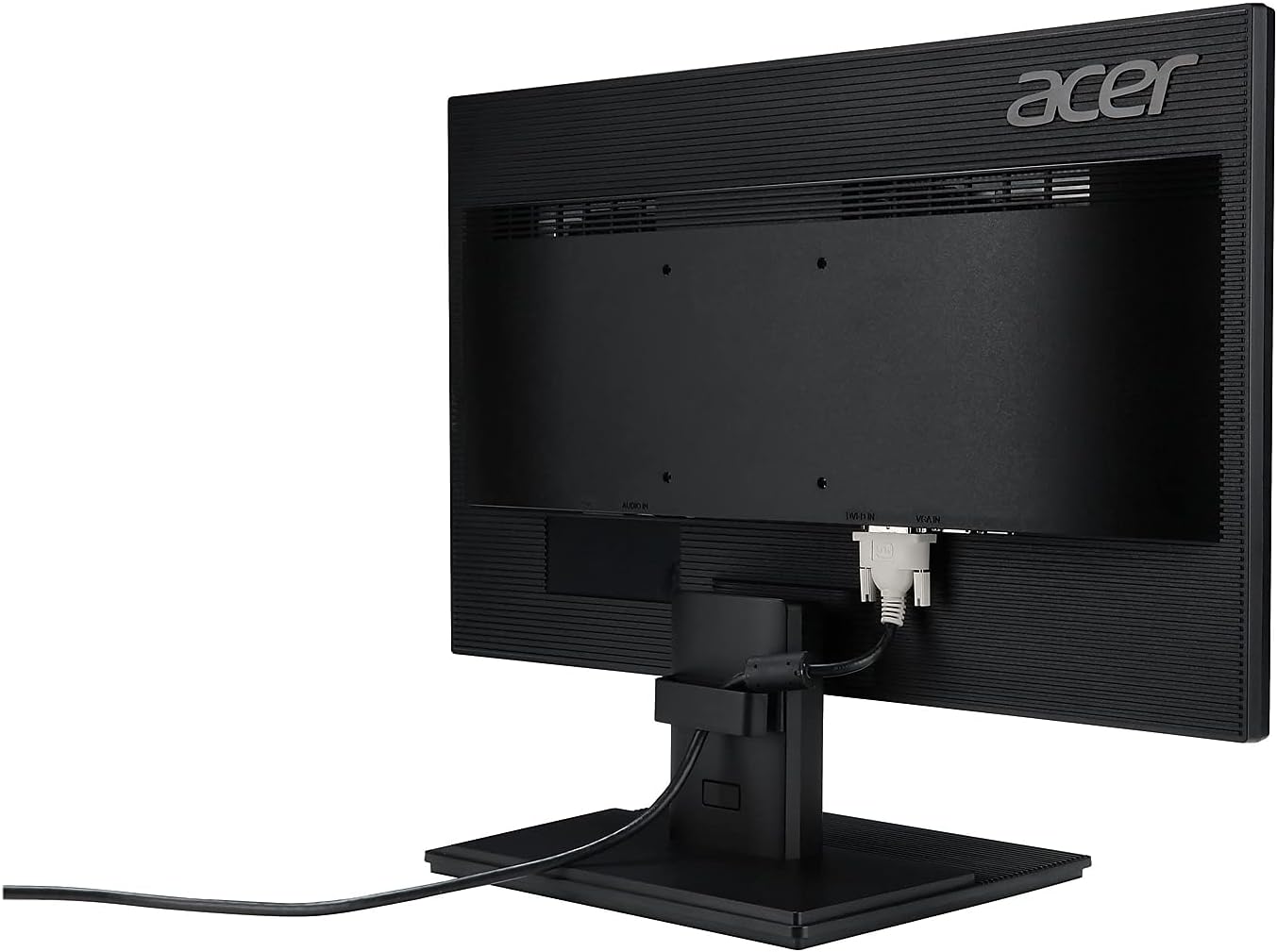
Figura 2: Wara view of the Acer V226HQL monitor, illustrating the HDMI, DVI-D, and VGA input ports with an HDMI cable connected.
2.3 Immuntar tal-ħajt
The monitor is compatible with VESA wall mounts. If you choose to wall-mount the monitor, ensure you use a VESA-compliant mounting kit and follow the kit's instructions carefully. The VESA mount points are located on the rear of the monitor.
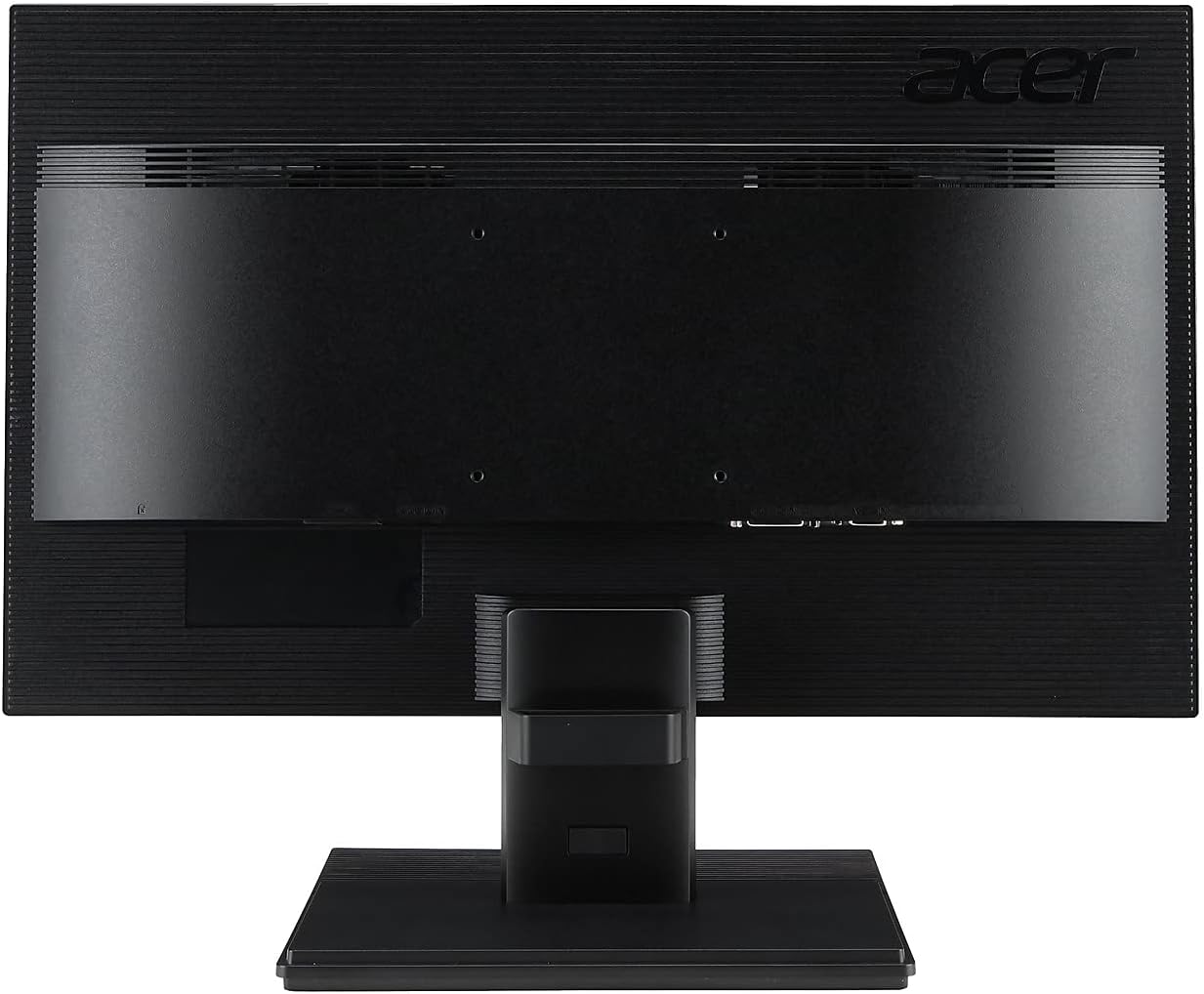
Figura 3: Wara view of the Acer V226HQL monitor, showing the VESA mount points for wall installation.
3. It-tħaddim tal-Monitor
3.1 Power On/Off
Locate the power button on the bottom right bezel of the monitor. Press it to turn the monitor on or off. A blue LED indicator will illuminate when the monitor is powered on.
3.2 Kontrolli tal-Wiri fuq l-Iskrin (OSD)
The monitor features several control buttons located on the bottom right bezel, adjacent to the power button. These buttons allow you to navigate the On-Screen Display (OSD) menu to adjust various settings:
- Luminożità: Aġġusta l-luminanza ġenerali tal-iskrin.
- Kuntrast: Modify the difference between the brightest and darkest areas of the image.
- Settings tal-Kulur: Fine-tune color temperature, gamma, and other color-related parameters.
- Filtru tad-Dawl Blu: Activate the blue light filter to reduce eye strain during prolonged use.
- Għażla tal-Input: Manually switch between HDMI, DVI-D, and VGA inputs.
Refer to the detailed OSD menu guide in the full product manual for specific navigation and adjustment procedures.
4. Manutenzjoni
4.1 Tindif tal-Monitor
Biex tnaddaf l-iskrin tal-monitor, imsaħ bil-mod b'ċarruta ratba u mingħajr suf. Għal marki persistenti, dampen the cloth with a mild, non-abrasive screen cleaner. Avoid using harsh chemicals or abrasive materials that could damage the screen surface.
Għall-monitor ċasing, use a soft, dry cloth. Do not spray cleaning solutions directly onto the monitor.
4.2 Prekawzjonijiet tas-Sigurtà
- Żgura ventilazzjoni xierqa madwar il-monitor biex tevita sħana żejda.
- Twaqqafx il-fetħiet tal-ventilazzjoni.
- Evita li tpoġġi oġġetti tqal fuq il-monitor jew il-kejbils tiegħu.
- Żomm il-monitor 'il bogħod mix-xemx diretta, sorsi ta' sħana, u umdità eċċessiva.
- Disconnect the power cable before cleaning or if the monitor will be unused for an extended period.
5 Issolvi l-problemi
If you encounter issues with your Acer V226HQL monitor, refer to the following common troubleshooting steps:
- Ebda Display: Ensure the monitor is powered on and the video cable is securely connected to both the monitor and the computer. Verify that the correct input source is selected via the OSD menu.
- Kwalità Fqira tal-Immaġni: Check the resolution settings on your computer to ensure they match the monitor's native resolution (1920 x 1080). Adjust brightness, contrast, and color settings through the OSD menu.
- Kwistjonijiet ta' Enerġija: Confirm the power cable is properly connected to both the monitor and the power outlet. Test the power outlet with another device.
- Skrin li jteptep: Check for loose cable connections. Ensure the refresh rate is set correctly (60 Hz).
For more complex issues, consult the comprehensive troubleshooting section in the full product manual or contact Acer customer support.
6. Speċifikazzjonijiet
| Karatteristika | Speċifikazzjoni |
|---|---|
| Numru tal-Mudell | V226HQL |
| Daqs tal-Iskrin | 21.5 pulzieri |
| Tip ta' Panel | LED-LCD |
| Riżoluzzjoni Massima | 1920 x 1080 (Full HD) |
| Proporzjon ta' l-aspett | 16:9 |
| Ħin ta' Rispons | 5ms |
| Proporzjon ta' Kuntrast Dinamika | 100,000,000:1 |
| Proporzjon tal-Kuntrast Nattiv | 1,000:1 |
| Orizzontali ViewIng Angolu | 170° |
| Vertikali ViewIng Angolu | 160° |
| Luminożità (tipika) | 250 cd/m² |
| Kelliema Integrati | 2 x 1.0W |
| Konnetturi tas-Sinjal | VGA, HDMI, DVI-D |
| Riffriskar Rata | 60 Hz |
| Dimensjonijiet tal-Prodott (LxWxH) | 2 x 20 x 12 pulzieri |
| Piż tal-oġġett | 7.14 liri |
| Kulur | Iswed |
| Immontabbli fuq il-ħajt | Iva (kompatibbli mal-VESA) |
7. Garanzija u Appoġġ
7.1 Garanzija Limitata
This Acer V226HQL monitor comes with a Garanzija Limitata ta' Tliet Snin. Please retain your proof of purchase for warranty claims. The warranty covers defects in materials and workmanship under normal use. For full details on warranty terms and conditions, refer to the warranty card included with your product or visit the official Acer support websit.
7.2 Appoġġ għall-Klijent
For technical assistance, product inquiries, or warranty service, please contact Acer customer support. You can find contact information and support resources on the official Acer website. When contacting support, please have your monitor's model number (V226HQL) and serial number readily available.


