1. Introduzzjoni
Thank you for choosing the EDM 00780 Remote Control. This manual provides essential information for the proper setup, operation, and maintenance of your remote control, specifically designed for use with EDM Model 07214. Please read these instructions carefully before using the product to ensure optimal performance and longevity.
Informazzjoni Importanti dwar is-Sigurtà: Always handle batteries with care. Do not mix old and new batteries, or different types of batteries. Remove batteries if the remote will not be used for an extended period.
2. Prodott Aktarview
2.1 Komponenti
The EDM 00780 remote control features an ergonomic design for comfortable handling and intuitive push-button operation. Key components include:
- Buttuni tal-Kontroll: Various buttons for specific functions of the EDM Model 07214.
- Infrared Emitter: Located at the front, transmits signals to the device.
- Kompartiment tal-batterija: Jinsab fuq wara, għall-installazzjoni tal-batterija.
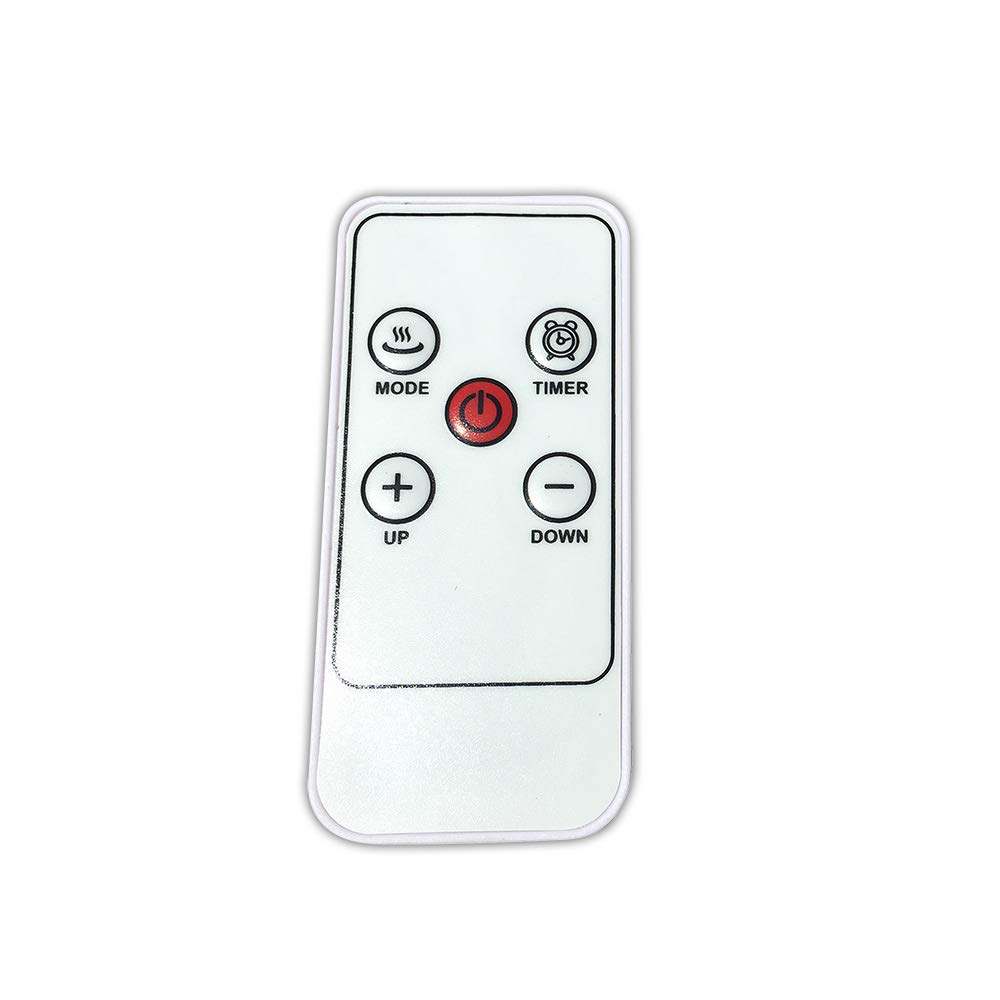
Stampa 1: Quddiem view of the EDM 00780 Remote Control, showing its ergonomic shape and button layout.
3. Setup
3.1 Installazzjoni tal-batterija
- Sib l-għatu tal-kompartiment tal-batterija fuq wara tal-kontroll remot.
- Slide or gently press and lift the cover to open the compartment.
- Insert the required batteries (typically AAA, refer to the compartment for specific type and polarity) ensuring the positive (+) and negative (-) terminals align correctly with the markings inside the compartment.
- Erġa’ poġġi l-għatu tal-kompartiment tal-batterija, waqt li tiżgura li jikklikkja sew f’postu.
3.2 L-Ewwel Użu
After installing the batteries, the remote control is ready for use. Point the infrared emitter directly towards the EDM Model 07214 device you wish to control. Ensure there are no obstructions between the remote and the device.
4. Operazzjoni
4.1 Funzjonijiet Bażiċi
The EDM 00780 remote control operates via infrared technology, providing a maximum range of 10 meters under optimal conditions. To operate, simply press the desired button while pointing the remote at the EDM Model 07214.
4.2 Funzjonijiet tal-buttuni
Specific button functions will correspond to the features of your EDM Model 07214. Common button types include:
- Buttuna tal-Qawwa: Biex tixgħel jew titfi l-apparat.
- Buttuni tal-Funzjoni: For specific operations (e.g., mode selection, timer, light control).
- Buttuni tan-Navigazzjoni: If applicable, for menu navigation.
Refer to the user manual of your EDM Model 07214 for detailed descriptions of each button's function.
5. Manutenzjoni
5.1 Tindif
Biex tnaddaf il-kontroll remot, uża drapp artab u niexef. Għal ħmieġ iebes, nixxef ftit.ampen the cloth with water or a mild cleaning solution. Do not use abrasive cleaners, alcohol, or solvents, as these can damage the surface or internal components.
5.2 Sostituzzjoni tal-batterija
Replace batteries when the remote control's response becomes sluggish or stops working. Follow the battery installation steps outlined in Section 3.1. Always replace all batteries at the same time with new ones of the same type.
5.3 Ħażna
Store the remote control in a cool, dry place away from direct sunlight and extreme temperatures. If storing for an extended period, remove the batteries to prevent leakage and potential damage.
6 Issolvi l-problemi
6.1 Kwistjonijiet Komuni
| Problema | Kawża Possibbli | Soluzzjoni |
|---|---|---|
| Remote ma jirrispondix | Batteriji mejta jew installati ħażin. | Ibdel il-batteriji, waqt li tiżgura l-polarità korretta. |
| Firxa limitata jew rispons intermittenti | Weak batteries, obstruction, or remote not pointed correctly. | Replace batteries. Ensure a clear line of sight to the device. Point directly at the device. |
| Buttuna speċifika mhux qed taħdem | Button malfunction or device not recognizing command. | Clean the remote. Test other buttons. If only one button fails, contact support. |
7. Speċifikazzjonijiet
| Karatteristika | Speċifikazzjoni |
|---|---|
| Numru tal-Mudell | 00780 |
| Brand | EDM |
| Teknoloġija tal-Konnettività | Infra-aħmar |
| Tip ta' Kontrollur | Push-button Control |
| Medda Massimu | 10 Meters |
| Karatteristika Speċjali | Disinn Ergonomiku |
| Dimensjonijiet (L x W x H) | 10 x 10 x 10 ċm |
| Piż | 20 g |
| Kulur | Multicolor |
| Pajjiż ta' Oriġini | Spanja |
8. Garanzija u Appoġġ
This product is covered by a standard manufacturer's warranty. For specific warranty terms and conditions, please refer to the documentation provided with your EDM Model 07214 device or contact EDM customer support directly. For technical assistance or further inquiries, please visit the official EDM websit jew ikkuntattja lid-dipartiment tas-servizz tal-konsumatur tagħhom.


