Introduzzjoni
Thank you for choosing the Rapoo H100 Wired Stereo Headset. This manual provides detailed instructions for setting up, operating, and maintaining your headset to ensure optimal performance and longevity. The Rapoo H100 is designed for clear audio communication and comfortable wear, featuring smooth HD voice calls, microphone noise reduction, adjustable rotation, volume control, microphone mute, and a standard 3.5mm audio port.
Kontenut tal-Pakkett
Jekk jogħġbok iċċekkja l-kontenut tal-pakkett biex tiżgura li l-oġġetti kollha huma preżenti:
- Rapoo H100 Wired Stereo Headset
Prodott Overview
Familiarize yourself with the components of your Rapoo H100 headset for proper use and understanding.

Figura 1: Angolat minn quddiem view of the Rapoo H100 Wired Stereo Headset, showcasing the earcups, adjustable headband, and microphone arm.
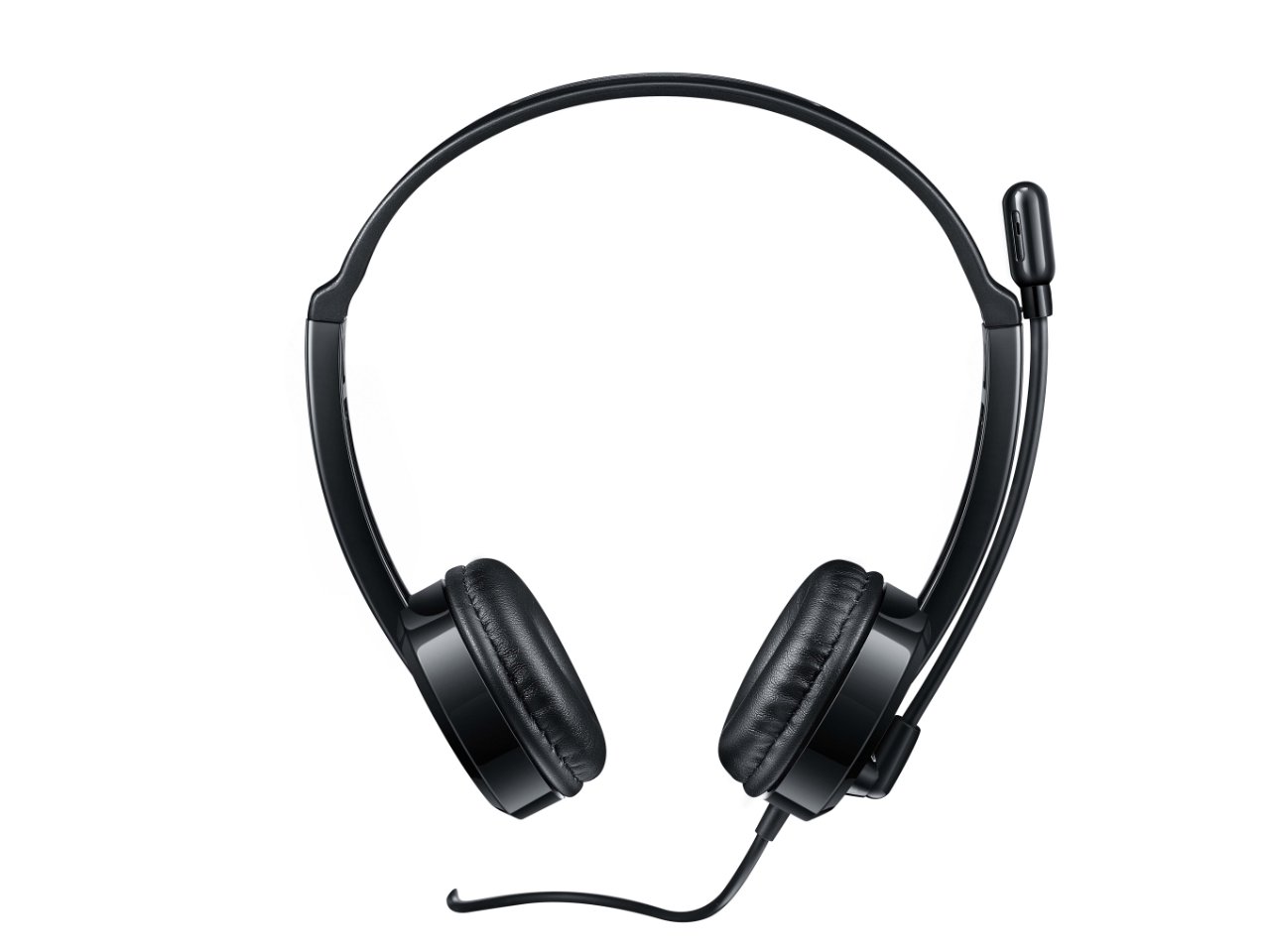
Figura 2: Fuq quddiem view of the headset, providing a clear perspective of the headband's curvature and the design of both earcups.
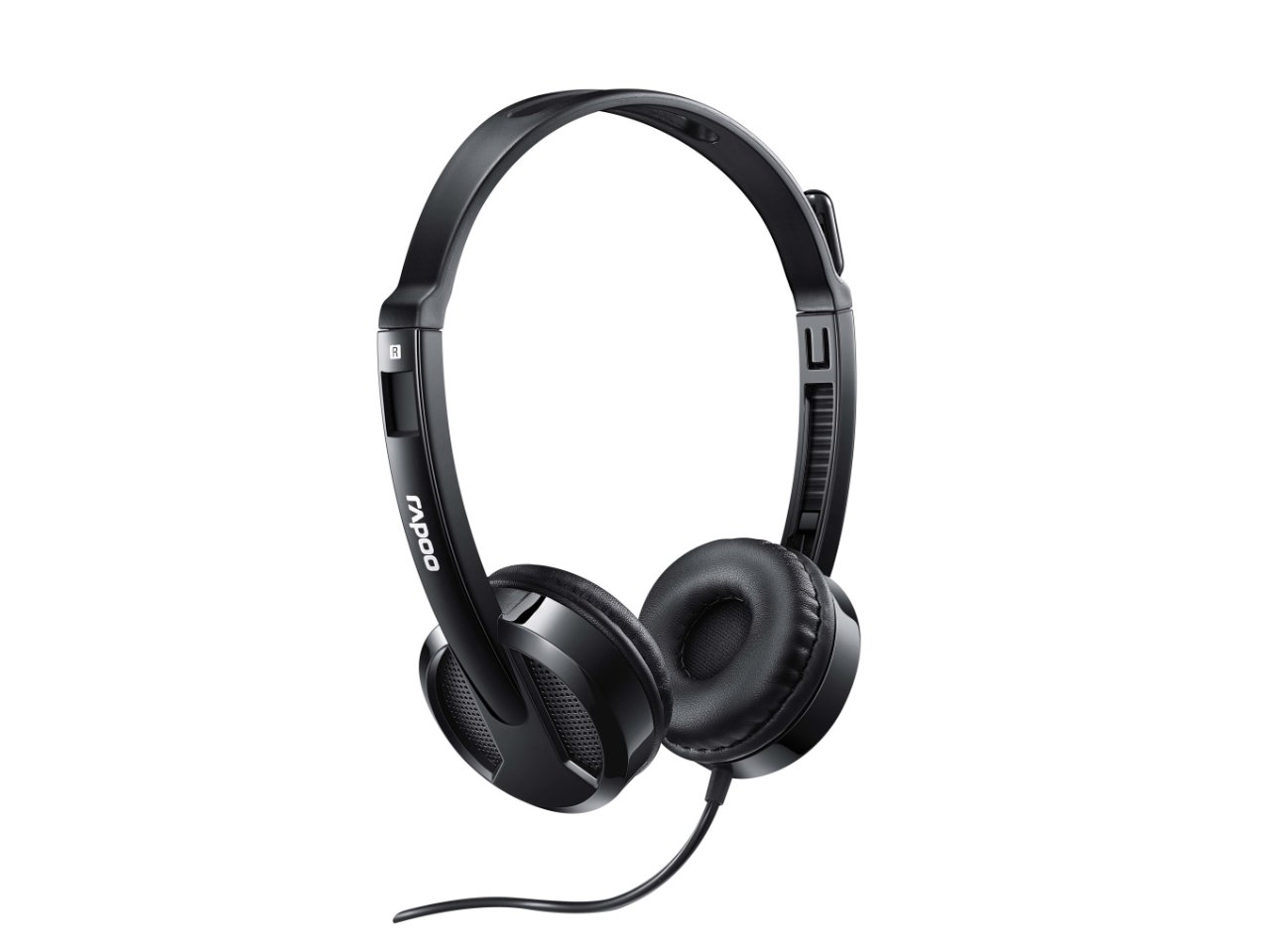
Figura 3: Angolat view from behind the headset, showing the connection point of the audio cable to the earcup.

Figura 4: Close-up view of the rotatable microphone arm, illustrating its design for optimal voice capture.

Figura 5: Side profile view of the Rapoo H100 headset, showing the slim design and the headband adjustment mechanism.
Komponenti Ewlenin:
- Faxxa tar-ras aġġustabbli: Allows for a comfortable fit for various head sizes.
- Kuxxinetti tal-widnejn rotob: Iddisinjat għall-kumdità waqt użu estiż.
- Mikrofonu li jdur: Can be adjusted for optimal voice pickup and rotated out of the way when not in use.
- Unità ta' Kontroll fil-Linja: Contains the volume control wheel and microphone mute switch for easy access.
- Jack Awdjo 3.5mm: Standard connector for universal compatibility with devices.
Setup
- Qabbad il-Headset: Insert the 3.5mm audio jack into the corresponding audio port on your computer, laptop, tablet, or smartphone. Ensure the connection is secure.
- Aġġusta l-Faxxa tar-ras: Gently extend or retract the headband on both sides until the earcups rest comfortably over your ears.
- Poġġi l-Mikrofonu: Rotate the microphone arm downwards and position the microphone approximately 2-3 cm (1 inch) from your mouth for clear voice pickup. The microphone is adjustable for optimal placement.
- Ikkonfigura s-Settings tal-Awdjo (jekk meħtieġ): On your device, navigate to the sound settings and ensure the Rapoo H100 is selected as the default input (microphone) and output (speaker) device.
Istruzzjonijiet Operattivi
- Kontroll tal-Volum: Use the in-line volume control wheel on the headset cable to adjust the listening volume. Rotate the wheel upwards to increase volume and downwards to decrease it.
- Mute tal-mikrofonu: Locate the mute switch on the in-line control. Slide the switch to mute or unmute the microphone. This is useful for privacy during calls or when you do not wish your voice to be transmitted.
- Tagħmel Sejħiet: Once connected and configured, you can use the headset for voice calls through various communication applications (e.g., Skype, Zoom, Microsoft Teams) or for standard phone calls on compatible devices.
- Nisimgħu l-Awdjo: The headset will output audio from your connected device, allowing you to listen to music, videos, or game audio.
Manutenzjoni
Proper maintenance will extend the life of your headset.
- Tindif: Uża drapp artab u niexef biex timsaħ il-earcups u l-headband. Għal ħmieġ iebes, neħħi ftit.amp Jista' jintuża drapp, iżda kun żgur li ma tidħolx umdità fil-gradilji tal-ispiker jew fil-mikrofonu. Tużax kimiċi ħarxa jew prodotti tat-tindif li joborxu.
- Ħażna: When not in use, store the headset in a clean, dry place away from direct sunlight and extreme temperatures. Avoid tangling the cable.
- Kura tal-Cable: Do not pull the cable forcefully or wrap it too tightly around the headset. This can damage the internal wires.
Issolvi l-problemi
If you encounter issues with your Rapoo H100 headset, refer to the following common problems and solutions:
| Problema | Kawża Possibbli | Soluzzjoni |
|---|---|---|
| L-ebda ħoss mill-headset |
|
|
| Mikrofonu mhux qed jaħdem |
|
|
| Il-kwalità tal-ħoss hija fqira |
|
|
Speċifikazzjonijiet
| Karatteristika | Dettall |
|---|---|
| Isem tal-Mudell | H100 |
| Teknoloġija tal-Konnettività | Bil-fili |
| Komponenti Inklużi | Headset |
| Apparati Kompatibbli | Tablets, Telephones, Laptops, Desktops |
| Tip ta' Kontroll | Kontroll tal-Volum |
| Piż tal-oġġett | 400 Gramm |
| Forma tal-widna | Fuq il-widnejn |
| Manifattur | Rapoo |
| Fattur tal-Formola | Over Ear, On ear |
| Dimensjonijiet tal-Prodott (LxWxH) | 1.8 x 18.6 x 11.6 ċm |
| Headphones Jack | 3.5 mm Jack |
| Kulur | Iswed |
Garanzija u Appoġġ
Għal informazzjoni dwar il-garanzija u appoġġ tekniku, jekk jogħġbok irreferi għar-Rapoo uffiċjali webis-sit jew ikkuntattja s-servizz tal-konsumatur tagħhom. Żomm l-irċevuta tax-xiri tiegħek bħala prova tax-xiri għal talbiet ta' garanzija.
Manifattur: Rapoo
Websit: www.rapoo.com (Please note: This is a general placeholder. Refer to your product packaging or Rapoo's official documentation for the most accurate support contact information.)


