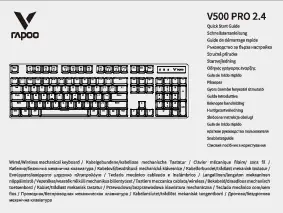
Prodott Overview
The Rapoo V500PRO is a 104-key mechanical gaming keyboard designed for durability and responsiveness. It features custom mechanical switches with medium resistance, precise actuation, and tactile feedback. The keyboard includes LED backlighting with multiple colors and lighting modes, a full numeric keypad, and multimedia keys. Its construction combines metal alloy and ABS for robust performance, and it features a splash-proof design for added protection.

Figure 1: Rapoo V500PRO Mechanical Gaming Keyboard with full RGB backlighting.
Setup Istruzzjonijiet
Spakkjar: Carefully remove the keyboard from its packaging. Ensure all components, including the keyboard and USB cable, are present.
Konnessjoni: Connect the USB-A end of the keyboard's cable to an available USB port on your computer. The keyboard is plug-and-play and does not require additional drivers for basic functionality on Windows 10, 8, 7, Vista, or XP. Limited Mac OS support is available.
L-Ewwel Tixgħil: Upon connection, the keyboard's LED backlighting will illuminate, indicating it is powered on and ready for use.
Istruzzjonijiet Operattivi
Karatteristiċi u Funzjonijiet Ewlenin
Swiċċijiet mekkaniċi: The V500PRO features custom mechanical switches designed for durability and a responsive typing experience. These switches provide tactile feedback and an audible click sound.
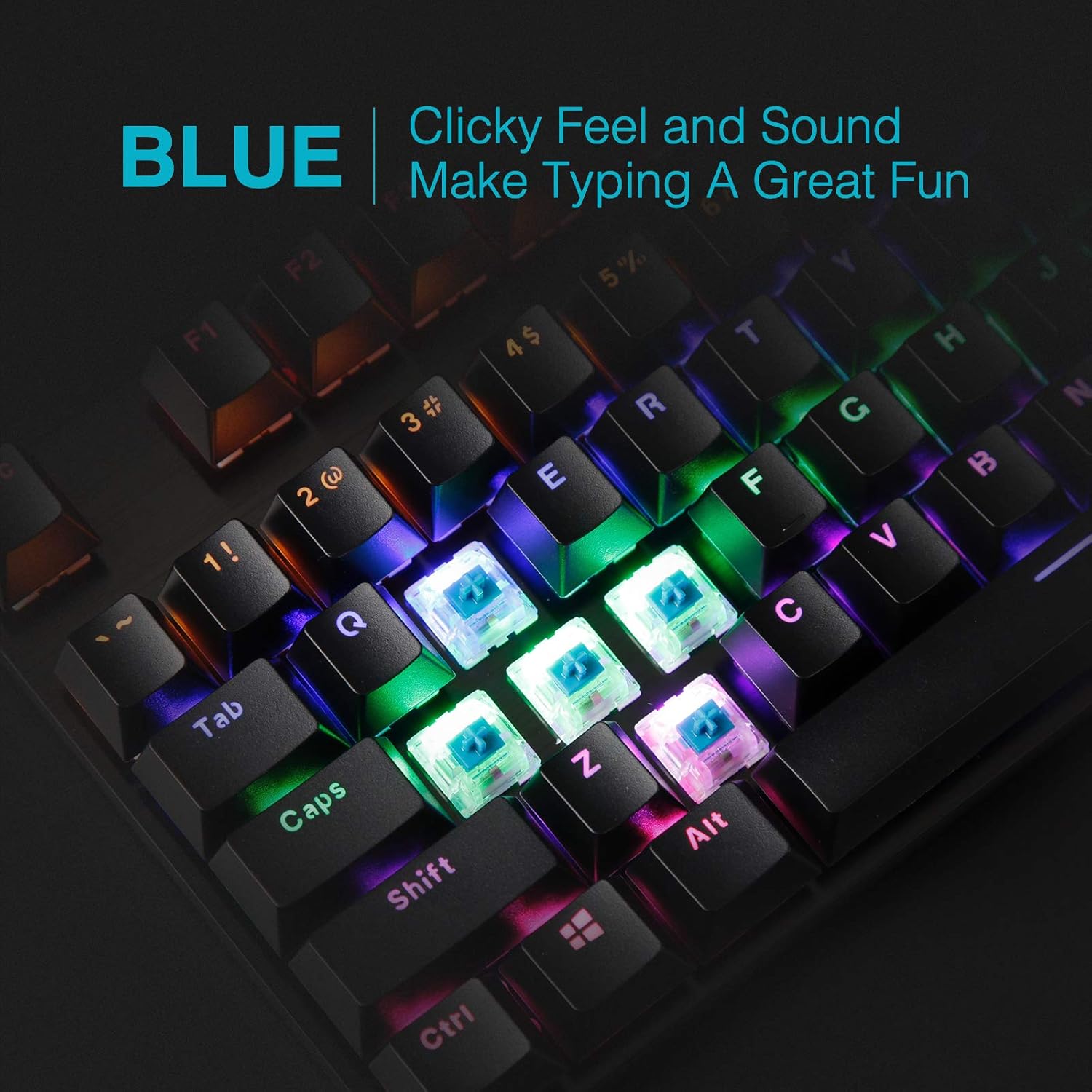
Figura 2: Close-up view of the blue mechanical switches, highlighting their clicky feel and sound for an enhanced typing experience.
Backlight LED: The keyboard is equipped with LED backlighting offering 6 colors and 5 different lighting modes. Backlight brightness levels and breathing speed can be adjusted. The molded keycaps ensure clear and uniform illumination.

Figure 3: Visual representation of the different backlighting modes available on the V500PRO keyboard, including static, breathing, waving, overlaying, and dropping effects.
Ċwievet Multimedia: The keyboard includes 12 multimedia keys for convenient control of audio and other functions. Refer to the keyboard layout for specific key assignments (often accessed via the 'Fn' key).
Qlib N-Key: All 104 keys are conflict-free (N-Key Rollover), ensuring that every keystroke is registered accurately, even during rapid, simultaneous presses, which is crucial for gaming performance.
Windows Key Lock Function: The keyboard features a Windows key lock function to prevent accidental presses of the Windows key during gaming sessions. This function is typically activated by pressing the 'Fn' key in combination with the Windows key.
Video 1: Demonstration of the Rapoo V500PRO Mechanical Keyboard's mixed color backlighting and key functions. This video showcases the keyboard's aesthetic and responsiveness.
Manutenzjoni
Tindif: To clean the keyboard, disconnect it from your computer. Use a soft, dry cloth to wipe down the surface. For dust and debris between keys, use compressed air. The floating keycap design allows for easier cleaning underneath the keys.

Figure 4: Detail of the two-color injection molding suspension backlit keycaps, designed for durability and anti-fading properties, ensuring even light transmission.
Reżistenza għat-tixrid: The keyboard features a splash-proof design. In case of accidental spills, immediately disconnect the keyboard and allow it to dry completely before reconnecting. While splash-proof, it is not fully waterproof, so avoid submerging it.

Figure 5: The keyboard's splash-proof design, showing how it can withstand minor liquid spills, enhancing its durability.
Sostituzzjoni tal-Keycap: The keycaps can be removed for cleaning or replacement. Use a keycap puller (not included) to gently remove keycaps. Ensure proper alignment when reattaching.
Issolvi l-problemi
| Problema | Kawża Possibbli | Soluzzjoni |
|---|---|---|
| It-tastiera ma tirrispondix | Konnessjoni USB maħlula, port USB difettuż, problema bis-sewwieq. | Kun żgur li l-kejbil tal-USB huwa konness sew. Ipprova port USB differenti. Erġa' ibda l-kompjuter tiegħek. |
| Backlighting not working or inconsistent | Backlight settings, power issue. | Adjust backlight settings using 'Fn' key combinations (e.g., 'Fn' + 'Page Up'/'Page Down' for brightness, 'Fn' + 'Insert' for mode). Ensure sufficient power from USB port. |
| Iċ-ċwievet mhux qed jirreġistraw jew qed jidhru bħal ghosting | Debris taħt il-keycap, kunflitt tas-softwer. | Clean under the affected keycap. Ensure no conflicting software is running. The N-Key Rollover feature minimizes ghosting. |
Speċifikazzjonijiet
| Karatteristika | Dettall |
|---|---|
| Brand | Rapoo |
| Mudell | V500 Pro |
| Numru ta' Ċwievet | 104 |
| Tip ta' Swiċċ | Mekkaniku (Swiċċijiet Blu) |
| Backlighting | RGB (6 colors, 5 lighting modes, adjustable brightness/speed) |
| Konnettività | USB bil-fili |
| Materjal | Metal alloy and ABS construction |
| Dimensjonijiet (LxWxH) | 14.37 x 5.31 x 1.65 pulzieri |
| Piż | 2.07 liri |
| Kompatibilità | Windows 10, 8, 7, Vista, XP; Appoġġ limitat għall-Mac OS |
| Komponenti Inklużi | Cable USB |
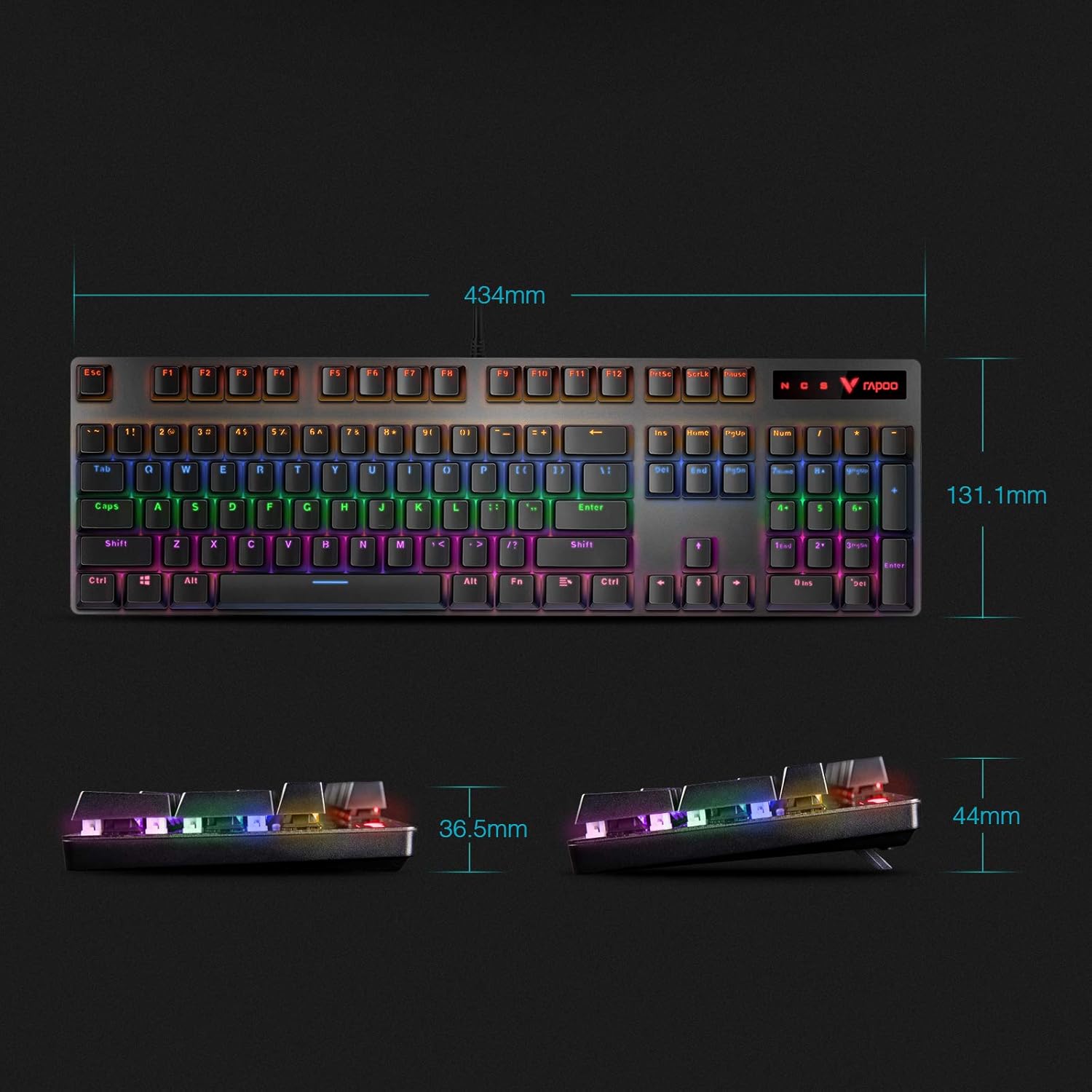
Figure 6: Detailed dimensions of the Rapoo V500PRO keyboard, showing its length, width, and height.
Garanzija u Appoġġ
Għal informazzjoni dwar il-garanzija u appoġġ tekniku, jekk jogħġbok irreferi għar-Rapoo uffiċjali webis-sit jew ikkuntattja lis-servizz tal-konsumatur tagħhom direttament. Żomm l-irċevuta tax-xiri tiegħek għal talbiet ta' garanzija.
Vidjo 2: Overview of the RAPOO Mechanical Gaming Keyboard, highlighting its full-size ergonomic design, LED backlight, and black-blue switches. This video provides a general look at the product's features.