Introduzzjoni
Thank you for choosing the Oregon Scientific CIR600 Alarm Clock and Audio Speaker. This device combines a precise digital clock with calendar and day display, a powerful Bluetooth speaker, and an adjustable LED display, all designed to enhance your daily routine. This manual provides detailed instructions for setting up, operating, maintaining, and troubleshooting your new device to ensure optimal performance.

Figura 1: Quddiem view of the Oregon Scientific CIR600, displaying the time and featuring the fabric speaker grille.
Setup
1. Żpakkjar u Komponenti
Neħħi l-oġġetti kollha mill-imballaġġ bir-reqqa. Kun żgur li l-komponenti kollha huma preżenti:
- CIR600 Alarm Clock with built-in audio speaker
- AC/DC 12V, 2.0 Adapter
- Manwal għall-Utent (dan id-dokument)
- 1 x CR2025 battery (pre-installed for backup)
2. Konnessjoni tal-Enerġija
The CIR600 operates primarily via the included AC/DC adapter. The CR2025 battery serves as a backup for time and alarm settings during power outages.
- Locate the DC 12V input port on the back of the unit.
- Connect the AC/DC 12V, 2.0 adapter to this port.
- Plug the adapter into a standard wall outlet. The display should illuminate.

Figure 2: Rear panel of the CIR600, highlighting connection ports and the battery compartment.
3. Battery Backup Installation (if not pre-installed)
The CR2025 battery ensures that your time and alarm settings are retained in case of a power interruption.
- Locate the battery compartment on the back of the unit (next to the power input).
- Iftaħ l-għatu tal-kompartiment tal-batterija.
- Insert one CR2025 battery, ensuring the correct polarity (+/-).
- Agħlaq l-għatu tal-kompartiment tal-batterija sew.
Istruzzjonijiet Operattivi
1. Kontrolli Fuqview
The CIR600 features intuitive controls located on the top panel. Familiarize yourself with these buttons for easy operation.

Figure 3: Top panel controls of the CIR600.
- Buttuni + / -: Adjust volume, navigate menus, or set time/alarm values.
- Buttuna ta 'l-allarm: Set or activate/deactivate alarms.
- Buttuna Bluetooth: Ibda l-modalità ta' tqabbil Bluetooth.
- Buttuna M (Modalità): Switch between different modes (e.g., time display, Bluetooth).
- Buttuna SNOOZE: Snooze an active alarm or adjust display brightness.
2. L-issettjar tal-Ħin u d-Data
- Agħfas u żomm il- M (Modalità) Agħfas il-buttuna sakemm il-wiri tal-ħin jibda jteptep.
- Uża l- + or - buttuni biex taġġusta s-siegħa. Agħfas M biex tikkonferma.
- Uża l- + or - buttuni biex taġġusta l-minuta. Agħfas M biex tikkonferma.
- Continue using + or - u M to set the year, month, and day.
- Once all settings are confirmed, the display will return to normal time display.
3. Issettjar tal-Allarm
- Agħfas u żomm il- Allarm sakemm il-wiri tal-ħin tal-allarm jibda jteptep.
- Uża l- + or - buttuni biex taġġusta s-siegħa tal-allarm. Agħfas Allarm biex tikkonferma.
- Uża l- + or - buttons to adjust the alarm minute. Press Allarm biex tikkonferma.
- Agħfas il- Allarm button again to activate or deactivate the alarm. An alarm icon will appear on the display when active.
- Meta l-allarm jinstema ', agħfas il-buttuna SNOOZE button to temporarily silence it for a few minutes. To turn off the alarm completely, press any other button.
4. Konnessjoni Bluetooth
The CIR600 features a 2 x 10 Watt speaker with Bluetooth connectivity for wireless audio streaming.
- Agħfas il- Bluetooth button on the top panel. The Bluetooth indicator on the display will flash, indicating pairing mode.
- Fuq l-apparat mobbli tiegħek (smartphone, tablet, eċċ.), attiva l-Bluetooth u fittex apparati disponibbli.
- Select "CIR600" from the list of devices.
- Once successfully paired, the Bluetooth indicator on the CIR600 display will stop flashing and remain solid. You can now play audio through the speaker.
- Uża l- + or - buttons on the CIR600 to adjust the volume.
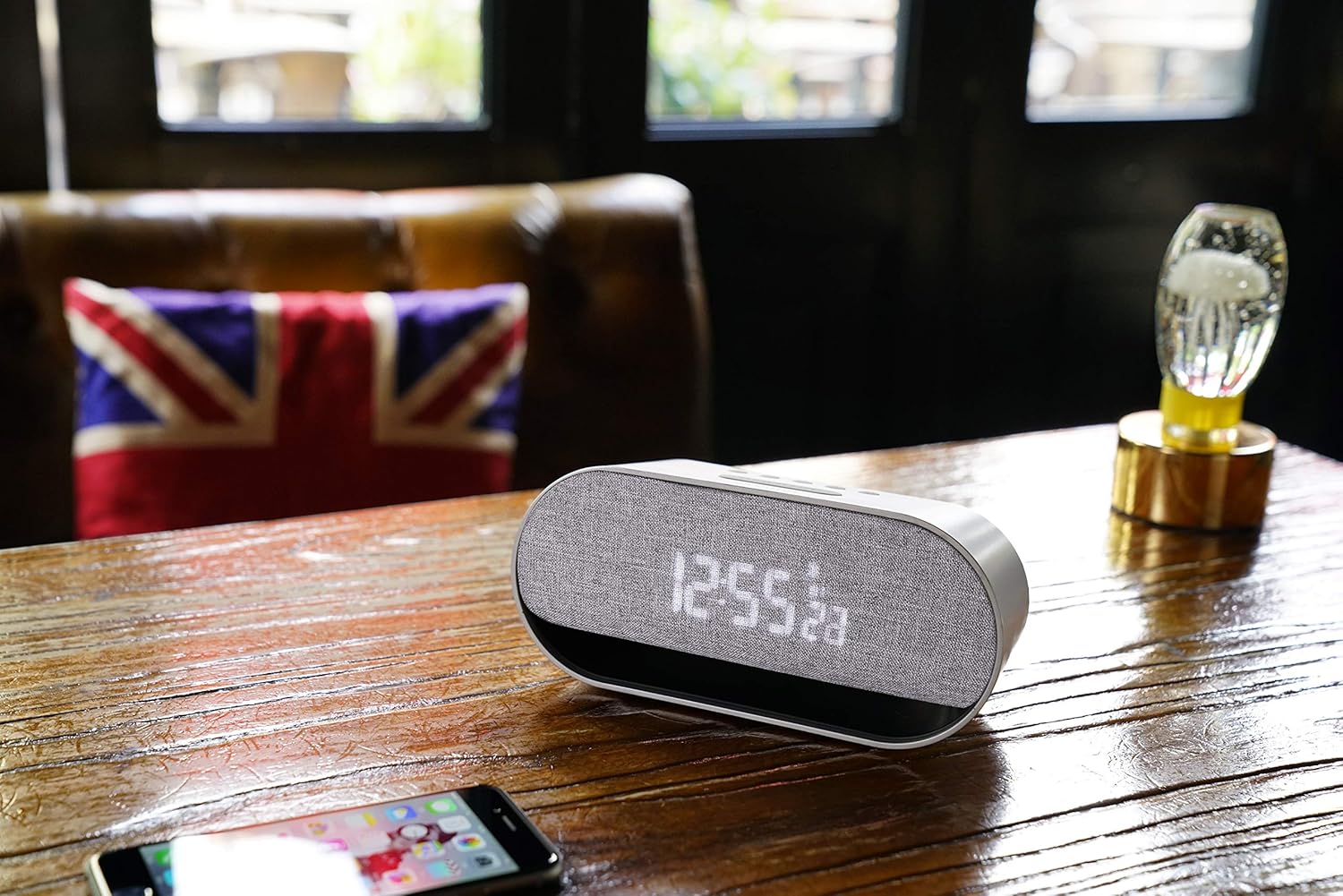
Figure 4: The CIR600 connected via Bluetooth to a mobile device.
5. Aġġustament tal-Luminożità tal-Wiri
The CIR600 features a white LED display with 3 adjustable intensity levels.
- Agħfas il- SNOOZE button repeatedly to cycle through the brightness levels (High, Medium, Low, Off).
- Select the desired brightness level for comfortable viewing.
Manutenzjoni
Tindif
To maintain the appearance and functionality of your CIR600:
- Skonnettja l-adapter tal-enerġija qabel it-tindif.
- Uża drapp artab u niexef biex timsaħ l-uċuħ ta’ barra.
- Tużax prodotti tat-tindif, xama', jew solventi li joborxu għax jistgħu jagħmlu ħsara lill-finitura.
- Evita li tidħol l-umdità fi kwalunkwe fetħiet.
Ħażna
If storing the unit for an extended period, disconnect it from power and remove the CR2025 backup battery to prevent leakage.
Issolvi l-problemi
If you encounter issues with your CIR600, refer to the following common problems and solutions:
| Problema | Kawża Possibbli | Soluzzjoni |
|---|---|---|
| No power/Display is off. | L-adapter tal-enerġija mhux imqabbad jew is-sokit difettuż. | Ensure the power adapter is securely plugged into the unit and a working wall outlet. Try a different outlet. |
| L-apparat Bluetooth ma jistax jikkonnettja. | CIR600 not in pairing mode; device too far; previously paired device connected. | Agħfas il- Bluetooth button to enter pairing mode. Ensure your device is within range. Disconnect from any other Bluetooth devices. |
| L-allarm ma jdoqqx. | Alarm not set or deactivated; volume too low. | Verify the alarm is set and activated (alarm icon visible). Increase the volume using the + buttuna. |
| Id-displej huwa mċajpar wisq jew qawwi wisq. | Il-livell tal-luminożità jeħtieġ aġġustament. | Agħfas il- SNOOZE Agħfas il-buttuna ripetutament biex tiċċaqlaq bejn il-3 livelli ta' luminożità. |
| Time/Date is incorrect after power loss. | Il-batterija tal-backup hija mejta jew nieqsa. | Replace the CR2025 backup battery. Reset the time and date. |
Speċifikazzjonijiet
| Karatteristika | Dettall |
|---|---|
| Dimensjonijiet tal-Prodott | 20 x 8.9 x 7.2 ċm |
| Piż tal-Prodott | 300 Gramm |
| Sors tal-Enerġija | AC/DC Adapter (12V, 2.0A) |
| Batterija tal-Backup | 1 x CR2025 (inkluż) |
| Output Speaker | 2 x 10 Watts |
| Konnettività | Bluetooth |
| Tip ta 'Wiri | White LED Digital Display |
| Il-luminożità tal-wiri | 3 livelli aġġustabbli |
| Kulur | Fidda |
| Materjal | Plastik |
| Numru tal-Mudell | OSCIR600 |
Informazzjoni dwar Garanzija
The Oregon Scientific CIR600 Alarm Clock and Audio Speaker comes with a garanzija ta 'sena from the date of purchase. This warranty covers manufacturing defects and workmanship under normal use. Please retain your proof of purchase for warranty claims. For detailed warranty terms and conditions, refer to the official Oregon Scientific websit jew ikkuntattja l-appoġġ tal-klijent.
Appoġġ għall-Klijent
For further assistance, technical support, or inquiries regarding your Oregon Scientific CIR600, please visit the official Oregon Scientific website or contact their customer service department. You may find FAQs, additional resources, and contact information on their support pages.
Note: Always refer to the latest information available on the manufacturer's official support channels for the most up-to-date assistance.


