Introduzzjoni
The Amazfit Stratos A1619 is a premium multisport GPS smartwatch designed for active individuals. It features 5 ATM water resistance, VO2max fitness level analysis, a heart rate sensor, and a reflective always-on color touch display. The watch is built with a rugged carbon fiber design case, a polished ceramic bezel, scratch-resistant 2.5D Corning Gorilla glass, and three stainless steel physical buttons for easy navigation. It comes with an exchangeable 22mm durable silicone watch strap.

Image: The Amazfit Stratos A1619 smartwatch, highlighting its carbon fiber housing, scratch-resistant glass, ceramic bezel, physical buttons, and sunlight-readable LCD screen.
This manual provides detailed instructions for setting up, operating, and maintaining your Amazfit Stratos A1619 smartwatch to ensure optimal performance and longevity.
Karatteristiċi Ewlenin
- Multisport GPS Tracking: Supports running, walking, cycling, swimming, elliptical machine, mountaineering, trail running, triathlon, tennis, soccer, and golfing.
- Reżistenza għall-Ilma ta' 5 ATM: Suitable for swimming and other water activities.
- Advanced Fitness Metrics: Measures maximum oxygen consumption (VO2max), exercise load (TD), and recovery time through Firstbeat partnership.
- Monitoraġġ tar-Rata tal-Qalb: Integrated heart rate sensor for continuous tracking.
- Notifiki Intelliġenti: Receive emails, text messages, calls, and other app notifications directly on your wrist.
- Disinn Durabbli: Carbon fiber case, polished ceramic bezel, 2.5D Corning Gorilla glass, and stainless steel physical buttons.
- Wiri Dejjem Mixgħul: Reflective color touch display for clear visibility in various lighting conditions.
- Ħajja twila tal-batterija: Up to 5 days of typical use, 35 hours with continuous GPS tracking.
- Ħażna tal-Mużika: 4GB flash storage for phone-free music playback via Bluetooth headphones.
X'hemm fil-Kaxxa
- Amazfit Stratos A1619 Smartwatch
- Bażi tal-Iċċarġjar
- Gwida għall-Utent (dan id-dokument)
Gwida ta' Setup
1. Iċċarġjar Inizjali
Before first use, fully charge your Amazfit Stratos smartwatch. Connect the charging base to a USB power source and place the watch onto the charging pins. The watch screen will indicate charging status. A full charge typically takes approximately 2 hours.
2. Tixgħel u Tqabbil
Press and hold the top physical button to power on the watch. Once powered on, the watch will display a QR code. Download and install the Amazfit Watch App on your smartphone (available on iOS App Store and Google Play Store). Open the app and follow the on-screen instructions to scan the QR code and pair your watch with your phone.
3. Basic Settings and Customization
After successful pairing, the app will guide you through initial settings such as language, time zone, and personal profile. You can customize watch faces directly from the watch or through the Amazfit Watch App. Explore the app for additional settings and features.
Istruzzjonijiet Operattivi
Navigazzjoni
The Amazfit Stratos features a touch-sensitive display and three physical buttons on the right side for navigation:
- Touchscreen: Skrolla 'l fuq, 'l isfel, lejn ix-xellug, jew lejn il-lemin biex tinnaviga fil-menus u l-widgets. Tektek biex tagħżel l-oġġetti.
- Buttuna ta' Fuq: Short press to return to the previous screen or watch face. Long press to power on/off or access quick settings.
- Buttuna tan-nofs: Short press to enter the main menu or confirm selections.
- Buttuna tal-qiegħ: Short press to access a customizable shortcut (e.g., start a workout).

Immaġni: Ġenb view of the Amazfit Stratos A1619, highlighting the carbon fiber detailed housing, ceramic bezel, and three physical buttons for navigation.
Traċċar tal-Isports
The watch supports detailed tracking for 14 different sports modes. To start a workout:
- From the watch face, press the middle button to enter the main menu.
- Select "Workout" or "Sports".
- Choose your desired activity (e.g., Running, Cycling, Swimming).
- Wait for GPS signal acquisition (if applicable) and heart rate detection.
- Tap "GO" or press the middle button to start the activity.
The watch utilizes built-in GPS + GLONASS for accurate outdoor activity tracking. Post-workout data can be viewed on the watch and synced to the Amazfit Watch App, and further to platforms like Strava.
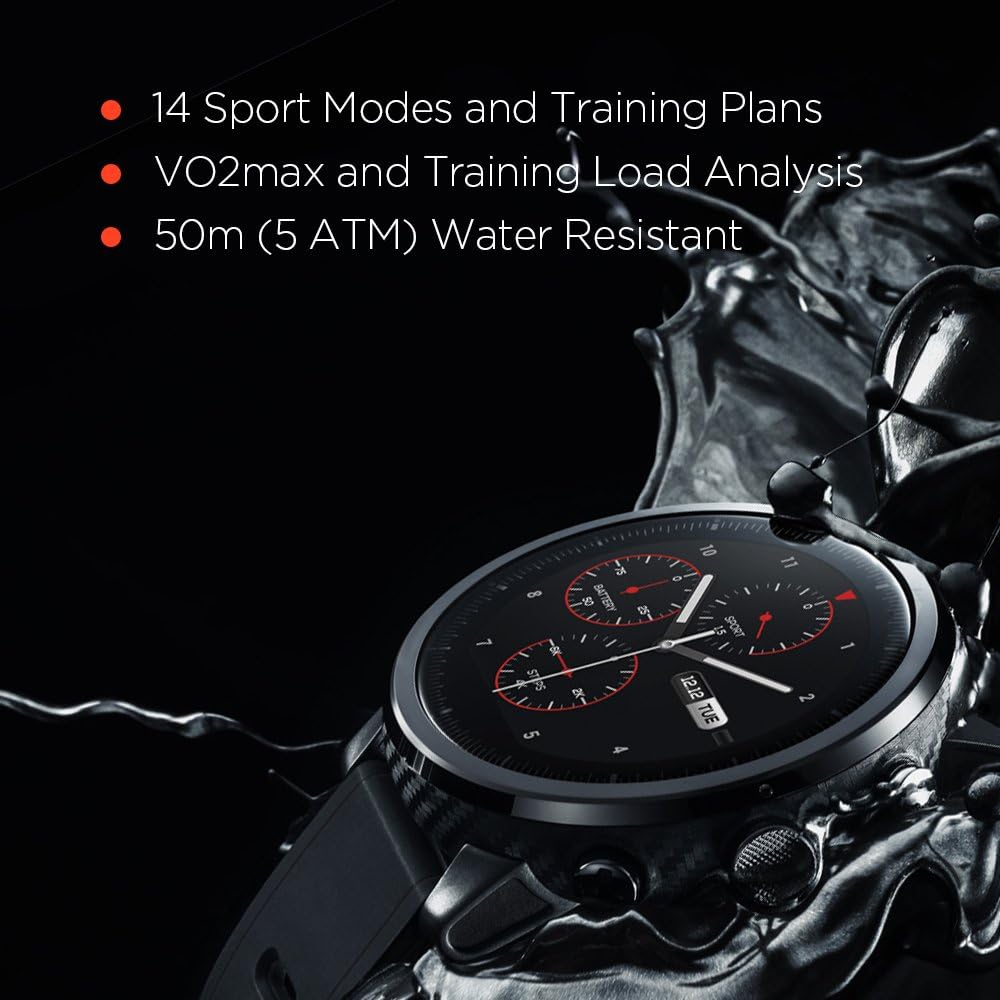
Image: The Amazfit Stratos A1619 watch face, illustrating its capability to display 14 sport modes and training plans, along with VO2max and Training Load Analysis.
Monitoraġġ tar-rata tal-qalb
The Amazfit Stratos continuously monitors your heart rate using an optical sensor on the back of the watch. Ensure the watch is worn snugly on your wrist for accurate readings. You can view your current heart rate and historical data on the watch or in the Amazfit Watch App.

Immaġni: Wara view of the Amazfit Stratos A1619, showing the optical heart rate sensor and charging contacts, along with GPS + GLONASS capabilities.
Notifiki Smart
Once paired with your smartphone, the watch can display notifications for incoming calls, text messages, emails, and other app alerts. Configure which app notifications you wish to receive through the Amazfit Watch App settings.

Image: The Amazfit Stratos A1619 watch face showing mobile call and app notifications, customizable watch faces, and phone-free music functionality.
Daqq tal-Mużika
The Amazfit Stratos has 4GB of internal storage, allowing you to store music directly on the watch. Connect Bluetooth headphones to the watch for phone-free music listening during workouts or daily activities. Transfer music files to the watch via a USB connection to your computer.
Reżistenza għall-Ilma (5 ATM)
The watch is rated 5 ATM, meaning it can withstand pressures equivalent to a depth of 50 meters. This makes it suitable for swimming and showering. Avoid using the physical buttons underwater, as this can compromise the water seal.
Manutenzjoni
Tindif tal-Ismartwatch Tiegħek
Regularly clean your watch to prevent skin irritation and maintain functionality. Use a soft, lint-free cloth to wipe the screen and watch body. For stubborn dirt, slightly dampen the cloth with water. Avoid using harsh chemicals or abrasive materials. Ensure the charging contacts on the back of the watch are clean and dry before charging.
L-Aħjar Prattiki tal-Iċċarġjar
- Use only the provided charging base.
- Avoid exposing the charging base or watch to extreme temperatures during charging.
- Do not charge if the watch or charging base is wet.
Sostituzzjoni taċ-Ċinga
The Amazfit Stratos uses a standard 22mm watch strap. To replace the strap, locate the quick-release pins on the underside of the strap where it connects to the watch body. Slide the pin to detach the strap. Attach a new 22mm strap by reversing the process, ensuring the pins are securely seated.
Issolvi l-problemi
L-Għassa Mhux Mixgħul
- Kun żgur li l-arloġġ ikun iċċarġjat kompletament. Qabbad mal-bażi tal-iċċarġjar u ma' sors tal-enerġija għal mill-inqas 30 minuta.
- Try pressing and holding the top physical button for 10-15 seconds to force a restart.
Kwistjonijiet ta' Konnettività Bluetooth
- Kun żgur li l-Bluetooth huwa attivat fuq l-ismartphone tiegħek u fuq l-arloġġ.
- Kun żgur li l-arloġġ jinsab fil-firxa tat-telefon tiegħek.
- Erġa' ibda kemm l-arloġġ kif ukoll l-ismartphone tiegħek.
- In your phone's Bluetooth settings, forget the Amazfit Stratos and re-pair it through the Amazfit Watch App.
- Check if the Amazfit Watch App is running in the background and has necessary permissions.
Qari tar-Rata tal-Qalb Mhux Preċiż
- Kun żgur li l-arloġġ jintlibes sew fuq il-polz tiegħek, la issikkat wisq u lanqas maħlul wisq.
- Naddaf is-senser tar-rata tal-qalb fuq wara tal-arloġġ.
- Avoid excessive movement during passive heart rate monitoring.
GPS Signal Acquisition Slow or Unreliable
- Kun żgur li tinsab f'żona miftuħa fil-beraħ b'dawl ċar view tas-sema.
- Wait a few minutes for the watch to acquire a signal before starting your activity.
- Ensure the watch firmware is up to date via the Amazfit Watch App.
Ħajja Qasira tal-Batterija
- Frequent GPS usage, continuous heart rate monitoring, and high screen brightness can significantly reduce battery life.
- Adjust settings in the Amazfit Watch App to optimize battery consumption.
- Ensure no background apps on the watch are consuming excessive power.
Speċifikazzjonijiet
| Karatteristika | Dettall |
|---|---|
| Numru tal-Mudell | A1619 |
| Wiri | 1.34 Inches, OLED, 390 x 390 resolution |
| Konnettività | Bluetooth, Wi-Fi (802.11b, 802.11g) |
| GPS | GPS mibni + GLONASS |
| Reżistenza għall-Ilma | 5 ATM (sa 50 metru) |
| Tip ta 'batterija | Polimer tal-litju (inkluż) |
| Kapaċità tal-Ħżin tal-Memorja | 4 GB |
| Piż tal-oġġett | 2.4 uqija (madwar 68 gramma) |
| Dimensjonijiet tal-Prodott | 10 x 1.99 x 0.6 pulzieri (madwar 25.4 x 5.05 x 1.52 ċm) |
| Input tal-Interface tal-Bniedem | Buttuni, Skrin tattili |
Garanzija u Appoġġ
Garanzija tal-Manifattur
The Amazfit Stratos A1619 is covered by a manufacturer's warranty. Please refer to the warranty card included with your product or visit the official Amazfit websit għal termini u kundizzjonijiet dettaljati tal-garanzija. Żomm il-prova tax-xiri tiegħek għal talbiet ta' garanzija.
Appoġġ għall-Klijent
For technical assistance, troubleshooting, or further inquiries, please visit the official Amazfit support website or contact their customer service. You can usually find contact information on the Amazfit website or within the Amazfit Watch App.


