1. Introduzzjoni
This manual provides comprehensive instructions for the installation, operation, and maintenance of the FAAC E600 (D600) Electronic Board Remote Control. Please read this manual carefully before using the product to ensure safe and efficient operation. Keep this manual for future reference.
2. Informazzjoni dwar is-Sigurtà
Dejjem osserva l-prekawzjonijiet ta' sigurtà li ġejjin biex tevita korriment jew ħsara lill-prodott:
- Ensure the power supply is disconnected before any installation or maintenance procedures.
- Persunal kwalifikat biss għandu jwettaq l-installazzjoni u t-tiswijiet.
- Tesponix l-apparat għal temperaturi estremi, umdità, jew dawl tax-xemx dirett.
- Żomm l-apparat 'il bogħod mit-tfal u l-annimali domestiċi.
- Use only original FAAC spare parts and accessories.
3. Kontenut tal-Pakkett
Ivverifika li l-oġġetti kollha huma preżenti fil-pakkett:
- FAAC E600 (D600) Electronic Board Remote Control
- Manwal għall-Utent (dan id-dokument)
- Ħardwer tal-immuntar (jekk applikabbli)
4. Prodott Aktarview
The FAAC E600 (D600) is an electronic board remote control designed for reliable operation of compatible FAAC systems. It features a robust design and ergonomic handling.
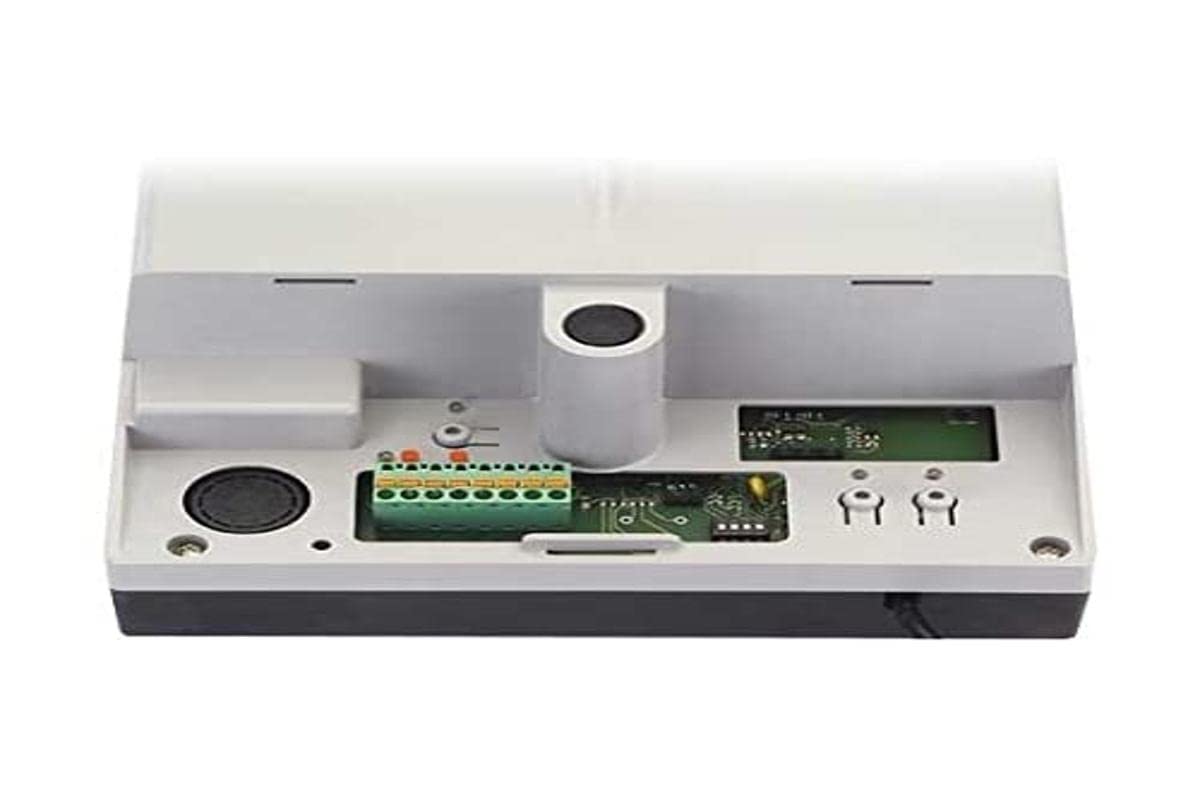
Image 1: FAAC E600 (D600) Electronic Board Remote Control. This image shows the compact design of the remote control unit.
Il-karatteristiċi ewlenin jinkludu:
- Disinn Ergonomiku: Komdu biex iżżomm u tuża.
- Konnettività: Radio frequency and Infrared technology for versatile control.
- Numru ta' Buttuni: 1 button for simple operation.
5. Setup u Installazzjoni
Follow these steps to set up your FAAC E600 (D600) remote control:
- Installazzjoni tal-batterija:
Open the battery compartment on the back of the remote control. Insert the required batteries, ensuring correct polarity (+/-). Close the compartment securely.
- Tqabbil mar-Riċevitur:
Refer to the manual of your FAAC receiver unit (e.g., gate opener, barrier system) for specific pairing instructions. Typically, this involves pressing a programming button on the receiver and then pressing the button on the E600 (D600) remote control within a short timeframe.
- Ittestjar:
After successful pairing, test the remote control's functionality by operating the connected device from a safe distance.
6. Istruzzjonijiet Operattivi
The FAAC E600 (D600) remote control is designed for simple, single-button operation.
- Biex Tattiva: Press and hold the single button on the remote control. The connected FAAC device will respond according to its programmed function (e.g., open/close gate, activate barrier).
- Firxa: Ensure you are within the operational range of the receiver for reliable communication. Obstacles can reduce the effective range.
7. Manutenzjoni
Biex tiżgura l-lonġevità u l-prestazzjoni ottimali tal-kontroll remot tiegħek, segwi dawn il-linji gwida ta' manutenzjoni:
- Tindif: Imsaħ il-kontroll remot b'ċarruta ratba u niexfa. Tużax prodotti tat-tindif jew solventi li joborxu.
- Sostituzzjoni tal-batterija: Replace batteries when the operational range decreases or the indicator light (if present) signals low power. Dispose of old batteries responsibly.
- Ħażna: Aħżen il-kontroll remot f'post niexef, 'il bogħod mix-xemx diretta u minn temperaturi estremi, meta ma tkunx qed tużah għal perjodi twal.
8 Issolvi l-problemi
If you encounter issues with your FAAC E600 (D600) remote control, refer to the following table:
| Problema | Kawża Possibbli | Soluzzjoni |
|---|---|---|
| Il-kontroll mill-bogħod ma jaħdimx. | Batteriji mejta. | Ibdel il-batteriji. |
| Remote control has short range. | Low batteries; Obstruction between remote and receiver. | Replace batteries; Ensure clear line of sight or reduce distance. |
| Device not responding after battery change. | Remote control lost pairing with receiver. | Re-pair the remote control with the receiver (refer to Section 5). |
If the problem persists, contact FAAC customer support or a qualified technician.
9. Speċifikazzjonijiet
| Karatteristika | Dettall |
|---|---|
| Brand | FAAC |
| Isem tal-Mudell | E600 (D600) |
| Karatteristika Speċjali | Ergonomiku |
| Apparati Kompatibbli | FAAC Camera Systems (and other compatible FAAC devices) |
| Teknoloġija tal-Konnettività | Radio Frequency, Infrared |
| Numru ta' Buttuni | 1 |
| Tip ta' Kontrollur | Kontroll tal-buttuna |
| Piż tal-oġġett | 100 Gramm |
| Kodiċi Internazzjonali tal-Artiklu (EAN) | 08055195014853 |
10. Garanzija u Appoġġ
For warranty information and technical support, please refer to the official FAAC website or contact your authorized FAAC dealer. Keep your proof of purchase for warranty claims.


