1. Introduzzjoni
This manual provides comprehensive instructions for the RockJam DDMESH500 Electric Mesh Head Drum Kit. It covers assembly, operation, maintenance, and troubleshooting to ensure optimal performance and longevity of your instrument. Please read this manual thoroughly before using the drum kit.
2. Setup u Assemblea
The RockJam DDMESH500 drum kit is designed for straightforward assembly. The main rack structure is pre-assembled, requiring only the unfolding of arms, attachment of feet, and mounting of individual components.
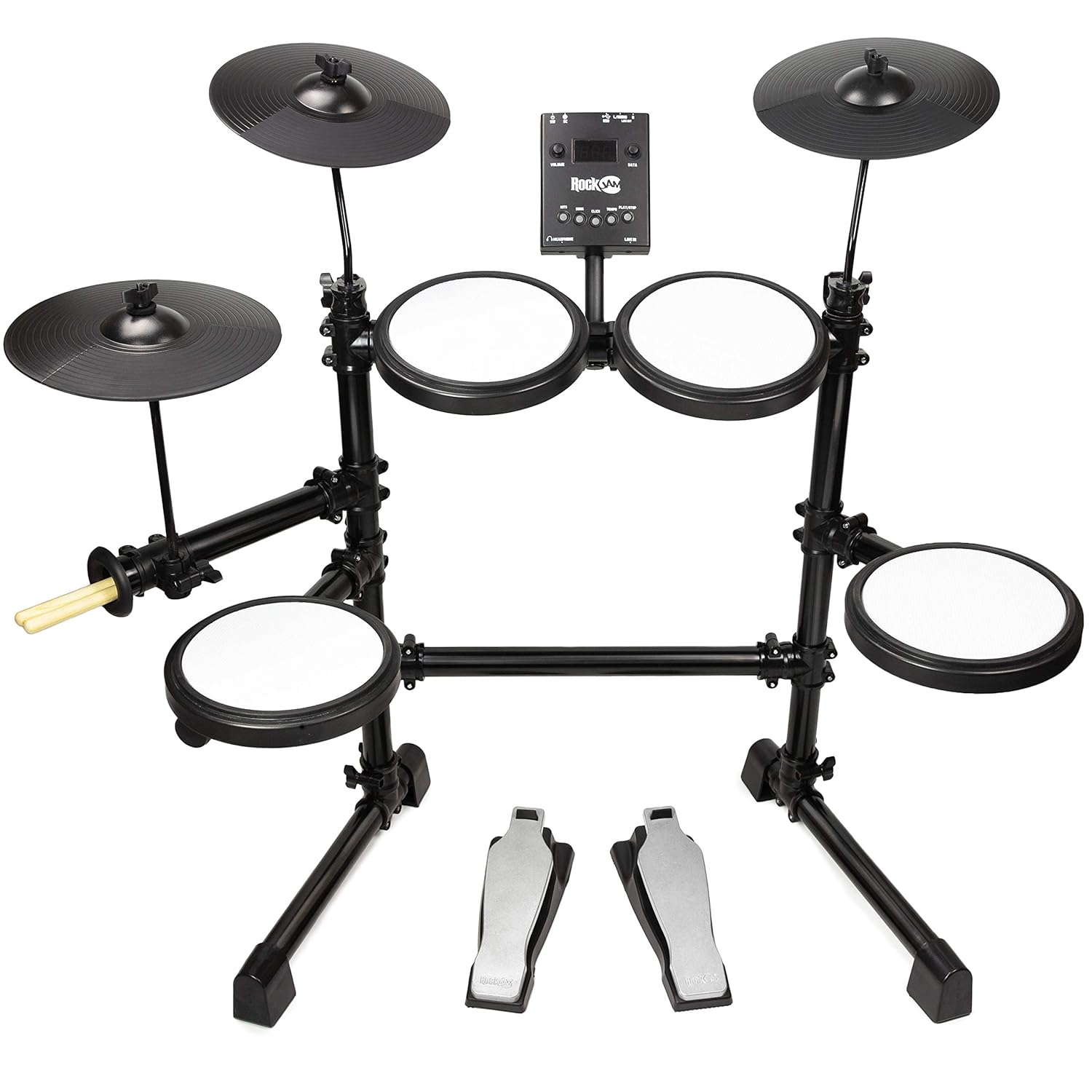
Figura 2.1: Fully assembled RockJam DDMESH500 Electric Mesh Head Drum Kit, showcasing the mesh pads, cymbals, drum module, and pedals.
2.1 Żpakkjar u Identifikazzjoni tal-Komponenti
Carefully unpack all components from the box. Verify that all parts listed in the packing list are present. A tuning key is included for minor adjustments.
2.2 Rack Assembly
- Unfold the pre-assembled rack arms to their extended positions.
- Insert the rack into the provided feet, ensuring a stable base.
2.3 Pad and Cymbal Mounting
- Attach the cymbal holders to the rack and then mount the cymbals.
- Mount the drum module onto its designated position on the rack.
- Position the mesh head pads (snare and toms) and rubber tom pads onto their respective mounts.
2.4 Pedal Placement
Place the bass drum pedal and hi-hat control pedal on the floor in comfortable playing positions.
2.5 Kejbil
Connect all pads, cymbals, and pedals to the drum module using the provided cables. Ensure each connection is secure and corresponds to the correct input on the module.
3. Istruzzjonijiet Operattivi
The RockJam DDMESH500 module offers various features for an enhanced drumming experience.

Figura 3.1: Dettaljati view of the RockJam DDMESH500 drum module, showing controls and input/output ports.
3.1 Drum Module Functions
- Vuċijiet: The module includes 30 authentic drum kit voices. Use the 'KITS' button to cycle through different drum sounds.
- Kanzunetti Demo: Multiple demo songs are available for practice or enjoyment. Use the 'SONG' button to select and play demo tracks.
- Click/Metronome: A built-in metronome ('CLICK' button) assists with timing practice.
- Kontroll tal-Tempo: Adjust the tempo of demo songs or the metronome using the 'TEMPO' controls.
- Kontroll tal-Volum: Use the 'VOLUME' knob to adjust the overall output level.
- Ċempel tad-Dejta: The 'DATA' dial is used for navigating menus and adjusting parameters.
3.2 Konnettività
- USB Out: Connect to a computer for MIDI data transmission, allowing use with digital audio workstations (DAWs) or virtual instruments.
- AUX In: Qabbad apparat awdjo estern (eż., smartphone, MP3 player) biex iddoqq flimkien mal-mużika favorita tiegħek.
- Port tal-headphone: For private practice, connect headphones to this port.
- MIDI Out: Connect to other MIDI-compatible devices.
- Line Out (L/MONO, R): Qabbad ma' amplifier, mixer, or recording interface for external sound output.
3.3 Drum Pads and Cymbals

Figura 3.2: A single mesh head drum pad, offering a realistic playing feel.
- Mesh Head Pads: The kit features velocity-sensitive mesh head pads for the snare (8-inch) and toms (8-inch), providing a natural and responsive playing feel.
- Rubber Toms: Three additional rubber tom pads are included.
- Ċimbali: The kit includes 10-inch cymbals (hi-hat, crash, ride). The crash and ride cymbals may feature a choke function, allowing you to mute the sound by grabbing the edge after striking.

Figura 3.3: A dettaljata view of one of the 10-inch cymbals.
3.4 Pedali
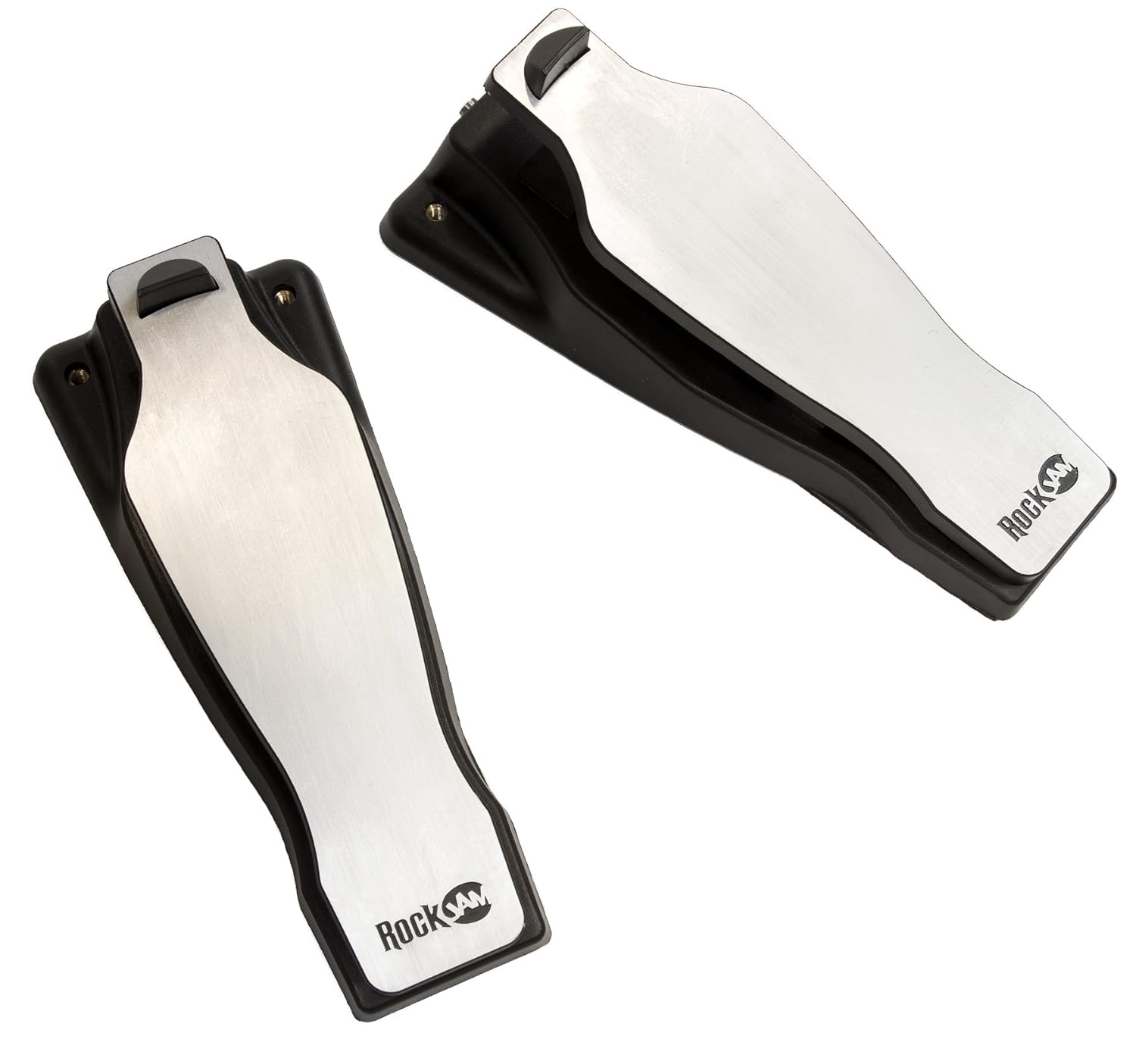
Figura 3.4: The bass drum and hi-hat control pedals.
- Bass Drum Pedal: Controls the bass drum sound.
- Hi-Hat Control Pedal: Controls the open, closed, and half-open states of the hi-hat cymbal.
4. Manutenzjoni
Proper maintenance ensures the longevity and optimal performance of your drum kit.
- Tindif: Uża drapp artab u niexef biex timsaħ il-pads, iċ-ċimbali, il-modulu, u r-rack. Evita prodotti tat-tindif jew solventi li joborxu.
- Ħażna: When not in use, store the drum kit in a dry environment away from direct sunlight and extreme temperatures. The kit can be folded for compact storage.
- Ġestjoni tal-Kejbil: Ensure cables are not kinked or strained. Secure them with cable ties if necessary to prevent damage.
- Kura tal-kuxxinett: Avoid striking the mesh pads with excessive force or sharp objects, as this can damage the mesh.
5 Issolvi l-problemi
If you encounter issues with your RockJam DDMESH500, refer to the following common troubleshooting steps.
- Ebda Ħsejjes:
- Check all cable connections between pads, cymbals, pedals, and the module.
- Ensure the power adapter is securely connected and the module is powered on.
- Verify the master volume on the module is turned up.
- Jekk qed tuża headphones jew kelliema esterni, kun żgur li huma konnessi sew u li l-volum tagħhom huwa aġġustat.
- Rispons Inkonsistenti tal-Pad:
- Iċċekkja l-konnessjoni tal-kejbil għall-pad jew iċ-ċimbal speċifiku.
- Kun żgur li l-kuxxinett huwa mmuntat sew u mhux maħlul.
- Adjust sensitivity settings on the module if available (refer to module-specific advanced settings).
- Il-Modulu Mhux Jixgħel:
- Confirm the power adapter is correctly plugged into both the module and a working power outlet.
- Ipprova żbokk tad-dawl differenti.
6. Speċifikazzjonijiet
| Karatteristika | Dettall |
|---|---|
| Isem tal-Mudell | DDMESH500 |
| Brand | ġamm tal-blat |
| Piż tal-oġġett | 9 Kilogrammi |
| Dimensjonijiet tal-Prodott (LxWxH) | 68.6 x 12.7 x 66 Ċentimetru |
| Materjal tal-Korp | Azzar Liga |
| Materjal tal-kuxxinett | Mesh (Snare, Toms), Rubber (Toms, Cymbals) |
| Komponenti Inklużi | Snare, Bass Drum, Cymbal, Drum Sticks |
| Drum Module Voices | 30 Authentic Drum Kit Voices |
| Konnettività | USB Out, AUX In, Headphone Out, MIDI Out |
| Pad Configuration | 8-inch Snare, 8-inch Toms, 10-inch Cymbals |
7. Informazzjoni dwar Garanzija
The RockJam DDMESH500 Electric Mesh Head Drum Kit comes with a 1-Sena Garanzija from the date of purchase. This warranty covers manufacturing defects under normal use. Please retain your proof of purchase for warranty claims. For specific terms and conditions, refer to the warranty card included with your product or contact RockJam customer support.
8. Appoġġ
For further assistance, technical support, or inquiries regarding your RockJam DDMESH500 Electric Mesh Head Drum Kit, please visit the official RockJam webis-sit jew ikkuntattja lid-dipartiment tas-servizz tal-konsumatur tagħhom. L-informazzjoni ta' kuntatt tipikament tista' tinstab fuq l-imballaġġ tal-prodott jew fuq il-manuskritt tal-manifattur. websit.


