Introduzzjoni
The Kasa Smart Dimmer Switch HS220 provides intelligent brightness control for your lighting. This single-pole smart switch requires a neutral wire for installation and operates on a 2.4GHz Wi-Fi network. It is designed to integrate with smart home ecosystems like Amazon Alexa and Google Home for convenient voice control and remote management.
Noti Importanti:
- A neutral wire is required for installation. If your electrical box lacks a neutral wire, this switch cannot be installed.
- This switch is designed for single-pole wiring configurations only.
- A secured 2.4 GHz wireless home connection is necessary for smart functionality.
- If you are unfamiliar with basic electrical wiring, it is recommended to consult a professional electrician.
X'hemm fil-Kaxxa
Malli tiftaħ il-pakkett, ivverifika li l-komponenti kollha huma preżenti:
- 1 HS220 Smart Wi-Fi Light Switch, Dimmer
- 1 Pjanċa tal-Ħajt
- 2 Ġewż tal-Wajer
- Wire Label sheet
- Gwida ta 'Installazzjoni Mgħaġġla

Image: Kasa Smart Dimmer Switch HS220 packaging and the dimmer switch itself, showing the wall plate and control buttons.
Setup u Installazzjoni
The Kasa Smart Dimmer Switch HS220 installation process is guided by the Kasa or Tapo app. Follow these general steps:
- Preparazzjoni:
- Turn off power at the circuit breaker for the switch you are replacing.
- Confirm the power is off by attempting to turn on the light controlled by the switch.
- Ensure your electrical box has a neutral wire (typically white).
- Download the Kasa Smart app from your device's app store.
- Wiring:
- Remove your existing wall plate and switch.
- Identify the Line, Load, Neutral, and Ground wires. The HS220 requires a ground wire and does not distinguish between Line and Load wires.
- Connect the wires from the HS220 to your home's wiring using the provided wire nuts. Refer to the wiring diagram below.
- Carefully tuck the wires into the electrical box and secure the HS220 switch.
- App-Guided Setup:
- Irrestawra l-enerġija fis-circuit breaker.
- Open the Kasa Smart app and follow the on-screen instructions to add your new HS220 switch. This will involve connecting the switch to your 2.4GHz Wi-Fi network.

Image: A wiring diagram illustrating the connection of the Kasa Smart Dimmer Switch HS220 to a power source, light, neutral, and ground wires. It shows the switch connected to Line, Load, Neutral, and Ground wires within a junction box.
Operating the Dimmer Switch
The Kasa Smart Dimmer Switch HS220 offers multiple ways to control your lighting:
Kontroll Manwali
- Mixgħul/Mitfi: Press the main paddle switch to turn lights on or off.
- Dimming: Use the small up/down buttons above the main paddle to adjust brightness levels.

Image: The Kasa Smart Dimmer Switch HS220 with icons representing its features: Smart Dimming, Fade On/Off, Voice Control, Remote Control, Grouping, Set Schedules, and Away Mode.
App Control (Kasa Smart App)
Control your lights from anywhere using the Kasa Smart app on your smartphone or tablet.
- Remote On/Off and Dimming: Adjust brightness or turn lights on/off from any location with an internet connection.
- Kontroll tal-luminożità: Set the optimal dimming range from dimmest to brightest for various activities.
- Gentle Off: Configure the switch to gently fade lights off over a set period, ideal for bedrooms.
- Advanced Scheduling and Timer: Create custom schedules for lights to turn on and off automatically. Use countdown timers for specific events.
- Modalità Barra: Randomly turn lights on and off to simulate occupancy when you are away from home.
- Raggruppament: Combine your smart dimmer switch with other Kasa Smart devices for unified control within the app.

Image: A kitchen scene demonstrating different light brightness levels: 10%, 50%, and 100%, illustrating the dimmer's capability.

Image: A woman sitting on a bench with a dog, using her smartphone to control lights remotely via the Kasa Smart app.

Image: A smartphone screen displaying the Kasa app interface for "Living Room Light" with icons for grouping different smart devices like bulbs, switches, and strips.
Kontroll tal-Vuċi
The HS220 is compatible with Amazon Alexa and Google Home, allowing for hands-free control.
- Amazon Alexa: Link your Kasa account to Alexa through the Alexa app. Use commands like "Alexa, dim the [light name] to 50%."
- Google Home: Link your Kasa account to Google Home through the Google Home app. Use commands like "Hey Google, turn off the [light name]."
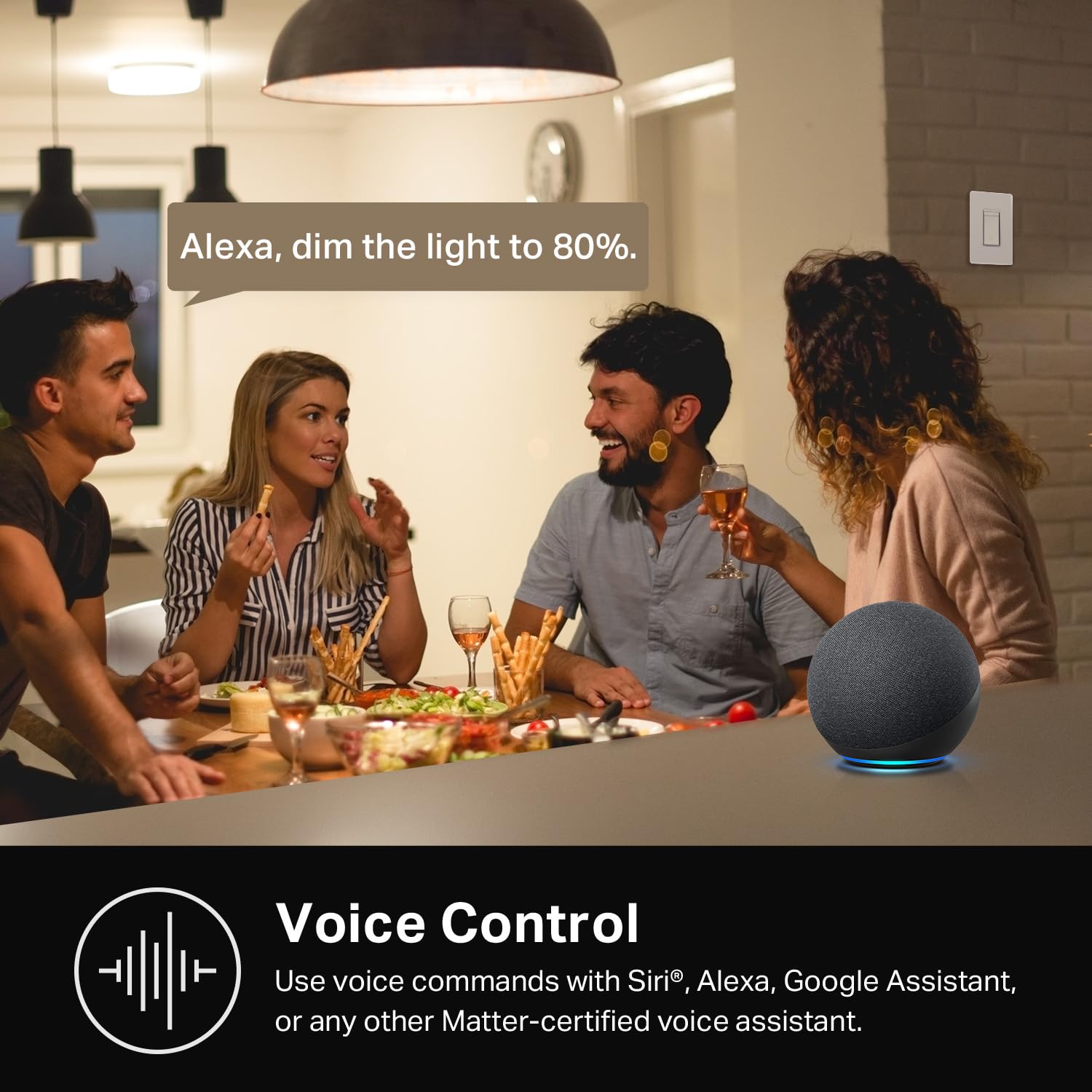
Image: People in a kitchen setting, with an Amazon Echo device on the counter, and a speech bubble indicating "Alexa, dim the light to 80%."
Manutenzjoni
To ensure optimal performance and longevity of your Kasa Smart Dimmer Switch HS220:
- Tindif: Gently wipe the switch and wall plate with a soft, dry cloth. Avoid using harsh chemicals or abrasive cleaners.
- Aġġornamenti tal-Firmware: Regularly check the Kasa Smart app for available firmware updates. These updates can improve performance, add features, and enhance security.
- Kundizzjonijiet Ambjentali: Ensure the switch is installed in an indoor environment within recommended temperature and humidity ranges.
Issolvi l-problemi
If you encounter issues with your Kasa Smart Dimmer Switch HS220, consider the following:
- Is-Swiċċ Mhux Jirrispondi:
- Iċċekkja jekk is-circuit breaker hu mixgħul.
- Ensure the switch is properly wired and the neutral wire is connected.
- Verify the light bulb is functional and dimmable.
- Kwistjonijiet ta' Konnettività tal-App:
- Confirm your smartphone is connected to the same 2.4GHz Wi-Fi network as the switch.
- Erġa' ibda r-router tal-Wi-Fi tiegħek.
- Kun żgur li s-swiċċ jinsab fil-firxa tar-router Wi-Fi tiegħek.
- Try restarting the Kasa Smart app.
- Il-Kontroll tal-Vuċi Mhux Jaħdem:
- Verify your Kasa account is correctly linked to Amazon Alexa or Google Home.
- Iċċekkja l-konnessjoni tal-internet tiegħek.
- Ensure your voice assistant device is online and functioning.
- Dwal li jteptep:
- Ensure you are using dimmable LED or incandescent bulbs. Non-dimmable bulbs may flicker.
- Adjust the minimum brightness setting in the Kasa app if available for your specific bulb type.
Għal aktar għajnuna, irreferi għall- official Kasa Smart Dimmer Switch HS220 Instructions for Use (PDF) or contact Kasa Smart support.
Speċifikazzjonijiet
| Karatteristika | Dettall |
|---|---|
| Numru tal-Mudell | HS220 |
| Dimensjonijiet tal-Prodott | 1.77 x 3.35 x 5.04 pulzieri; 3.84-il uqija |
| Vol Operattivtage | 120 Volts (AC) |
| Klassifikazzjoni kurrenti | 2.5 Amps |
| Tip ta 'Ċirkwit | Direzzjoni waħda (Pol Uniku) |
| Mod ta' Operazzjoni | Awtomatikament, Mitfi, Swiċċ Smart |
| Konnettività | 2.4GHz Wi-Fi |
| Wajer Newtrali Meħtieġa | Iva |
| Kompatibilità | Amazon Alexa, Google Home |
| Manifattur | TP-Link |
Garanzija u Appoġġ
Kasa Smart products typically come with a 2-year warranty. For specific warranty details and to register your product, please visit the official Kasa Smart webis-sit jew irreferi għad-dokumentazzjoni inkluża max-xiri tiegħek.
Għal appoġġ tekniku, soluzzjoni ta' sitwazzjonijiet, jew aktar mistoqsijiet, jekk jogħġbok żur il- Kasa Smart support page jew ikkuntattja lis-servizz tal-konsumatur tagħhom direttament.


