1. Introduzzjoni
The HyperX Cloud Flight is a wireless gaming headset designed for extended use and immersive audio experiences. It features a robust 2.4GHz wireless connection, a long-lasting battery, and comfortable memory foam earcups. This manual provides essential information for setting up, operating, and maintaining your headset.
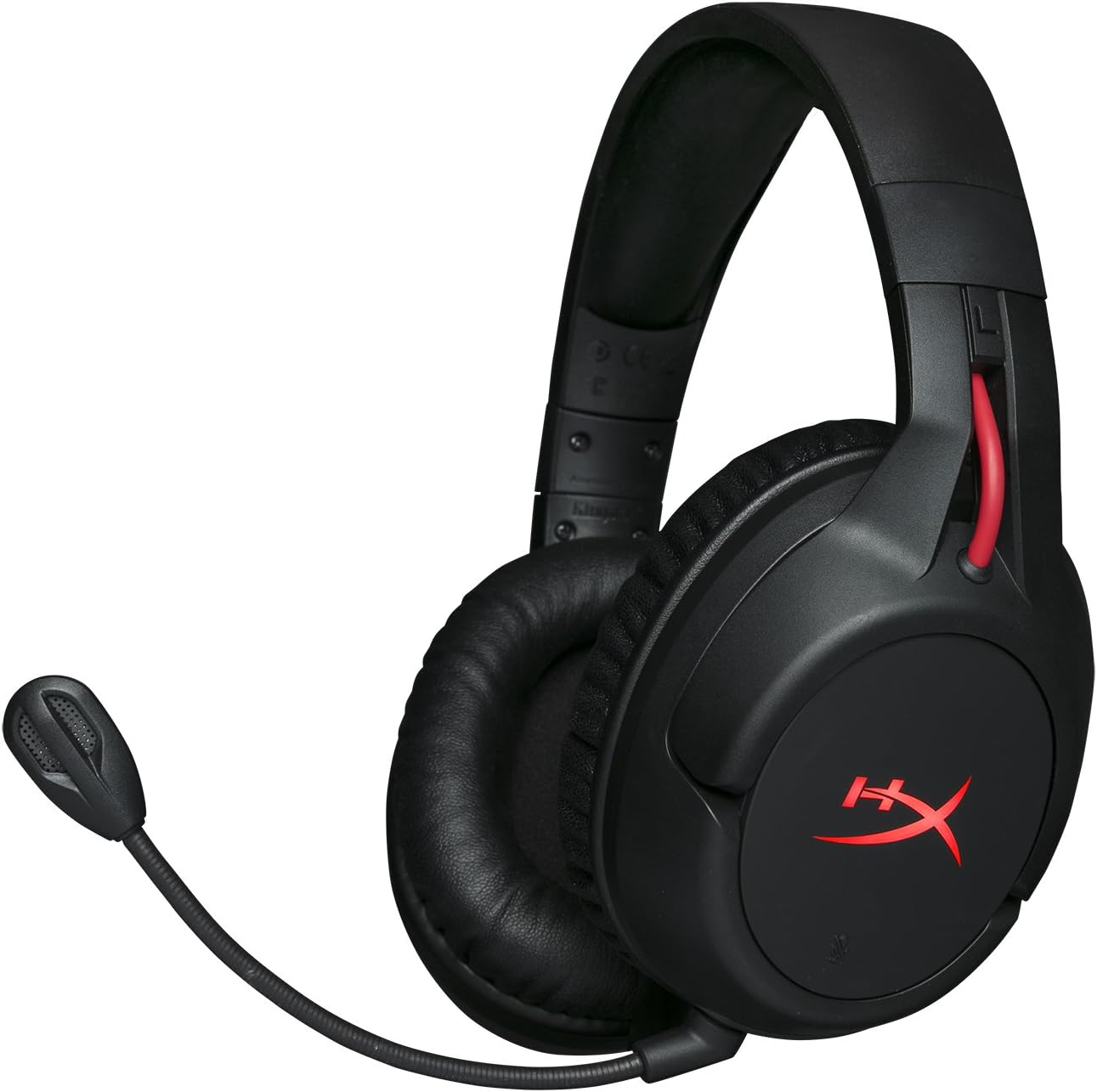
Figure 1.1: HyperX Cloud Flight Wireless Gaming Headset.
2. Kontenut tal-Pakkett
Kun żgur li l-oġġetti kollha huma preżenti fil-pakkett:
- HyperX Cloud Flight Headset
- Mikrofonu li Jikkanċella l-Ħoss li jinqala'
- Cable tal-Iċċarġjar tal-USB
- USB Adapter Wireless
- Manwal għall-Utent

Figure 2.1: Included components of the HyperX Cloud Flight headset.
3. Karatteristiċi tal-prodott
- Gaming-Grade Wireless: Utilizes a stable 2.4GHz wireless connection for reliable audio transmission.
- Ħajja Estiża tal-Batterija: Up to 30 hours of battery life with LED lights off, allowing for prolonged gaming sessions.
- Kumdità HyperX tas-Sinjura: Features comfortable memory foam earcups and a durable, adjustable steel slider for a secure and pleasant fit.
- Kompatibilità Multi-Pjattaforma: Compatible with PC, PlayStation 4, and PlayStation 5.
- Tazzi tal-widnejn li jduru: Ear cups rotate 90 degrees for comfortable resting around your neck and feature LED lighting effects.
- Intuitive On-Board Controls: Convenient controls for LED effects, microphone mute, power, and volume are located on the ear cups.
- Detachable Noise-Cancelling Microphone: Ensures clear communication and can be removed when not needed. The microphone functions only in wireless mode and is compatible with PC and PS4.
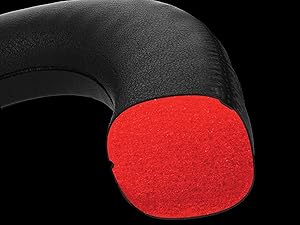
Figure 3.1: Headset designed for comfort during extended use.

Figure 3.2: Durable steel slider for adjustability and longevity.
4. Istruzzjonijiet ta' Setup
- Iċċarġja l-Headset: Before first use, fully charge the headset using the provided USB charging cable. Connect the micro-USB end to the headset and the USB-A end to a powered USB port.
- Connect USB Wireless Adapter: Insert the USB wireless adapter into an available USB port on your PC, PS4, or PS5.
- Ixgħel il-Headset: Press and hold the power button on the left earcup for 3-5 seconds until the LED indicator lights up. The headset will automatically pair with the USB adapter.
- Waħħal il-Mikrofonu: Insert the detachable noise-cancelling microphone into the port on the left earcup. Ensure it clicks securely into place.
- Adjust Settings (PC/PS4/PS5):
- PC: Go to Sound Settings and select "HyperX Cloud Flight" as the default playback and recording device.
- PS4/PS5: Go to Sound/Audio Devices settings and ensure "HyperX Cloud Flight" is selected for both input and output.
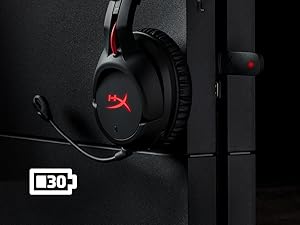
Figure 4.1: Connecting the USB adapter to a console for wireless operation.
5. Istruzzjonijiet Operattivi
- Power On/Off: Press and hold the power button on the left earcup for 3-5 seconds.
- Kontroll tal-Volum: Use the volume wheel located on the bottom of the right earcup to adjust audio output.
- Mute tal-mikrofonu: Press the button on the left earcup to mute/unmute the microphone. An audible indicator will confirm the status.
- Effetti LED: Briefly press the power button to cycle through LED lighting effects (Solid LED, Breathing LED, LED Off).
- Chat Mixer (PC/PS4): The headset features a chat mixer on the left earcup. The front button prioritizes game volume, while the rear button prioritizes chat volume.
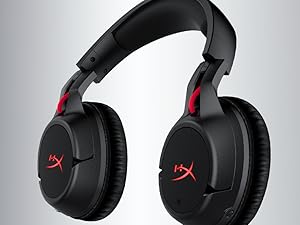
Figure 5.1: On-board controls for volume and microphone mute.
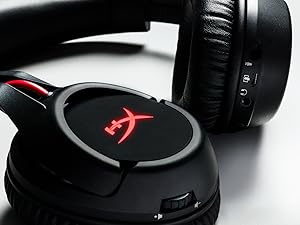
Figure 5.2: Detachable microphone for clear voice communication.
6. Iċċarġjar u Ħajja tal-Batterija
The HyperX Cloud Flight headset offers impressive battery performance:
- LED Mitfi: Sa 30 sigħat
- LED tan-nifs: Sa 18 sigħat
- LED solidu: Sa 13 sigħat
Battery life is tested at 50% headset volume. Audible indicators will notify you of low battery status. Use the provided USB charging cable to recharge the headset.
Vidjo 6.1: Prodott Fuqview wirjaasing features including battery life.
7. Manutenzjoni u Kura
- Aħżen il-headset f'post nadif u niexef meta ma tkunx qed tużah.
- Clean earcups and headband with a soft, damp drapp. Evita kimiċi ħarxa.
- Do not expose the headset to extreme temperatures or direct sunlight.
- Evita li twaqqa’ l-headset jew li tissottomettih għal impatti qawwija.
8 Issolvi l-problemi
- No Audio/Microphone:
- Kun żgur li l-headset huwa mixgħul u ċċarġjat kompletament.
- Verify the USB wireless adapter is securely connected to your device.
- Check your device's sound settings to ensure "HyperX Cloud Flight" is selected as the default audio input/output.
- Confirm the microphone is properly attached and not muted.
- Poor Wireless Connection:
- Ensure the headset is within the 20-meter wireless range of the USB adapter.
- Minimize obstructions between the headset and the adapter.
- Avoid interference from other 2.4GHz devices.
- Il-Headset Mhux Qed Jiċċarġja:
- Verify the USB charging cable is correctly connected to both the headset and a powered USB port.
- Ipprova port USB jew kejbil tal-iċċarġjar differenti.
9. Speċifikazzjonijiet
| Karatteristika | Dettall |
|---|---|
| Isem tal-Mudell | Cloud Flight |
| Teknoloġija tal-Konnettività | Wireless (2.4GHz) |
| Firxa Wireless | Sa 20 metri |
| Apparati Kompatibbli | PC, PS4, PS5 |
| Sewwieq | Dinamika, 50mm b'kalamiti tan-neodimju |
| Tip ta 'Headphone | Ċirkumaurali, Magħluq lura |
| Rispons ta' Frekwenza | 20Hz - 20,000Hz |
| Impedenza | 32 ohms |
| Livell tal-Pressjoni tal-Ħoss | 106 dBSPL/mW at 1kHz |
| THD | <2% |
| Piż tal-headphone | 300g (315g with mic) |
| Element tal-Mikrofonu | Mikrofonu tal-kondensatur Electret |
| Mudell Polari Mikrofonu | Tħassir tal-istorbju |
| Rispons tal-Frekwenza tal-Mikrofonu | 100Hz - 7000Hz |
| Sensittività tal-mikrofonu | -45dBV (0dB=1V/Pa, 1kHz) |
| Battery Life (LED off) | 30 sigħat |
| Battery Life (Breathing LED) | 18 sigħat |
| Battery Life (Solid LED) | 13 sigħat |
| Materjal | Memory Foam, Premium Leatherette, Steel |
| Dimensjonijiet tal-oġġett (LxWxH) | 7.48 x 3.43 x 7.36 pulzieri |
| UPC | 196188048207 |
10. Garanzija u Appoġġ
The HyperX Cloud Flight headset typically comes with a 2-year manufacturer's warranty. For technical support, warranty claims, or additional product information, please visit the official HyperX support websit jew ikkuntattja lis-servizz tal-konsumatur tagħhom.
Tista' ssib aktar informazzjoni u riżorsi ta' appoġġ fuq Ħanut HyperX fuq Amazon.


