1. Introduzzjoni
This manual provides essential information for the proper installation, operation, and maintenance of the Notifier ACM-24AT Onyx Series ACS Annunciator. This device is designed to provide up to 96 points of annunciation for fire alarm systems, indicating alarm/active status and trouble conditions.
For detailed system integration and programming, refer to the main fire alarm control panel documentation.
2. Informazzjoni Importanti dwar is-Sigurtà
TWISSIJA: Installation and servicing of this equipment must be performed by qualified personnel only. Disconnect all power sources before servicing to prevent electric shock or equipment damage.
This device contains static-sensitive components. Always use proper electrostatic discharge (ESD) precautions when handling the annunciator to prevent damage.
Ensure all local and national electrical codes, as well as NFPA 72 (National Fire Alarm and Signaling Code), are followed during installation.
3. Prodott Aktarview
The Notifier ACM-24AT is an Annunciator Control System (ACS) annunciator module for the Onyx Series fire alarm control panels. It provides visual and tactile feedback for various system events.
Karatteristiċi ewlenin:
- Up to 96 points of annunciation.
- Dedicated Alarm/Active LED and Trouble LED per circuit.
- Switch per circuit for control or acknowledgment.
- Programmable LED colors (Red, Green, or Yellow) for Alarm/Active status.
4. Setup u Installazzjoni
The ACM-24AT is a sub-assembly component designed for integration into a compatible Notifier Onyx Series fire alarm control panel or remote annunciator enclosure. Refer to the specific control panel's installation manual for detailed wiring diagrams and mounting instructions.
4.1 Spakkjar u Spezzjoni
Carefully unpack the annunciator module. Inspect for any signs of shipping damage. If damage is found, contact your supplier immediately.
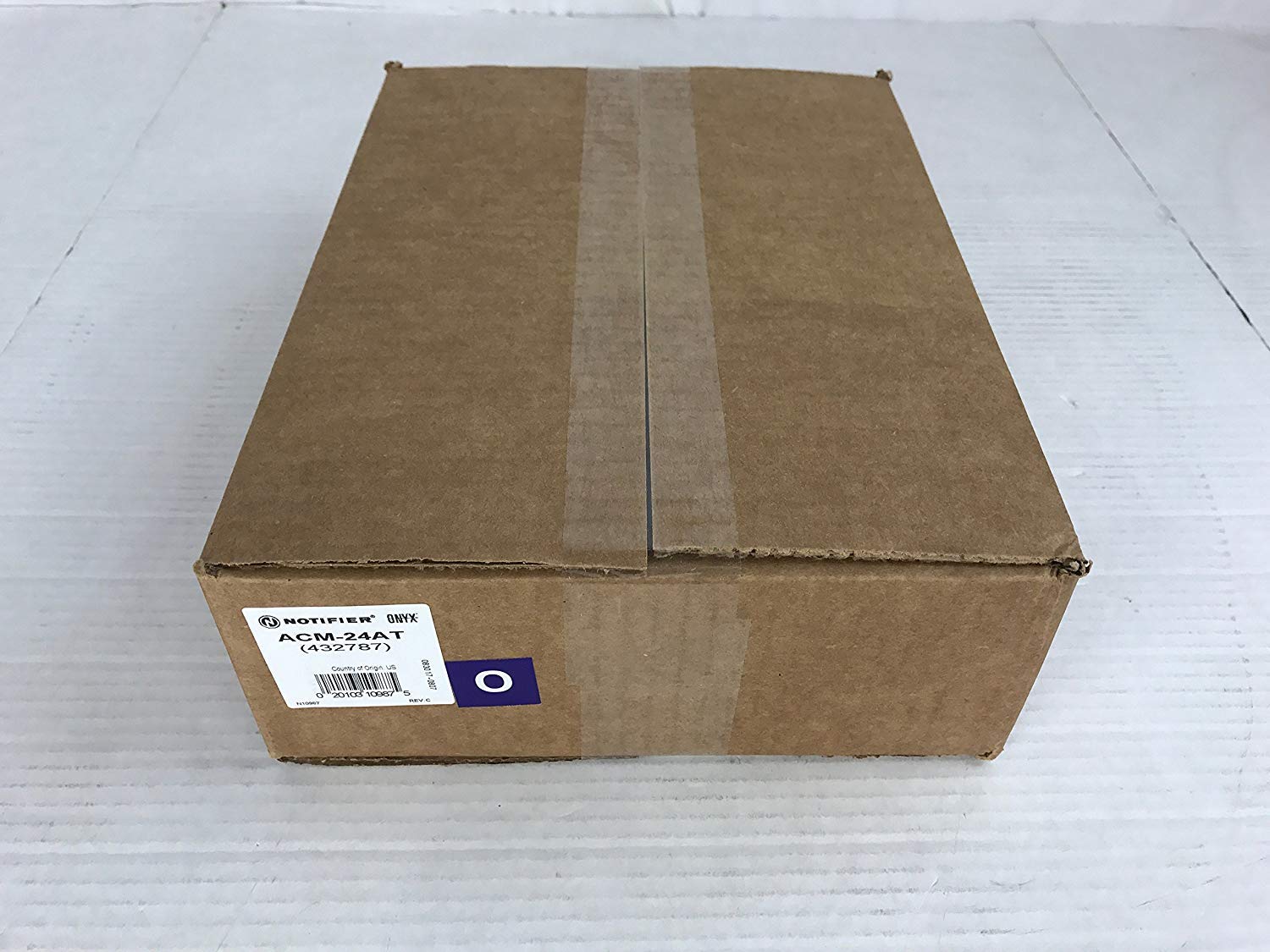
Figure 1: Notifier ACM-24AT Annunciator module sealed in static-sensitive packaging.
4.2 Prekawzjonijiet ESD
Before handling the module, ensure you are properly grounded to prevent electrostatic discharge. ESD can damage sensitive electronic components.

Figura 2: Close-up view of the "ATTENTION Static Sensitive Device" warning label on the product packaging, emphasizing the need for careful handling.
4.3 Konnessjonijiet elettriċi
Connect the ACM-24AT to the main control panel's annunciator bus or expansion ports as specified in the control panel's installation manual. Ensure correct polarity and secure all connections.
Power for the annunciator is typically supplied by the main fire alarm control panel. Verify power requirements and ensure adequate power supply capacity.
4.4 Programmazzjoni u Konfigurazzjoni
The annunciator's points and LED colors are programmed via the main fire alarm control panel. Refer to the control panel's programming manual for detailed instructions on assigning points, configuring LED behavior (Red, Green, or Yellow for Alarm/Active), and defining switch functions.
5. Istruzzjonijiet Operattivi
The ACM-24AT provides visual and manual control for fire alarm system events.
5.1 Indikaturi LED
- Alarm/Active LED: Illuminates to indicate an alarm condition or an active event on the corresponding point. The color (Red, Green, or Yellow) is determined during system programming.
- Trouble LED: Illuminates to indicate a trouble condition (e.g., open circuit, short circuit) on the corresponding point.
5.2 Control Switches
Each annunciator point includes a switch. The function of this switch is configured during system programming and may include:
- Acknowledging an alarm or trouble.
- Silencing an alarm.
- Resetting the system.
- Activating a specific function (e.g., fan shutdown, door release).
Consult the system operator's manual for the specific functions assigned to each switch on your system.
6. Manutenzjoni
Regular maintenance ensures the reliable operation of the ACM-24AT annunciator and the overall fire alarm system.
6.1 Spezzjoni ta 'Rutina
- Visually inspect the annunciator for any physical damage, loose connections, or excessive dust accumulation.
- Verify that all LEDs illuminate correctly during system tests.
- Test the functionality of all switches as part of routine system testing.
6.2 Tindif
Clean the annunciator's surface with a soft, dry, lint-free cloth. Do not use abrasive cleaners, solvents, or excessive moisture, as these can damage the unit.
6.3 Sors tal-Enerġija
The annunciator draws power from the main fire alarm control panel. Ensure the control panel's primary and secondary (battery backup) power sources are regularly inspected and maintained according to the control panel's manual and local codes.
7 Issolvi l-problemi
This section provides basic troubleshooting steps. For complex issues, consult a qualified fire alarm technician.
7.1 Trouble LED Illuminated
- Sintomu: A Trouble LED on a specific point is illuminated.
- Kawża Possibbli: Open circuit, short circuit, or device fault on the monitored zone/point.
- Azzjoni: Refer to the main fire alarm control panel's display for detailed trouble information. Inspect wiring and connected devices for faults. Contact a qualified technician if the issue persists.
7.2 Annunciator Not Responding
- Sintomu: No LEDs illuminate, or switches do not function.
- Kawża Possibbli: Loss of power, communication fault with the main control panel, or module failure.
- Azzjoni: Verify power to the main control panel. Check communication wiring between the annunciator and the control panel. Ensure the module is securely seated. Contact a qualified technician.
8. Speċifikazzjonijiet
| Karatteristika | Dettall |
|---|---|
| Numru tal-Mudell | ACM 24AT |
| Numru tal-Parti | NACM24AT |
| Annunciation Points | Sa 96 |
| LED Colors (Alarm/Active) | Red, Green, Yellow (programmable) |
| Piż tal-oġġett | 2.5 liri |
| Dimensjonijiet tal-Pakkett | 14 x 14 x 14 pulzieri |
| Sors tal-Enerġija | Battery Powered (via main panel) |
| Tip ta 'allarm | Viżwali |
| UPC | 636836974217 |
9. Garanzija u Appoġġ
9.1 Informazzjoni dwar Garanzija
Specific warranty terms for the Notifier ACM-24AT are typically provided by the authorized Notifier distributor or installer at the time of purchase and installation. Please refer to your purchase documentation or contact your supplier for detailed warranty information.
9.2 Appoġġ Tekniku
For technical assistance, installation guidance, or troubleshooting beyond the scope of this manual, please contact your authorized Notifier dealer or a qualified fire alarm system technician.
Manifattur: NOTIFIKAR


