Introduzzjoni
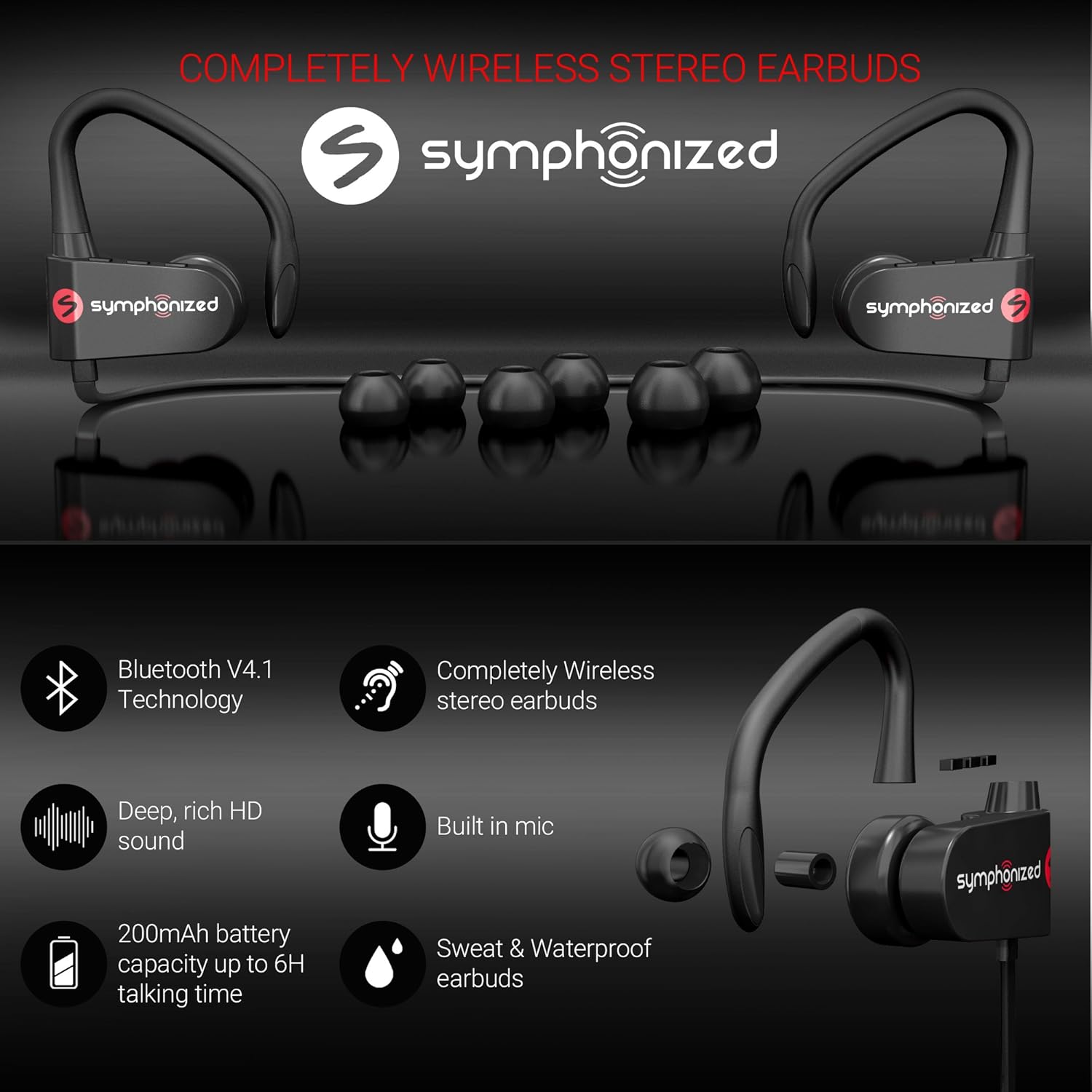
Thank you for choosing Symphonized Wireless Sport Earbuds. These headphones are designed to provide a high-fidelity audio experience with the convenience of wireless connectivity, ideal for sports, exercise, and daily use. This manual will guide you through the setup, operation, maintenance, and troubleshooting of your new earbuds.
Kontenut tal-Pakkett
Jekk jogħġbok ivverifika li l-oġġetti kollha huma preżenti fil-pakkett tiegħek:
- Symphonized Wireless Sport Earbuds
- Additional Ear Tips (S/M/L)
- Kejbil tal-Iċċarġjar (USB)
- Manwal għall-Utent
Prodott Overview


Komponenti Ewlenin:
- Earbuds: Left and right earpieces with integrated ear hooks.
- Neckband Cable: Connects the two earbuds and houses the battery and main controls.
- Panel tal-Kontroll: Located on one of the earbuds, typically includes Power/Multi-function button, Volume Up/Next Track, Volume Down/Previous Track.
- Mikrofonu: Inkorporat għal sejħiet mingħajr idejn.
- Port tal-Iċċarġjar: Port mikro USB għall-iċċarġjar.
Setup
1. Iċċarġjar tal-Earbuds
Before first use, fully charge your earbuds. Connect the provided USB charging cable to the charging port on the earbuds and the other end to a USB power source (e.g., computer USB port, wall adapter). The charging time is approximately 2 sigħat għal ħlas sħiħ.
An indicator light will typically show red during charging and turn blue or off when fully charged.
2. Tqabbil tal-Bluetooth
Biex tqabbad il-earbuds tiegħek ma' apparat:
- Kun żgur li l-earbuds huma mitfija.
- Press and hold the Multi-function button (usually the power button) for approximately 5-7 seconds until the indicator light flashes red and blue alternately. This indicates pairing mode.
- Fuq l-apparat tiegħek (smartphone, tablet, laptop), attiva l-Bluetooth u fittex apparati ġodda.
- Select "Symphonized PWR" or a similar name from the list of available devices.
- Once connected, the indicator light on the earbuds will typically flash blue slowly or turn off. You will also hear an audible confirmation.
The earbuds use Bluetooth V4.1 technology and have a wireless range of up to 10 metru (33 pied) in an open environment.

3. L-ilbies tal-Earbuds
For optimal sound quality and comfort, choose the correct size ear tips from the included options (S/M/L). The ear hooks are designed to provide a secure fit, especially during physical activity.
- Select the ear tips that create a comfortable seal in your ear canal.
- Place the earbud into your ear, ensuring the ear hook goes over the top of your ear.
- Adjust the earbud and hook until it feels secure and comfortable.

Istruzzjonijiet Operattivi
Qawwa mixgħul/mitfi
- Qawwa Mixgħul: Press and hold the Multi-function button for approximately 3 seconds until the indicator light flashes blue and you hear a power-on prompt.
- Itfi: Press and hold the Multi-function button for approximately 3-5 seconds until the indicator light flashes red and you hear a power-off prompt.
Daqq tal-Mużika
- Play/Pawsa: Agħfas fil-qosor il-buttuna Multi-funzjoni.
- Volum 'il fuq: Agħfas fil-qosor il-buttuna "+".
- Volum 'l isfel: Agħfas fil-qosor il-buttuna "-".
- Track li jmiss: Agħfas fit-tul il-buttuna "+".
- Track preċedenti: Agħfas fit-tul il-buttuna "-".
Ġestjoni tas-Sejħiet
- Tweġiba/Tmiem Sejħa: Agħfas fil-qosor il-buttuna Multi-funzjoni.
- Irrifjuta Sejħa: Agħfas fit-tul il-buttuna Multi-funzjoni.
- Isemmi mill-ġdid l-Aħħar Numru: Agħfas darbtejn il-buttuna Multi-funzjoni.
Assistent tal-Vuċi (Siri/Assistent tal-Google)
If supported by your device, a quick triple-press of the Multi-function button may activate your device's voice assistant.
Manutenzjoni u Kura
- Tindif: Use a soft, dry cloth to clean the earbuds. Do not use harsh chemicals or abrasive materials. Regularly clean ear tips to prevent wax buildup.
- Ħażna: Store the earbuds in a cool, dry place away from extreme temperatures and direct sunlight.
- Reżistenza għall-Ilma: Il-earbuds huma Reżistenti għall-Ilma, making them suitable for workouts and light rain. Do not submerge them in water or expose them to heavy downpours. Ensure the charging port cover is securely closed when not charging.
- Kura tal-batterija: To prolong battery life, avoid fully discharging the battery frequently. Charge the earbuds regularly, even if not in use for extended periods.
Issolvi l-problemi
| Problema | Kawża Possibbli | Soluzzjoni |
|---|---|---|
| Il-earbuds mhux se jixegħlu. | Batterija baxxa. | Iċċarġja l-earbuds kompletament. |
| Ma tistax tqabbad mat-tagħmir. | Il-earbuds mhumiex fil-modalità ta' tqabbil; il-Bluetooth mitfi fuq l-apparat; l-apparat wisq 'il bogħod. | Ensure earbuds are in pairing mode (flashing red/blue). Turn on Bluetooth on your device. Move device closer to earbuds (within 10m). Forget previous pairings on your device and try again. |
| L-ebda ħoss jew volum baxx. | Volume too low on earbuds or device; earbuds not connected. | Increase volume on both earbuds and your device. Reconnect the earbuds to your device. |
| Konnessjoni intermittenti. | Interferenza; apparat wisq 'il bogħod; ostakli. | Move closer to your device. Avoid environments with strong Wi-Fi or other Bluetooth signals. Remove obstacles between earbuds and device. |
Speċifikazzjonijiet
| Karatteristika | Dettall |
|---|---|
| Isem tal-Mudell | pwr_black |
| Teknoloġija tal-Konnettività | Wireless (Bluetooth) |
| Verżjoni Bluetooth | 4.1 |
| Medda Bluetooth | 10 Meters |
| Ħajja tal-batterija | Sa 6 Siegħa (Ħin tal-Logħob) |
| Ħin tal-Iċċarġjar | 2 Sigħat |
| Medda ta' Frekwenzi | 18Hz-22kHz |
| Livell ta 'Reżistenza għall-Ilma | Reżistenti għall-Ilma |
| Tip ta' Kontroll | Kontroll tal-Volum, Mess |
| Forma tal-widna | Fil-widna bil-ganċijiet tal-widna |
| Materjal | Metall, silikonju |
| Piż tal-oġġett | 3.2 uqija |
| UPC | 700600921889 |
Garanzija u Appoġġ
Symphonized products are designed for durability and performance. For information regarding product warranty, please refer to the documentation included with your purchase or visit the official Symphonized website. For customer support, troubleshooting assistance, or to inquire about returns, please contact Symphonized directly through their official channels.
You can visit the Symphonized brand store on Amazon for more information: Symphonized Store
Noti Importanti
No official product videos from the seller were available for embedding based on the provided data.


