Introduzzjoni
Thank you for choosing the Macally USB Wired Keyboard. This compact and versatile keyboard is designed to enhance your productivity on both Mac and Windows PC systems. Featuring 78 scissor switch keys and 13 shortcut keys, it offers a comfortable and efficient typing experience. This manual provides detailed instructions for setup, operation, maintenance, and troubleshooting to ensure optimal performance of your new keyboard.

Image: The Macally USB Wired Keyboard, showcasing id-disinn kompatt u l-finitura bajda tiegħu.
Karatteristiċi Ewlenin
- Versatile Compact Design: Boosts productivity and saves desk space, ideal for both home and office environments.
- Easy Plug and Play Setup: Simple USB connection for immediate use with Mac and Windows PCs.
- Kompatibilità mal-Mac u l-Windows: Seamless operation across different operating systems.
- 13 One-Touch Shortcut Keys: Dedicated keys for Mac functions (cut/copy/paste/iTunes) and multimedia hotkeys for Windows.
- Ċwievet tas-Swiċċ tal-Imqass: Provides a responsive, tactile, and quiet typing experience.
- Angolu tat-Tajpjar Integrat: Subtle angle for improved comfort during extended use.
Gwida ta' Setup
1. Spakkjar
Carefully remove the keyboard from its packaging. Ensure all components, including the keyboard and user guide, are present.
2. Tqabbad it-Tastiera
- Locate an available USB-A port on your Mac or Windows PC.
- Plug the USB connector of the Macally keyboard into the USB-A port.
- For Mac users with only USB-C ports, a USB-C to USB-A adapter (not included) will be required.

Image: The Macally USB Wired Keyboard with its USB-A cable, illustrating the simple wired connection for Mac and PC.
3. Driver Installation (Automatic)
The Macally USB Wired Keyboard is plug-and-play. Your operating system (Mac OS or Windows) will automatically detect the keyboard and install the necessary drivers. No manual driver installation is required.
Istruzzjonijiet Operattivi
Ittajpjar Bażiku
Once connected, the keyboard is ready for immediate use. Simply begin typing as you would with any standard keyboard.
Using Shortcut Keys
The keyboard features 13 dedicated shortcut keys for enhanced productivity. These keys are located on the top row of the keyboard (F1-F12 and an additional key).
| Ewlenin | Function (Mac) |
|---|---|
| F1 | Naqqas il-luminożità |
| F2 | Żid il-luminożità |
| F3 | Kontroll tal-Missjoni |
| F4 | Launchpad |
| F5 | Keyboard Backlight Decrease (if applicable) |
| F6 | Keyboard Backlight Increase (if applicable) |
| F7 | Previous Track (Media) |
| F8 | Daqq/Pawża (Midja) |
| F9 | Next Track (Media) |
| F10 | Volum Mute |
| F11 | Naqqas il-Volum |
| F12 | Żid il-Volum |
| Eject Key | Power Off / Eject (depending on system configuration) |
For Windows PC users, these keys function as standard multimedia hotkeys (e.g., play/pause, volume control).
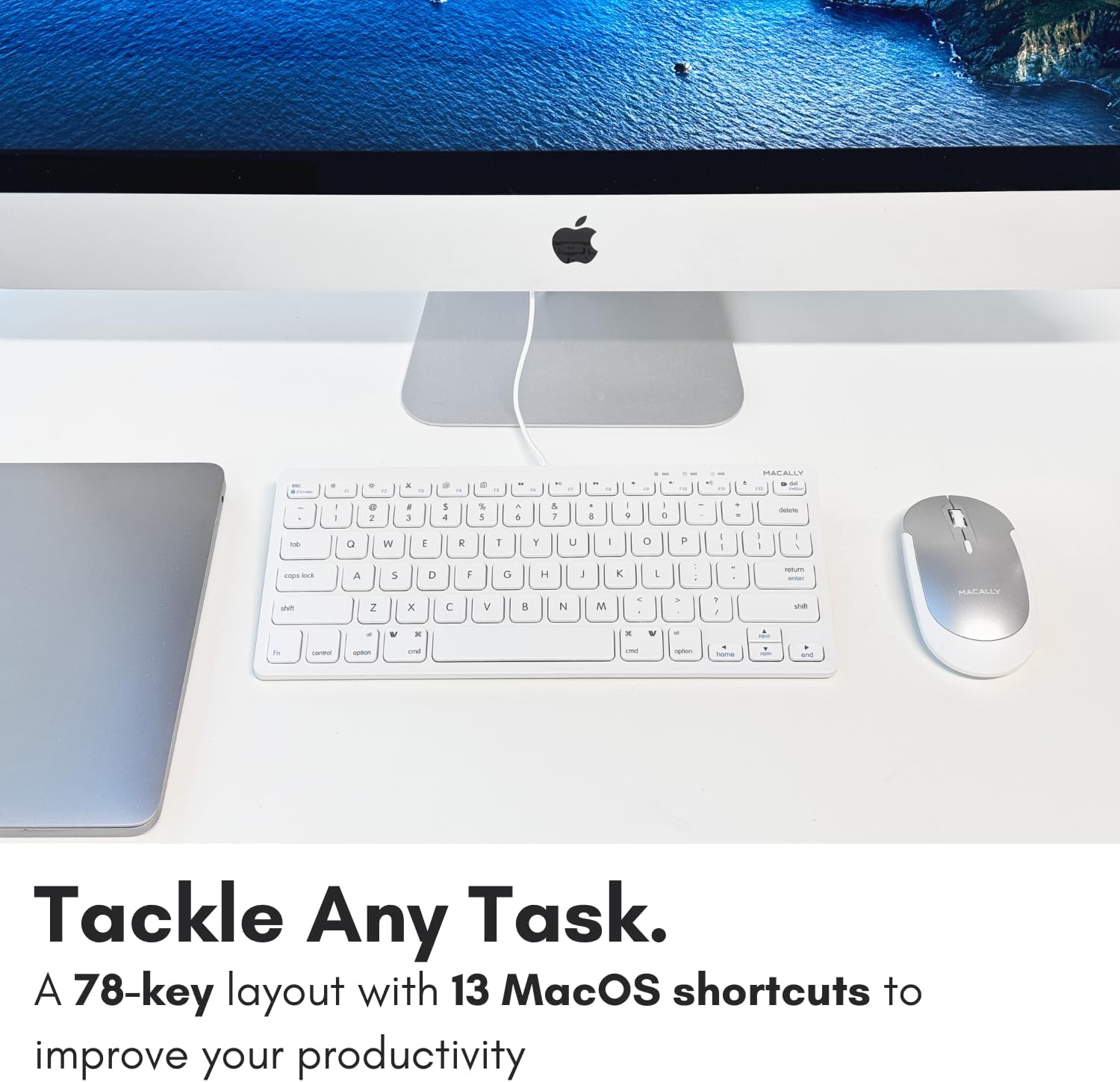
Immaġni: Close-up view of the Macally keyboard, highlighting the 13 shortcut keys designed for efficiency.
Manutenzjoni
Tindif tat-Tastiera
- Skonnettja t-tastiera mill-kompjuter tiegħek qabel ma tnaddafha.
- Uża drapp ratba u mingħajr ħelu ftit dampimdaħħla bl-ilma jew soluzzjoni ħafifa għat-tindif.
- Evita umdità eċċessiva u tisprejjax prodotti tat-tindif direttament fuq it-tastiera.
- Għat-trab u l-fdalijiet bejn iċ-ċwievet, uża arja kkompressata.
Ħażna
Meta ma tkunx qed tużaha għal perjodi twal, aħżen it-tastiera f'post frisk u niexef 'il bogħod mix-xemx diretta u minn temperaturi estremi.
Issolvi l-problemi
| Problema | Soluzzjoni |
|---|---|
| It-tastiera ma tirrispondix |
|
| Iċ-ċwievet mhumiex qed jittajpjaw sew jew huma mwaħħlin |
|
| Shortcut keys not working on Mac |
|
Speċifikazzjonijiet
| Karatteristika | Dettall |
|---|---|
| Numru tal-Mudell | SLIMKEYC |
| Konnettività | USB Wired (USB-A) |
| Numru ta' Ċwievet | 78 |
| Shortcut Keys | 13 (Mac functions / Windows multimedia) |
| Tip taċ-ċavetta | Swiċċ imqass |
| Kompatibilità | Mac OS, Windows OS, Linux, Chrome OS |
| Dimensjonijiet (LxWxH) | 11.2 x 4.7 x 0.2 pulzieri |
| Piż | 10.4 uqija |
| Tul tal-Cable | Madwar 4.7 piedi |
Garanzija u Appoġġ
Macally stands behind its products. The Macally USB Wired Keyboard comes with up to a garanzija ta 'sena u LIFETIME tech support.
For technical assistance, warranty claims, or further inquiries, please visit the official Macally webis-sit jew ikkuntattja direttament lis-servizz tal-klijenti tagħhom.
Tista' ssib aktar informazzjoni u riżorsi ta' appoġġ fuq: www.macally.com
Vidjows tal-Prodott
Compact USB Wired Keyboard for Mac and PC
Video: An official product video from Jukegear (Seller) demonstrating the compact design and wired connectivity of the Macally USB keyboard for both Mac and PC systems. This video highlights the ease of use and compatibility.


