1. Introduzzjoni
This manual provides essential information for the installation, operation, and maintenance of your AMD Radeon Pro WX 9100 Graphics Card. Please read this manual thoroughly before installing and using the product to ensure optimal performance and safety.
The AMD Radeon Pro WX 9100 is a high-performance graphics card designed for professional workstations, offering 16 GB of HBM2 memory and advanced features for demanding visual computing tasks, including VR and multi-display setups.
2. Informazzjoni dwar is-Sigurtà
Osserva l-prekawzjonijiet ta' sigurtà li ġejjin biex tevita ħsara lill-prodott jew korriment lilek innifsek:
- Dejjem skonnettja l-enerġija mill-kompjuter tiegħek qabel ma tinstalla jew tneħħi xi komponenti.
- Ilbes ċinga tal-polz anti-statika biex tevita ħsara minn skarika elettrostatika (ESD) lil komponenti sensittivi.
- Handle the graphics card by its edges to avoid touching the gold connectors or components.
- Żgura ventilazzjoni adegwata fil-kaxxa tal-kompjuter tiegħek biex tevita li jisħon iżżejjed.
- Tesponix il-karta grafika għall-umdità jew temperaturi estremi.
3. Kontenut tal-Pakkett
Ivverifika li l-oġġetti kollha huma preżenti fil-pakkett:
- AMD Radeon Pro WX 9100 Graphics Card
- 4 Mini-DisplayPort to DisplayPort adapters
- 1 Mini-DisplayPort to HDMI 1.4 passive adapter
- 1 Mini-DisplayPort to DVI passive adapter
- 1 "flat" board retention bracket for OEM chassis
- 1 "Bent" board retention bracket for OEM chassis
- 1 3D stereo sync cable
4. Prodott Aktarview
The AMD Radeon Pro WX 9100 is engineered for professional applications requiring high graphical fidelity and computational power. Key features include:
- 16GB HBM2 Memory: Provides high bandwidth for large datasets and complex models.
- PCIe 3.0 x16 Interface: Ensures high-speed data transfer with the motherboard.
- Designed for VR: Optimized for virtual reality content creation and experiences.
- Appoġġ Multi-Display: Capable of driving up to six high-resolution displays.

Figura 1: Quddiem view of the AMD Radeon Pro WX 9100 Graphics Card, showing the blue shroud and fan.
5. Setup u Installazzjoni
5.1 Rekwiżiti tas-Sistema
- Available PCIe 3.0 x16 slot.
- Sufficient power supply with required PCIe power connectors. Refer to your system's power supply documentation for compatibility.
- Compatible operating system (Windows, macOS, Linux).
5.2 Installazzjoni Fiżika
- Ipprepara s-sistema tiegħek: Itfi l-kompjuter tiegħek u skonnettja l-kejbils kollha. Iftaħ il-kaxxa tal-kompjuter.
- Locate PCIe slot: Identifika slot PCIe 3.0 x16 disponibbli fuq il-motherboard tiegħek.
- Neħħi l-għatu tas-slott: Remove the metal slot cover(s) from the back of your computer case corresponding to the PCIe slot.
- Insert graphics card: Allinja bir-reqqa l-karta grafika mas-slott tal-PCIe u agħfas 'l isfel sew sakemm tkun imwaħħla sew. Kun żgur li l-klipp taż-żamma jissakkar f'postu.
- Żomm il-karta f'post sigur: Fasten the graphics card to the computer case using the screw or retention mechanism.
- Qabbad l-enerġija: Connect the necessary PCIe power cables from your power supply to the graphics card. The Radeon Pro WX 9100 typically requires external power connectors.
- Agħlaq il-każ u erġa' qabbad: Agħlaq il-kaxxa tal-kompjuter tiegħek u erġa' qabbad il-kejbils kollha.
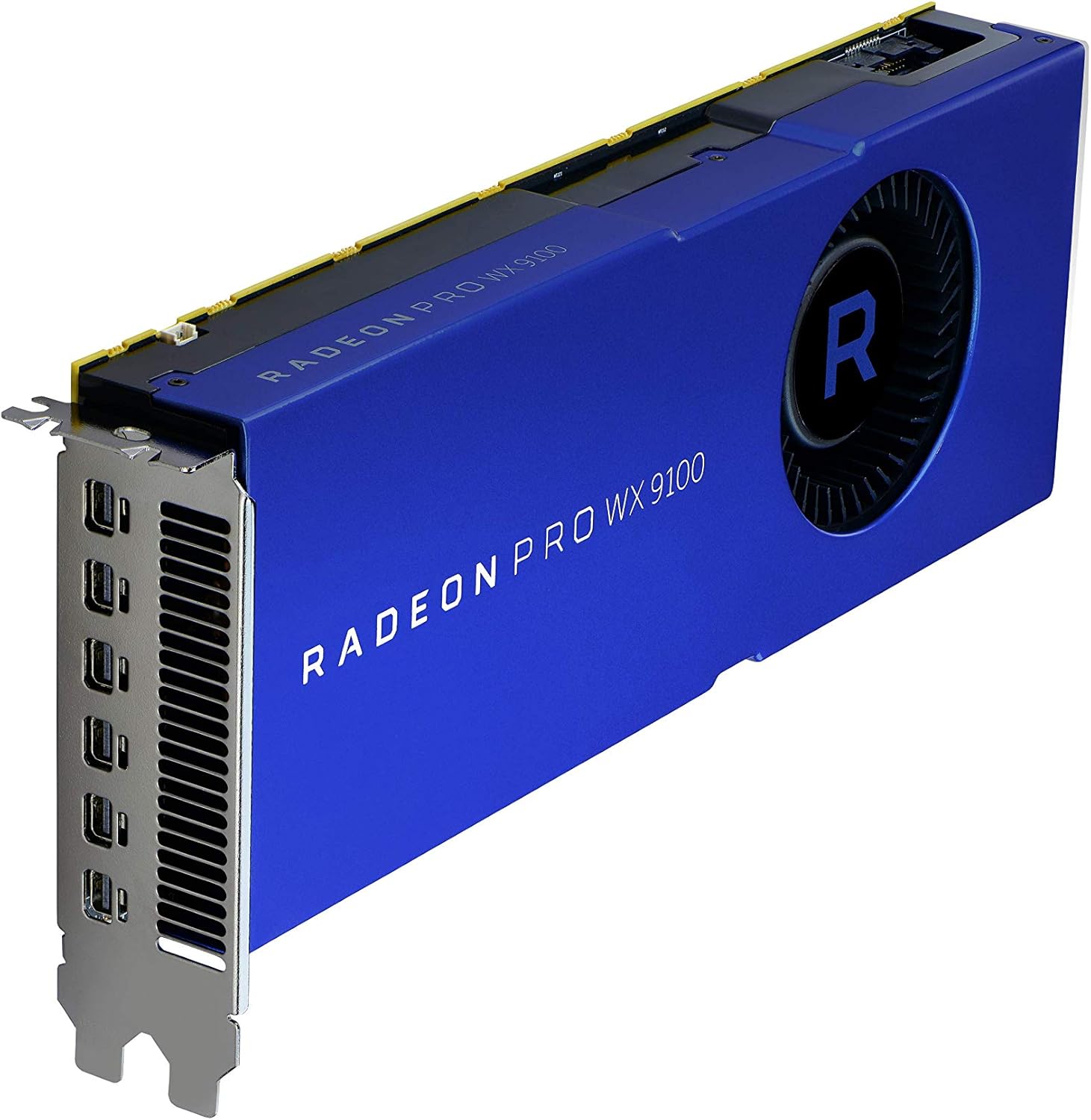
Figura 2: Angolat view of the graphics card, highlighting the multiple Mini-DisplayPort outputs.
5.3 Installazzjoni tas-sewwieq
After physical installation, power on your computer. The operating system may automatically detect the new hardware. For optimal performance and full functionality, install the latest drivers:
- Żur l-AMD uffiċjali websit: www.amd.com/support
- Navigate to the "Drivers & Support" section.
- Select "Graphics" and then locate the "Radeon Pro WX 9100" model.
- Download the appropriate driver package for your operating system.
- Mexxi l-installatur u segwi l-istruzzjonijiet fuq l-iskrin. Jista' jkun meħtieġ li terġa' tibda s-sistema.
6. It-Tħaddim tal-Karta tal-Grafika
6.1 Konnessjoni tad-Displays
The AMD Radeon Pro WX 9100 features multiple Mini-DisplayPort outputs. Use the provided adapters to connect your monitors. It supports resolutions up to 7680x4320.
- Connect Mini-DisplayPort to DisplayPort, HDMI, or DVI using the included adapters.
- For optimal performance with high-resolution displays (e.g., 4K, 5K, 8K), ensure you use high-quality, certified cables and adapters.
- The card can drive up to six displays simultaneously. Configure display settings through your operating system's display settings or the AMD Radeon Pro Software.
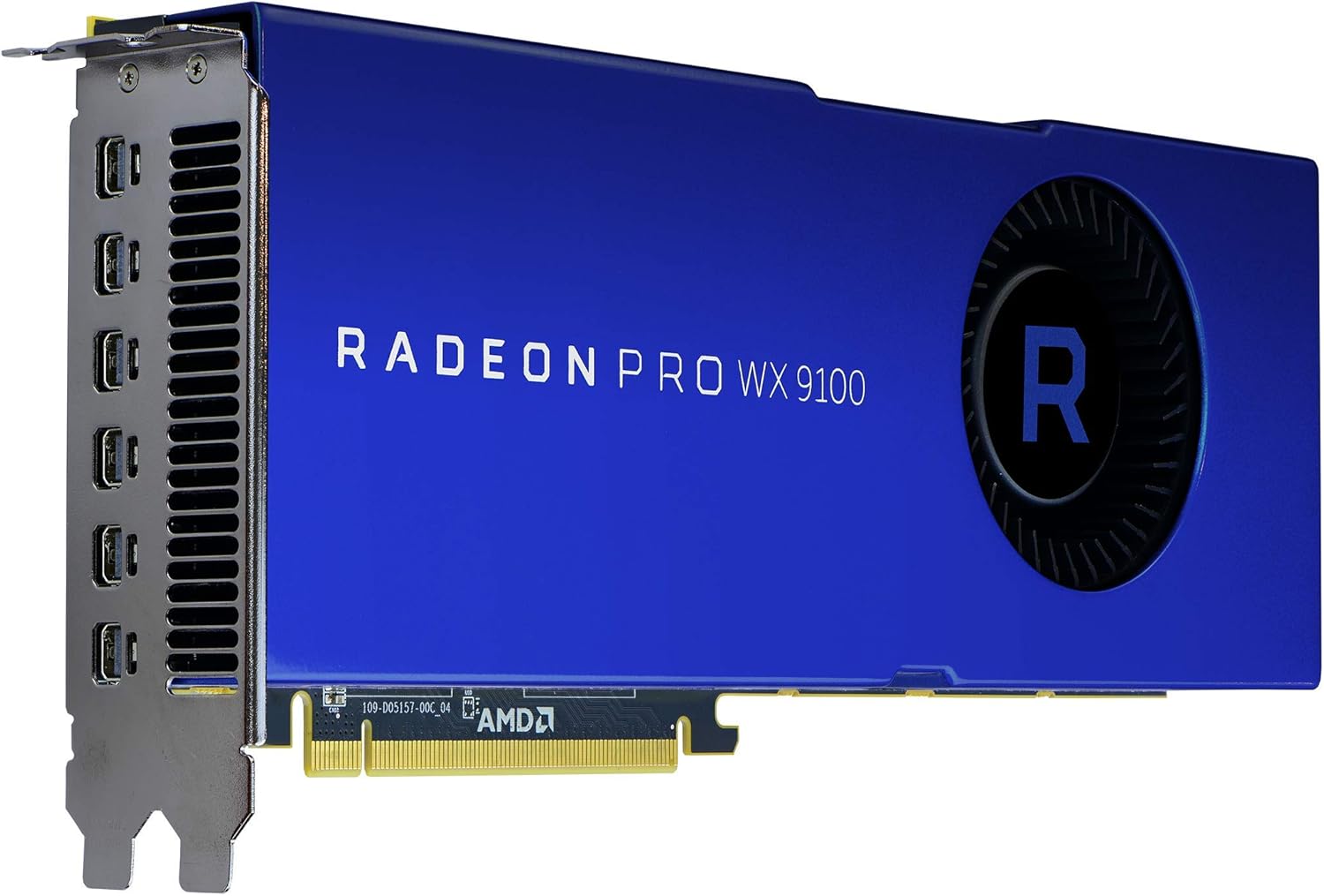
Figura 3: Wara view of the graphics card, showing the cooling fan and power input connectors.
6.2 AMD Radeon Pro Software
The AMD Radeon Pro Software suite provides advanced controls for your graphics card, including:
- Aġġornamenti tas-sewwieq: Keep your drivers current for performance and stability.
- Konfigurazzjoni tal-Wiri: Manage multi-display setups, resolutions, and refresh rates.
- Applikazzjoni Profiles: Optimize settings for specific professional applications.
- Monitoraġġ tal-Prestazzjoni: Monitor GPU usage, temperature, and fan speed.
7. Manutenzjoni
Regular maintenance helps ensure the longevity and performance of your graphics card:
- Tneħħija tat-Trab: Naddaf it-trab mill-fann u s-sink tas-sħana perjodikament bl-użu ta' arja kkompressata. Kun żgur li l-kompjuter ikun mitfi u skonnettjat qabel ma tnaddaf.
- Aġġornamenti tas-sewwieq: Keep your graphics drivers updated to benefit from performance improvements and bug fixes.
- Fluss tal-Arja tas-Sistema: Ensure your computer case has good airflow to prevent heat buildup, which can affect card performance and lifespan.
8 Issolvi l-problemi
Jekk tiltaqa' ma' problemi, irreferi għall-passi komuni li ġejjin għas-soluzzjoni tal-problemi:
| Problema | Kawża Possibbli | Soluzzjoni |
|---|---|---|
| L-ebda output tal-wiri | Konnessjoni tal-kejbil mhux korretta, il-kard mhux imwaħħla sew, il-kejbils tal-enerġija mhux imqabbda. | Check all display and power cable connections. Reseat the graphics card in its PCIe slot. Ensure monitor input is set correctly. |
| Instabbiltà jew ħsarat fis-sistema | Outdated drivers, insufficient power supply, overheating. | Update graphics drivers. Verify your power supply meets the card's requirements. Check system temperatures and ensure adequate cooling. |
| Overheating during heavy load | Poor case airflow, dust buildup on heatsink/fan, aggressive overclocking (if applicable). | Improve case ventilation. Clean dust from the card's fan and heatsink. Ensure fan profiles are set appropriately via AMD Radeon Pro Software. |
| Problemi bil-wiri (teptip, artefatti) | Faulty display cable, driver issues, monitor incompatibility. | Try a different display cable. Reinstall or update graphics drivers. Test with a different monitor if possible. |
9. Speċifikazzjonijiet
| Karatteristika | Dettall |
|---|---|
| Numru tal-Mudell | 100-505957 |
| Koproċessur tal-Grafika | AMD Radeon Pro WX 9100 |
| Daqs tar-RAM tal-Karta tal-Grafika | 16 GB HBM2 |
| Veloċità tal-Memorja | 945 MHz |
| Riżoluzzjoni Massima tal-Iskrin | 7680x4320 |
| Interface tal-Output tal-Vidjo | DisplayPort (via Mini-DisplayPort) |
| Piż tal-oġġett | 12.3 uqija (madwar 348 gramma) |
| Dimensjonijiet tal-Prodott (LxWxH) | 2.87 x 11.5 x 9.49 pulzieri |
| Manifattur | AMD |
| Data L-Ewwel Disponibbli | 9 ta’ Ottubru, 2017 |
10. Garanzija u Appoġġ
The AMD Radeon Pro WX 9100 Graphics Card is backed by AMD's 3-year manufacturer's warranty. For warranty claims or technical support, please contact AMD directly.
Appoġġ AMD Websit: For the latest drivers, FAQs, and support resources, visit www.amd.com/support.
Jekk jogħġbok żomm in-numru tal-mudell tal-prodott tiegħek (100-505957) u l-informazzjoni tax-xiri lesti meta tikkuntattja l-appoġġ.


