Introduzzjoni
This manual provides detailed instructions for the setup, operation, and maintenance of your Zebronics ZEB-BT6860RUCF 5.1 Channel Multimedia Speaker System. Please read this manual thoroughly before using the product to ensure proper functionality and to maximize your audio experience.
Kontenut tal-Pakkett
Iċċekkja li l-oġġetti kollha elenkati hawn taħt huma inklużi fil-pakkett tiegħek:
- 1 x Unità tas-Subwoofer
- 5 x Satellite Speaker Units
- 1 x Kontroll mill-bogħod
- Audio Cables (AUX, RCA)
- Manwal għall-Utent
Prodott Overview

Image: The complete Zebronics ZEB-BT6860RUCF 5.1 speaker system, including the subwoofer, five satellite speakers, and the remote control.

Image: Close-up of the subwoofer's front panel, illustrating the 'Input', 'Previous', 'Next', 'Play', 'Volume' controls, along with the SD/MMC card slot and USB port.
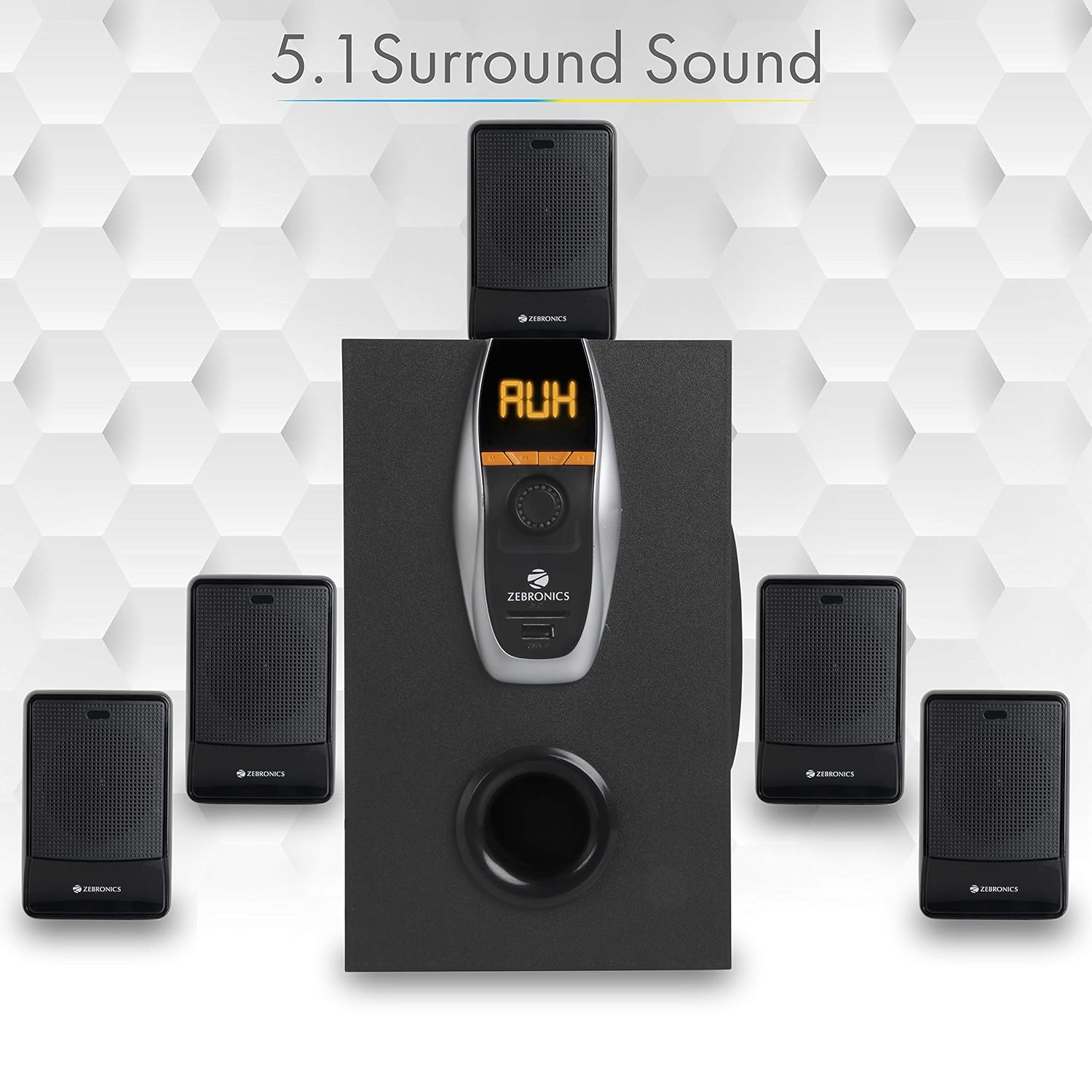
Image: A visual representation of the recommended 5.1 surround sound speaker setup, showing the central subwoofer and the five satellite speakers positioned for optimal audio distribution.

Immaġni: Dettaljata view of the subwoofer, highlighting its wooden enclosure design, which contributes to sound quality.

Image: The rear panel of the subwoofer, showing the various input and output ports, including Stereo Input, 5.1 Input, Satellite Output terminals, and the main Power Switch.

Image: A diagram illustrating the physical dimensions of the subwoofer unit: 160 mm (Width), 240 mm (Depth), and 277 mm (Height).
Setup Istruzzjonijiet
- Poġġiment ta' Kelliema: Position the subwoofer centrally. Place the five satellite speakers around your listening area for optimal 5.1 surround sound. Refer to the 5.1 Surround Sound Speaker Placement image for guidance.
- Qabbad l-Ispeakers tas-Satellita: Connect each of the five satellite speakers to the corresponding output terminals on the rear panel of the subwoofer. Ensure correct polarity (positive to positive, negative to negative).
- Konnessjoni tal-Enerġija: Connect the power cable to the subwoofer and then plug it into a suitable power outlet.
- Konnessjoni tas-Sors Awdjo:
- For 5.1 Input: Use the provided RCA cables to connect your 5.1 channel audio source (e.g., DVD player, compatible TV) to the 5.1 Input ports on the subwoofer's rear panel.
- For Stereo/AUX Input: Use a 3.5mm to RCA cable to connect your stereo audio source (e.g., computer, laptop, MP3 player) to the Stereo Input (AUX) ports on the subwoofer's rear panel.
- Qawwa Mixgħul: Flip the power switch on the rear panel of the subwoofer to the 'ON' position. The front display will illuminate.
Istruzzjonijiet Operattivi
Kontrolli tal-Panew ta' Quddiem
The subwoofer's front panel features controls for various functions:
- Input: Press to cycle through input modes (Bluetooth, USB, SD, AUX, FM).
- Preċedenti: Short press for previous track/station. Long press for fast rewind (USB/SD).
- Li jmiss: Short press for next track/station. Long press for fast forward (USB/SD).
- Play/Pawsa: Play or pause audio playback. In FM mode, long press to auto-scan and save stations.
- Buttuna tal-Volum: Dawwar biex taġġusta l-livell tal-volum prinċipali.
- Port USB: Daħħal flash drive USB biex iddoqq l-MP3.
- Slott tal-Kard SD/MMC: Insert an SD or MMC card for MP3 playback.
Funzjonijiet ta 'Kontroll mill-bogħod
The included remote control provides convenient access to all speaker functions:
- Qawwa: Turn the speaker system On/Off.
- Modalità: Select input source (BT/USB/SD/AUX/FM).
- Volum +/-: Aġġusta l-volum prinċipali.
- Siekta: Ixekkel jew iwaqqaf l-awdjo.
- Play/Pawsa: Ikkontrolla l-plejbek.
- Preċedenti/Li jmiss: Innaviga t-traċċi jew l-istazzjonijiet tal-FM.
- EQ: Agħżel il-presets tal-ekwalizzatur (jekk disponibbli).
- Ċwievet Numeriċi: Għażla diretta tat-trakka (USB/SD) jew input tal-istazzjon FM.
Operazzjoni Bluetooth
- Ixgħel is-sistema tal-ispikers.
- Press the 'Input' button on the front panel or 'Mode' button on the remote until 'BT' mode is selected. The display will show 'BT' and a pairing indicator will flash.
- Enable Bluetooth on your mobile device or computer and search for available devices.
- Select 'ZEB-BT6860RUCF' from the list of devices.
- Once paired, the speaker will confirm the connection, and you can begin playing audio from your device.
Operazzjoni tal-Kard USB/SD
- Insert a USB flash drive or SD/MMC card (up to 32GB) containing MP3 audio files into the respective port/slot on the front panel.
- The speaker system will automatically switch to USB or SD mode and begin playing the first track. If not, press the 'Input' or 'Mode' button to select the correct source.
- Use the 'Previous', 'Next', and 'Play/Pause' buttons on the front panel or remote control to manage playback.
Operazzjoni tal-Input AUX
- Connect your audio source to the AUX input ports on the rear panel using an appropriate audio cable.
- Press the 'Input' button on the front panel or 'Mode' button on the remote until 'AUX' mode is selected.
- Daqq l-awdjo mit-tagħmir konness tiegħek.
Operazzjoni tar-Radju FM
- Press the 'Input' button on the front panel or 'Mode' button on the remote until 'FM' mode is selected.
- To auto-scan and save available FM stations, long press the 'Play/Pause' button on the front panel or remote control. The system will scan and store stations automatically.
- Uża l-buttuni 'Preċedenti' u 'Li Jmiss' biex tinnaviga fost l-istazzjonijiet FM salvati.
Manutenzjoni
- Tindif: Uża drapp artab u niexef biex tnaddaf l-uċuħ tal-ispiker. Tużax prodotti tat-tindif li joborxu, xama’, jew solventi.
- Ventilazzjoni: Ensure the subwoofer and satellite speakers have adequate ventilation. Do not block any ventilation openings.
- Ambjent: Avoid exposing the speaker system to direct sunlight, extreme temperatures, high humidity, or dusty environments.
- Itfi: Always power off the system and unplug it from the power outlet before cleaning or if it will be unused for an extended period.
Issolvi l-problemi
| Problema | Kawża Possibbli | Soluzzjoni |
|---|---|---|
| Ebda qawwa | Kejbil tal-enerġija mhux imqabbad; Swiċċ tal-enerġija mitfi; Sokit tal-enerġija difettuż. | Ensure power cable is securely connected. Turn the power switch ON. Test the power outlet with another device. |
| L-ebda ħoss | Volume too low; Incorrect input mode; Audio cables loose/faulty; Mute activated. | Increase volume. Select correct input mode. Check audio cable connections. Deactivate mute function. |
| Il-Bluetooth mhux qed jgħaqqad | Speaker not in BT mode; Device Bluetooth off; Already connected to another device; Interference. | Ensure speaker is in BT mode. Turn on device Bluetooth. Disconnect from other devices. Move closer to the speaker. |
| Problemi ta' daqq bil-USB/SD | Skorretta file format; Korrott files; USB/SD card not inserted correctly; Max memory size exceeded. | Tiżgura files are MP3 format. Check for corrupted files. Reinsert USB/SD card. Use cards up to 32GB. |
| Il-kontroll mill-bogħod ma jaħdimx | Batteries depleted; Obstruction; Remote sensor blocked. | Replace remote control batteries. Remove any obstructions between remote and speaker. Ensure remote sensor on subwoofer is clear. |
| Akkoljenza fqira tal-FM | Sinjal dgħajjef; Antenna mhux estiża. | Extend the FM antenna fully. Try repositioning the antenna or the speaker system for better signal. |
Speċifikazzjonijiet
| Karatteristika | Speċifikazzjoni |
|---|---|
| Qawwa Totali tal-Ħruġ (RMS) | 70 Watts |
| Qawwa tal-Ħruġ tas-Subwoofer | 40 Watts |
| Qawwa tal-Ħruġ bis-Satellita | 6 Watts x 5 |
| Rispons ta' Frekwenza | 35Hz - 20KHz |
| Sensittività | 600mV |
| Verżjoni Bluetooth | 2.1 + EDR |
| USB/SD Max. Memory Size | 32GB |
| USB/SD File Appoġġ għall-Format | MP3 |
| Għażliet ta' Konnettività | Bluetooth, USB, SD/MMC, AUX, FM |
| Apparati Kompatibbli | Desktop, Laptop, MP3 Player, DVD Players, Televisions |
| Dimensjonijiet tas-Subwoofer (P x W x G) | 35D x 39W x 45H Centimeters (Product Dimensions) |
| Piż tal-oġġett | 5.4 kg |
| Konsum tal-Enerġija | 45W |
| Metodu ta' Kontroll | Kontroll mill-bogħod, buttuni fuq l-unità |
| Pajjiż ta' Oriġini | Iċ-Ċina |
Garanzija u Appoġġ
Your Zebronics ZEB-BT6860RUCF Multimedia Speaker System comes with a 1-year carry-in warranty to the service center from the date of purchase. Please retain your purchase receipt for warranty claims.
For technical support, service, or warranty inquiries, please contact Zebronics customer service. Refer to the official Zebronics webis-sit jew l-imballaġġ tal-prodott tiegħek għall-aktar informazzjoni ta' kuntatt aġġornata.
Importatur: ZEBRONICS INDIA PVT LTD, NO : 118, POONAMMALE HIGH ROAD , VEPERY


