Introduzzjoni
This manual provides detailed instructions for the Casio G-Shock GAS-100-1ACR Analog-Digital Watch. Please read this manual carefully to ensure proper use and to fully utilize all features of your watch. Keep this manual for future reference.

Figura 1: Casio G-Shock GAS-100-1ACR Watch. This image displays the front view of the watch, highlighting its analog and digital displays, buttons, and overall design.
Setup
Qabel ma tuża l-arloġġ tiegħek, wettaq il-passi inizjali tas-setup li ġejjin:
1. Ħlas Inizjali
Your watch is equipped with Tough Solar Power, which converts light into energy. Ensure the watch is exposed to light regularly to maintain a sufficient charge. A power reserve indicator is available to monitor the charge level.
- Place the watch in a location where it can receive direct light, such as near a window.
- Avoid covering the watch face, as this is where the solar panel is located.
- A full charge can take several hours depending on light intensity.
2. L-issettjar tal-Ħin u d-Data
The watch features both analog hands and digital displays. Time and date settings are typically synchronized, but may require manual adjustment.
- Agħfas il- MODALITÀ button to navigate through the different modes until you reach the Timekeeping Mode.
- Agħfas u żomm il- aġġusta button until the city code starts to flash, indicating the setting mode.
- Uża l- QUDDIEM u REVERS buttuni biex tagħżel il-kodiċi tal-belt fejn toqgħod.
- Agħfas MODALITÀ to cycle through other settings such as DST (Daylight Saving Time), 12/24-hour format, seconds, hour, minute, year, month, and day.
- Użu QUDDIEM u REVERS to change the values for each setting.
- Agħfas aġġusta to exit the setting mode. The analog hands will automatically adjust to the digital time.
3. World Time Configuration
The watch supports 31 time zones (48 cities + Coordinated Universal Time).
- In Timekeeping Mode, press MODALITÀ to enter World Time Mode.
- Uża l- QUDDIEM u REVERS buttons to scroll through different city codes to view iż-żminijiet attwali tagħhom.
- To swap your Home City Time with World Time, refer to the detailed instructions in the full Casio module manual (available online).
4. Illumination Settings
The watch features a Double LED Light (Super Illuminator) for both the face and digital display.
- Manual Illumination: Press the dedicated light button (usually located at the 6 o'clock position) to illuminate the display.
- Auto LED Light: This feature automatically illuminates the display when you tilt your wrist towards your face in dim lighting conditions. This can be enabled or disabled in the settings.
- Tul tal-Illuminazzjoni: You can select between 1.5 or 3 seconds for the illumination duration in the settings.
Kif Tħaddem l-Arloġġ Tiegħek
Understand the various modes and functions of your G-Shock watch.
1. Navigazzjoni tal-Modalità
Uża l- MODALITÀ button to cycle through the primary functions:
- Modalità taż-żamma tal-ħin: Juri l-ħin, id-data u l-jum tal-ġimgħa attwali.
- Modalità tal-Ħin Dinji: Shows current time in various cities around the globe.
- Modalità tal-Istopwatch: Ikejjel il-ħin li għadda.
- Modalità tal-Timer tal-Countdown: Jgħodd lura minn ħin issettjat minn qabel.
- Mod ta 'allarm: Set and activate daily alarms and an hourly sinjal tal-ħin.
2. Funzjoni tal-Istopwatch
The watch includes a 1/100-second stopwatch.
- Innaviga għall-Modalità Stopwatch billi tuża l-buttuna MODALITÀ buttuna.
- Agħfas il- QUDDIEM buttuna biex tibda l-istopwatch.
- Agħfas QUDDIEM għal darb'oħra biex twaqqaf/terġa' tibda.
- Agħfas il- aġġusta buttuna biex tirrisettja l-istopwatch għal żero waqt li jkun pawż.
3. Funzjoni ta 'allarm
Issettja sa 5 allarmi kuljum u arloġġurly sinjal tal-ħin.
- Innaviga għall-Modalità tal-Allarm billi tuża l-buttuna MODALITÀ buttuna.
- Użu QUDDIEM or REVERS to select an alarm (AL1 to AL5) or the hourlsinjal tal-ħin y (SIG).
- Agħfas u żomm aġġusta to enter the alarm setting mode.
- Użu MODALITÀ to switch between hour and minute settings, and QUDDIEM/REVERS biex jibdlu l-valuri.
- Agħfas aġġusta biex tikkonferma u toħroġ.
- Biex tixgħel allarm jew it-telefonurly time signal on/off, select it and press QUDDIEM.
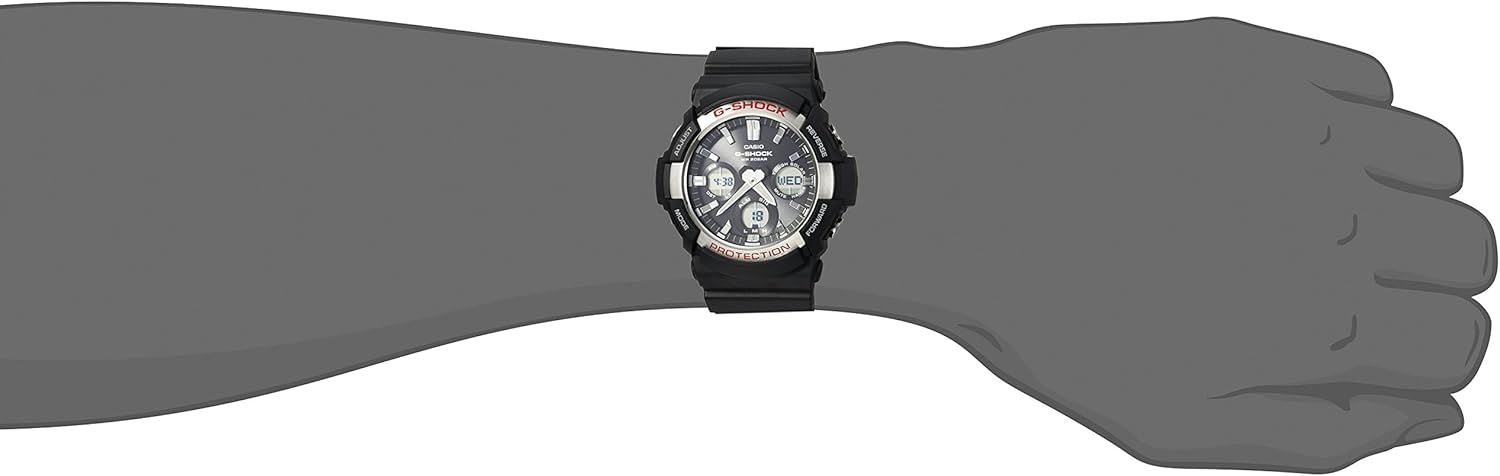
Figura 2: Casio G-Shock GAS-100-1ACR Watch worn on a wrist. This image demonstrates the watch's size and fit on a typical user's arm.
Manutenzjoni
Proper care ensures the longevity and performance of your Casio G-Shock watch.
1. Iċċarġjar
As a Tough Solar watch, regular exposure to light is crucial for maintaining its power. The watch uses a rechargeable Lithium Metal battery.
- Avoid prolonged storage in dark places.
- If the power reserve indicator shows a low charge, expose the watch to bright light for several hours.
- The watch has a power saving function that automatically enters a sleep state when left in the dark to conserve power.
2. Reżistenza għall-Ilma
The GAS-100-1ACR is 200M water resistant, suitable for swimming and diving.
- Tħaddimx il-buttuni waqt li l-arloġġ ikun mgħaddas fl-ilma.
- Wara l-espożizzjoni għall-ilma mielaħ, laħlaħ l-arloġġ b'ilma frisk u imsaħ niexef.
- Avoid exposing the watch to hot water or steam, as this can damage seals.
3. Tindif
Regular cleaning helps maintain the watch's appearance.
- Wipe the resin band and stainless steel case with a soft, dry cloth.
- For stubborn dirt, use a mild soap solution and a soft brush, then rinse thoroughly and dry.
- Evita li tuża kimiċi ħarxa jew tindif li joborxu.
Issolvi l-problemi
Kwistjonijiet komuni u s-soluzzjonijiet tagħhom.
| Problema | Kawża Possibbli | Soluzzjoni |
|---|---|---|
| Watch display is blank or hands are not moving. | Ħlas baxx tal-batterija. | Expose the watch face to bright light for several hours to charge the solar battery. Check the power reserve indicator. |
| Il-ħin mhux korrett. | Incorrect home city setting, DST setting, or manual adjustment error. | Refer to the "Setting Time and Date" section to re-adjust time, date, and DST settings. Ensure your home city is correctly selected. |
| Illumination activates unexpectedly when wrist is tilted. | Auto LED Light feature is enabled. | This is a normal function. If undesired, disable the Auto LED Light feature in the watch settings. |
| Il-buttuni ma jirrispondux jew huma diffiċli biex tagħfashom. | Dirt or debris around buttons, or watch is submerged. | Clean around the buttons. Do not operate buttons underwater. If the issue persists, contact Casio support. |
Speċifikazzjonijiet
- Numru tal-Mudell: GAS-100-1ACR
- Dimensjonijiet tal-Każ: Approximately 48mm (diameter) x 17mm (thickness)
- Crystal Diameter: Madwar 32mm
- Piż: 2.72 uqija (madwar 77 gramma)
- Materjal tal-Kaxxa/Bezel: Reżina / Azzar Inossidabbli
- Materjal tal-Faxxa: Reżina
- Reżistenza għall-Ilma: 200 metru (20 BAR)
- Sors tal-Enerġija: Tough Solar (Solar Powered, rechargeable Lithium Metal battery)
- Wiri: Analog-Diġitali
- Reżistenza għax-xokk: Iva
- Illuminazzjoni: Double LED Light (Super Illuminator) for face and digital display, Full Auto LED Light, selectable illumination duration (1.5s/3s), afterglow.
- Ħin Dinji: 31 time zones (48 cities + UTC), daylight saving on/off.
- Kronometru: 1/100-second, measuring capacity: 59'59.99'', measuring modes: elapsed time, split time, 1st-2nd place times.
- Timer tal-Countdown: Measuring unit: 1 second, countdown range: 1 minute to 100 minutes (1-minute increments).
- Allarmi: 5 allarmi ta' kuljum, hourly sinjal tal-ħin.
- Kalendarju: Full auto-calendar (to year 2099).
- Karatteristiċi oħra: 12/24-hour format, button operation tone on/off, battery level indicator, power saving function.
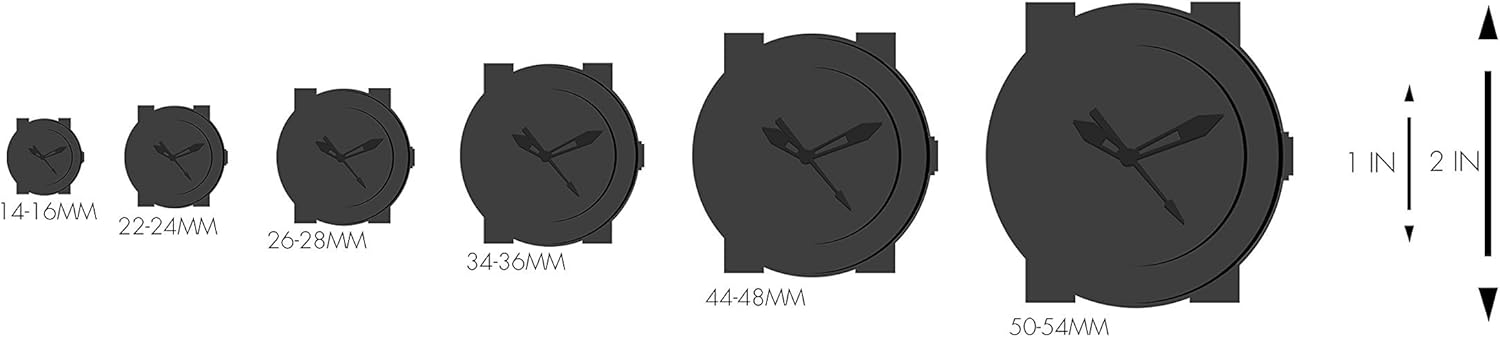
Figura 3: Watch size comparison chart. This graphic illustrates various watch case diameters in millimeters, providing a visual reference for the GAS-100-1ACR's size relative to other watches.
Garanzija u Appoġġ
Informazzjoni dwar Garanzija
Warranty coverage for your Casio G-Shock watch is typically provided at the time of purchase. Please refer to the warranty card or documentation included with your product for specific terms, conditions, and duration. For warranty claims or service, retain your proof of purchase.
Appoġġ għall-Klijent
For further assistance, technical support, or inquiries not covered in this manual, please contact Casio customer service directly. You can find contact information and additional resources on the official Casio websit.
- Casio Uffiċjali Websit: www.casio.com
- Irreferi għall- website for regional support contacts and service centers.

Figura 4: G-Shock product packaging box. This image shows the exterior of the watch's retail packaging, typically containing the watch, manual, and warranty information.


