1. Prodott Aktarview
The Intel Core i3-8100 is an 8th Generation desktop processor designed for mainstream computing. It features 4 processing Cores and 4 Threads, providing enhanced processing power for various applications. This processor integrates Intel UHD Graphics 630 for visual experiences and supports two-channel DDR4 memory technology, allowing up to 64 GB of memory with transfer speeds up to 2400 MT/s. It is compatible with motherboards based on the Intel 300 series chipset.
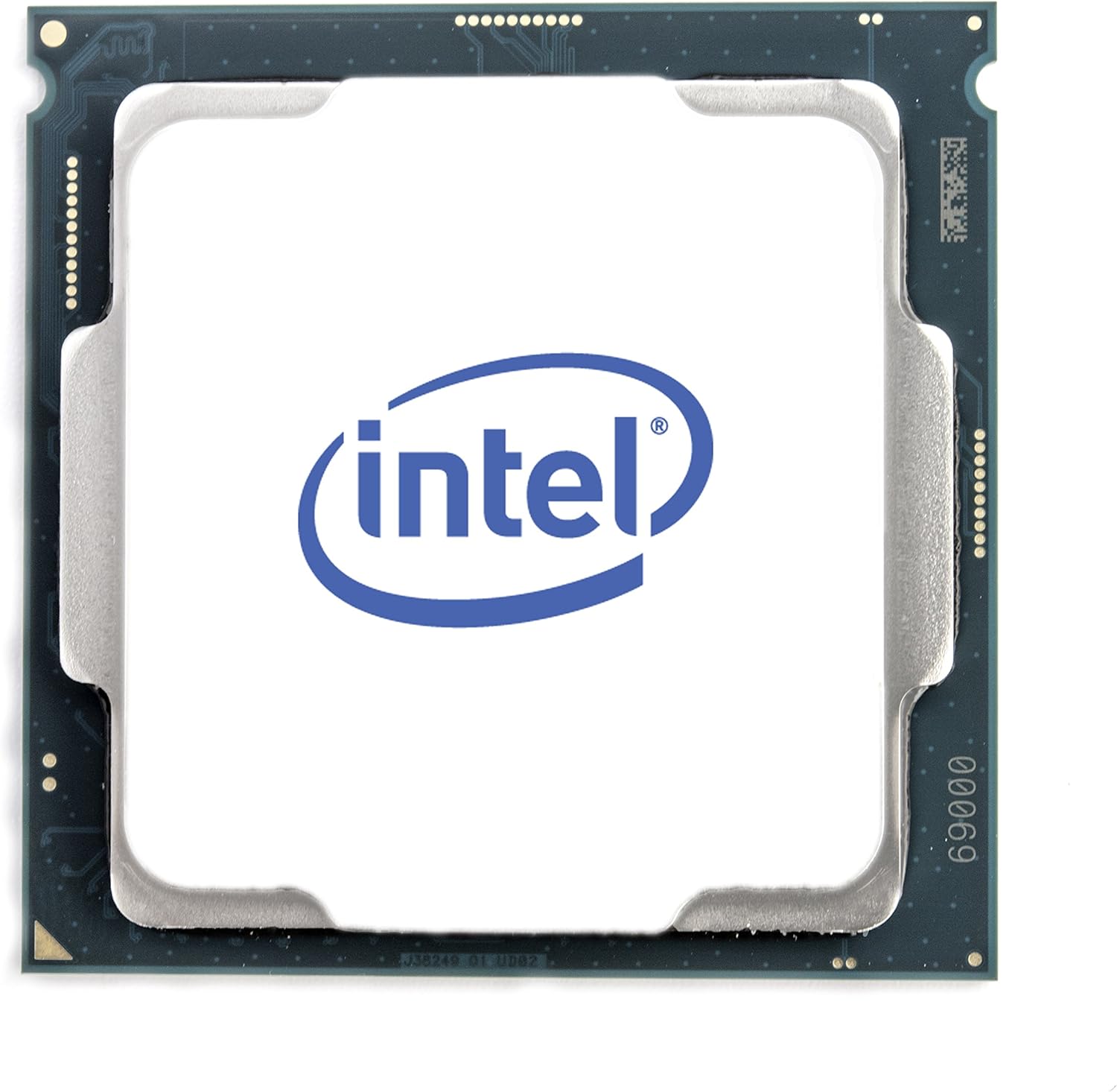
Figura 1.1: Fuq view of the Intel Core i3-8100 Processor, showing the integrated heat spreader with the Intel logo.
Karatteristiċi ewlenin:
- Grafika Intel UHD 630: Integrated graphics for a rich visual experience.
- 4 Cores, 4 Threads: Provides efficient multitasking and processing capabilities.
- 3.60 GHz Base Frequency: Delivers consistent performance for daily tasks.
- 6 MB Cache: Enhances data access speed for improved responsiveness.
- Intel Optane Memory Supported: Enables system acceleration when paired with compatible memory and a 2.5" HDD.
- DDR4 SDRAM Support: Compatible with two-channel DDR4 memory up to 64 GB at 2400 MT/s.
- Kompatibilità: Designed for motherboards based on Intel 300 Series Chipsets.
Kontenut tal-Pakkett:
- Proċessur Intel Core i3-8100
- Fan/Heatsink (Stock Cooler)
- Manwal ta' Istruzzjoni

Figure 1.2: Retail packaging for the Intel Core i3-8100 Processor, highlighting key features.
2. Setup u Installazzjoni
Qabel ma tibda:
- Ensure your motherboard is compatible with the Intel Core i3-8100 processor (Intel 300 Series Chipset, LGA 1151 socket).
- Iġbor l-għodda meħtieġa: tornavit Phillips, pejst termali (jekk mhux applikat minn qabel fuq il-cooler).
- Take anti-static precautions (e.g., use an anti-static wrist strap or touch a grounded metal object) to prevent damage to components.
- Refer to your motherboard manual for specific CPU installation instructions, as procedures may vary slightly.
Passi għall-Installazzjoni tal-Proċessur:
- Ipprepara l-Motherboard: Open the CPU socket retention lever on your motherboard. Lift the load plate.
- Orient the Processor: Carefully align the notches on the processor with the keys on the CPU socket. The golden triangle on the processor should match the triangle on the socket.
- Daħħal il-Proċessur: Gently place the processor straight down into the socket. Do not force it. If it does not seat easily, re-check the alignment.
- Assigura l-Proċessur: Close the load plate over the processor and push the retention lever back down until it clicks into place.
- Applika l-Pejst Termali (jekk meħtieġ): If your heatsink does not have pre-applied thermal paste, apply a small pea-sized amount to the center of the processor's integrated heat spreader.
- Install the Heatsink/Fan: Place the stock heatsink/fan assembly onto the processor, aligning the mounting pins with the holes on the motherboard. Press down firmly on each pin until it clicks, ensuring it is securely attached. Connect the fan's power cable to the CPU_FAN header on the motherboard.

Figura 2.1: Qiegħ view of the Intel Core i3-8100 Processor, showing the contact pads for the LGA 1151 socket.

Figure 2.2: Combined image showing both the top and bottom views of the Intel Core i3-8100 Processor for orientation reference.
3. Istruzzjonijiet Operattivi
Kompatibilità tas-Sistema:
The Intel Core i3-8100 processor requires a motherboard with an Intel 300 series chipset (e.g., Z370, H370, B360, H310). Ensure your motherboard's BIOS is updated to support 8th Generation Intel Core processors if necessary. Consult your motherboard manufacturer's websit għall-aħħar verżjonijiet tal-BIOS u listi ta' kompatibilità.
Integrated Graphics (Intel UHD Graphics 630):
This processor includes integrated Intel UHD Graphics 630, which provides display output without the need for a discrete graphics card. Connect your monitor to the appropriate video output port on your motherboard (e.g., HDMI, DisplayPort, DVI, VGA). Install the latest graphics drivers from the Intel webis-sit jew tal-manifattur tal-motherboard tiegħek websit għall-aħjar prestazzjoni.
Appoġġ għall-memorja:
The Core i3-8100 supports DDR4 SDRAM in a dual-channel configuration. For best performance, install memory modules in matched pairs according to your motherboard's recommendations. The maximum supported memory capacity is 64 GB, with speeds up to 2400 MT/s. Using memory modules faster than 2400 MT/s may require enabling XMP (Extreme Memory Profile) in your motherboard's BIOS.
4. Manutenzjoni u Kura
- Żommha Kessaħ: Ensure proper airflow within your computer case. Regularly clean dust from the CPU heatsink and case fans using compressed air. Excessive dust can impede cooling and lead to higher operating temperatures.
- Pejst Termali: The thermal paste between the CPU and heatsink should be replaced if the heatsink is removed for any reason. Over time, thermal paste can dry out, reducing its effectiveness.
- Aġġornamenti tas-Software: Keep your operating system, drivers (especially chipset and graphics drivers), and BIOS updated to ensure optimal performance and stability.
- Immaniġġjar Fiżiku: Avoid touching the gold contact pads on the bottom of the processor to prevent damage from static electricity or oils from your skin.
5. Issolvi l-problemi ta' Kwistjonijiet Komuni
| Problema | Kawża Possibbli | Soluzzjoni |
|---|---|---|
| System does not power on or display video. | Improper CPU installation, incompatible motherboard, power supply issue. | Verify CPU is correctly seated and secured. Ensure motherboard is compatible and BIOS is updated. Check all power connections. |
| Is-sistema tixgħel imma ma turi l-ebda display. | Incorrect monitor connection, faulty RAM, integrated graphics driver issue. | Ensure monitor is connected to motherboard video output. Reseat RAM modules. Install or update integrated graphics drivers. |
| Temperaturi għoljin tas-CPU. | Improper heatsink installation, insufficient thermal paste, poor case airflow. | Verify heatsink is securely mounted. Reapply thermal paste if necessary. Improve case airflow by adding or cleaning fans. |
| Instabbiltà jew ħsarat fis-sistema. | Outdated drivers, incompatible RAM, overheating. | Update all system drivers and BIOS. Ensure RAM is compatible and correctly installed. Monitor CPU temperatures. |
6. Speċifikazzjonijiet Tekniċi
| Karatteristika | Speċifikazzjoni |
|---|---|
| Mudell tal-Proċessur | Intel Core i3-8100 |
| Numru tal-Proċessur | i3-8100 |
| Qlub / Ħjut | 4 Qlub / 4-il Ħjut |
| Veloċità tal-Arloġġ Bażiku | 3.60 GHz |
| Cache | 6 MB Smart Cache |
| Tip ta ’sokit | LGA 1151 |
| Grafika Integrata | Grafika Intel UHD 630 |
| Frekwenza Bażika tal-Grafika | 350 MHz |
| Frekwenza Dinamika Massima tal-Grafika | 1.10 GHz |
| Daqs tal-Memorja Max | 64 GB |
| Tipi ta 'Memorja | DDR4-2400 |
| Max Memory Channels | 2 |
| TDP | 65 W |
| Litografija | 14 nm |
| Dimensjonijiet tal-Prodott | 4.57 x 2.76 x 3.98 pulzieri |
| Piż tal-oġġett | 3.5 uqija |
Figure 6.1: Official Intel Core i3 8th Gen logo.
7. Garanzija u Appoġġ
Garanzija Limitata:
Intel processors typically come with a limited warranty covering defects in materials and workmanship. The duration and terms of the warranty may vary by region and retailer. Please retain your proof of purchase for warranty claims. For detailed warranty information, refer to the official Intel warranty documentation included with your product or visit the Intel support websit.
Appoġġ Tekniku:
For technical assistance, troubleshooting, or driver downloads, please visit the official Intel support website. You can find comprehensive resources, FAQs, and contact information for Intel customer service there. When contacting support, have your processor model (Core i3-8100) and serial number ready.


