1. Introduzzjoni
Thank you for choosing the Back Bay Audio American EQ 40 2-in-1 Wireless & Wired Bluetooth Earbuds. These earbuds offer versatile audio experiences, allowing you to switch between wireless Bluetooth and wired connections. Designed for active lifestyles, they feature sweatproof construction, multiple sound modes, and a built-in microphone for hands-free calls.

Image 1: Back Bay Audio American EQ 40 Earbuds, showcasing id-disinn eleganti tagħhom.
2. Setup
2.1 Iċċarġjar tal-Earbuds
Before first use, fully charge your earbuds. Connect the micro USB charging cable to the charging port on the inline control module and the other end to a USB power source. The LED indicator will show charging status.
2.2 Wireless Bluetooth Pairing
- Kun żgur li l-earbuds huma mitfija.
- Press and hold the middle button on the inline control module until the LED indicator flashes blue and red, indicating pairing mode.
- Fuq l-apparat tiegħek (smartphone, tablet, kompjuter), attiva l-Bluetooth u fittex apparati disponibbli.
- Select "Back Bay American EQ 40" from the list.
- Ladarba jkun konness, l-indikatur LED se jteptep blu perjodikament.
2.3 Konnessjoni bil-Fili
To use the earbuds in wired mode, connect the provided AUX cable to the micro USB port on the inline control module and the 3.5mm jack to your audio device. Wired mode functions without battery power, making it ideal if your earbuds are uncharged or for devices without Bluetooth.

Image 2: Comparison of wireless and wired modes, highlighting battery life differences.
3. Istruzzjonijiet Operattivi
3.1 Inline Control Module
The inline control module features three buttons for managing your audio and calls:
- Buttuna tan-nofs: Power On/Off (long press), Play/Pause (single press), Answer/End Call (single press), Activate Voice Assistant (long press), Switch EQ Mode (double press).
- Volum 'il fuq (+): Increase volume (single press), Next Track (long press).
- Volum 'l isfel (-): Decrease volume (single press), Previous Track (long press).
3.2 Modi tal-Ħoss tal-EQ
The American EQ 40 earbuds offer 5 distinct sound modes. Double-press the middle button to cycle through them. You will hear a beep when the EQ changes. The earbuds start in Mode #1 when paired to a new phone. To reset to Mode #1, "forget" the earbuds in your phone's Bluetooth settings.
- 1. Back Bay Signature: The classic American Hi-fi sound. Strong bass, natural vocals, and crisp highs.
- 2. Atlanta Bass: Bass booming li se jieħu kwalunkwe track rap jew EDM għal-livell li jmiss.
- 3. Stadium Rock: Tighter and punchier, this setting captures that great 80's concert sound.
- 4. Pure Podcast: Loud and clear vocals with all the boomy and harsh noise stripped out.
- 5. Clean Classical: Ċarezza miftuħa u arja b'ton għani u sħiħ.

Image 3: Visual representation of the 5 distinct EQ sound modes.
3.3 Hands-Free Phone Calls
The earbuds feature an in-line microphone with CVC noise cancellation for clear calls in wireless mode. Use the middle button to answer or end calls. The microphone only functions in wireless mode.
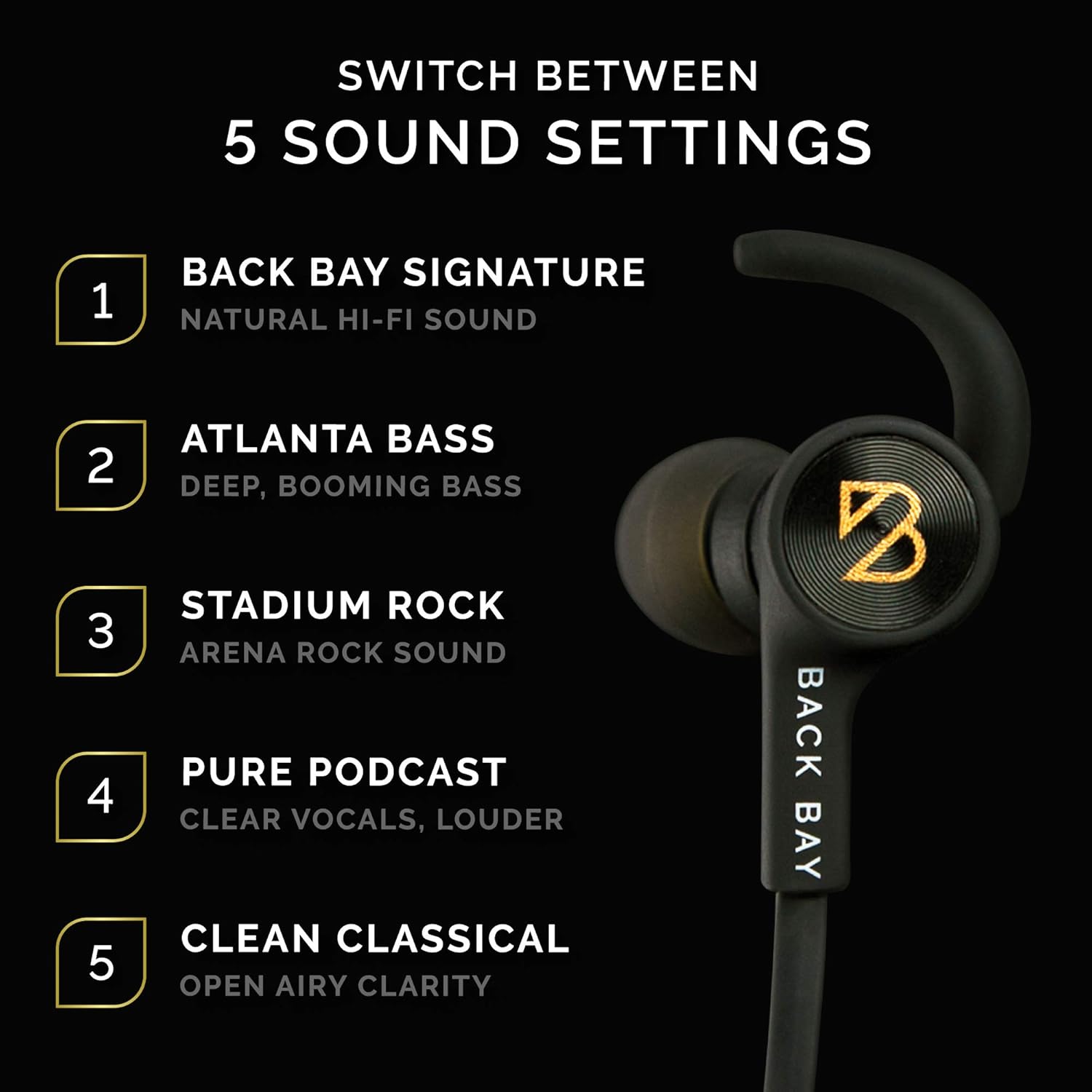
Image 4: User demonstrating wireless phone calls with the built-in microphone.
4. Kumdità u Tajbin
The American EQ 40 earbuds come with various accessories to ensure a secure and comfortable fit, especially during physical activity.
- Stabilizer "Wings": These removable wings fit into the outer ear to prevent the earbuds from falling out during vigorous movement.
- Tips tal-widnejn: A selection of isolation tips (to block outside noise) and open ear tips (to stay aware of surroundings) are included to customize your listening experience and fit.
- Collar Clips: Use these clips to secure the cable to your clothing, preventing it from bouncing while you run or exercise.
- Cable Adjuster: Slide the adjuster to shorten the cable length for a more snug fit around your neck.
- Boċċla Manjetika: The earbud housings feature magnetic clasps, allowing them to connect around your neck when not in use, preventing loss.

Image 5: Various running accessories including collar clips, cable adjuster, stabilizer wings, and ear tips.

Image 6: Close-up of the removable stabilizer and magnetic clasp features.
5. Kwalità Awdjo
The American EQ 40 earbuds are tuned in Boston, MA, to deliver a rich, balanced sound profile with strong bass, natural midrange, and crisp highs. They are powered by Qualcomm Apt-X technology for high-fidelity wireless audio.

Image 7: Earbud showcasing "Back Bay's Signature Sound" and "Apt-X Audio" branding.
The earbuds offer impressive volume levels, ensuring your music is clear even in noisy environments. While wireless mode provides excellent sound, the wired connection can offer a slightly cleaner audio experience by eliminating potential digital noise or distortion.
Vidjo 1: Uffiċjal fuqview of the Back Bay Audio Wired + Wireless Hybrid Earbuds, demonstrating their features and functionality.
6. Manutenzjoni
6.1 Sweatproof Design
The earbuds feature an IPX-5 water resistance rating, meaning they are completely unaffected by sweat or rain. An internal nano-coating protects the electronics, making them suitable for outdoor runs or intense gym workouts.

Image 8: An athlete using the sweatproof earbuds during a workout.
6.2 Ħajja tal-batterija
The earbuds provide approximately 6.5 hours of wireless playtime and up to 180 hours of standby time. In wired mode, playtime is unlimited as it does not draw battery power.
7 Issolvi l-problemi
- Ebda Problemi ta' Ħoss/Konnessjoni: Ensure earbuds are charged and in pairing mode (flashing blue/red). Check your device's Bluetooth settings to ensure it's connected to "Back Bay American EQ 40." If using wired mode, ensure the AUX cable is securely connected to both the earbuds and your audio device.
- Unclear EQ Mode: The earbuds provide an audible beep when switching EQ modes, but no visual indicator. Familiarize yourself with the sound profiles to identify your current mode.
- Mikrofonu Mhux Jaħdem: The in-line microphone only functions in wireless Bluetooth mode. Ensure your earbuds are wirelessly connected for hands-free calls.
- Il-Earbuds Jaqgħu: Experiment with different sizes of ear tips and stabilizer wings provided to find the most secure and comfortable fit for your ears. Use the collar clips and cable adjuster for added stability during activity.
8. Speċifikazzjonijiet
| Karatteristika | Speċifikazzjoni |
|---|---|
| Isem tal-Mudell | Bluetooth Hearphone (American EQ 40) |
| Teknoloġija tal-Konnettività | Bluetooth, bil-fili |
| Teknoloġija tal-Komunikazzjoni mingħajr Fili | Bluetooth 5.0 |
| Medda Bluetooth | 10 Meters |
| Headphones Jack | 3.5 mm Jack (via AUX cable) |
| Battery Life (Wireless) | 6.5 Hours (Playtime) / 180 Hours (Standby) |
| Livell ta 'Reżistenza għall-Ilma | IPX-5 (Sweatproof) |
| Tip ta' Kontroll | Kontroll tal-Midja (Buttuni) |
| Karatteristiċi Speċjali | Microphone Included, Noise Cancellation (CVC), PC Calling, Stereo, Wind Noise Reduction, 5 EQ Sound Settings |
| Piż tal-oġġett | 0.64 uqija |
| Dimensjonijiet tal-Prodott | 3.5 x 1.4 x 3.9 pulzieri |
| UPC | 822415648345 |
9. Garanzija u Appoġġ
Dan il-prodott jiġi ma 'a 1-Sena Garanzija. To receive your free 1-year warranty, please register your headphones at backbayaudio.com/warranty.
Għal kwalunkwe mistoqsija jew appoġġ, jekk jogħġbok ibgħat email support@backbayaudio.com.


