1. Introduzzjoni
Thank you for choosing the PRUVEEO C2 Dash Cam. This device is designed to provide reliable video recording for your vehicle, capturing both front and interior views in high definition. Equipped with advanced features like night vision, G-sensor, and loop recording, it ensures comprehensive coverage and peace of mind on the road.

Figure 1: PRUVEEO C2 Dash Cam with dual camera view.
2. Prodott Aktarview & Komponenti
The PRUVEEO C2 Dash Cam features a compact design with dual rotatable lenses for flexible recording. Below are the main components and what's included in the box:
2.1 Kontenut tal-Pakkett:
- PRUVEEO C2 Dash Cam
- In-car Charging Cable (12ft)
- Suction Cup Mount + 3M Adhesive Mount
- Manwal għall-Utent
- Memory Card (64GB included)
2.2 Device Layout:

Figure 2: Dash Cam dimensions (4.88 x 3.37 x 1.48 inches).
- Lenti ta' Quddiem: Captures the road ahead.
- Lenti Interna: Captures the vehicle's interior, with infrared LEDs for low-light conditions.
- Skrin LCD ta' 2.7": Għal-ħajja view u daqq.
- Buttuni tal-Kontroll: Għan-navigazzjoni u l-aġġustament tas-settings.
- Slot tal-Kard tal-Memorja: Supports up to 128GB Class 10 Micro SD card.
- Port tal-Enerġija: Mini USB for power supply.
- AV Out / HDMI Port: Għall-output tal-vidjo.
3. Gwida ta' Setup
3.1 Installing the Memory Card:
- Kun żgur li l-kamera tad-daxxbord tkun mitfija.
- Insert a Class 10 or higher Micro SD card (up to 128GB) into the memory card slot until it clicks.
- It is recommended to format the card within the dash cam settings before first use and periodically thereafter to ensure optimal performance.

Figure 3: Inserting the Micro SD card.
3.2 Mounting the Dash Cam:
- Naddaf iż-żona tal-windskrin fejn bi ħsiebek twaħħal id-dash cam.
- Waħħal il-muntatura tat-tazza tal-ġbid mal-kamera tad-daxxbord.
- Press the suction cup firmly against the windshield and flip the lever to secure it. Ensure the view of both cameras is unobstructed.
- Adjust the angle of the dash cam and its rotatable lenses for optimal front and interior coverage.

Figure 4: Dash Cam mounted on windshield.
3.3 Konnessjoni tal-Enerġija:
- Connect the in-car charging cable to the dash cam's power port.
- Ipplaggja t-tarf l-ieħor fis-sokit tal-lajter tas-sigaretti tal-vettura tiegħek.
- Id-dash cam tixgħel awtomatikament u tibda tirrekordja meta l-ignition tal-vettura tinxtegħel.
4. Istruzzjonijiet Operattivi
4.1 Basic Recording:
Once powered on, the dash cam will automatically start loop recording. Video files are saved in segments (e.g., 1, 3, or 5 minutes) to the memory card. When the card is full, the oldest unlocked files se jinkitbu fuqhom.
4.2 G-Sensor (Emergency Recording):
The built-in G-sensor detects sudden impacts or collisions. When triggered, the current video segment is automatically locked and protected from being overwritten, ensuring critical footage huwa ssejvjat.
4.3 Parking Monitor:
With the parking monitor feature enabled, the dash cam will automatically start recording if it detects a collision or vibration while the vehicle is parked and the ignition is off. This requires a continuous power supply (e.g., hardwire kit, sold separately).
4.4 Night Vision & WDR:
The PRUVEEO C2 utilizes a Sony Exmor sensor and Wide Dynamic Range (WDR) technology to enhance video quality in low-light conditions, providing clearer footage during nighttime driving. The interior camera also features infrared lights for improved visibility inside the cabin.
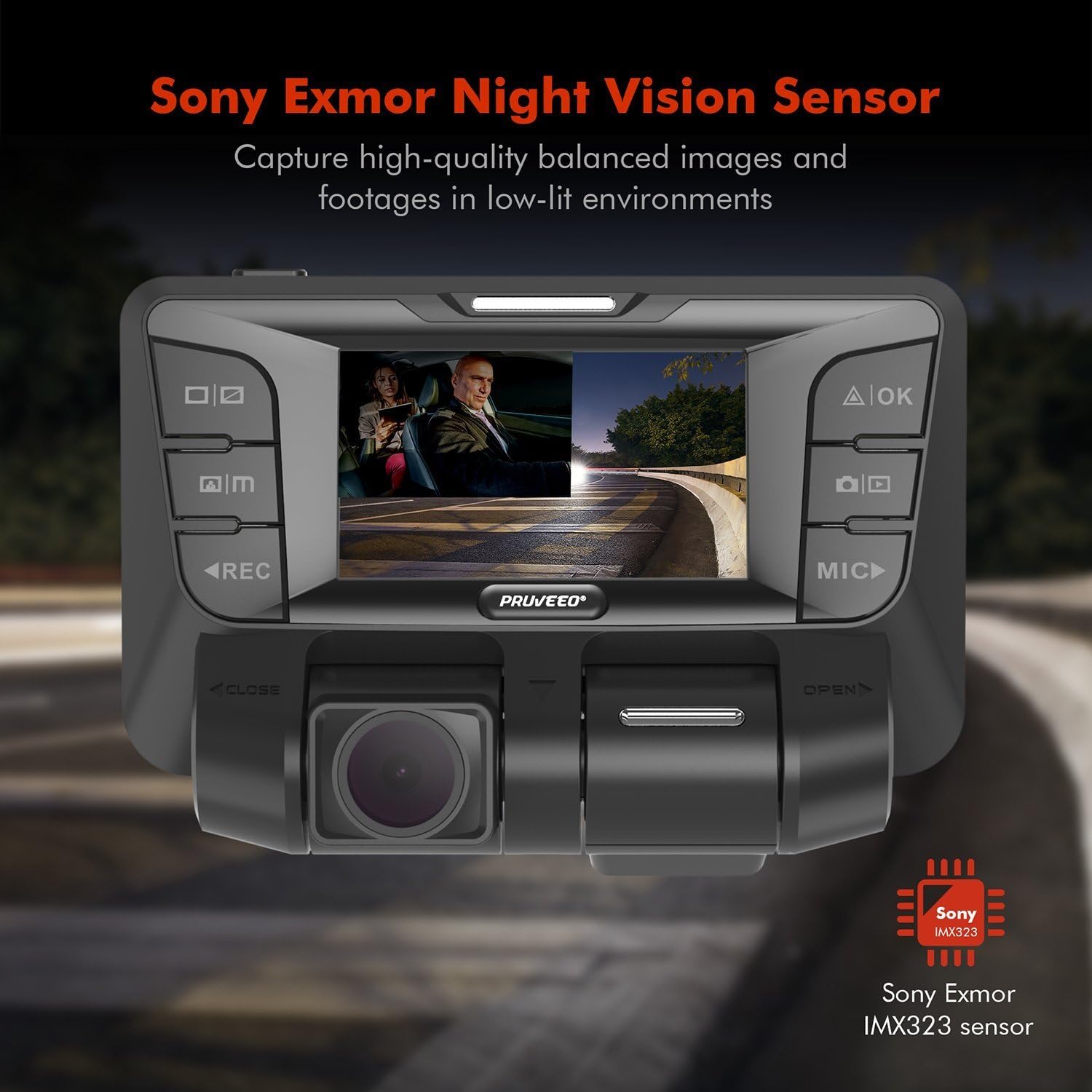
Figure 5: Night Vision and WDR capabilities.
4.5 Rotatable Lenses:
The dual lenses can be manually rotated up to 180 degrees, allowing you to adjust the viewing angle for both the front and interior cameras independently, providing flexibility for various recording needs.
4.6 Vidjo Uffiċjali tal-Prodott:
Video 1: Official product video demonstrating the dual 1080P front and interior recording capabilities of the Pruveeo C2 Dash Cam, including its infrared night vision feature, suitable for various vehicle types like Uber, Lyft, Truck, and Taxi.
5. Manutenzjoni
5.1 Formatting the Memory Card:
Regularly format your Micro SD card (at least once a month) to prevent data corruption and ensure smooth recording. This can be done through the dash cam's settings menu.
5.2 Tindif:
Use a soft, dry cloth to clean the dash cam's lenses and screen. Avoid using abrasive cleaners or solvents that could damage the device.
5.3 Temperature Considerations:
The dash cam is designed to operate in a wide range of temperatures. However, extreme prolonged exposure to direct sunlight or freezing temperatures can affect its lifespan. If possible, remove the dash cam from the windshield when parked in extreme conditions.
6 Issolvi l-problemi
6.1 Device Constantly Reboots:
- Ensure the power cable is securely connected and providing stable power.
- Ipprova sors ta' enerġija jew kejbil differenti.
- Format the memory card or try a new, high-quality Class 10 Micro SD card.
6.2 Poor Night Vision / No Infrared:
- Verify that the interior camera's infrared lights are not obstructed.
- Ensure the night vision setting is enabled in the menu.
- Clean the interior lens thoroughly.
6.3 Video Quality Issues:
- Ensure both lenses are clean and free from smudges or dirt.
- Check the video resolution settings; ensure it's set to Dual 1920*1080P for optimal quality.
- Ensure the memory card is not corrupted or too slow (use Class 10 or higher).
7. Speċifikazzjonijiet
| Karatteristika | Dettall |
|---|---|
| Dimensjonijiet tal-Prodott | 4.88 x 3.37 x 1.48 pulzieri |
| Piż tal-oġġett | 1.28 liri |
| Numru tal-Mudell | C2 |
| Teknoloġija tal-Konnettività | Wi-Fi |
| Karatteristika Speċjali | G-Sensor |
| Riżoluzzjoni tal-Qbid tal-Vidjo | 1080p |
| Sensor tal-Immaġni | Dual Sony IMX323 |
| Appoġġ tal-Kard tal-Memorja | Up to 128GB Class 10 Micro SD Card |
| Mibnija fil-batterija | 320 mAh |
| Kulur | Iswed |
8. Garanzija u Appoġġ
PRUVEEO products are manufactured to the highest quality standards. For warranty information or technical support, please refer to the contact details provided on the product packaging or visit the official PRUVEEO websit. Żomm l-irċevuta tax-xiri tiegħek bħala prova tax-xiri.


