1. Introduzzjoni
Thank you for choosing the HMF 49702-02 Compact Safe. This safe is designed to provide secure storage for your valuables, featuring advanced fingerprint and electronic passcode locking mechanisms, along with a traditional key override. Its compact design makes it ideal for discreet placement in various environments. Please read this manual carefully before operating the safe to ensure proper use and maximum security.

Figure 1: HMF 49702-02 Compact Safe (Closed)
2. Istruzzjonijiet tas-Sigurtà
Biex tiżgura tħaddim sikur u tevita ħsara, jekk jogħġbok osserva l-linji gwida ta' sigurtà li ġejjin:
- Keep Emergency Keys Secure: Store the emergency override keys in a safe place, away from the safe itself, and not inside the safe.
- Sigurtà tal-batterija: Use only the specified battery type (4x AA batteries, not included). Do not mix old and new batteries, or different types of batteries. Remove batteries if the safe will not be used for an extended period.
- Evita l-umdità: Do not expose the safe to water or high humidity.
- Poġġiment xieraq: Place the safe on a stable, level surface. For added security, consider mounting it as described in Section 3.3.
- No Flammable Materials: Do not store flammable liquids or other hazardous materials inside the safe.
3. Setup
3.1 Kontenut tal-Pakkett
Jekk jogħġbok iċċekkja l-pakkett għall-oġġetti li ġejjin:
- HMF 49702-02 Compact Safe Unit
- Ċwievet ta' Override ta' Emerġenza (2x)
- Mounting Hardware (Screws and Wall Plugs)
- Manwal għall-Utent (Dan id-dokument)
3.2 Installazzjoni tal-batterija
The safe requires 4x AA batteries (not included) for the electronic lock and fingerprint scanner. The battery compartment is located inside the safe.
- Open the safe using one of the emergency keys (refer to Section 4.4 for key operation).
- Locate the battery compartment cover on the inside of the door or back panel.
- Remove the cover and insert 4x AA batteries, ensuring correct polarity (+/-).
- Ibdel l-għatu tal-kompartiment tal-batterija.
3.3 Ftuħ Inizjali
Upon first use, the safe must be opened with the emergency key.
- Insert one of the emergency keys into the keyhole on the control panel.
- Dawwar iċ-ċavetta lejn l-arloġġ biex tiftaħ.
- Erfa' l-għatu biex tiftaħ is-safe.

Figure 2: Emergency Key Operation
3.4 Immuntar tas-Sejf
The HMF 49702-02 safe features pre-drilled holes for secure mounting to a wall or floor, enhancing its security against theft.
- Open the safe and locate the pre-drilled mounting holes on the bottom or back panel.
- Position the safe in the desired location and mark the drilling points through the holes.
- Drill pilot holes into the wall or floor using an appropriate drill bit for your surface type.
- Align the safe with the drilled holes and secure it using the provided mounting hardware (screws and wall plugs).
- Ensure the safe is firmly attached before closing and locking it.
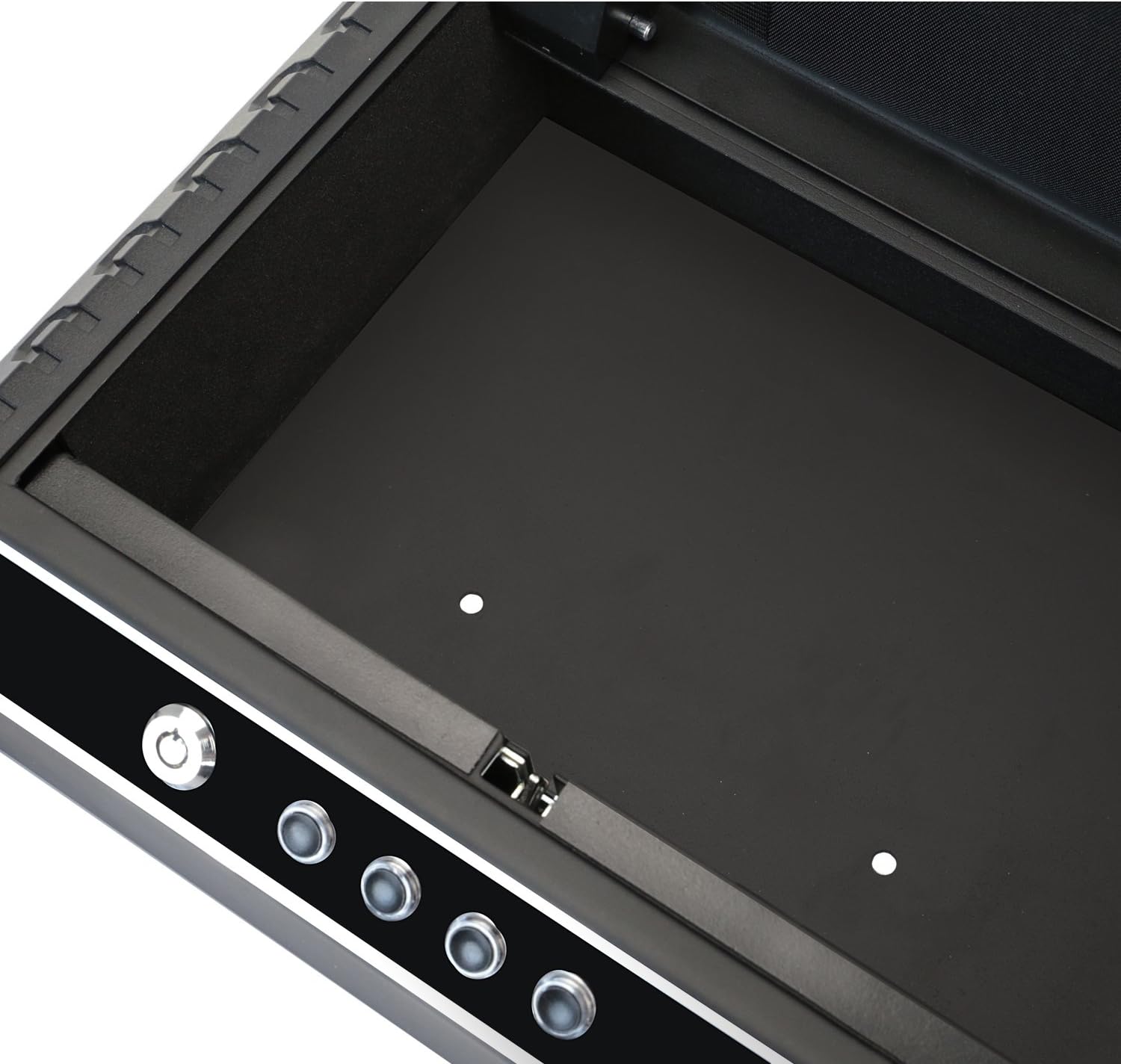
Figure 3: Interior with Mounting Holes
4. Kif Tħaddem is-Sejf
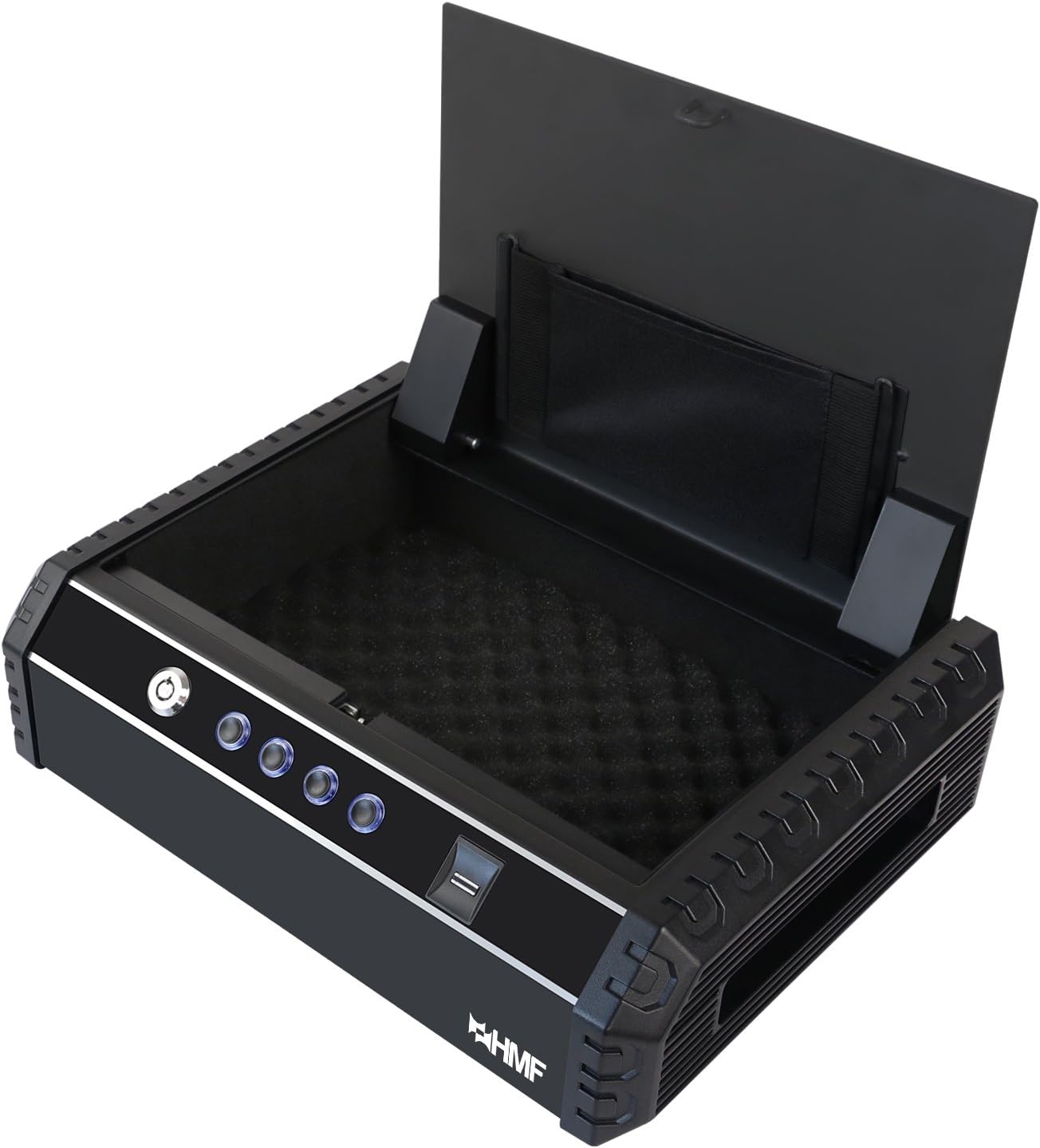
Figure 4: HMF 49702-02 Compact Safe (Open, Empty)

Figure 5: HMF 49702-02 Compact Safe (Open, with Contents)
4.1 Programming Fingerprints
The safe can store up to 20 unique fingerprints.
- With the safe open, press the programming button (usually located inside the battery compartment or near it). The indicator light will flash.
- Place the finger you wish to register on the fingerprint scanner. Lift and repeat several times until the indicator light confirms successful registration (e.g., a green light or beep).
- Repeat for additional fingers or users.

Figure 6: Using the Fingerprint Sensor
4.2 Programming the Passcode
The safe supports a single electronic passcode.
- With the safe open, press the programming button.
- Enter your desired passcode (typically 4-8 digits) using the numeric buttons on the control panel.
- Press the '#' or 'ENTER' button to confirm. The indicator light will confirm successful programming.
4.3 Opening with Fingerprint
- Poġġi saba' rreġistrat sew fuq l-iskaner tal-marki tas-swaba'.
- If the fingerprint is recognized, the safe will unlock, and the lid will pop open.
4.4 Opening with Passcode
- Enter your programmed passcode using the numeric buttons.
- Press the '#' or 'ENTER' button.
- If the passcode is correct, the safe will unlock, and the lid will pop open.
4.5 Ftuħ b'Ċavetta ta' Emerġenza
Use the emergency key if batteries are dead or if you forget your passcode/fingerprint.
- Insert one of the emergency keys into the keyhole on the control panel.
- Dawwar iċ-ċavetta lejn l-arloġġ biex tiftaħ.
- Erfa' l-għatu biex tiftaħ is-safe.
4.6 Funzjoni ta 'allarm
The safe is equipped with an alarm that will sound if an incorrect passcode or unregistered fingerprint is entered multiple times (typically 3-5 consecutive incorrect attempts). The alarm will sound for approximately 1 minute. To deactivate the alarm, enter the correct passcode or use a registered fingerprint/emergency key.
4.7 Muting Tones
The safe may have an option to mute keypress sounds and/or the alarm sound. Refer to the specific instructions provided with your safe for the exact button sequence to enable or disable these tones.
5. Manutenzjoni
- Sostituzzjoni tal-batterija: Replace batteries when the low battery indicator light appears or if the safe fails to open electronically. Always replace all 4 batteries simultaneously.
- Tindif: Naddaf il-barra tas-sejf b'ċarruta ratba u damp cloth. Do not use abrasive cleaners or solvents. Keep the fingerprint scanner clean and free of dust or debris.
- Kura Ewlenija: Keep emergency keys clean and dry. Do not force them into the lock.
6 Issolvi l-problemi
| Problema | Kawża Possibbli | Soluzzjoni |
|---|---|---|
| Is-safe ma jinfetaħx bil-marka tas-swaba'. | Finger not properly placed; unregistered finger; low batteries. | Ensure finger covers the sensor completely; register your fingerprint; replace batteries. |
| Is-safe ma jinfetaħx bil-passcode. | Incorrect passcode entered; low batteries. | Re-enter correct passcode; replace batteries. |
| L-allarm jinstema' ta' spiss. | Multiple incorrect attempts. | Ensure correct passcode/fingerprint is used. |
| Ebda tweġiba mill-pannell tal-kontroll. | Batteriji mejta. | Replace batteries immediately. Use emergency key to open. |
7. Speċifikazzjonijiet
- Numru tal-Mudell: 49702-02
- Dimensjonijiet Esterni (L x W x H): 37.0 x 27.5 x 10.0 ċm (14.57 x 10.83 x 3.94 pulzieri)
- Piż: 5 Kilogramma (11.02 lbs)
- Mekkaniżmu tal-qfil: Fingerprint, Electronic Passcode, Emergency Key
- Sors tal-Enerġija: 4x Batteriji AA (mhux inklużi)
- Kapaċità tal-marki tas-swaba': Sa 20 marki tas-swaba
- Tul tal-passcode: 4-8 ċifri
- Materjal: Azzar

Figura 7: Ġenb View tas-Safe
8. Garanzija u Appoġġ
Għal informazzjoni dwar il-garanzija jew appoġġ tekniku, jekk jogħġbok irreferi għall-indirizz uffiċjali tal-manifattur. webis-sit jew ikkuntattja lid-dipartiment tas-servizz tal-konsumatur tagħhom. Żomm l-irċevuta tax-xiri tiegħek bħala prova tax-xiri.


