1. Introduzzjoni
Thank you for choosing the Flexispot EB2B Electric Height-Adjustable Desk Frame. This manual provides essential information for the safe and efficient assembly, operation, and maintenance of your new desk frame. Please read this manual thoroughly before installation and keep it for future reference.
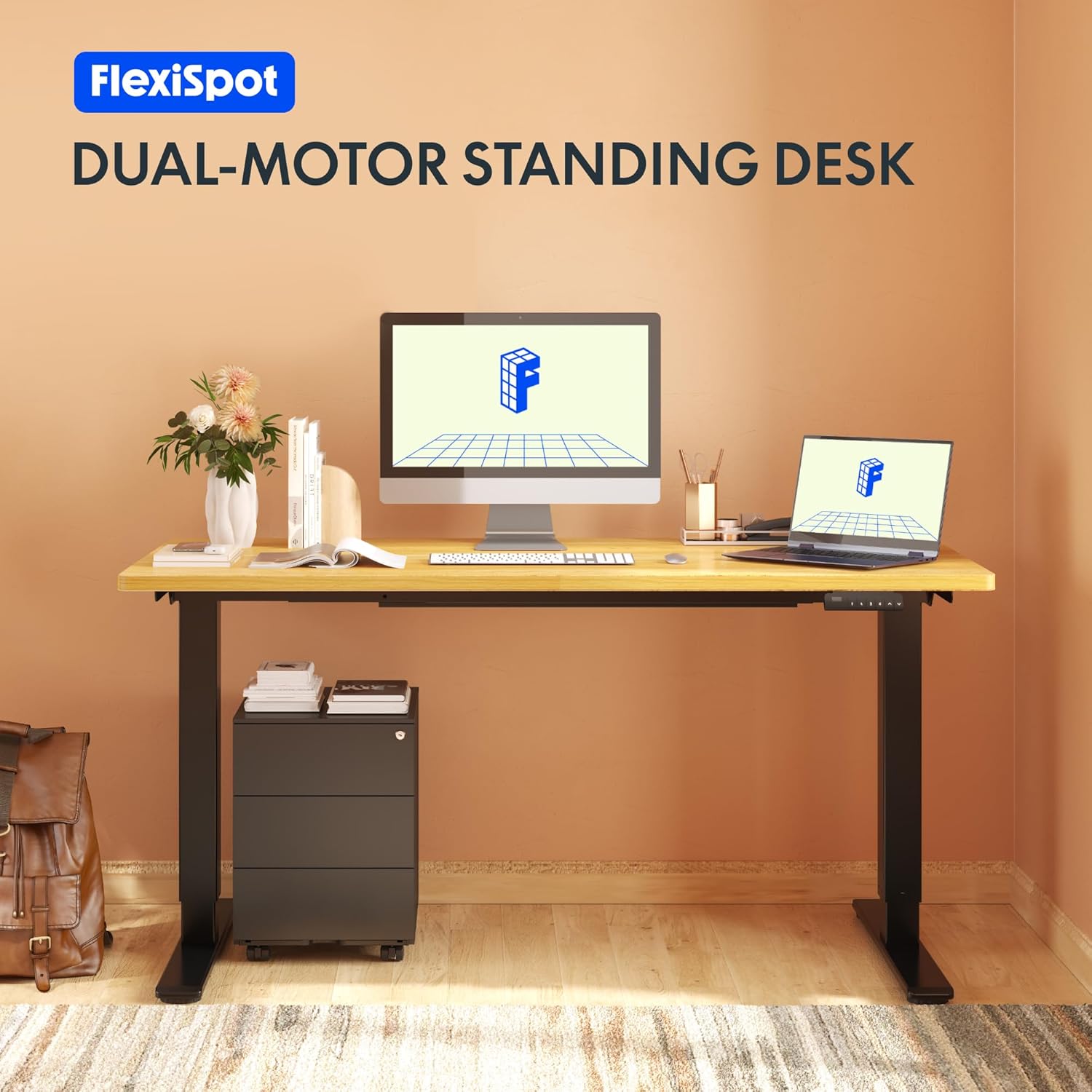
Image: The Flexispot EB2B desk frame supporting a complete desk setup, highlighting its dual-motor design.
2. Informazzjoni dwar is-Sigurtà
Biex tiżgura tħaddim sikur u tevita ħsara, jekk jogħġbok osserva l-prekawzjonijiet ta' sigurtà li ġejjin:
- Kun żgur li l-komponenti kollha huma mwaħħla sew qabel l-użu.
- Teċċedix il-kapaċità massima tal-piż ta' 100 kg (220 lbs).
- Żomm it-tfal u l-annimali domestiċi 'l bogħod mill-iskrivanija waqt it-tħaddim biex tevita li tagħmel xi korriment minn partijiet li jiċċaqalqu.
- Ensure there are no obstructions in the desk's path when adjusting height. The anti-collision system is designed to prevent damage, but manual vigilance is always recommended.
- Do not disassemble or modify the desk frame or its electrical components. Contact qualified personnel for repairs.
- Skonnettja l-enerġija qabel ma tnaddaf jew tagħmel xi manutenzjoni.

Image: Visual representation of the anti-collision system, showing the desk rebounding upon detecting an obstruction.
3. Kontenut tal-Pakkett
Jekk jogħġbok ivverifika li l-partijiet kollha huma preżenti qabel tibda l-assemblaġġ:
- Saqajn tal-Iskrivanija (2)
- Saqajn (2)
- Crossbar (1)
- Brazzi tal-ġenb (2)
- Kaxxa tal-Kontroll (1)
- Telefon/Pannell tal-Kontroll (1)
- Adapter tal-Enerġija (1)
- Kurdun tal-Enerġija (1)
- Cable Management Clips (4)
- Assembly Hardware (screws, Allen keys, etc.)

Image: All main components of the Flexispot EB2B desk frame, including the dual legs, crossbar, and control panel.
4. Setup u Assemblea
Follow these steps to assemble your Flexispot EB2B desk frame. It is recommended to have two people for assembly.
- Ipprepara ż-Żona: Clear a spacious area for assembly. Lay down a soft cloth or cardboard to protect the desk frame and your floor.
- Waħħal is-Saqajn mar-Riġlejn: Securely attach the feet to the bottom of each desk leg using the provided screws.
- Assemble the Crossbar: Connect the two desk legs to the adjustable crossbar. Ensure the crossbar is extended to the desired width to accommodate your tabletop (Min: 110cm, Max: 180cm).
- Installa l-Parentesi tal-Ġenb: Attach the side brackets to the top of the desk legs, which will support your tabletop.
- Immonta l-Kaxxa tal-Kontroll: Secure the control box to the designated area under the crossbar.
- Qabbad Kejbils: Connect the motor cables from each leg to the control box. Connect the handset cable to the control box. Finally, connect the power adapter to the control box and the power cord to the adapter.
- Waħħal il-wiċċ tal-mejda: Carefully place your tabletop (not included) onto the assembled frame. Ensure it is centered and aligned. Secure the tabletop to the frame using appropriate screws (ensure screws are not too long to penetrate the tabletop surface). The frame is compatible with tabletops from 110 cm to 180 cm wide and 50 cm to 80 cm deep.
- Ġestjoni tal-Kejbil: Uża l-klipps tal-immaniġġjar tal-kejbils provduti biex torganizza u tassigura l-kejbils kollha, u tevita li dawn jiddendlu jew jinqabdu.

Image: A diagram illustrating the adaptable desktop sizes (width and depth) that the Flexispot EB2B desk frame can accommodate.
5. Istruzzjonijiet Operattivi
The Flexispot EB2B features a user-friendly control panel for height adjustment and memory functions.
5.1. Aġġustament Bażiku tal-Għoli
- Għolli l-Iskrivanija: Agħfas u żomm il- UP (^) buttuna biex tgħolli l-iskrivanija għall-għoli mixtieq.
- Desk t'Isfel: Agħfas u żomm il- DOWN (v) buttuna biex tbaxxi l-iskrivanija għall-għoli mixtieq.
- The LED display will show the current height in centimeters. The desk operates smoothly and quietly, with a noise level below 50 dB and a lifting speed of 3.2 cm/sec.
5.2. Presets tal-Memorja
Il-pannell tal-kontroll jippermettilek li ssalva sa erba' settings tal-għoli preferuti.
- Aġġusta l-iskrivanija għall-għoli mixtieq tiegħek billi tuża l-buttuni 'l fuq/'l isfel.
- Agħfas il- 'M' button (or 'S' depending on the model) followed by the desired preset number (1, 2, 3, jew 4). The display will show 'S-' then the number, indicating the height has been saved.
- To recall a saved height, simply press the corresponding preset number (1, 2, 3, jew 4). L-iskrivanija tiċċaqlaq awtomatikament għall-pożizzjoni ssejvjata.
5.3. Sedentary Reminder System
The advanced control panel includes a sedentary reminder system to encourage healthy work habits. Consult your specific control panel's instructions for activating and setting reminder intervals.
5.4. Sistema Kontra l-Ħabtiet
The desk is equipped with an anti-collision system. If the desk encounters an obstruction during height adjustment, it will automatically stop and reverse slightly to prevent damage. You can adjust the sensitivity of this system (refer to the detailed control panel manual for specific steps).

Immaġni: Dettaljata view of the control panel, showing the LED display, up/down buttons, and four memory preset buttons.
6. Manutenzjoni
Manutenzjoni regolari tiżgura l-lonġevità u l-prestazzjoni ottimali tal-qafas tal-iskrivanija tiegħek.
- Tindif: Imsaħ il-qafas tal-iskrivanija b'ċarruta ratba u damp cloth. Avoid using harsh chemicals or abrasive cleaners. Ensure the desk is unplugged before cleaning.
- Spezzjoni: Iċċekkja l-viti u l-konnessjonijiet kollha perjodikament biex tiżgura li huma ssikkati. Erġa' ssikka jekk meħtieġ.
- Iċċekkja tal-Cable: Kun żgur li l-kejbils kollha huma konnessi sew u ħielsa minn ħsara.
- Lubrikazzjoni: The lifting mechanism is designed for maintenance-free operation. Do not apply lubricants unless specifically instructed by Flexispot support.
7 Issolvi l-problemi
If you encounter issues with your Flexispot EB2B desk frame, refer to the following common problems and solutions:
| Problema | Kawża Possibbli | Soluzzjoni |
|---|---|---|
| L-iskrivanija ma tiċċaqlaqx. | Kejbil tal-enerġija skonnettjat; żball fil-kaxxa tal-kontroll. | Check all cable connections. Unplug and replug the power cord. Perform a reset (see below). |
| L-iskrivanija tiċċaqlaq b'mod irregolari jew tagħmel ħoss mhux tas-soltu. | Konnessjonijiet laxki; distribuzzjoni irregolari tal-piż. | Check all screws and ensure they are tight. Redistribute weight evenly on the tabletop. |
| Error code on display (e.g., E01, E02). | System error; overload; motor issue. | Refer to the specific error code in the detailed control panel manual. Often, a reset can resolve these. |
| Is-sistema kontra l-ħabtiet tattiva spiss wisq. | Issettjar ta' sensittività għolja. | Adjust the anti-collision sensitivity via the control panel settings (refer to control panel manual). |
7.1. Reset Proċedura
If the desk is not functioning correctly, a reset may resolve the issue:
- Agħfas u żomm il- DOWN (v) button until the desk reaches its lowest position and slightly rebounds. Continue holding for approximately 5-10 seconds until the display shows 'RST' or 'RESET'.
- Release the button. The desk will then move slightly up and down to calibrate. Once the display shows the lowest height (e.g., 71.0), the reset is complete.
8. Speċifikazzjonijiet
| Karatteristika | Dettall |
|---|---|
| Numru tal-Mudell | EB2B (E2B-DE / EB2B-EU) |
| Height Range (without tabletop) | 71 cm - 119 cm (27.9" - 46.8") |
| Frame Width (extensible) | 110 cm - 180 cm (43.3" - 70.8") |
| Compatible Tabletop Width | 110 cm - 180 cm (43.3" - 70.8") |
| Compatible Tabletop Depth | 50 cm - 80 cm (19.7" - 31.5") |
| Kapaċità massima tat-Tagħbija | 100 kg (220 lbs) |
| Veloċità ta 'rfigħ | 3.2 cm/sec (1.26"/sec) |
| Livell ta' Storbju | < 50 dB |
| Muturi | Dual-motor system |
| Panel tal-Kontroll | Advanced all-in-one keyboard with 4 memory presets and sedentary reminder. |
| Sistema Kontra l-Ħabtiet | Iva |
| Materjal | Azzar Liga |
| Kulur | Iswed |

Image: The Flexispot EB2B frame demonstrating its large height adjustment range (70-119 cm) and anti-collision feature.
9. Garanzija u Appoġġ
Flexispot stands behind the quality of its products.
- Garanzija tal-qafas: The desk frame is covered by a garanzija ta 'sena.
- Motor and Controller Warranty: The motors and controllers are covered by a garanzija ta 'sena.
For warranty claims, technical support, or any questions not covered in this manual, please contact Flexispot customer service through their official website or your point of purchase. Please have your model number (EB2B) and purchase information ready.

Image: Visual representation of the warranty terms: 5 years for the desk frame and 3 years for controllers and motors.


