Introduzzjoni
This manual provides instructions for the setup, operation, and maintenance of your myTouchSmart Digital Bar Outlet Timer, Model 26745. Please read these instructions carefully before use and retain them for future reference.
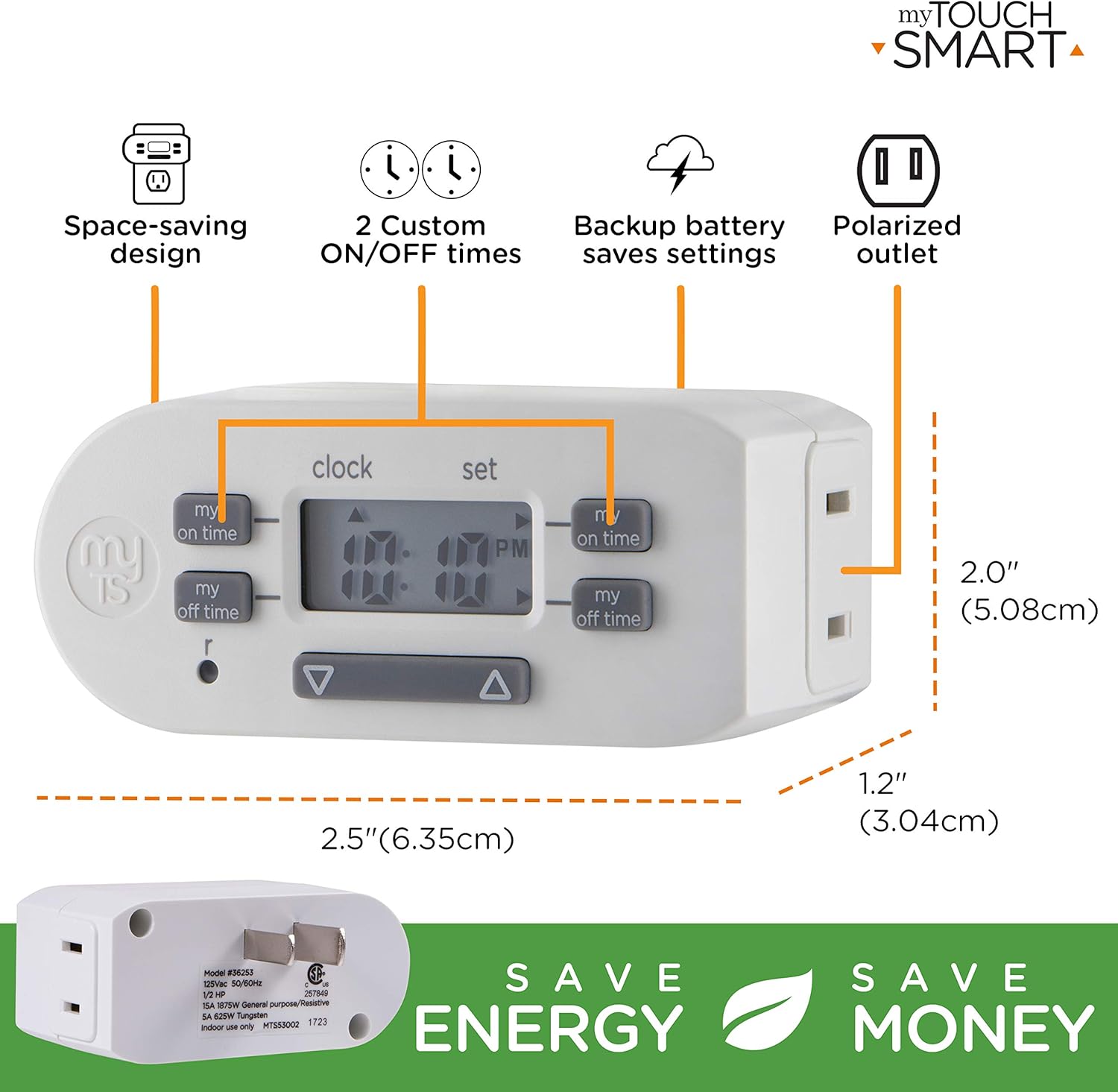
The myTouchSmart Digital Bar Outlet Timer is designed to automate the ON/OFF cycles of indoor lights, lamps, small appliances, and electronics. It features a space-saving design, a digital display, and two programmable custom ON/OFF times.
Istruzzjonijiet Importanti dwar is-Sigurtà
- Għall-użu fuq ġewwa biss.
- Do not exceed electrical ratings: 125V AC, 60Hz, 15A (1875W) General Purpose/Resistive, 5A (625W) Tungsten, 1/2 HP.
- Do not use with appliances that have heating elements, such as coffee makers, toasters, or heaters, as this may create a fire hazard.
- Kun żgur li t-tajmer huwa mdaħħal kompletament fis-sokit.
- Do not immerse in water or use in wet locations.
- Keep children away from the timer.
- Tiżżarmax l-unità. Ġewwa m'hemm l-ebda partijiet li jistgħu jiġu sservisjati mill-utent.
Karatteristiċi tal-Prodott
- Space-saving slim bar design.
- One (1) polarized outlet.
- Digital display for easy programming.
- Two custom daily ON/OFF times.
- Backup battery to save settings during power outages.
- Compatible with CFL, LED, incandescent, and halogen light sources.
Deskrizzjoni tal-Immaġni: A detailed diagram of the myTouchSmart Digital Bar Outlet Timer, highlighting its components such as the custom ON/OFF time buttons, clock/set mode indicator, active program indicator, AM/PM indicator, and scroll buttons. This image helps users identify the different parts of the timer for programming.
Setup u Konfigurazzjoni Inizjali
1. Charging the Backup Battery
Before initial use, plug the timer into a live electrical outlet for at least 30 minutes to charge the internal backup battery. This battery retains your settings during power outages or when the timer is unplugged.
2. Issettjar tal-Ħin Attwali
- Agħfas u żomm il- ARLOĠĠ buttuna.
- Waqt li żżomm ARLOĠĠ, agħfas il- ▲ ('il fuq) jew ▼ (down) button to adjust the hour. The AM/PM indicator will change accordingly.
- Irrilaxxa l- ARLOĠĠ button when the correct hour is set.
- Agħfas u żomm il- ARLOĠĠ buttuna għal darb'oħra.
- Waqt li żżomm ARLOĠĠ, agħfas il- ▲ ('il fuq) jew ▼ (down) button to adjust the minutes.
- Irrilaxxa l- ARLOĠĠ button when the correct minute is set.

Deskrizzjoni tal-Immaġni: This image illustrates the "Simple Setup" process for the timer. It shows the digital display and buttons, with arrows pointing to the scroll buttons for setting the current time and the "my on time" and "my off time" buttons for custom programming. The image emphasizes the ease of setting up the device.
Istruzzjonijiet Operattivi
Programming Custom ON/OFF Times
The timer allows for two custom daily ON/OFF programs. Follow these steps to set your desired schedules:
Programm 1:
- Agħfas il- MY ON TIME button (left side) once. The display will show "1 ON".
- Agħfas il- ▲ ('il fuq) jew ▼ (down) button to adjust the desired ON hour for Program 1.
- Agħfas il- MY ON TIME Agħfas il-buttuna mill-ġdid biex tikkonferma s-siegħa u tmur għall-minuti.
- Agħfas il- ▲ ('il fuq) jew ▼ (down) button to adjust the desired ON minutes for Program 1.
- Agħfas il- MY ON TIME button again to save the ON time.
- Agħfas il- MY OFF TIME button (left side) once. The display will show "1 OFF".
- Agħfas il- ▲ ('il fuq) jew ▼ (down) button to adjust the desired OFF hour for Program 1.
- Agħfas il- MY OFF TIME Agħfas il-buttuna mill-ġdid biex tikkonferma s-siegħa u tmur għall-minuti.
- Agħfas il- ▲ ('il fuq) jew ▼ (down) button to adjust the desired OFF minutes for Program 1.
- Agħfas il- MY OFF TIME button again to save the OFF time.
Programm 2:
Repeat the steps above using the MY ON TIME u MY OFF TIME buttuni fuq naħa tal-lemin of the timer. The display will show "2 ON" and "2 OFF" respectively.
Deskrizzjoni tal-Immaġni: This image displays two examples of how to program the timer. Program 1 is set to turn ON at 6:00 A.M. and OFF at 9:00 A.M. Program 2 is set to turn ON at 4:00 P.M. and OFF at 10:00 P.M. This visual guide helps users understand how to set their own custom schedules.
Connecting an Appliance
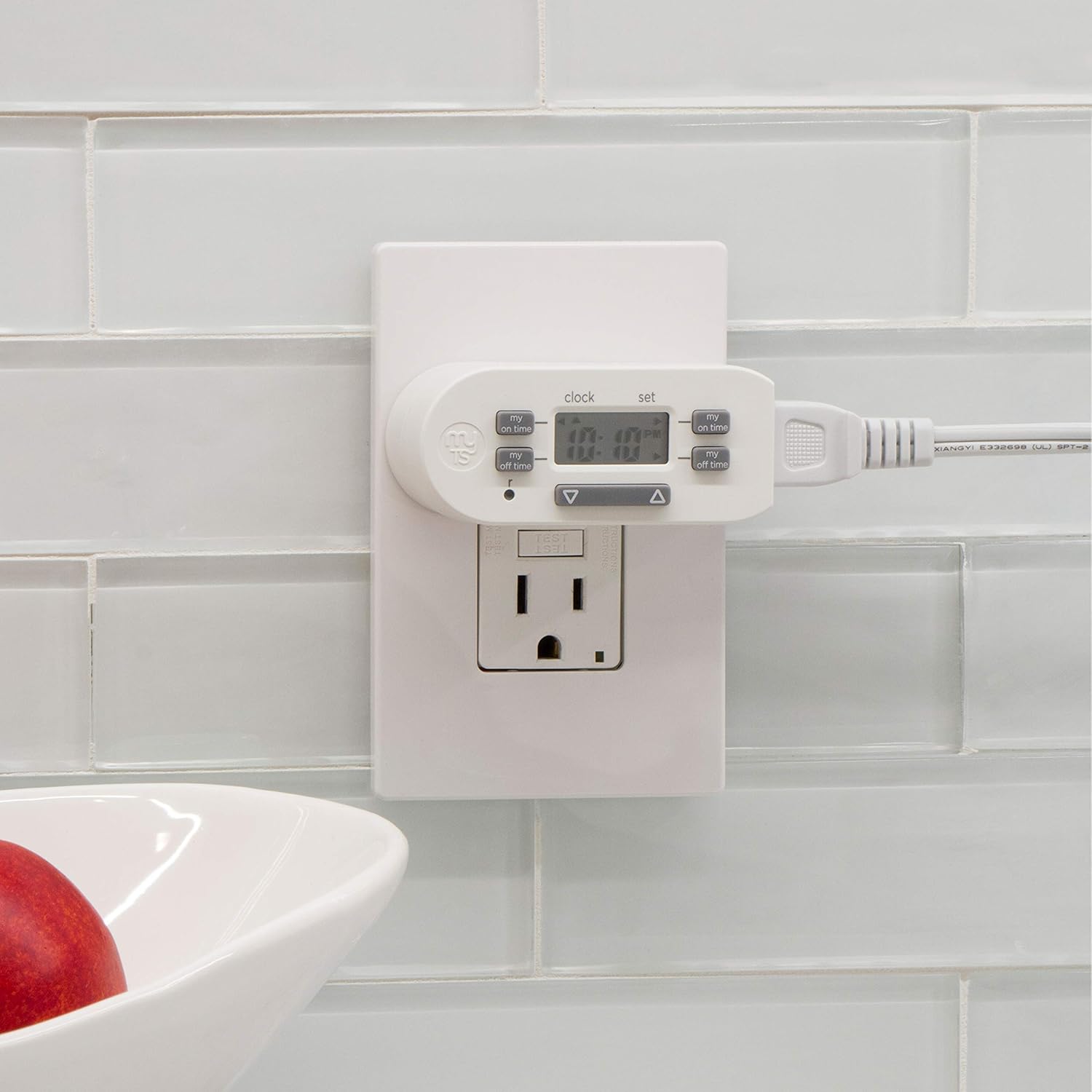
Once programmed, plug the appliance or light you wish to control into the polarized outlet on the side of the timer. Ensure the appliance's power switch is in the ON position for the timer to control its power cycle.

Deskrizzjoni tal-Immaġni: The image shows the myTouchSmart Digital Bar Outlet Timer plugged into a standard wall outlet. A lamp's power cord is then plugged into the polarized outlet on the side of the timer, demonstrating how to connect a device for timed operation. The slim design of the timer is visible, not obstructing the second wall outlet.
Manutenzjoni
- Tindif: Disconnect the timer from the power outlet before cleaning. Wipe with a dry, soft cloth. Do not use liquid or abrasive cleaners.
- Batterija: The internal backup battery is not user-replaceable. If the display becomes dim or settings are not retained after charging, the unit may need replacement.
- Ħażna: Aħżen it-tajmer f'post frisk u niexef meta ma tkunx qed tuża.
Issolvi l-problemi
| Problema | Kawża Possibbli | Soluzzjoni |
|---|---|---|
| L-apparat ma jixgħelx/jitfix f'ħinijiet ipprogrammati. |
|
|
| Id-displej huwa mudlam jew vojt. |
|
|
| Is-settings jintilfu wara li tintefa' l-enerġijatage or unplugging. | Backup battery is not sufficiently charged or has reached end of life. | Plug the timer into a live outlet for at least 30 minutes. If the issue persists, the internal battery may need replacement (unit replacement). |
Speċifikazzjonijiet
- Mudell: 26745
- Klassifikazzjoni Elettrika: 125V AC, 60Hz
- Tagħbija Massima: 15A (1875W) General Purpose/Resistive
- Tungsten Load: 5A (625W)
- Tagħbija tal-Mutur: 1 / 2 HP
- Ħwienet: 1 Polarized
- Dimensjonijiet: Madwar 2 x 2.5 x 1.25 pulzieri
- Ċertifikazzjoni: CSA
Garanzija u Appoġġ
This product is backed by a one-year limited warranty. For warranty claims or technical support, please contact myTouchSmart customer service. Refer to the product packaging or the manufacturer's websit għal informazzjoni ta' kuntatt.
Manifattur: Jasco Products Company, LLC


