1. Introduzzjoni
This manual provides comprehensive instructions for the setup, operation, and maintenance of your Anderic RR7096T Thermostatic Remote Control. This remote is designed as a direct replacement for original Hampton Bay and Harbor Breeze ceiling fan remotes, specifically those with FCC IDs such as CHQ7096T, UC7096T, CHQ8BF7096T, and CHQ8BT7096T.
The RR7096T offers control over fan speeds, light functions (including dimming), and thermostatic settings. It is important to note that this remote operates only the down-lights of a ceiling fan and does not include a 'Reverse' key for fan direction. For proper light dimming functionality, incandescent bulbs are required.
2. Informazzjoni dwar is-Sigurtà
- Żomm il-batteriji fejn ma jintlaħaqx mit-tfal.
- Tħallatx batteriji qodma u ġodda, jew tipi differenti ta 'batteriji.
- Armi batteriji użati skont ir-regolamenti lokali.
- Avoid exposing the remote control to extreme temperatures, moisture, or direct sunlight.
3. Kontenut tal-Pakkett
Ivverifika li l-pakkett tiegħek fih l-oġġetti li ġejjin:
- Anderic RR7096T Thermostatic Remote Control
- Parentesi tal-muntaġġ tal-ħajt
- Two screws for wall mount installation
4. Setup
4.1. Installazzjoni tal-batterija
- Neħħi l-għatu tal-kompartiment tal-batterija fuq wara tal-kontroll remot.
- Daħħal erba’ (4) batteriji AAA, waqt li tiżgura l-polarità korretta (+/-).
- Ibdel l-għatu tal-kompartiment tal-batterija.
4.2. Dip-Switch Matching
The RR7096T remote control operates by matching its dip-switch settings to those of your ceiling fan's receiver. This is the primary method of pairing the remote with your fan.
- Locate the dip-switches inside the battery compartment of your new RR7096T remote.
- Identify the dip-switches on your existing ceiling fan receiver or original remote control. The receiver is typically located in the ceiling fan's canopy.
- Carefully match the position of the dip-switches (ON/OFF or UP/DOWN) on the new RR7096T remote to the exact pattern of your fan's receiver or original remote.
- Once the dip-switches are matched, the remote should operate your ceiling fan without further programming.

Figura 1: Back of the Anderic RR7096T remote control, illustrating the battery compartment and the internal dip-switches that must be matched to your ceiling fan receiver for proper operation.
4.3. Installazzjoni tal-Immonta tal-Ħajt
The included wall mount bracket allows for convenient storage of your remote control.
- Choose a suitable location on a wall, away from direct heat or moisture.
- Use the two provided screws to securely attach the wall mount bracket to the wall.
- Slide the remote control into the bracket for storage.
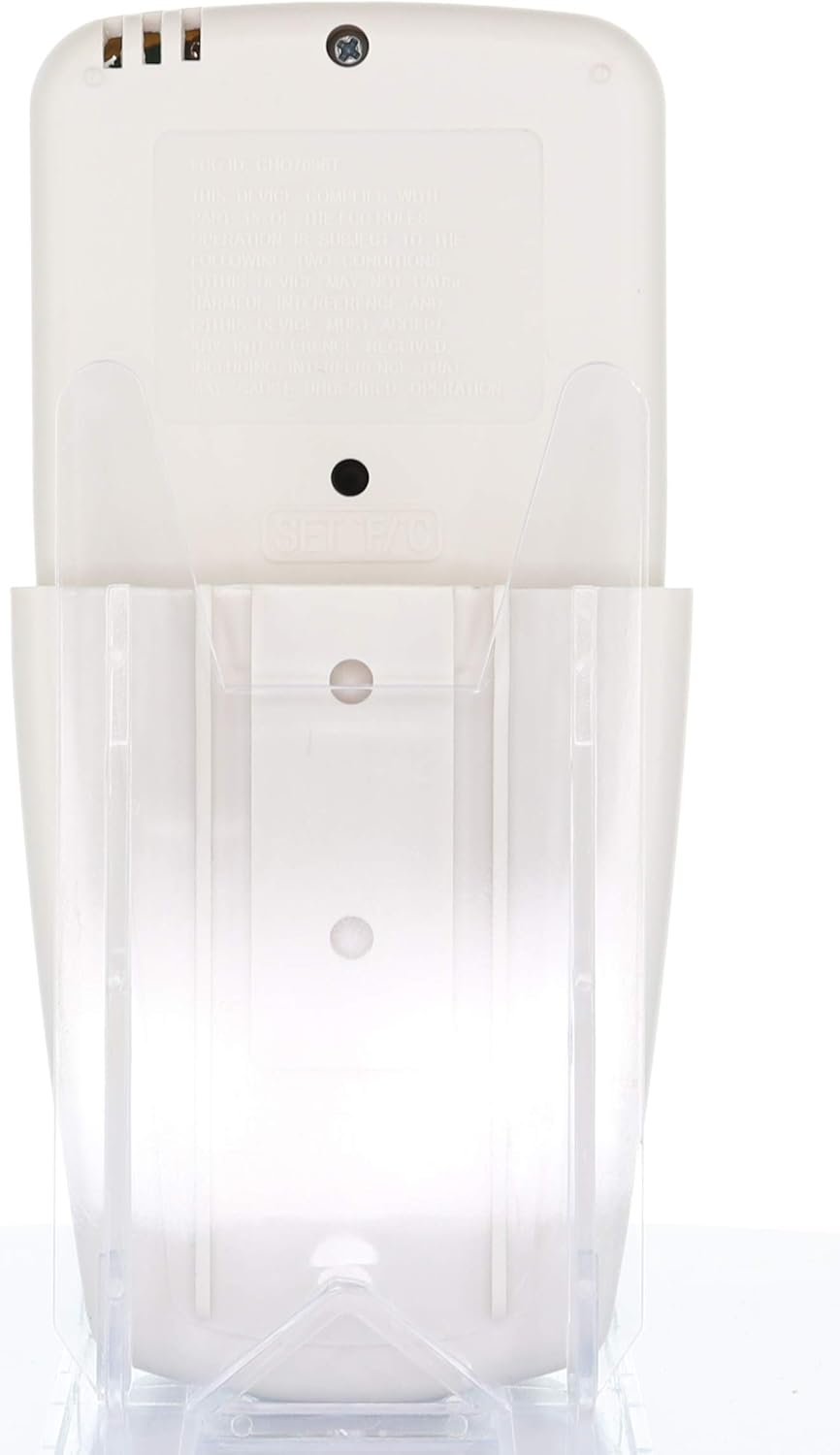
Figura 2: The Anderic RR7096T remote control securely placed in its transparent wall mount bracket, demonstrating how it can be stored when not in use.
5. Istruzzjonijiet Operattivi
The Anderic RR7096T remote control features a clear LCD display and dedicated buttons for various functions. Refer to the image below for button identification.

Figura 3: Quddiem view of the Anderic RR7096T remote control, displaying its LCD screen and various control buttons for fan and light functions.
5.1. Kontroll tal-fann
- Fan On / Off: Press the blue fan button to cycle through fan speeds (Low, Medium, High) and turn the fan off.
- FAN AUTO: Activates the thermostatic fan control. The fan will automatically adjust its speed based on the room temperature and your set temperature.
- FAN TIMER: Sets a timer for the fan to operate for a specified duration.
- TEMP./SET HOUR (Up/Down Arrows): Adjusts the desired temperature for FAN AUTO mode or sets the hour for timer functions.
5.2. Kontroll tad-Dawl
- Dawl mixgħul / mitfi / jbaxxi: Press the yellow light button to turn the down-lights on or off. Hold the button to dim or brighten the lights.
- LIGHT TIMER: Sets a timer for the light to turn off after a specified duration.
- LIGHT DELAY: Activates a delay for the light to turn off, allowing time to exit the room.
Nota Importanti: This remote control is designed to operate only the down-lights of your ceiling fan. It will not control separate up-lights if your fan is equipped with them. For proper dimming functionality, ensure your fan uses incandescent bulbs.
6. Manutenzjoni
6.1. Sostituzzjoni tal-batterija
When the remote's display becomes dim or its response time slows, it is time to replace the batteries. Follow the battery installation steps in Section 4.1.
6.2. Tindif
Imsaħ il-kontroll remot b'ċarruta ratba u niexfa. Tużax prodotti tat-tindif li joborxu jew tgħaddasx il-kontroll remot fl-ilma.
7 Issolvi l-problemi
- Ir-remote mhux qed jirrispondi:
- Iċċekkja l-livelli tal-batterija u ibdel jekk meħtieġ.
- Verify that the dip-switches in the remote match the settings of your ceiling fan receiver (refer to Section 4.2).
- Ensure there are no obstructions between the remote and the fan receiver.
- Lights not dimming properly:
- Confirm that your ceiling fan uses incandescent bulbs. LED or CFL bulbs may not dim correctly with this remote.
- Fan not operating at desired speed in AUTO mode:
- Check the set temperature on the remote's display and adjust using the TEMP./SET HOUR buttons.
8. Speċifikazzjonijiet
| Isem tal-Mudell | RR7096T |
| Brand | Anderiku |
| Kulur | Avorju |
| Sors tal-Enerġija | Powered Battery (4 batteriji AAA meħtieġa) |
| Dimensjonijiet tal-Prodott | 1"D x 3"W x 6"H |
| Piż tal-oġġett | 4.8 uqija |
| Metodu ta' Kontroll | Remote |
| Compatible FCC IDs | CHQ7096T, UC7096T, CHQ8BF7096T, CHQ8BT7096T |
| Komponenti Inklużi | Remote control, Wall mount bracket (with two screws) |
9. Informazzjoni dwar Garanzija
The Anderic RR7096T Thermostatic Remote Control comes with a Garanzija ta' Sostituzzjoni ta' Sena. Please retain your proof of purchase for warranty claims. For details on how to claim your warranty, refer to the manufacturer's official websit jew ikkuntattja lill-appoġġ tal-klijenti tagħhom.
10. Appoġġ
For further assistance, troubleshooting tips, or to inquire about compatible receivers (such as UC7067FCRX or UC70960TX if needed), please visit the official Anderic webis-sit jew ikkuntattja lid-dipartiment tal-appoġġ għall-klijenti tagħhom. L-informazzjoni ta' kuntatt tipikament tista' tinstab fuq l-imballaġġ tal-prodott jew fuq il-manuskritt tal-manifattur. websit.


