1. Introduzzjoni
The Tenda AC1300 (U12) is a dual-band wireless USB adapter designed to provide Wi-Fi connectivity to desktop PCs and laptops. It supports the 802.11ac standard, offering data transfer rates up to 867Mbps on the 5GHz band and 400Mbps on the 2.4GHz band. The adapter utilizes a USB 3.0 interface for faster data transfer compared to USB 2.0.
2. Kontenut tal-Pakkett
Ivverifika li l-oġġetti kollha huma preżenti fil-pakkett tiegħek:
- AC1300 USB Adapter (U12)
- Gwida għall-Installazzjoni
- Cable ta 'estensjoni USB
- CD tal-Installazzjoni
3. Setup
3.1 Installazzjoni tas-sewwieq
Before connecting the adapter, install the necessary drivers. The drivers can be found on the included CD or downloaded from the official Tenda website. For optimal performance and compatibility, it is recommended to download the latest drivers from the Tenda support page.
- Insert the Installation CD into your computer's CD/DVD drive, or download the driver package from the Tenda websit.
- Segwi l-istruzzjonijiet fuq l-iskrin biex tlesti l-installazzjoni tas-sewwieq.
- Ibda mill-ġdid il-kompjuter tiegħek jekk tintalab.
3.2 Konnessjoni tal-Adapter
The U12 adapter uses a USB 3.0 interface. For best performance, connect it to a USB 3.0 port on your computer. USB 3.0 ports are typically blue.
- Locate an available USB 3.0 port on your desktop PC or laptop.
- Insert the Tenda U12 USB WiFi Adapter directly into the USB port.
- Alternatively, use the provided USB extension cable for flexible placement to optimize signal reception. Connect the adapter to one end of the extension cable and the other end to your computer's USB port.
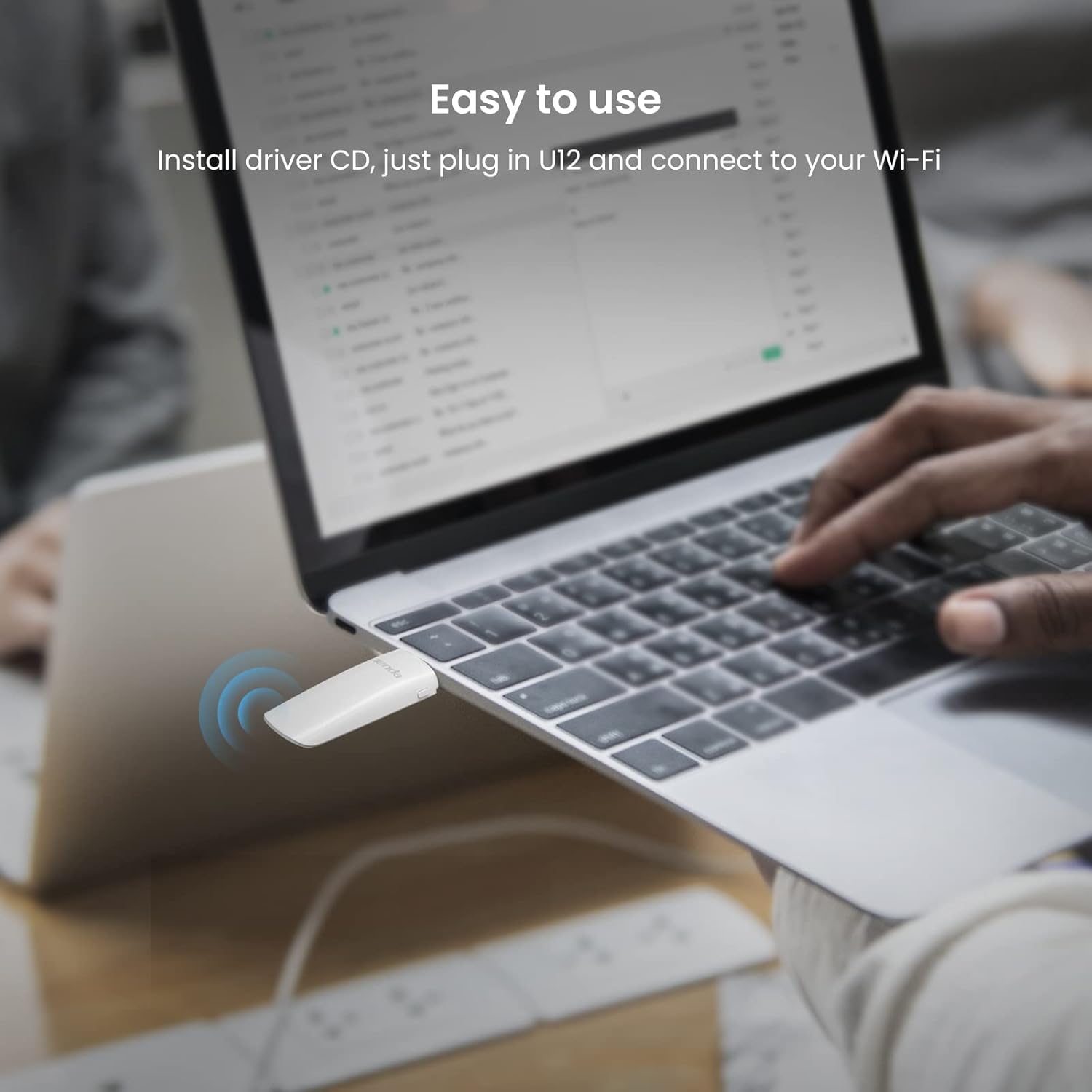
Image: Tenda U12 adapter plugged into a laptop USB port, illustrating easy setup.

Image: Tenda U12 adapter connected to a desktop computer's USB port.
3.3 Konnessjoni ma' Netwerk Wi-Fi
- Once the adapter is connected and drivers are installed, your operating system should detect it.
- Open your computer's Wi-Fi settings.
- Agħżel in-netwerk Wi-Fi mixtieq tiegħek mil-lista ta' netwerks disponibbli.
- Daħħal il-password tan-netwerk (jekk meħtieġ) u kklikkja 'Qabbad'.
4. Istruzzjonijiet Operattivi
4.1 Funzjonalità ta' Doppju Banda
The Tenda U12 supports both 2.4GHz and 5GHz Wi-Fi bands. The 5GHz band offers higher speeds (up to 867Mbps) and is ideal for activities like HD video streaming and online gaming, while the 2.4GHz band provides wider coverage (up to 400Mbps) and is suitable for general internet use.
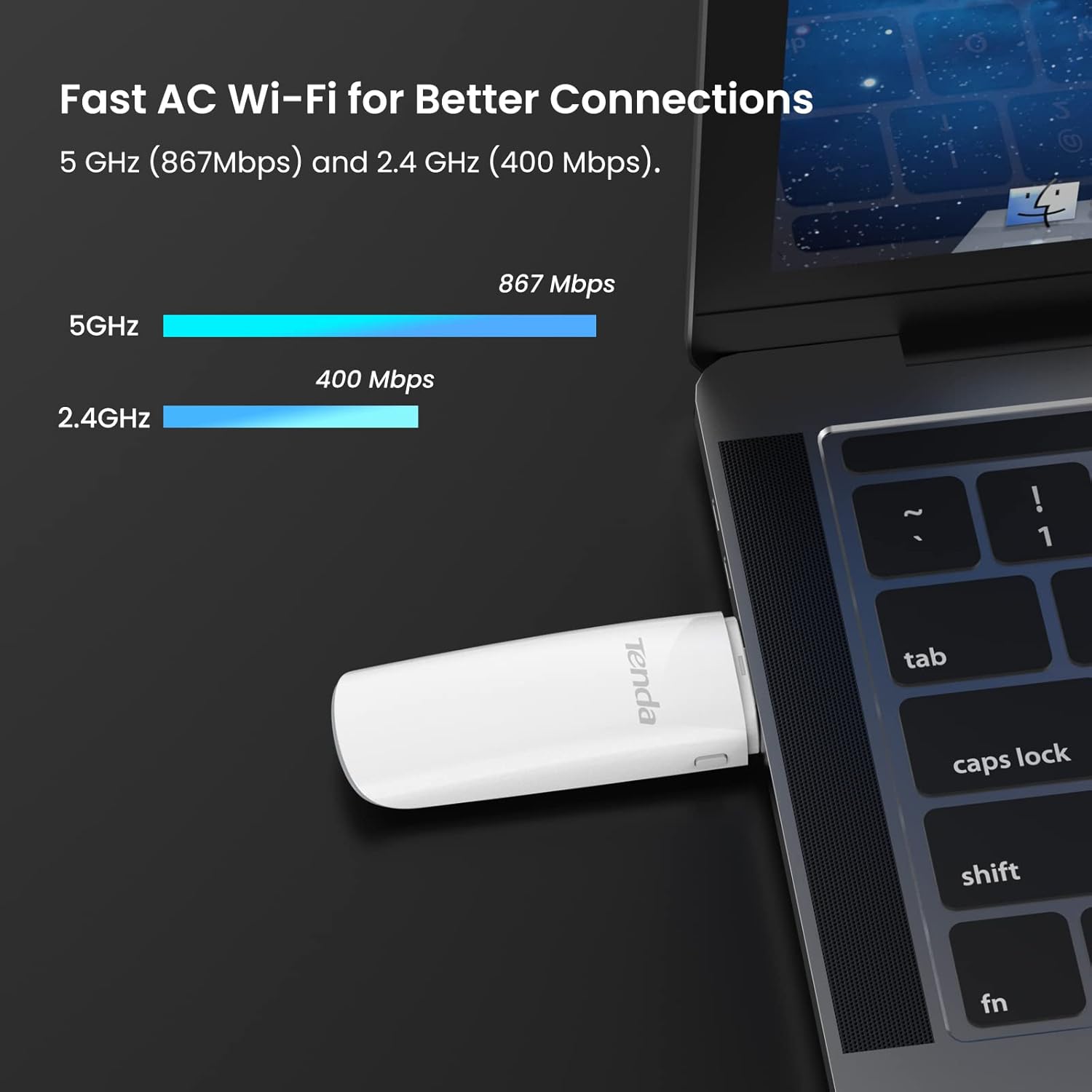
Image: Tenda U12 adapter showing 5GHz and 2.4GHz speed capabilities.
4.2 WPS Button
The adapter features a WPS (Wi-Fi Protected Setup) button for easy and secure wireless network encryption. If your router supports WPS, you can establish a secure connection without manually entering the password:
- Agħfas il-buttuna WPS fuq ir-router mingħajr fili tiegħek.
- Within two minutes, press the WPS button on the Tenda U12 adapter.
- L-adapter jikkonnettja man-netwerk awtomatikament.
5. Manutenzjoni
- Żomm l-adapter nadif u ħieles mit-trab.
- Evita li tesponi l-adapter għal temperaturi jew umdità estremi.
- Ensure the latest drivers are installed for optimal performance and security updates. Regularly check the Tenda websit għal aġġornamenti tas-sewwieqa.
6 Issolvi l-problemi
6.1 Adapter Not Detected or Not Working
- Iċċekkja l-Port tal-USB: Ensure the adapter is firmly inserted into a functioning USB port. Try a different USB port, preferably a USB 3.0 port.
- Installazzjoni tas-sewwieq: Verify that the correct drivers are installed. Reinstall drivers from the provided CD or the official Tenda websit.
- Reboot Sistema: Restart your computer after driver installation or if the adapter is not recognized.
6.2 Slow Connection Speed or Frequent Disconnections
- Pożizzjonament tal-Adapter: Use the USB extension cable to position the adapter away from obstructions and closer to your Wi-Fi router for better signal strength.
- Port USB 3.0: Ensure the adapter is connected to a USB 3.0 port for maximum speed. USB 2.0 ports will limit performance.
- Router Band: Connect to the 5GHz band if available and within range, as it generally offers higher speeds and less interference.
- Interferenza: Keep the adapter away from devices that may cause interference, such as microwaves, cordless phones, or other wireless devices.
- Settings tal-router: Check your router's settings for channel optimization or firmware updates.
6.3 Adapter Heats Up
It is normal for the adapter to generate some heat during operation. Ensure it is not covered or placed in an enclosed space to allow for proper ventilation.
7. Speċifikazzjonijiet
| Karatteristika | Speċifikazzjoni |
|---|---|
| Numru tal-Mudell | U12 |
| Standards bla fili | IEEE 802.11ac, IEEE 802.11a, IEEE 802.11n, IEEE 802.11g, IEEE 802.11b |
| Data Transfer Rate (5GHz) | Sa 867Mbps |
| Data Transfer Rate (2.4GHz) | Sa 400Mbps |
| Interface tal-Ħardwer | USB 3.0 |
| Sigurtà mingħajr fili | WPA-PSK/WPA2-PSK, WPA/WPA2, WEP, WPS |
| Sistemi Operattivi Kompatibbli | Windows 10/8.1/8/7/XP (32/64bits), Mac OS X 10.6-10.12, Linux |
| Dimensjonijiet | 1.19 x 0.53 x 3.7 pulzieri |
| Piż tal-oġġett | 1.76 uqija (50 Grammi) |
| Kulur | Abjad |

Image: Tenda U12 adapter showing compatibility with Windows, Mac OS, and Linux.
8. Garanzija u Appoġġ
The Tenda U12 USB WiFi Adapter typically comes with a 3-year warranty. For warranty claims, technical support, or further assistance, please visit the official Tenda website or contact their customer service. Keep your purchase receipt for warranty validation.
9. Informazzjoni Importanti dwar is-Sigurtà
- Żarmax jew timmodifikax l-apparat.
- Żomm l-apparat 'il bogħod mill-ilma, min-nar, u minn temperaturi għoljin.
- Use only the provided accessories or those recommended by the manufacturer.


