1. Introduzzjoni
This manual provides detailed instructions for the setup, operation, maintenance, and troubleshooting of your Fanvil X3G Enterprise IP Phone. Please read this manual thoroughly before using the device to ensure proper functionality and to prevent damage.
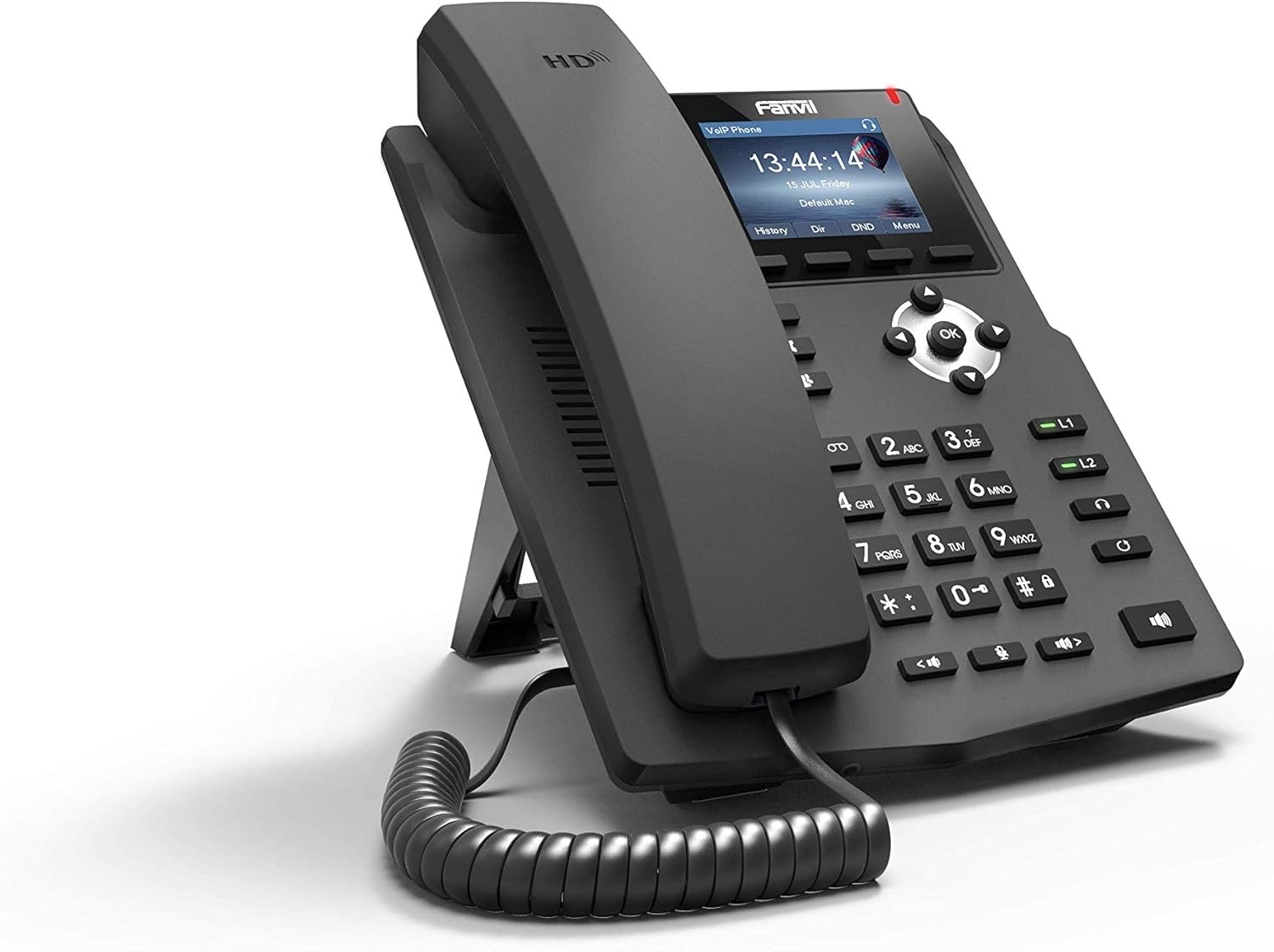
Immaġni 1.1: Angolat minn quddiem view of the Fanvil X3G Enterprise IP Phone.
2. Kontenut tal-Pakkett
Ivverifika li l-oġġetti kollha huma preżenti fil-pakkett:
- Fanvil X3G IP Phone Unit
- Handset
- Korda tal-idejn
- Cable Ethernet
- Stand
- Gwida għall-Installazzjoni Rapida (dan id-dokument)
3. Setup
3.1 L-Immuntar tat-Telefon
- Attach the stand to the back of the phone unit. The stand allows for desktop placement at an optimal viewing angle or can be configured for wall-mount installation.
- Connect the coiled handset cord to the handset and the designated handset port on the phone unit.
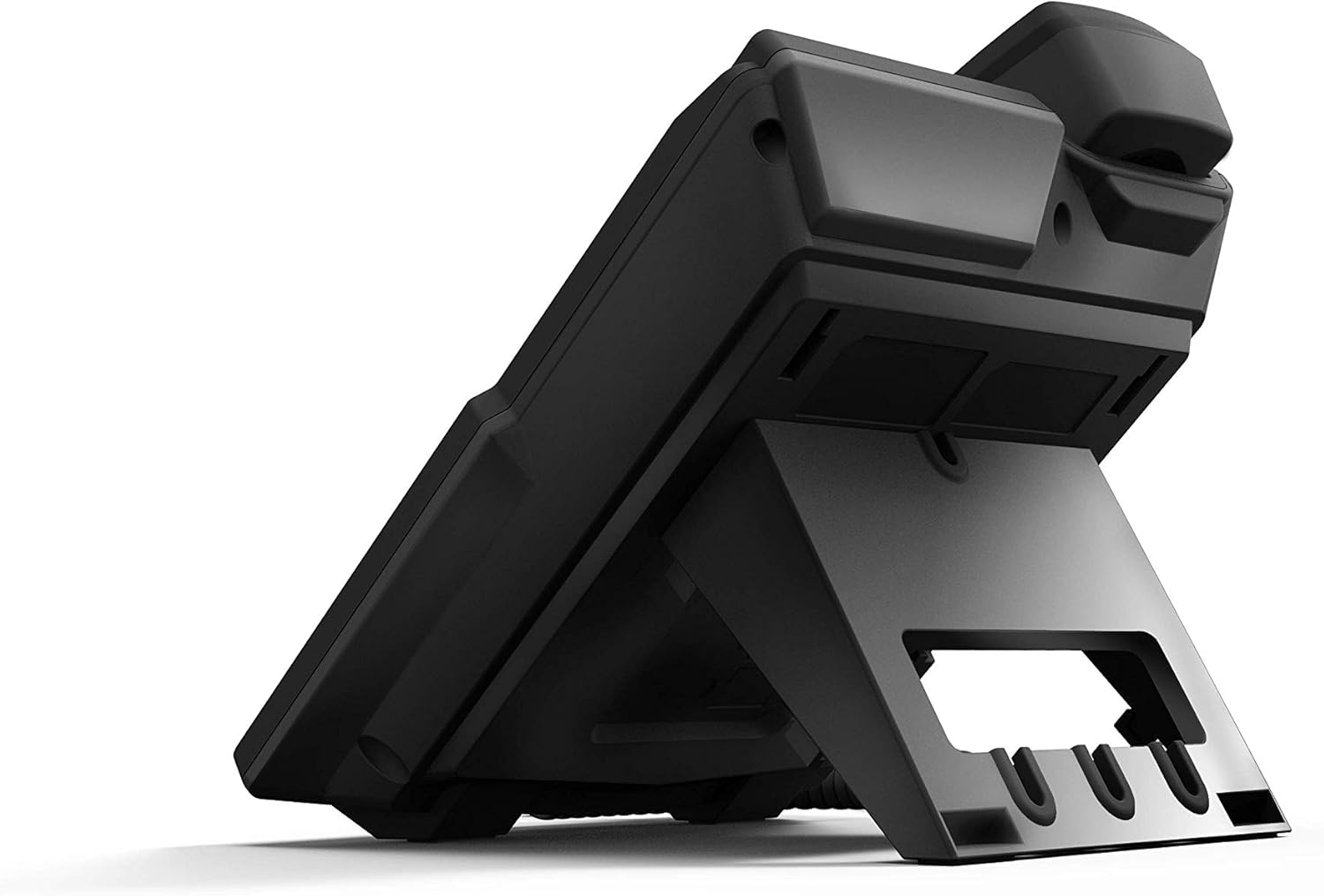
Stampa 3.1: Wara view of the Fanvil X3G IP Phone with stand and connection ports.
3.2 Konnessjoni tat-Telefon
- Konnessjoni tan-Netwerk: Qabbad tarf wieħed tal-kejbil Ethernet mal-port LAN fuq it-telefon u t-tarf l-ieħor ma' swiċċ jew router tan-netwerk. Jekk in-netwerk tiegħek jappoġġja Power over Ethernet (PoE), it-telefon jixgħel awtomatikament.
- Konnessjoni tal-Enerġija (jekk ma tużax PoE): If PoE is not available, connect a compatible power adapter (not included) to the power port on the phone and then to an electrical outlet.
- Headset Connection (Optional): For hands-free operation, connect a compatible headset to the headset port. The phone supports EHS (Electronic Hook Switch) for Plantronics headsets.
The phone will initiate its boot sequence upon receiving power. The display will show the Fanvil logo and then proceed to load the operating system.
4. Istruzzjonijiet Operattivi
4.1 Funzjonijiet Bażiċi tas-Sejħiet

Stampa 4.1: Quddiem view of the Fanvil X3G IP Phone, highlighting the display and keypad.
- Tagħmel Sejħa:
- Pick up the handset, press the speakerphone button, or press the Headset button.
- Ċempel in-numru mixtieq billi tuża t-tastiera.
- Agħfas il- Ċempel soft key jew il- # ċavetta.
- Tweġiba għal Sejħa:
- Pick up the handset, press the speakerphone button, or press the Headset button.
- Alternattivament, agħfas il- Tweġiba soft key.
- Tmiem Sejħa:
- Hang up the handset, press the speakerphone button again, or press the Headset button again.
- Alternattivament, agħfas il- Tmiem Sejħa soft key.
4.2 Karatteristiċi tas-Sejħa
- Vuċi HD: The Fanvil X3G supports HD Voice for superior audio clarity during calls.
- Speakerphone: Agħfas il- Speaker button to toggle speakerphone mode.
- Headset Mode: Agħfas il- Headset button to use a connected headset.
- Siekta: Agħfas il- Mute buttuna biex tissettja l-mikrofonu tiegħek waqt telefonata. Agħfas mill-ġdid biex tneħħi l-istorbju.
- Aġġustament tal-Volum: Uża l- Volum buttons to adjust the handset, speaker, or headset volume during a call, or the ringer volume when idle.
- 2 Linji SIP: The phone supports two independent SIP lines, allowing you to manage multiple calls simultaneously. Use the line keys (L1, L2) to switch between lines.
- Telefonata ta' Konferenza fi 3 Direzzjonijiet:
- Stabbilixxi telefonata mal-ewwel parti.
- Agħfas il- Konf soft key. The first party is put on hold.
- Dial the second party's number and press Ċempel.
- Once connected to the second party, press the Konf soft key again to join all three parties in a conference call.
5. Manutenzjoni
Proper maintenance ensures the longevity and optimal performance of your Fanvil X3G IP Phone.
- Tindif: Uża drapp artab u niexef biex tnaddaf il-wiċċ tat-telefon. Għal marki persistenti, nixxef ftit.ampen the cloth with water. Avoid using harsh chemicals, abrasive cleaners, or solvents, as these can damage the finish.
- Ambjent: Żomm it-telefon f'ambjent niexef, 'il bogħod mix-xemx diretta, mis-sħana eċċessiva, u mill-umdità.
- Kejbils: Ensure all cables are securely connected and not strained or kinked.
6 Issolvi l-problemi
If you encounter issues with your Fanvil X3G IP Phone, refer to the following common troubleshooting steps:
- Ebda Qawwa/It-Telefon Ma Jixgħelx:
- Check if the Ethernet cable is securely connected to the LAN port and the network switch/router.
- If not using PoE, ensure the power adapter (if applicable) is correctly connected to the phone and a working electrical outlet.
- Verify that the network switch/router is powered on and functioning.
- Ebda Ton tal-Dial:
- Ensure the phone is properly registered with your VoIP service provider. Check the display for registration status.
- Ivverifika l-konnettività tan-netwerk.
- Restart the phone by disconnecting and reconnecting the power/Ethernet cable.
- Poor Call Quality (Echo, Static):
- Iċċekkja l-konnessjoni tan-netwerk tiegħek għall-istabbiltà u l-bandwidth.
- Kun żgur li l-korda tat-telefon ċellulari hija konnessa sew.
- If using a headset, try using the handset to determine if the issue is headset-related.
- Ma nistax nagħmel/nirċievi telefonati:
- Confirm that the phone is registered with your SIP server.
- Check network settings and ensure the phone has an IP address.
- Contact your VoIP service provider or network administrator for assistance with SIP registration or network configuration.
7. Speċifikazzjonijiet
Technical specifications for the Fanvil X3G Enterprise IP Phone:
| Karatteristika | Dettall |
|---|---|
| Brand | Fanvil |
| Numru tal-Mudell | H3 PHONE (also known as X3G) |
| Dimensjonijiet tal-Prodott | 1 x 1 x 1 pulzieri (2.54 x 2.54 x 2.54 ċm) |
| Piż tal-oġġett | 1.95 liri (0.88 kg) |
| ASIN | B06VX2V8B2 |
| Tip tat-Telefon | Corded |
| Sors tal-Enerġija | Elettriku bil-fili (kapaċi PoE) |
| Tip ta' Dialer | Tastiera Unika |
| Tip ta' Sistema ta' Tweġiba | Diġitali |
| Kapaċità ta' Sejħa ta' Konferenza | 3-mod |
| Identifikazzjoni ta' min iċempel | Nru |
| UPC | 756676089350 |
| Linji SIP | 2 |
| Vuċi HD | Iva |
| Appoġġ għall-headset | EHS support for Plantronics headsets |
| Għażliet ta 'Installazzjoni | Desktop / Wall-mount |
8. Garanzija u Appoġġ
For warranty information, please refer to the documentation provided at the time of purchase or contact your reseller. For technical support, please reach out to your service provider or the Fanvil customer support team through their official websit.


