Introduzzjoni
This manual provides essential information for the proper installation, operation, and maintenance of your Power Acoustik PHD-101 10.3-inch Universal Headrest Monitor. Please read this manual thoroughly before using the product to ensure optimal performance and safety.
Informazzjoni dwar is-Sigurtà
- Kun żgur li l-konnessjonijiet kollha huma siguri qabel ma tħaddem l-apparat.
- Tesponix l-unità għal umdità eċċessiva jew temperaturi estremi.
- Evita li timblokka l-fetħiet tal-ventilazzjoni biex tevita sħana żejda.
- Irreferi l-manutenzjoni kollha lil persunal kwalifikat.
- Dan il-prodott fih kimiċi magħrufa mill-Istat ta’ Kalifornja li jikkawżaw kanċer u difetti fit-twelid jew ħsara riproduttiva oħra.
Kontenut tal-Pakkett
Ivverifika li l-oġġetti kollha huma preżenti fil-pakkett:
- Power Acoustik PHD-101 Headrest Monitor
- Manwal ta' Istruzzjoni
- Mounting hardware (various adapters for headrest poles)
- Kontroll mill-bogħod
- Wiring harness (power, audio/video cables)
- Trasmettitur IR
- Trasmettitur FM
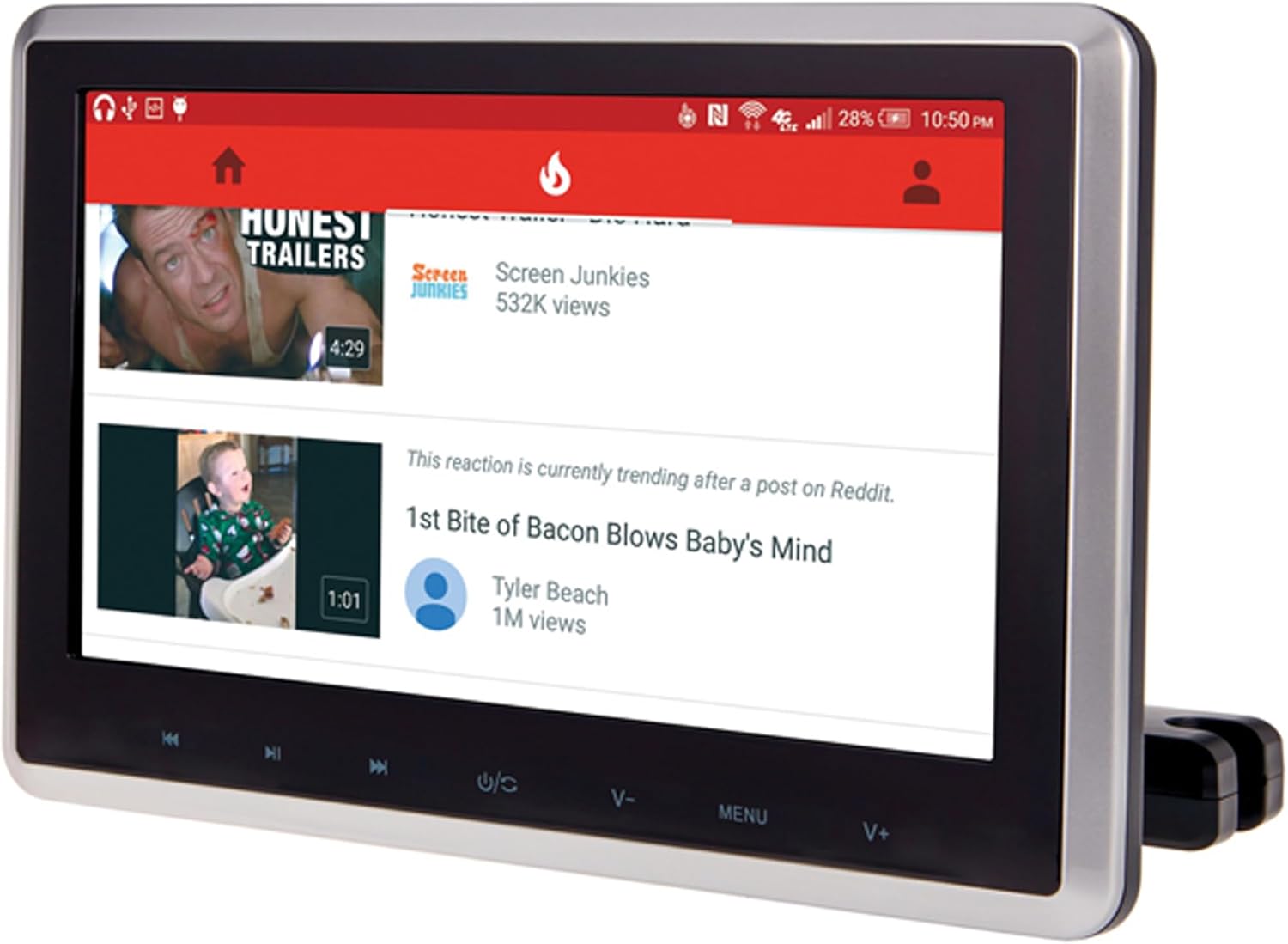
Immaġni: Fuqview of the Power Acoustik PHD-101 headrest monitor and its included accessories, such as the remote control, wiring, and mounting brackets.
Karatteristiċi tal-Prodott
- 10.3-inch display with 800 x 480 resolution
- 400 nits brightness for clear viewing
- NTSC/PAL auto selection for video compatibility
- Rear-loading DVD player supporting DVD/RW 720p playback
- Adjustable pole width from 4.75 inches to 8.25 inches for universal fit
- Integrated IR (Infrared) and FM (Frequency Modulation) transmitters
- Android PhoneLink compatibility for smartphone integration
Setup u Installazzjoni
1. Headrest Installation
- Remove your vehicle's existing headrest.
- Insert the metal posts of the PHD-101 monitor into the headrest pole receptacles in your vehicle's seat.
- Adjust the pole width as needed to fit securely (4.75"–8.25" range).
- Secure the headrest monitor in place using the provided locking mechanisms.
Video: This video demonstrates the general process of installing a headrest DVD player, showing how to replace the original headrest with the new unit and secure it. While this video is from an influencer and may not feature the exact PHD-101 model, the installation principles are similar.
2. Konnessjonijiet tal-Wiring
- Connect the power cable to your vehicle's 12V power source.
- Utilize the AV IN/OUT ports for connecting external audio/video sources or outputting video to another screen.
- Insert an SD card into the SD slot for media playback.
- Connect USB devices to the USB port for media playback or charging.
- Use the earphone jack for private listening with wired headphones.

Immaġni: Wara view of the Power Acoustik PHD-101 monitor, highlighting the various input/output ports including DC 12V, earphone, AV IN/OUT, SD card slot, and USB port.
Istruzzjonijiet Operattivi
1. Power On/Off
Press the power button located on the front panel or remote control to turn the unit on or off.
2. Daqq tad-DVD
- Insert a DVD or DVD/RW disc into the rear-loading slot with the label side facing up.
- The player will automatically load and begin playback.
- Use the remote control or front panel buttons (Play/Pause, Stop, Skip) to control playback.
Video: This video demonstrates DVD playback and the ability to watch different movies on dual screens. While it features a related product (DESOBRY 10.5 inch Dual Car DVD Player), it illustrates the core functionality of DVD playback in a headrest monitor setup.
3. Daqq tal-Midja (USB/SD)
Insert a USB drive into the USB port or an SD card into the SD slot. The unit will detect the media and allow you to browse and play compatible audio/video files.
4. Android PhoneLink
Connect your Android smartphone to the monitor via a compatible cable (not specified if included, typically USB). This feature allows for mirroring your phone's screen or accessing certain applications directly on the headrest monitor. Refer to your phone's manual for specific PhoneLink compatibility and setup.
Video: This video showcases an Android-based headrest monitor's interface and connectivity options, including USB and HDMI. While it features a related product (Android12 Headrest Monitor by NOAUKA), it provides a visual representation of Android PhoneLink capabilities and general operation for similar devices.
5. IR & FM Transmitters
- Trasmettitur tal-IR: For wireless audio transmission to compatible IR headphones. Ensure your headphones are set to the correct IR channel.
- Transmiter FM: Transmits audio to your vehicle's FM radio. Tune your car radio to an unused FM frequency, then set the monitor's FM transmitter to the same frequency.
6. Menu u Settings
Agħfas il- MENU button on the unit or remote to access settings. Navigate through options like brightness, contrast, color, aspect ratio, and audio settings using the arrow buttons and confirm with DĦUL or OK.
Manutenzjoni
- Tindif: Use a soft, dry cloth to clean the screen and exterior. For stubborn marks, lightly dampLaħlaħ id-drapp bl-ilma. Evita kimiċi ħarxa jew prodotti tat-tindif li joborxu.
- Kura tad-Diska: Handle DVDs by the edges. Clean discs with a soft, lint-free cloth, wiping from the center outwards.
- Ħażna: When not in use for extended periods, store the unit in a cool, dry place away from direct sunlight.
Issolvi l-problemi
| Problema | Kawża Possibbli | Soluzzjoni |
|---|---|---|
| Ebda qawwa | Konnessjoni tal-enerġija maħlula, fjus maħruq. | Check power cable connection. Inspect vehicle fuse. |
| No picture/sound from DVD | Disc inserted incorrectly, dirty/scratched disc, incorrect source selected. | Re-insert disc correctly. Clean or replace disc. Select DVD source. |
| No sound from FM transmitter | Incorrect FM frequency selected on monitor or car radio. | Ensure monitor and car radio are tuned to the same, clear FM frequency. |
| PhoneLink not working | Incompatible cable, phone settings, app issues. | Use a compatible USB cable. Check phone's USB connection settings (e.g., file transfer, Android Auto). Restart phone and monitor. |
Speċifikazzjonijiet
| Numru tal-Mudell | PHD-101 |
| Daqs tal-Iskrin | 10.3 Pulzier |
| Riżoluzzjoni tal-Wiri | 800 x 480 |
| Luminożità | 400 nits |
| Teknoloġija tal-Wiri | TFT LCD |
| Tip ta' Midja Appoġġjat | DVD/RW (720p), SD, USB |
| Konnettività | IR, FM, Android PhoneLink |
| Pole Width Adjustment | 4.75"–8.25" |
| Dimensjonijiet tal-Prodott | 5.25 x 10.25 x 7.5 pulzieri |
| Piż tal-oġġett | 2 liri |
Garanzija u Appoġġ
For warranty information and technical support, please refer to the official Power Acoustik webis-sit jew ikkuntattja lis-servizz tal-konsumatur tagħhom direttament. Żomm l-irċevuta tax-xiri tiegħek bħala prova tax-xiri.
Websit: www.poweracoustik.com
Servizz tal-Klijent: Irreferi għat-taqsima tal-kuntatt fuq il-paġna uffiċjali websit għal numri tat-telefon jew appoġġ bl-email.


